

If you need one polished project done right and don't plan to repeat it soon, hire a virtual tour service. If you'll be building, updating, or reselling tours regularly, DIY software wins on cost and control, and a self-hosted platform like Simple Virtual Tour is the practical choice once ownership matters more than convenience. Tight budgets and frequent projects both push you toward software; a single high-stakes shoot with real deadlines pushes you toward hiring.
TL;DR:
- Freelance virtual tour services deliver professional-quality output with advanced options like LiDAR scanning but come at higher upfront costs and longer turnaround times.
- DIY software offers faster, more cost-effective solutions with full control over edits, ideal for frequent publishing, but depends heavily on hardware quality and may have feature limitations.
- Long-term costs favor self-hosted software over subscriptions for organizations publishing many tours because it eliminates recurring hosting and reactivation fees.
- Most users underestimate how quickly their volume of virtual tours grows, making ownership a more economical choice once publishing exceeds a few projects annually.
- Testing platforms' export capabilities before signing up ensures ownership of files, protecting against vendor lock-in and ongoing hosting expenses.
Table of Contents
- Virtual Tour Service vs Software: The Quick Comparison
- What a Virtual Tour Service Actually Delivers
- What DIY Virtual Tour Software Delivers
- What Does Total Cost of Ownership Actually Look Like?
- How Long Does Each Approach Actually Take?
- Which Approach Actually Fits Your Situation?
- How Simple Virtual Tour Supports the Self-Hosted Path
- The Perspective Most Buyers Miss
- Try Simple Virtual Tour Before You Commit to Either Path
- Sources
- FAQ
Virtual Tour Service vs Software: The Quick Comparison
The two paths split cleanly once you line them up side by side. A hired service sells you a finished product: someone shows up with a camera, captures the space, and hands you a hosted link weeks later. Software sells you a toolkit: you capture, edit, and publish yourself, on your own schedule.
Here's how the core decision factors stack up:
- Cost model. Services charge per project, often a flat production fee plus optional hosting. Software charges a monthly subscription, or in the case of self-hosted tools, a one-time purchase with no recurring rent.
- Speed. A DIY tour built with a consumer 360 camera can go live in a few hours to 48 hours, while agency turnaround typically runs days to a few weeks depending on scope and revisions.
- Control and ownership. With software, especially self-hosted deployments, you own the files and decide where they live. With a service, the studio often retains the raw captures and may host the finished tour on its own servers.
- Quality ceiling. Professional capture, including LiDAR scanning and gigapixel stitching, still outperforms consumer cameras when accuracy and enterprise controls matter, such as museum documentation or architectural measurement.
- Best-fit examples. A single-listing real estate agent leans DIY. A museum digitizing twelve galleries for a permanent archive leans toward a hired service. A hospitality chain publishing tours for forty properties a year usually lands on self-hosted software.
None of these factors decide things alone. A tight budget can still justify hiring once, and a generous budget can still justify software if you're publishing constantly.
What a Virtual Tour Service Actually Delivers
A hired virtual tour service is a full production package, not just a camera operator for an afternoon. Most studios handle capture with 360 cameras or LiDAR scanners, generate accurate floor plans, stitch and color-correct every panorama, add hotspots and branding, and either host the finished product or hand you export files, depending on the contract.
That full-service model brings three real advantages.
- Professional-grade output. Trained operators know lighting, exposure bracketing, and stitching in ways that consumer camera owners usually don't, which shows up most in high-ceiling rooms, mirrored surfaces, and uneven lighting.
- Turnkey delivery. You're not learning software, troubleshooting a bad stitch, or debugging a hotspot that won't load. You get a finished link.
- Access to advanced formats. LiDAR-based measurement, gigapixel detail, and offline playback are options professional studios can offer that most DIY hardware simply can't replicate, particularly when precision and enterprise-grade controls are non-negotiable.
The trade-offs are just as real. Hiring costs more upfront, often several times what a software subscription would run for the same period. Lead times stretch into days or weeks once scheduling and revisions enter the picture. And you should read the fine print on hosting: some studios charge ongoing fees to keep your tour live, or restrict how long they'll retain your raw files before deleting them.
Pro Tip: Before signing with any studio, ask in writing what happens to your files if you cancel hosting next year. A surprising number of contracts don't guarantee you a usable export.
Hiring makes the most sense for flagship listings, museum or gallery archives, large events, or any enterprise project where measurement accuracy carries legal or insurance weight.
What DIY Virtual Tour Software Delivers
DIY software puts the entire production chain in your hands, which sounds intimidating until you realize how much of it modern platforms automate for you. A typical tool gives you a visual editor, drag-and-drop hotspot placement, custom branding, and one-click publishing. Many platforms now go well beyond basic hotspots, adding e-commerce integration, live session hosting, Google Street View publishing, and multilingual interfaces, which matters if you're selling products inside a tour or hosting a live walkthrough for a remote buyer.
The advantages that pull people toward DIY software tend to be practical rather than glamorous:
- Lower immediate cost, often a fraction of a single hired production
- Same-day or next-day turnaround once you know the workflow
- Full control over edits, so a wrong caption or outdated price doesn't require a phone call
- Unlimited projects on most plans, which matters once you're publishing tours weekly instead of once a year
There are limits worth naming honestly. Capture quality depends entirely on your hardware and your steady hand. A shaky tripod or a $40 camera will produce a noticeably softer tour than a $500 one, and no software fixes that after the fact. Feature gating is another issue: cheaper tiers often lock e-commerce tools or live sessions behind higher-priced plans. And many hosted platforms only run in the cloud, which means your data lives on someone else's servers for as long as you keep paying.
Pro Tip: Test a platform's export function before you commit to a plan. If you can't download your own panoramas and hotspot data, you don't actually own your tour, you're renting access to it.

DIY software fits best when you're updating tours often, building a portfolio across many properties, reselling tours to clients, or simply want to own your files outright.
What Does Total Cost of Ownership Actually Look Like?
Sticker price rarely tells the full story. A fair comparison has to account for capture equipment, software or production fees, hosting, storage, and the reactivation fees some platforms charge when a paused subscription comes back online.
Break the categories down and the picture gets clearer:
- Capture and production: either a one-time studio fee or a camera purchase you'll reuse across many tours
- Software fees: recurring subscription vs. a one-time self-hosted license
- Hosting: often bundled into cloud subscriptions, but a separate line item for self-hosted setups
- Storage and bandwidth: scales with how many tours you publish and how much traffic they get
- Reactivation and maintenance fees: the quiet cost that catches people off guard
A small real estate agent publishing four tours a year, a mid-size hotel group running twenty properties, and an enterprise museum digitizing a permanent collection all face wildly different math, but the same underlying pattern applies: the more tours you publish over time, the faster a one-time or self-hosted cost overtakes a recurring subscription.
Hidden recurring charges, sometimes described as hosting rent, are one of the most overlooked long-term costs in hosted SaaS tours, and reactivation fees compound that problem for anyone who pauses a subscription between projects. Self-hosted deployment sidesteps this by converting a recurring bill into a single infrastructure cost, assuming your organization has somewhere to host it. That shift is also why custom or self-hosted setups tend to win on total cost over a multi-year horizon for anyone publishing tours regularly. If you want a fuller breakdown of how different pricing models stack up, Simple Virtual Tour's pricing models comparison walks through five common structures side by side.
How Long Does Each Approach Actually Take?
Both paths follow the same six-step sequence: prep the space, capture the panoramas, stitch and edit them, add hotspots and annotations, run quality control, then publish or host the final tour. What changes is how long each step takes and who's doing it.
- Prep. Clear clutter, stage rooms, and build a shot list so nothing gets missed during capture.
- Capture. A simple DIY shoot with a consumer 360 camera can be finished in a single session, while agency capture is often scheduled days out.
- Stitch and edit. Software handles this automatically in minutes; studios build it into their production timeline.
- Hotspots and annotations. DIY platforms let you drop these in yourself with point-and-click tools; agencies include this in their deliverable.
- Quality assurance. Check every panorama seam and hotspot link before publishing either way.
- Publish or host. DIY tours often go live the same day; agency delivery can take one to several weeks depending on scope.
A DIY tour can realistically run from a few hours to 48 hours start to finish. A hired production typically stretches to days or weeks once scheduling, capture, editing, and revisions are all factored in.
Which Approach Actually Fits Your Situation?
Run through five questions before you commit to either path: How often will you need a new or updated tour? What's your real budget, not just for the first project but for the next three years? Does this project demand museum-grade fidelity, or will a solid consumer camera do the job? How much do you care about owning your files outright versus just getting something published fast? And does anyone on your team have the patience to learn a new tool?
A few clear rules fall out of those answers:
- If you need one flagship project done once, with no plans to repeat it, hire a service.
- If you're publishing or updating tours regularly and want to keep costs predictable, choose DIY software.
- If ownership and long-term cost control matter more than convenience, self-hosted software is the strongest fit.
That leaves three practical pathways. Hiring suits single high-stakes projects where accuracy and polish outweigh cost. Cloud-hosted DIY software suits anyone who wants the lowest possible friction to get a tour published fast, without worrying about servers. Self-hosted DIY software, the model Simple Virtual Tour is built around, suits agencies, resellers, and organizations who'd rather pay once and own their infrastructure than rent access indefinitely.
Pro Tip: If you're torn between cloud and self-hosted software, ask yourself how many tours you'll publish in the next two years. Past a certain volume, ownership almost always pencils out cheaper.
How Simple Virtual Tour Supports the Self-Hosted Path
Simple Virtual Tour was built around one specific frustration: paying indefinitely for something you should be able to own outright. The platform offers both cloud-hosted and self-hosted deployment, so you decide whether to rent infrastructure or buy it once and keep it. A large user base currently runs tours on the platform, drawn to features that go beyond basic hotspot editing.
Here's what that actually includes:
- Unlimited interactive tours on qualifying plans, with no per-project ceiling
- Live session hosting for real-time guided walkthroughs
- E-commerce integration for tours that need to sell, not just showcase
- API access and multi-user plugins for agencies managing multiple client accounts
- An intuitive backend built for people without a technical background
For real estate teams specifically, the guide to virtual tour software for real estate breaks down which features matter most for listings versus commercial or hospitality use.
The Perspective Most Buyers Miss
Most comparisons frame this as service versus software like it's a permanent identity choice. It isn't. The real variable is volume, and most people underestimate how fast their volume changes once a tour starts working as a sales tool.
An agent who hires a studio for one flagship listing today is often publishing a dozen tours a year within eighteen months, and at that point, renting a subscription or a studio relationship stops making financial sense. The mistake isn't choosing the wrong option now. It's not building an exit ramp toward ownership before the recurring fees start adding up.
My one practical tip: before you sign anything, whether it's a studio contract or a software subscription, ask exactly what you get to keep if you walk away in a year. If the answer is "nothing you can use elsewhere," you're not buying a tour. You're renting one.
— Andrea
Try Simple Virtual Tour Before You Commit to Either Path
There are platforms offering self-hosted versions that allow you to pay once and avoid recurring hosting fees, providing full source code ownership and potentially reducing long-term costs compared to cloud platforms. These platforms often support unlimited tours, live session hosting, e-commerce integration, and have intuitive backends accessible to users without technical expertise.
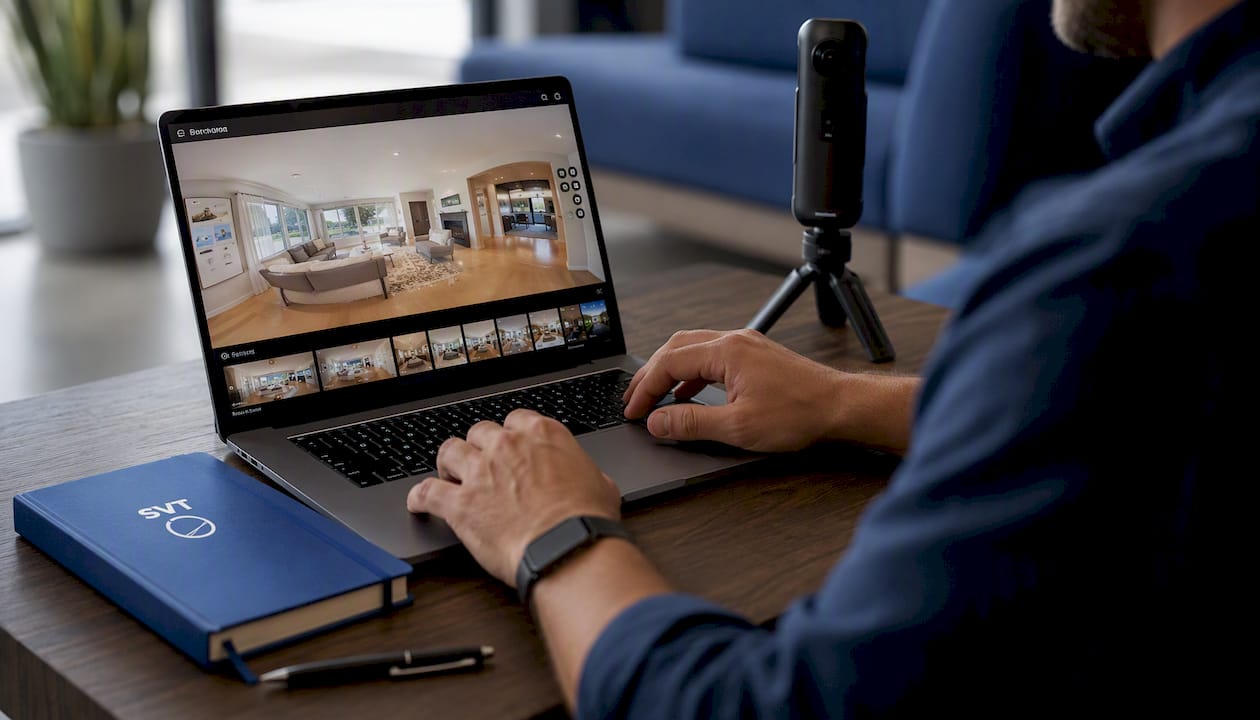
Start with the Free Forever plan to test the editor with no cost, then compare a self-hosted export against whatever cloud tool you're currently considering before you decide. If you're ready to see the full deployment options, including the one-time CORE license, check pricing and buy now to see which plan fits your volume. For teams weighing this against broader marketing planning, the content strategy tools at Babylovegrowth are worth a look if virtual tours are one piece of a bigger content plan.
Sources
- How to Create a Virtual Tour: The Definitive Guide (2026) | ThingLink Blog
- Paid vs. Custom Virtual Tour Software: Which Is Best for Design Studios? | LivinTech
FAQ
What Is the Best Software for Creating Virtual Tours?
The best choice depends on whether you value convenience or ownership. Cloud platforms get you published fastest, while self-hosted platforms like Simple Virtual Tour let you retain full control of your files and avoid recurring hosting fees over time.
What Are the Downsides of Virtual Tours?
Virtual tours can undersell spaces with poor lighting or awkward angles if capture quality is weak, and some visitors still prefer an in-person walkthrough for major decisions. Hidden costs like hosting rent and reactivation fees also catch buyers off guard when they don't read a contract closely.
Are Virtual Tours Worth It?
For most listings, venues, and events, yes. They extend reach to buyers who can't visit in person and, when hosted on flexible platforms with e-commerce and live session features, they can do more than showcase a space, they can actively sell from it.
What Are the Different Types of Virtual Tours?
Common types include simple 360-degree photo tours, video-based walkthroughs, LiDAR-scanned measured tours, and live-guided sessions where a host walks a remote viewer through a space in real time. Each fits a different budget and quality need, from a quick DIY listing to a museum-grade archive.
How Much Does Simple Virtual Tour Cost?
Simple Virtual Tour offers a Free Forever plan alongside paid tiers starting at €2.99 per month for the XS Starter plan, with self-hosted options like the CORE license available as a one-time $79 purchase. Full plan details are listed on the Simple Virtual Tour site.