
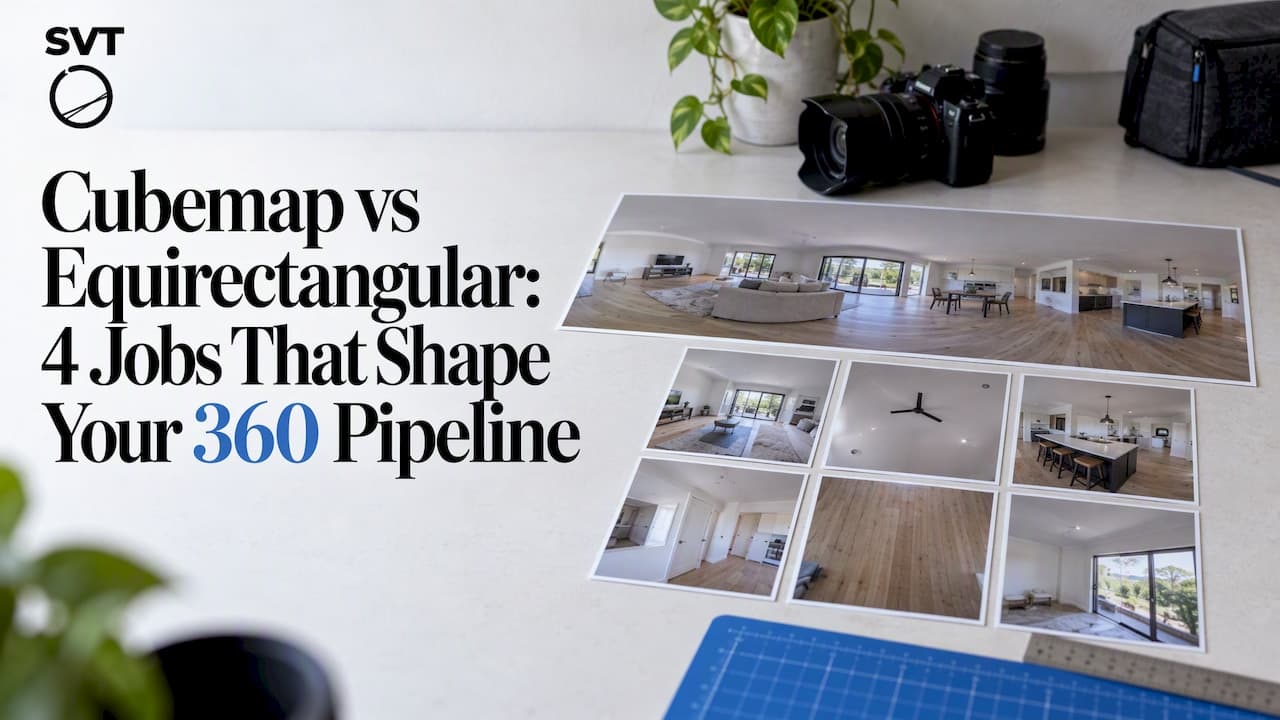
Use equirectangular when you need editing interoperability and the simplest production pipeline, and choose cubemaps or Equi-Angular Cubemaps (EAC) when you need GPU-friendly rendering or bandwidth-efficient streaming. The trade-off comes down to sampling distribution versus GPU-native sampling: equirectangular stretches pixels near the poles, while cubemaps sample more evenly but need extra handling at face seams. Standards bodies like Khronos document the rendering side, and Google's engineering team has published how EAC improves on both for VR video.
TL;DR:
- Because most editing tools expect equirectangular, keep working files in that format and convert once before delivery; repeated conversions compound blur and aliasing.
- For networked VR video, EAC can reduce bitrate needs through more even angular sampling, but confirm the target player supports decoding before choosing it.
- Cubemaps suit engines and reflections, but seamless filtering is disabled by default in OpenGL; enable it explicitly and test face edges and corners.
- During conversion, use two to four subsamples per destination pixel rather than nearest neighbor sampling alone to reduce ringing and moire on sharp details.
Table of Contents
- Comparing Equirectangular, Cubemap, and EAC by Use Case
- How Each Projection Maps a Sphere to an Image
- Preventing Seams in OpenGL and WebGL Rendering
- Converting Between Cubemap and Equirectangular Formats
- Bandwidth, Codec Efficiency, and Runtime Performance Trade-Offs
- Checklist: Production Best Practices for 360 Content
- How Simple Virtual Tour Handles 360 Assets
- Historical Background of Equirectangular and Cubemap Projections
- Compatibility with VR Devices and Platforms
- User Experience Differences Between the Two Formats
- Resolution and Aspect Ratio Considerations
- Live Streaming Efficiency and Latency
- Tools and Software for Creating and Editing Both Formats
- Pragmatic Rules for Choosing a Projection
- Publish Your 360 Tours Without Projection Headaches
- FAQ
- Sources
Comparing Equirectangular, Cubemap, and EAC by Use Case
Before diving into the mechanics, it helps to see how these projections stack up against each other for the jobs you'll actually do. Each one handles mapping, editing, and rendering differently, and that difference decides which one belongs in your pipeline.
- Mapping approach: equirectangular uses a simple linear latitude and longitude grid, while a cubemap splits the sphere into six square faces selected by the dominant direction vector, as described in the Khronos cubemap texture reference.
- Editing convenience: equirectangular wins here because almost every photo and video editor, compositing tool, and panorama stitcher expects a single rectangular lat/long image.
- GPU friendliness: cubemaps are the native format GPUs sample through
samplerCube, which makes them faster to render for skyboxes and reflections without a runtime conversion step. - Typical artifacts: equirectangular shows pole stretching and blur near the top and bottom of the frame, while cubemaps show visible seams at face boundaries and softness at corners where three faces meet.
For actual production decisions, match the projection to the job rather than defaulting to one format for everything:
- Authoring and editing: equirectangular, because your compositing and color tools work directly on it without a conversion pass.
- Realtime engines and skyboxes: cubemap, because the GPU samples it natively and avoids an extra reprojection step at runtime.
- VR video streaming: EAC or another angularly balanced layout, because it reduces wasted bandwidth compared to raw equirectangular.
- Reflections and environment maps: cubemap, since engines already generate and filter these as cube textures for lighting calculations.
A short rule of thumb: convert late, not early. Keep your working files in whichever format your tools prefer, and only convert to the delivery format right before publishing or rendering. Converting back and forth repeatedly compounds blur and aliasing, so plan your pipeline to touch the format once on the way in and once on the way out.
How Each Projection Maps a Sphere to an Image
Both projections solve the same problem, representing a full 360-degree sphere as a flat image, but they solve it with different math, and that math is why their artifacts look so different.
Equirectangular mapping is the simplest option mathematically. Longitude maps linearly to the horizontal axis and latitude maps linearly to the vertical axis, a special case of the plate carrée projection documented on Proj. This linear mapping is exactly why the image misbehaves near the poles: a tiny area near the top or bottom of the sphere, where longitude lines converge, gets stretched across the full width of the image. You end up spending a large share of your pixel budget on content that covers very little actual visual area, while the equator, where viewers look most often, is relatively undersampled compared to the poles' pixel count. According to the Wikipedia entry on equirectangular projection, this is also why the format is neither equal-area nor conformal, even though its simplicity makes it the default for panoramic photography.
Cubemap mapping works differently. Instead of a continuous grid, picture the sphere inscribed inside a cube. Each pixel's direction vector points outward from the center, and the face it lands on is chosen by whichever axis component (x, y, or z) has the largest magnitude, a process spelled out in the Khronos cubemap texture reference. Once a face is selected, the remaining two components are normalized into that face's local (s, t) texture coordinates. Because each face only covers a 90-degree field of view and the cube's geometry keeps angular distortion roughly even within a face, sampling density stays far more uniform than equirectangular's pole-to-equator imbalance. The trade-off shows up at the edges and corners: pixels near a face's border are stretched slightly more than pixels at its center, and corners, where three faces converge, are the hardest spot to sample cleanly.
GPUs handle this sampling through samplerCube in shader code, and cubemap faces generally need to be square and sized to a power of two to play nicely with mipmap generation and filtering, a constraint also noted on the Khronos wiki.
Google's engineering team took this unevenness seriously enough to design a fix. Equi-Angular Cubemaps warp each face's internal grid so that angular steps stay consistent across the entire face rather than bunching up toward the edges, as explained in Google's engineering writeup on VR video. The result is a more even distribution of sampling across the whole sphere, which matters most when bandwidth is limited and every pixel needs to count. If your target is VR video delivery rather than realtime rendering, EAC is worth evaluating alongside a standard cubemap.
The minimal math behind all of this: take a spherical direction, convert it to a 3D vector, pick the dominant axis to choose a cube face, then compute the local (s, t) position on that face from the remaining two components. Equirectangular skips this step entirely and maps angles directly to pixel rows and columns, which is exactly why it is simpler to author but less even to sample.

Preventing Seams in OpenGL and WebGL Rendering
Seams show up at cubemap face boundaries because each face is rendered and filtered independently unless you tell the graphics API otherwise. Standard texture filtering only looks at texels within a single face, so a ray that lands near an edge can sample colors that do not quite match the neighboring face, creating a visible line. Corners are worse: three faces meet there, and a naive sampler has no defined rule for which one to trust.

OpenGL's ARB_seamless_cube_map extension addresses this directly. When TEXTURE_CUBE_MAP_SEAMLESS is enabled, the sampler is allowed to pull texels from adjacent faces near a boundary rather than clamping to the current face's edge, and for corner pixels the specification recommends averaging the three available samples, according to the Khronos ARB_seamless_cube_map registry entry. The extension also notes that this seamless state is disabled by default, so you need to enable it explicitly rather than assuming modern drivers do it for you. Because the specification leaves some implementation flexibility around corner handling, it is worth testing your cubemap across the runtimes and engines you actually ship on rather than assuming identical results everywhere.
A few authoring habits reduce seam visibility further:
- Keep clamp-to-edge sampling modes consistent across all six faces so none of them wrap unexpectedly.
- Add border texel padding when you bake cubemaps from external renders, since a sliver of matching color at each edge gives the seamless sampler better data to blend.
- Color-grade all six faces together, not one at a time, since even a small tonal mismatch becomes obvious at a seam.
Pro Tip: Generate cube faces at power-of-two sizes (512, 1024, 2048) so mipmaps build cleanly and filtering stays consistent across every face and zoom level.
Converting Between Cubemap and Equirectangular Formats
Most 360 pipelines need to move between formats at least once: capture and edit in equirectangular, then deliver as a cubemap or EAC for a game engine or VR player. Done carelessly, that conversion softens detail and introduces moire on high-frequency textures. Done carefully, it is close to lossless.
The conversion algorithm itself is simple to describe, even though a working implementation takes care with edge cases. For every pixel in the destination image, compute the corresponding 3D view vector, then if you're converting to a cubemap, select the face that vector points to, and sample the source texture at that location. If you're converting the other direction, map each cubemap face pixel back to a latitude and longitude and place it in the equirectangular frame. Paul Bourke's long-standing conversion notes outline this per-pixel approach and the sampling choices involved in doing it well.
- Compute the destination pixel's direction vector from its coordinates in the target projection.
- For cubemap output, pick the dominant axis component to select the face; for equirectangular output, convert the vector to latitude and longitude.
- Sample the source image at the corresponding location, using multiple subsamples near high-contrast edges to reduce aliasing.
- Average the subsamples into the final destination pixel and repeat across the full frame.
Command-line tools and node-based utilities built around this logic (cube2cyl-style converters and Vuo nodes, among others) handle the heavy lifting, but the quality of the result still depends on how many samples you take per destination pixel. Two to four subsamples per pixel meaningfully reduces ringing and moire on sharp details compared to a single nearest-neighbor sample.
A practical rule worth keeping: do your heavy compositing work in equirectangular, since nearly every editing tool expects that lat/long layout, and only convert to cubemap or EAC as the last step before delivery. If you need more context on preserving projection integrity while editing, our guide on AI image editing for 360 photos covers how to keep edits from distorting the underlying mapping.
Bandwidth, Codec Efficiency, and Runtime Performance Trade-Offs
Projection choice changes more than how an image looks on screen. It changes how many bytes you need to send and how much GPU work the player does to display it, which matters most for VR video where every wasted pixel costs bandwidth.
Google's engineering analysis found that equirectangular wastes a meaningful share of pixel data at the poles while undersampling the equator, where viewers spend most of their attention, according to the Google VR video writeup. EAC was built to even out that angular sampling, which improves perceived quality at a given bitrate because fewer pixels are spent on content nobody is looking at closely. Standard cubemaps improve on equirectangular's pole problem too, since no single face suffers the same pinch-point distortion, but they still produce somewhat uneven density toward face corners, where angular compression increases compared to face centers.
There is no projection that is free of compromise here. Every layout preserves some property and sacrifices another, so the real question for your project is where it can tolerate uneven sampling and where it cannot. A few practical guidelines help:
- For local playback on a known device, a standard cubemap is usually sufficient since bandwidth is less constrained than on a live stream.
- For VR video delivered over a network, EAC or a similarly optimized layout reduces the bitrate needed for comparable visual quality.
- For viewport-aware streaming, where only the region the viewer is currently looking at gets full resolution, tiling schemes built on cubemap faces tend to be easier to implement than tiling an equirectangular frame.
Before encoding, run through a short checklist: confirm how resolution is allocated across the frame (uniform grid versus angularly balanced), decide whether your delivery format supports tiling for viewport-adaptive streaming, and test whether your target player actually supports EAC decoding or falls back to standard equirectangular. Our guide to 360-degree tourism video workflows walks through how these encoding choices play out for real streaming deployments.
Checklist: Production Best Practices for 360 Content
Getting projection choice right is only half the job. The other half is making sure your assets and runtime settings don't undo the benefits once you've made that choice.
- Decide your working projection early, based on whether your pipeline leans toward authoring tools (favor equirectangular) or realtime delivery (favor cubemap or EAC).
- Keep face colors and exposure consistent across all six cubemap faces before you bake or export, since mismatched grading is the most common cause of visible seams.
- Add seam padding and generate mipmaps at power-of-two face sizes so filtering stays smooth at every zoom level.
- Verify that your runtime has seamless cube map sampling enabled and that the correct sampler type (
samplerCuberather than a plain 2D sampler) is wired into your shaders. - Test the result at the equator, at both poles, and at face corners specifically, since these are the spots where artifacts concentrate.
- Confirm playback on a representative mix of headsets and mobile devices before shipping, since decoder and shader support for EAC in particular varies by platform.
Treat this as a pre-flight routine rather than a one-time setup. A pipeline that worked cleanly on one project can still introduce a seam or a blur spot on the next if a single step, like mipmap generation or seam padding, gets skipped under deadline pressure.
How Simple Virtual Tour Handles 360 Assets
We built our platform to take 360 photo and video assets without asking creators to make projection decisions themselves. Our platform ingests standard equirectangular inputs, the format most cameras and editing tools already produce, and handles viewer-side compatibility so your tour displays correctly regardless of the device someone opens it on. Because we offer both cloud-hosted and self-hosted deployment options, users can keep control over where their 360 assets live and how they're served, which matters if bandwidth or data residency is a concern for your project. If you want to see how plan options line up with your asset volume and hosting preference, the product pages lay out the details.
Historical Background of Equirectangular and Cubemap Projections
Equirectangular mapping traces back to cartography long before digital imaging existed. The plate carrée, its formal cartographic name, was used for centuries to render the globe as a simple rectangular grid because the math was straightforward enough to compute by hand, as documented in the proj.org entry on equidistant cylindrical projection. When panoramic photography and later 360-degree video needed a flat format to store spherical imagery, equirectangular was the natural fit since cameras and stitching software could reuse the same latitude and longitude logic.
Cubemaps emerged much later, out of computer graphics rather than cartography. Early 3D rendering engines needed a fast way to simulate reflections and skyboxes without the computational cost of ray tracing a full environment, and representing the surroundings as six flat textured planes mapped naturally onto GPU hardware built around square texture sampling. As real-time rendering matured through the 1990s and 2000s, cubemaps became the standard approach for environment mapping, baked directly into graphics APIs through dedicated sampler types.
The two histories only really intersected once VR headsets and 360 video needed both worlds at once: equirectangular's editing simplicity for capture and post-production, and cubemap-style sampling for the GPU work of actually displaying it in a headset.
Compatibility with VR Devices and Platforms
Most consumer VR headsets and mobile 360 viewers accept equirectangular video or photo input directly, since it is the most widely supported container format across apps and browsers. Cubemap and EAC support is less universal and depends more heavily on the specific player or engine you are targeting.
Game engines and custom VR applications built on top of graphics APIs that expose samplerCube, as described in the WebGL Fundamentals cubemap lesson, handle cubemaps natively and often convert equirectangular input internally before rendering. EAC support is narrower still, generally limited to platforms and players that specifically implement Google's layout for VR video streaming. If you are publishing to a mix of devices and do not control the player, equirectangular remains the safer default for compatibility, while cubemap or EAC makes more sense when you control the rendering pipeline end to end, such as a custom app or game engine build.
User Experience Differences Between the Two Formats
Viewers rarely notice the projection format directly, but they notice its side effects. With equirectangular content, the most common complaint is softness or blur near the top and bottom of the view, a direct consequence of the pole-stretching described earlier. Some engines compound this by internally converting equirectangular textures to a cubemap at a limited internal resolution, which developer discussions on the three.js forum have documented as a cause of panoramas looking blurrier than expected, even when the source file was high resolution.
With cubemap-based content, the experience tends to be more uniform across the viewing sphere, but seams can appear as faint lines if seamless filtering is not enabled correctly. In practice, this means equirectangular content looks more consistently soft at the edges while cubemap content looks sharper overall but is more sensitive to configuration mistakes at the boundaries. For most viewers browsing a 360 photo or tour, equirectangular's gentler, more forgiving degradation is less noticeable than a visible seam line would be, which is part of why so many consumer-facing tools default to it.
Resolution and Aspect Ratio Considerations
Equirectangular images conventionally use a 2:1 aspect ratio, since that ratio maps a full 360 by 180 degree sphere without distortion in the horizontal-to-vertical relationship. Picking a resolution means picking how much pixel budget you are willing to spend on the poles, given that a disproportionate share of any equirectangular frame covers that compressed polar area.
Cubemap resolution is specified per face rather than for the whole image, and each face should be square. A 2048 by 2048 pixel face, for example, gives you roughly the same effective angular resolution at the center of each face as a much larger equirectangular image, since cubemap sampling density stays more even across the frame. When choosing face resolution, stick to power-of-two values (1024, 2048, 4096) to keep mipmap generation and filtering well-behaved, a constraint confirmed in the Khronos cubemap texture documentation. If you are shooting source material yourself, our comparison of 360 cameras for real estate tours covers the native resolutions different camera models capture, which determines how much headroom you have for either format downstream.
Live Streaming Efficiency and Latency
Live 360 streaming adds a time pressure that recorded content does not have, which makes projection choice a bigger lever on perceived quality. Every frame has to be captured, encoded, transmitted, decoded, and rendered within a tight window, so wasted pixels translate directly into either higher latency or lower resolution where it matters.
Equirectangular's pole-heavy pixel waste is a bigger problem in live streaming than in offline playback, because you cannot spend extra encoding time compensating for it the way you might in post-production. EAC's more even angular sampling, outlined in Google's VR video engineering post, reduces the bitrate needed for comparable quality, which directly helps latency on constrained connections since there is simply less data to push per frame. Viewport-adaptive streaming, where only the region the viewer is looking at gets full resolution, works more naturally with cubemap-style tiling since each face can be treated as an independent stream segment. For live applications where every millisecond of latency matters, favor a format that lets you tile and prioritize regions rather than one that forces full-frame delivery every time.
Tools and Software for Creating and Editing Both Formats
Most 360 photo and video editing happens in equirectangular, since that is the format stitching software, color grading tools, and compositing applications are built around. Capture workflows that start with multiple fisheye or wide-angle exposures get stitched into an equirectangular frame before any further editing happens, a process covered in our guide to creating 360-degree photos.
For cubemap-specific work, game engines and 3D software packages generate and preview cube faces directly, often alongside tools built around the samplerCube texture type referenced in the WebGL Fundamentals cubemap lesson. Command-line converters and node-based utilities handle the back-and-forth between formats, applying supersampling during conversion to avoid the aliasing that a naive nearest-neighbor conversion introduces. If you need a sense of how camera choice affects the resolution you have to work with in any of these tools, our DSLR versus 360 camera comparison breaks down the trade-offs by capture method.
For real estate and tourism publishers working with partners, practical guides like Yigal Realty's walkthrough on touring property remotely show how these assets get used once they leave the editing stage and reach an actual buyer or client.
Pragmatic Rules for Choosing a Projection
My rule of thumb: start in equirectangular because your tools expect it, and only convert to cubemap or EAC when a specific renderer or streaming target demands it. Test the conversion on a high-contrast sample image first, since aliasing shows up there before anywhere else. If results look soft, increase your subsample count before blaming the source footage.
— Andrea
Publish Your 360 Tours Without Projection Headaches
We handle the projection and compatibility work so you can focus on capturing and presenting your space. Simple Virtual Tour ingests equirectangular 360 photos and video directly, and our cloud or self-hosted deployment gives you control over where your assets live and how they're served.

Check the full plan and deployment comparison to find the option that fits your project, whether that's a quick Free Forever test or a self-hosted CORE license for ongoing client work.
FAQ
What Are the Three Main Types of Projection Maps?
The most common projection types for 360 imaging are equirectangular, cubemap, and specialized layouts like Equi-Angular Cubemaps (EAC). Equirectangular maps the sphere as a simple rectangular grid, cubemaps split it into six square faces, and EAC adjusts the cubemap's internal grid to even out sampling density, according to Google's engineering writeup.
What Does Equirectangular Mean?
Equirectangular refers to a projection that maps latitude and longitude directly onto a flat rectangular grid, a special case of the plate carrée projection described on proj.org. It is the most common format for storing 360 photos and video because nearly every stitching and editing tool expects it, though it stretches pixels near the poles.
What Are Cubemaps Used For?
Cubemaps are used for environment mapping, reflections, and skyboxes in real-time 3D rendering, since GPUs sample them natively through samplerCube, as documented on the Khronos wiki. They are also used as a delivery format for VR video when more even sampling or faster rendering is the priority over editing simplicity.
What Map Is More Accurate Than Mercator?
For 360 imaging and VR video, equirectangular (not Mercator, which is a different cylindrical projection used mainly for navigation) is the common baseline, and cubemap-based layouts like EAC improve on its angular sampling accuracy by distributing pixels more evenly across the sphere, as Google's engineering team outlined in its VR video blog post. Neither projection is perfectly accurate; each trades off a different property depending on the job.
Do I Need to Convert My 360 Photos Before Publishing?
Most publishing platforms, including tour-hosting software, accept standard equirectangular photos and video directly without requiring a manual conversion step. Conversion to cubemap or EAC is typically only necessary for custom game engine builds or specialized VR streaming pipelines.