

In the virtual-tour industry, "vista 3d" refers to interactive, navigable 3D and 360° presentation environments where viewers move through a space, click hotspots, and engage with embedded media. This is not the same as the academic Vista3D research framework for single-image 3D reconstruction. For real estate agents, tourism professionals, and event planners, the practical goal is a published tour that runs in a browser, supports live guided sessions, and connects to e-commerce or booking links. The fastest way to validate any platform is to capture one room (30–90 minutes of work), upload it, and test the live session and hotspot workflows before committing to a subscription or license.
Table of Contents
- What does "vista 3d" actually mean for tour builders?
- Real estate, tourism, and events: which use case fits your project?
- What features must a virtual-tour platform include?
- How do you go from capture to a published interactive tour?
- Cloud-hosted vs self-hosted: which deployment fits your needs?
- How Simple Virtual Tour maps to these requirements
- What should you ask vendors before committing?
- Key Takeaways
- One production pitfall most tour builders learn the hard way
- Simple Virtual Tour gives you a faster path to published tours
What does "vista 3d" actually mean for tour builders?
The term carries two very different meanings depending on who is searching. Business users mean immersive, browser-based presentations that combine 360° panoramas, textured 3D meshes, and clickable hotspots. Researchers and developers mean something else entirely: machine-learning models for medical image segmentation or single-image 3D reconstruction. If you are building tours for clients, the academic implementations are not relevant to your workflow.
The technical primitives you actually need are:
- Polygonal 3D meshes for real-time performance. Polygonal modeling balances visual detail with the rendering speed browsers require, unlike NURBS or CAD geometry, which is too heavy for real-time delivery.
- Panoramic image stitching to produce equirectangular images from multi-shot 360° cameras or DSLR fisheye rigs.
- Web-friendly export formats (GLB/GLTF or embedded 360) so tours load fast on mobile without a plugin.
- Live session protocols for real-time guided walkthroughs with remote clients.
Pro Tip: Ask any vendor whether their platform exports to GLB/GLTF and whether it preserves your original media resolution. Platforms that compress aggressively on upload will degrade the visual quality that makes a tour worth producing.
Real estate, tourism, and events: which use case fits your project?
Real estate
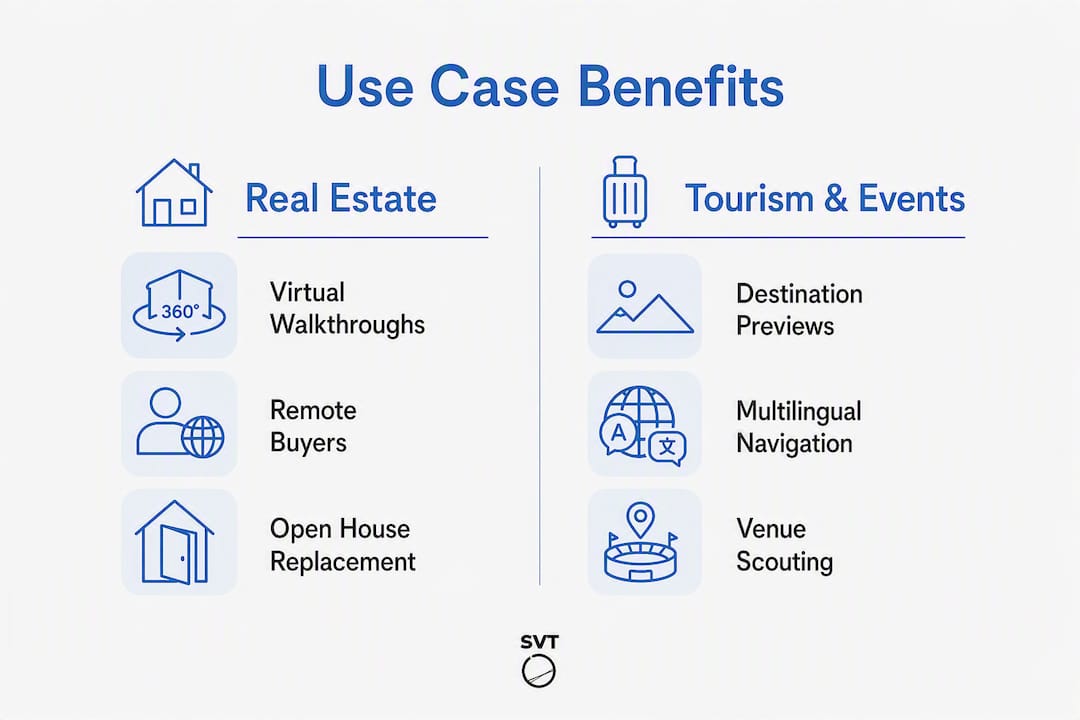
Interactive home walk-throughs replace open houses for buyers who cannot visit in person. The features that drive results here are embedded floor plans, lead-capture forms inside the tour, and live guided sessions where an agent walks a remote buyer through the property in real time. Success metrics to track during a pilot: average session time, number of hotspot clicks, and leads captured directly from the tour rather than from a separate contact form.
Tourism
Attraction previews and destination tours work best when they include multilingual navigation, timed-access demos for ticketed experiences, and direct booking or e-commerce links. A museum that embeds a tour on its website can let visitors preview galleries before purchasing tickets, which shortens the decision cycle. Test e-commerce hotspot conversion and multilingual UI switching during your trial.

Events and venues
Venue managers use 3D environment design to let event planners scout spaces remotely, simulate capacity and traffic flow, and place exhibitor or sponsor hotspots. Integrating a booking link or merchandise hotspot turns a static showcase into a functional sales tool. The metric that matters most: how many venue inquiries convert after a remote tour view versus a phone call alone.
What features must a virtual-tour platform include?
A capable platform covers five areas. Navigation and media quality come first: you need full 360° panorama and 360° video support, smooth scene transitions, and mobile performance that does not require a native app. Interactivity is next: clickable hotspots that carry rich media (video, audio, external links), product or e-commerce hotspots, and API access for custom integrations with CRM or booking systems.
Collaboration and delivery tools determine how fast you get client approval. Live session capability, where you guide a client through the tour in real time, cuts review cycles significantly for time-sensitive industries like real estate and event planning. Multi-user editing or comment workflows and version staging matter for agency teams.
On the operational side, look for analytics and usage statistics, Google Street View publishing, multilingual UI, and export to GLB/GLTF or web-ready formats. Rendering platforms that export to GLB and interactive 3D treat web delivery as a first-class output, not an afterthought.
Security and data control round out the list: dual deployment (cloud and self-hosted), user role management, data export, and privacy controls. Simple Virtual Tour supports 1,400+ users across both deployment models, with a free trial path so you can validate fit before purchasing.
How do you go from capture to a published interactive tour?
- Plan your shot list. Map every room or zone, note natural light conditions, and identify which areas need hotspots or e-commerce links.
- Select capture hardware. A consumer 360° camera (single-shot, equirectangular output) works for most real estate and event projects. A DSLR fisheye rig with stitching software like PTGui gives higher resolution. LiDAR scanning or photogrammetry with tools like RealityCapture produces full textured meshes for architecture or detailed venue work. For CAD-derived geometry, a solid 3D modeling workflow can feed directly into your tour builder.
- Capture. Shoot each position with consistent overlap. For photogrammetry, more images mean more data points and a more accurate mesh.
- Stitch and process. Import into your stitching or photogrammetry application, review seams, and export an equirectangular image or GLB/GLTF mesh.
- Import into your tour builder. Upload panoramas or 3D assets, set the navigation path, and configure scene transitions.
- Add hotspots and annotations. Place information hotspots, e-commerce links, floor plan overlays, and lead-capture forms.
- Test on devices. Check mobile performance, hotspot tap targets, and live session latency before sharing with a client.
- Publish and promote. Embed on your website, publish to Google Street View if relevant, and share the direct tour link.
| Project type | Capture time | Editing time | Typical cost model |
|---|---|---|---|
| DIY single room | short period | modest editing time | Economical; consumer camera + cloud subscription |
| Full residential property | several hours | several hours | Moderate cost; camera rental or ownership + subscription |
| Venue or attraction | multiple days | one to two days | Higher cost; LiDAR or photogrammetry + self-hosted license |
A cloud subscription keeps your monthly costs predictable and offloads maintenance. A one-time self-hosted license costs more upfront but eliminates recurring fees, which matters when you are producing high tour volumes or need strict data control.
Cloud-hosted vs self-hosted: which deployment fits your needs?
| Dimension | Cloud-hosted | Self-hosted |
|---|---|---|
| Pricing model | Monthly or yearly subscription | One-time license + optional plugins |
| Onboarding speed | Fast; no server setup | Requires server configuration |
| Maintenance | Vendor-managed updates | You manage updates and backups |
| Data control | Data on vendor servers | Full control on your infrastructure |
| Scalability | Scales with plan tier | Scales with your server capacity |
| Live sessions | Included | Included (with appropriate plugins) |
| 360° support | Yes | Yes |
| E-commerce integration | Yes | Yes |
| Analytics | Built-in dashboard | Built-in dashboard |
Choose cloud if you want to publish your first tour within hours and prefer not to manage server infrastructure. Choose self-hosting if your clients require data residency on private servers, you want to eliminate recurring fees at scale, or you are building a white-label SaaS product on top of the platform. Ask any vendor for a written SLA, a clear backup policy, and documentation on plugin support for self-hosted installs before signing.
How Simple Virtual Tour maps to these requirements
Simple Virtual Tour covers every dimension in the table above. The platform supports unlimited interactive tours, 360° panoramas and video, live guided sessions, e-commerce hotspots, Google Street View publishing, multilingual UI, API access, and a full analytics dashboard. It runs on both cloud and self-hosted infrastructure, giving you the choice without forcing a migration later.
| Feature | Simple Virtual Tour |
|---|---|
| Deployment | Cloud + self-hosted |
| Pricing model | Subscription or one-time purchase |
| Live sessions | Yes |
| 360° panorama and video | Yes |
| E-commerce integration | Yes |
| Onboarding | Intuitive backend; no coding required |
| Data control | Full control on self-hosted; standard on cloud |
| Analytics | Built-in usage statistics |
The comparative blog content published by Simple Virtual Tour gives you a practical reference for evaluating platform fit against alternatives. For live session best practices specific to real estate, the live session guide covers agent workflows and client approval tactics in detail.
To validate the platform, sign up for the trial, upload one room, add two hotspots, and run a live session with a colleague. That sequence takes under two hours and tests every critical workflow.
What should you ask vendors before committing?
Checklist for vendor demos and evaluation calls:
- Which 360° media formats do you support on import (equirectangular JPEG, MP4 video, GLB/GLTF)?
- What are the export options, and do you preserve original resolution?
- What is the live session latency under typical broadband conditions?
- Is API access included in all tiers, or only enterprise plans?
- What admin roles and permission levels are available for multi-user teams?
- What is the backup and data export policy for self-hosted installs?
- Do you support multilingual UI natively, or through a third-party plugin?
- Can you share a sample analytics dashboard from a live account?
Red flags to watch for:
- No live session capability or demo of it during the sales call.
- Pricing that changes significantly after the trial without clear documentation.
- No data export or self-hosting option if your clients require data residency.
- Poor mobile performance on the demo tour (slow loads, broken hotspot tap targets).
- No written SLA offered for pilot projects above a certain contract value.
Pro Tip: Request a staged demo using your own 360° images, not the vendor's sample content. A platform that performs well on its own curated assets may behave differently with real-world capture files from a consumer 360° camera.
Key Takeaways
Interactive 3D/360° virtual tours require a platform that combines high-quality panorama support, live sessions, e-commerce integration, and a deployment model that matches your data control and cost requirements.
| Point | Details |
|---|---|
| Define the term correctly | "Vista 3d" in business contexts means navigable 360°/3D tour environments, not academic ML models. |
| Prioritize live sessions | Live guided sessions shorten client approval cycles, especially in real estate and event planning. |
| Match deployment to your needs | Choose cloud for fast onboarding; choose self-hosted for data control and one-time cost preference. |
| Test before committing | Capture one room, upload it, and run a live session to validate any platform in under two hours. |
| Simple Virtual Tour | Covers dual deployment, 1,400+ users, live sessions, e-commerce, and API access with trial access available. |
One production pitfall most tour builders learn the hard way
The most common mistake is treating capture and publishing as two separate projects. Builders spend days on high-resolution photogrammetry, then discover the tour builder compresses their assets on upload and the client sees a noticeably softer result. The fix is simple: test your platform's import and compression behavior on a single scene before committing your full capture budget. Upload one equirectangular image at full resolution, view it on a mobile device, and compare it to the source file. If the difference is visible, either adjust your export settings or reconsider the platform.
A second practical note: mobile performance is where most tours lose clients. A tour that loads in three seconds on a desktop but takes twelve on a phone will not convert. Compress your panoramas to the minimum resolution that still looks sharp on a 1080p mobile screen, typically around 8,000 x 4,000 pixels for a single-shot 360° camera, and test on an actual mid-range Android device, not just a flagship.
Simple Virtual Tour gives you a faster path to published tours
If you have been comparing platforms and want one that handles both cloud and self-hosted deployment without forcing you to choose at signup, Simple Virtual Tour is worth a direct look. You get unlimited tours, live guided session capability, e-commerce hotspots, Google Street View publishing, and a full analytics dashboard, all in one platform used by 1,400+ real estate agents, tourism professionals, and event planners.

The trial path is straightforward: sign up and start your tour, upload one room, add a hotspot, and run a live session with a colleague or client. That sequence validates the full workflow in under two hours. When you are ready to scale, the self-hosted license eliminates recurring fees and keeps your client data on your own infrastructure.