

A self-hosted venue tour platform is software you install and run on your own server infrastructure, giving you complete control over virtual tour content, branding, data privacy, and long-term costs without depending on third-party cloud services. Unlike SaaS alternatives that lock your data inside someone else's system, self-hosted solutions place every panorama, hotspot, and visitor interaction record directly under your ownership. Platforms like Simple Virtual Tour run on PHP 7.1+ and MySQL/MariaDB and can be deployed on providers like DigitalOcean or AWS, making professional-grade virtual tours achievable for property managers, event venues, museums, and educational institutions alike.
What is a self-hosted venue tour platform, exactly?
A self-hosted venue tour platform is the industry's term for what some also call a self-deployed or on-premise virtual tour system. The software lives on a server you control, not on a vendor's shared cloud. You upload equirectangular panoramas, configure interactive hotspots, embed video or audio media, and publish the finished tour under your own domain and brand identity.
The core distinction is ownership. With a SaaS virtual tour tool, your content, your visitor analytics, and your branding all exist inside a vendor's ecosystem. The moment you stop paying, access disappears. A self-hosted venue tour platform eliminates that dependency entirely. Your tours remain live as long as your server runs, and your data never leaves your infrastructure.

This model suits a wide range of use cases. Real estate agencies use it to showcase properties without watermarks or competitor ads. Event venues use it to let clients preview spaces before booking. Universities and museums use it as a self-hosted educational tour platform, guiding students or visitors through exhibits with narrated hotspots and embedded quizzes. The common thread is the need for control, consistency, and a branded experience that reflects the organization rather than the software vendor.
What technical infrastructure does a self-hosted venue tour platform require?
Deploying a self-hosted venue tour platform does not require an enterprise-grade data center, but it does require deliberate infrastructure planning. The minimum hardware specifications for moderate traffic are:
- CPU: 2 cores (4 recommended for concurrent live sessions)
- RAM: 4GB minimum, 8GB preferred for high-resolution panorama processing
- Storage: 20GB baseline, scaling with the number of tours and media assets
- Database: MySQL 5.7+ or MariaDB 10.3+
- Web server: Apache or Nginx running PHP 7.1 or higher
Basic cloud server costs run between $20 and $40 per month depending on scale, and most deployments reach return on investment within three to six months. That cost figure matters because it reframes the conversation: self-hosting is not free, but it is predictable and often far cheaper than recurring SaaS fees at scale.
The most common technology stacks for self-hosted venue software are LAMP (Linux, Apache, MySQL, PHP) and containerized environments using Docker. Docker is particularly useful because it packages the application and its dependencies into a portable container, reducing the risk of configuration conflicts across different hosting environments. For teams without a dedicated DevOps engineer, managed cloud instances on DigitalOcean or AWS Lightsail offer a middle path: you control the server, but the provider handles hardware maintenance.
Scalability is a real consideration. A single venue tour for a boutique hotel generates modest traffic. A platform hosting dozens of tours for a university campus or a multi-property real estate group needs load balancing and a content delivery network. Automated image optimization and CDN integration are critical for fast-loading tours, especially when serving high-resolution 360° panoramas to mobile users. Without optimization, a single uncompressed equirectangular image can stall load times and drive visitors away before the tour even begins.
Pro Tip: Configure your CDN to cache panorama tiles at the edge rather than serving them from your origin server on every request. This single change can cut load times by 60% or more for geographically distributed audiences.
How does a self-hosted platform compare to cloud-based SaaS solutions?
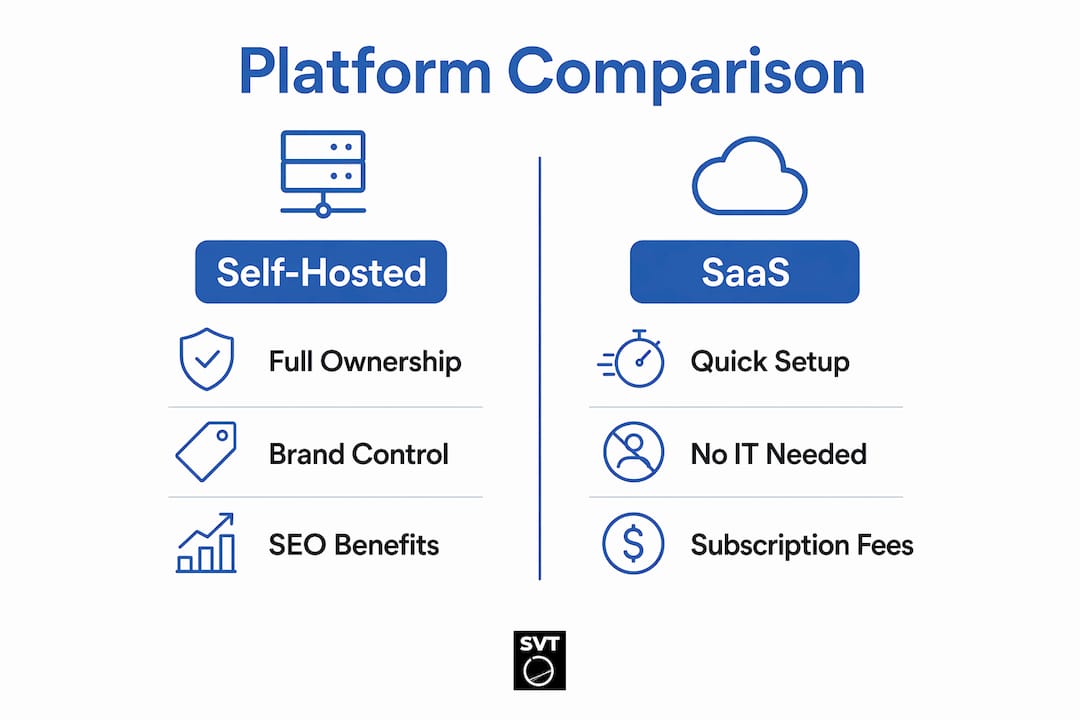
Choosing between self-hosted venue software and a SaaS virtual tour product is a strategic decision, not just a technical one. Self-hosting maximizes control, SEO, and brand consistency while SaaS suits rapid, zero-maintenance deployments. The table below captures the key trade-offs.
| Dimension | Self-Hosted Platform | SaaS Platform |
|---|---|---|
| Data ownership | Full. Data stays on your server. | Vendor holds your data. |
| Cost model | One-time license plus server fees | Monthly or annual subscription |
| Customization | Complete control over code and design | Limited to vendor-provided templates |
| Setup time | 2 to 4 weeks for full deployment | Hours to days |
| Security control | You manage patches and compliance | Vendor manages security |
| SEO authority | Tours live on your domain | Tours often on vendor subdomain |
The SEO point deserves emphasis. When your virtual tours live on your own domain, every visitor, every backlink, and every indexed page builds authority for your website. SaaS platforms frequently host tours on a subdomain like "yourname.tourvendor.com`, which means the SEO value flows to the vendor, not to you.
Self-hosting also eliminates vendor platform fees, leaving only standard payment processor fees if you add e-commerce features. Organizations with strict data residency requirements, such as healthcare facilities, government agencies, or European institutions subject to GDPR, favor self-hosted solutions precisely because data never crosses into a third-party jurisdiction.
SaaS platforms do have a genuine advantage for teams with no IT capacity. If you need a virtual tour live within 48 hours and have no server to configure, a cloud-based tool is the practical choice. The decision comes down to your time horizon and your appetite for technical ownership.
What are the main benefits and challenges of self-hosted venue platforms?
The benefits of a self-hosted tour platform are concrete and measurable, but so are the challenges. Understanding both sides sets realistic expectations before you commit.
Core benefits:
- Full branding control. Every pixel of the tour interface reflects your brand. No vendor logos, no upsell banners, no competitor ads embedded in your content.
- No vendor lock-in. Your tours, your data, and your visitor records belong to you permanently. Switching hosting providers does not mean losing content.
- Improved SEO. Tours indexed under your domain build your site's authority over time, a compounding advantage that SaaS subdomains cannot replicate.
- Enhanced security and privacy. Self-hosting provides autonomy over security and data privacy, with compliance benefits that are especially relevant for organizations handling sensitive visitor data.
- Unlimited scalability on your terms. You decide when to upgrade server resources, not a vendor's pricing tier.
Challenges to anticipate:
- IT responsibility. Managing a self-hosted platform means full responsibility for security patches, database backups, and system updates. A missed patch is a real vulnerability.
- Implementation timeline. Typical deployments take two to four weeks, which requires planning if you have a launch deadline.
- Total cost of ownership. Server fees, internal IT labor, and possible licensing costs all factor in. Self-hosting is not free despite the absence of vendor subscription fees.
- Learning curve for non-developers. Initial configuration requires comfort with server environments, even when the application itself is user-friendly.
The misconception worth addressing directly: self-hosted does not mean technically overwhelming. Modern self-hosted platforms are increasingly accessible for non-developers due to simplified installation workflows and containerization tools like Docker. Small property owners regularly maintain these platforms using standard documentation and community support forums.
Pro Tip: Schedule a monthly maintenance window for security patches and database backups before you go live. Building this habit from day one prevents the reactive scrambles that cause downtime.
How to create and manage your self-hosted venue tour successfully
Setting up a self-hosted venue tour platform follows a logical sequence. Here is a practical framework you can apply regardless of the specific software you choose.
-
Select your software and hosting environment. Choose a platform like Simple Virtual Tour that supports PHP/MySQL and offers clear installation documentation. Pair it with a cloud server on DigitalOcean, AWS Lightsail, or a dedicated VPS. Match server specs to your expected tour volume.
-
Install and configure the application. Upload the software files, create your database, and run the installer. Most modern platforms walk you through this in a guided setup wizard. Configure your domain, SSL certificate, and email settings before adding any content.
-
Capture and upload your panoramas. Use a 360° camera to shoot equirectangular images of your venue. A guide on creating 360-degree photos covers the hardware and shooting techniques in detail. Upload your images through the platform's backend and apply automated image optimization before publishing.
-
Add interactive elements. Place hotspots on panoramas to link scenes together, embed popover windows with text or images, and attach audio narration or video clips where relevant. For a self-hosted educational tour platform, this is where you add quiz overlays or document downloads that make the experience genuinely instructional rather than purely visual.
-
Integrate with existing systems. Connect your tour platform to your CRM, ticketing system, or e-commerce tools where applicable. Integrating CRM and related systems with your venue platform unifies operational data and gives you a complete picture of how prospects engage with your space before they book.
-
Establish ongoing maintenance practices. Set up automated daily database backups to an off-server location. Subscribe to your software's security update notifications. Review server performance logs monthly and scale resources before traffic spikes, not after.
The branding consistency step is often underestimated. Your tour's color scheme, typography, and navigation labels should match your main website exactly. Visitors who move between your site and your tour should not notice any visual discontinuity. This coherence builds trust and reinforces your professional identity at every touchpoint.
Key takeaways
A self-hosted venue tour platform delivers full data ownership, branding control, and long-term SEO authority that SaaS alternatives structurally cannot match, provided you accept responsibility for server maintenance and infrastructure costs.
| Point | Details |
|---|---|
| Definition is specific | Self-hosted means software on your own server, not a vendor's cloud, with full data ownership. |
| Infrastructure has a baseline | Minimum specs are 2 CPU cores, 4GB RAM, and 20GB storage, with cloud costs from $20 to $40 per month. |
| SEO advantage is real | Tours on your domain build your site's authority; SaaS subdomains send that value to the vendor. |
| Maintenance is non-negotiable | Security patches, backups, and updates are your responsibility and must be scheduled proactively. |
| Accessibility has improved | Modern platforms with Docker and guided installers make self-hosting viable for non-developers. |
Why I think most venues underestimate what self-hosting actually gives them
After spending years watching organizations choose virtual tour tools, the pattern I see most often is this: teams evaluate platforms on feature lists and monthly price tags, then overlook the strategic question of where their data and brand equity actually accumulate over time.
A venue tour is not a marketing brochure you print once and discard. It is a digital asset that should compound in value. Every visitor who explores your space through a self-hosted tour contributes to your analytics, your SEO authority, and your understanding of what prospects care about most. When that tour lives on a vendor's platform, you get a dashboard. When it lives on your server, you get the raw data, and the difference in what you can do with it is significant.
The integration point is where I see the biggest missed opportunity. The true value of self-hosted platforms lies in connecting tour engagement data with ticketing, CRM, and booking systems into a single operational picture. A visitor who spends four minutes in your ballroom scene and then books a site visit is telling you something specific. SaaS marketplaces rarely give you the infrastructure to act on that signal.
My honest advice for anyone starting out: do not let the maintenance responsibility intimidate you out of self-hosting. The learning curve is real but finite. Once your server is configured and your backup schedule is running, the day-to-day operation of a self-hosted venue tour platform is no more demanding than managing a WordPress site. The self-hosted vs. cloud comparison is worth reading before you commit, but for most venues with a six-month or longer time horizon, self-hosting wins on total value.
— Andrea
Build unlimited venue tours with Simple Virtual Tour
Simple Virtual Tour is purpose-built for exactly this use case. You purchase the software once, install it on your own server, and create unlimited interactive tours with no monthly fees and no data leaving your infrastructure.
The platform supports 360° panoramas, interactive hotspots, popover windows, embedded media, and responsive design that works across desktop and mobile without additional configuration. Over 1,400 users currently run their virtual tour operations on Simple Virtual Tour, from independent real estate agents to university campuses. The backend is designed to be approachable for non-developers, with guided setup and clear documentation. If you are ready to own your venue tour experience from the ground up, Simple Virtual Tour gives you the tools to do it without ongoing subscription costs eating into your margins.
FAQ
What is a self-hosted venue tour platform?
A self-hosted venue tour platform is software installed on your own server that lets you create and publish interactive 360° virtual tours with full control over data, branding, and content. Unlike SaaS tools, it requires no ongoing vendor subscription and keeps all visitor data within your own infrastructure.
How much does it cost to self-host a venue tour platform?
Basic cloud server costs run between $20 and $40 per month, with most deployments reaching ROI within three to six months. Total cost of ownership also includes internal IT labor and any one-time software licensing fees.
Do I need technical expertise to run a self-hosted venue tour platform?
Modern platforms use simplified installers and containerization tools like Docker, making them accessible to non-developers. Small property owners regularly manage these platforms using standard documentation without dedicated IT staff.
How does a self-hosted platform improve SEO compared to SaaS?
Tours hosted on your own domain build SEO authority directly for your website. SaaS platforms often publish tours on vendor subdomains, which means search engine credit flows to the vendor rather than to your organization.
Can a self-hosted venue tour platform integrate with CRM or ticketing systems?
Yes. Self-hosted platforms give you direct database access and API flexibility to connect with CRM, ticketing, and e-commerce systems. This integration capability is one of the primary reasons organizations with complex operational needs choose self-hosted solutions over SaaS alternatives.