
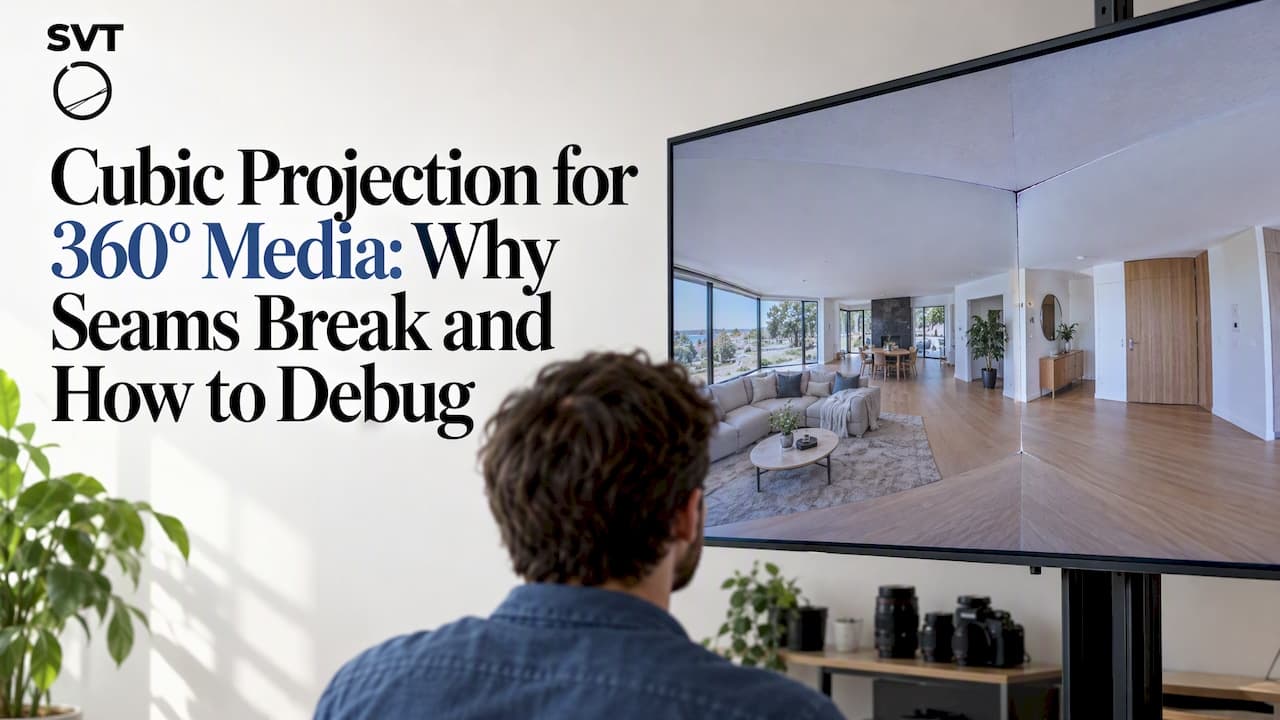
A cubic, or cubemap, projection maps a spherical panorama onto six square faces, typically labeled right, left, up, down, front, and back, so that an image can be rendered and compressed more efficiently than a flat equirectangular frame allows. We use it mainly to redistribute pixel density for rendering and encoding, not to change what the viewer sees. The sections below walk through the conversion math, the common viewer bugs, and the encoding research behind when a cubemap actually pays off.
TL;DR:
- Start with a true 2:1 equirectangular frame, lock the face order and axis convention, then use bilinear interpolation for photographic or video sources.
- Confirm the viewer’s face order and flip settings before coding; an incorrect Y axis or mirrored face can put ceilings below floors or create seams.
- EAC can improve sampling, but support in general viewers and editing tools is inconsistent, so test it on the target platform before adopting it.
- Compare bitrate at the same quality using identical footage and encoder settings, and check decode speed, rendering performance, and seams on target hardware.
- Cubemap layouts do not guarantee streaming savings; viewport aware delivery must prioritize the viewer’s likely direction and coordinate projection, tiling, and bitrate allocation.
Table of Contents
- 360° projection formats and where cubemap fits
- Cubemap mechanics: face layouts, axis conventions, and packed atlases
- Equi-Angular Cubemap and hybrid cubemap variants
- Converting equirectangular to cubemap: workflow and sampling best practices
- Rendering and viewer-level issues: seams, flips, and debugging steps
- Encoding and streaming trade-offs: measuring what matters
- Practical workflow and tooling: libraries, export settings, and verification steps
- How Simple Virtual Tour applies cubemap knowledge in production
- What matters most in cubemap pipelines
- Simple Virtual Tour: built around flexible 360° ingestion and hosting
- FAQ
- Sources
360° projection formats and where cubemap fits
Every 360° image or video has to flatten a sphere onto something a screen or codec can handle, and the format you pick changes where distortion lands and how a compressor spends its bits. Equirectangular projection (ERP) is the most common starting point because cameras and stitching software output it directly, but it stretches the poles badly, wasting resolution on the top and bottom of the frame where viewers rarely look. Cubemap projection corrects that by dividing the sphere into six flat, undistorted square faces, which keeps geometry closer to a normal perspective image and reduces the pole oversampling that ERP carries.
Pyramid projections push this idea further by shrinking the faces outside the viewer's current viewport, trading quality in unseen regions for a smaller file, which works well for viewport-adaptive streaming but adds complexity to the encoding pipeline. According to the overview of projection formats on Wikipedia, academic and industry proposals, including Equi-Angular Cubemap and hybrid cubemap layouts, exist specifically to better match pixel density to human viewing behavior and codec performance.
Production teams generally reach for cubemap over plain ERP when:
- Rendering performance matters, since square, low-distortion faces are cheaper for GPUs to sample than a heavily warped equirectangular frame.
- Bitrate efficiency matters, because redistributing samples away from oversampled poles tends to improve compression.
- Viewport-dependent delivery is part of the pipeline, since cube faces map naturally to tiled or quality-weighted streaming schemes.
The trade-off is added conversion complexity and a few predictable rendering pitfalls, both of which we cover next.
Cubemap mechanics: face layouts, axis conventions, and packed atlases
A cubemap represents the sphere as six faces, each corresponding to a direction along the three coordinate axes: +X, -X, +Y, -Y, +Z, -Z. In practice these map to right, left, up, down, front, and back, and the order in which they're stored matters enormously for correct playback. According to the View360 documentation, a common default ordering is RLUDFB, meaning right, left, up, down, front, back, which corresponds directly to the +X, -X, +Y, -Y, +Z, -Z axis sequence.
Faces can be stored as six separate image files, or packed into a single atlas using layouts such as 1×6 (a single strip), 2×3, 3×2, or a cross layout that visually resembles an unfolded cube. The packing choice affects file size and decoding convenience but not the underlying geometry.
When you set up a cubemap pipeline, work through these steps in order:
- Confirm the face order your source or converter uses before writing any rendering code, since RLUDFB is common but not universal.
- Check axis orientation, particularly which direction counts as "up," since a flipped Y axis is one of the most frequent sources of upside-down renders.
- Verify flip settings (flipX, flipY) per face, since some converters mirror faces to account for inside-out cube viewing versus outside-in modeling.
- Test with an asymmetric scene (one with a clear floor, ceiling, and a distinguishing object on one wall) so orientation errors are visually obvious rather than hidden by a symmetric test pattern.
Pro Tip: Render a cubemap test asset with text labels baked onto each face (such as "TOP" and "FRONT") before shipping a real panorama; it turns a subtle axis bug into an instantly readable mistake.
Incorrect orientation settings show up immediately at render time: ceilings appear below the floor, walls swap left and right, or adjacent faces don't line up, producing visible seams at the cube edges.
Equi-Angular Cubemap and hybrid cubemap variants
A standard cubemap already improves on equirectangular sampling, but it still over-samples the center of each face relative to its edges, because a flat square face doesn't map angles to pixels uniformly. Equi-Angular Cubemap (EAC) corrects this by warping each face so that equal angular steps on the sphere correspond to more equal pixel steps on the face, producing more uniform sampling across the whole cube. The result, as described in the projection format overview, is a format that better matches how codecs and human vision actually weight visual information, which is part of why some platforms adopted EAC for 360° video delivery.
Hybrid and adjusted cubemap formats, sometimes labeled ACP, take this further by tuning the face geometry specifically for codec behavior rather than pure angular uniformity, aiming for better compression rather than a visually "neutral" distortion pattern. These approaches share a goal with EAC: reallocate pixels to where they help encoding and perceived quality most, instead of spreading them evenly across a sphere the way ERP does.
Adoption of these formats is uneven across the industry:
- Some commercial platforms implemented EAC for video delivery, but support in general-purpose viewers and editing tools remains inconsistent.
- Hybrid and adjusted cubemap variants appear mostly in research and specialized pipelines rather than as a default export option in consumer tools.
- Standard cubemap and equirectangular remain the safest choices for broad compatibility across viewers, engines, and plugins.
Because support varies, treat EAC and hybrid cubemap as optimizations to benchmark on your actual target platform, not a default to assume everywhere.
Converting equirectangular to cubemap: workflow and sampling best practices
Converting an ERP source into cubemap faces is a well-defined resampling problem, and getting the setup right before you run any conversion saves time later. The equirect-to-cubemap-faces project on GitHub documents a practical sequence worth following for both photo and video sources:
- Verify the input is a true 2:1 equirectangular frame, since a mismatched aspect ratio will distort every face proportionally.
- Fix your coordinate and face-order convention first, deciding whether you're targeting RLUDFB or another order, and keep it consistent across your whole pipeline.
- Choose a square face resolution that fits your target use, balancing texture memory against visible detail, since each face is rendered independently.
- Resample by tracing rays, projecting each face pixel's direction back into longitude and latitude coordinates on the source sphere to sample the correct ERP pixel.
- Use bilinear interpolation for photographic and video content, since it smooths resampling artifacts better than nearest-neighbor sampling for continuous-tone imagery.
Statistic Callout: Recent neural-compression research shows that resampling ERP into adjusted cubemap or equatorial cylindrical projection formats yields measurable rate savings over ERP for modern codecs and neural video compression systems. That finding matters for conversion decisions: the resampling step isn't just a rendering convenience, it can directly change how much bandwidth your final video needs.
Most conversion tools and libraries expose both the face order and per-face orientation as configurable options rather than hardcoding them, which is worth checking before you integrate one into a pipeline, since a library with fixed assumptions can force you to post-process its output just to match your viewer's expected convention.
Rendering and viewer-level issues: seams, flips, and debugging steps
A cubemap viewer works by casting a ray from the camera through each screen pixel, finding which of the six faces that ray intersects, and sampling the corresponding texture at that point. When face order or axis conventions don't match between your exported asset and your viewer's assumptions, the symptoms are consistent and recognizable: rooms appear mirrored left to right, ceilings render where floors should be, or visible seams show up at the edges where adjacent faces fail to align.

Most viewers expose configuration options specifically to correct this without re-exporting assets. The View360 cubemap documentation lists controls such as cubemapOrder, to tell the viewer which face order your atlas uses, and cubemapFlipX, to mirror faces that were exported with the opposite orientation convention.
Before shipping a cubemap asset, run through a short verification pass:
- Load the asset in your target viewer and confirm the horizon line is level and continuous across face boundaries.
- Check that a known "up" reference, such as a ceiling light or sky, actually renders at the top of the view.
- Rotate fully around the yaw axis and confirm no face appears mirrored relative to its neighbors.
Pro Tip: Keep one known-good reference cubemap in your test suite; when a new conversion or viewer update breaks orientation, comparing against that reference isolates the bug in minutes instead of hours.
Encoding and streaming trade-offs: measuring what matters
Projection choice doesn't just change how a frame looks, it changes where compression artifacts concentrate and how well a codec can predict motion between frames. Switching from ERP to a cubemap-based layout redistributes those artifacts away from the oversampled poles, but the actual bitrate benefit depends heavily on your specific encoder and content, not just the projection format on paper.
Research from IEEE shows that resampling equirectangular video into adjusted cubemap or equatorial cylindrical projection formats produced large rate savings compared to ERP for modern codecs and neural video compression systems, and the same study recommends benchmarking projection choice directly against your encoder and content rather than assuming results transfer. That caveat matters in practice: a projection that helps one codec or content type may not help another, so treating the format as a universal setting rather than a tunable parameter is a common mistake.
Projection decisions also interact with viewport-aware delivery. Research on hybrid cubemap projection points out that projection, tiling, and bitrate allocation need to be optimized together, since a cubemap alone doesn't guarantee bandwidth savings unless the streaming system actually prioritizes the viewer's likely viewing direction.
When validating a projection choice on your own pipeline, track:
- Bitrate at a fixed perceptual quality target, compared across projection formats on the same content.
- Decode and render performance on your target playback hardware, since format conversion adds compute cost somewhere in the chain.
- Visible seam and artifact rate on actual footage, not just synthetic test patterns.
Design the experiment to isolate the projection variable: same source footage, same encoder settings, same quality metric, only the projection format changed.
Practical workflow and tooling: libraries, export settings, and verification steps
A dependable cubemap pipeline leans on a small set of well-documented tools rather than custom math scattered across scripts. The View360 library handles rendering and exposes the face-order and flip controls covered earlier, while the equirect-to-cubemap-faces converter and various FFmpeg forks handle the ERP-to-cubemap resampling step itself.
For export settings, a few defaults work reliably across most projects:
- Export source panoramas as full 2:1 equirectangular frames before converting, since that's the assumption nearly every converter makes.
- Pick a square face resolution that matches your target output resolution divided across the visible faces, rather than guessing.
- Use a 3×2 or cross packing layout when you need a single atlas file for simpler asset management, and 1×6 when your pipeline expects a strip.
Before moving an asset to production, render a short test clip through your full pipeline, inspect it for seams and orientation errors using the checklist from the rendering section, and run at least one encoding trial to confirm the bitrate behavior matches expectations for your codec.
How Simple Virtual Tour applies cubemap knowledge in production
We build our tour pipeline to accept multiple 360° projection types, so photographers and venues working from different camera and software sources don't have to standardize on one format before uploading. Whether a panorama arrives as equirectangular or pre-converted into cubic faces, our ingestion step handles orientation so the rendered result is level and correctly facing from the first load.
Because we provide deployment options, teams that need tighter control over how their panoramas and projection settings are stored and served can run the software on their own infrastructure instead of relying solely on cloud hosting. That matters for organizations handling large volumes of 360° assets where consistent face-order and orientation handling across every tour is a practical requirement, not a one-time setup task.
What matters most in cubemap pipelines
In practice, we'd reach for cubemap or EAC over plain equirectangular whenever rendering performance or bitrate is under real pressure, and stick with ERP for simple archival or editing workflows where compatibility matters more than efficiency. Three checks worth automating in any pipeline: face-order validation, an orientation test render, and a bitrate comparison against your previous format.
— Andrea
Simple Virtual Tour: built around flexible 360° ingestion and hosting
If the conversion and orientation details above sound like exactly the kind of thing you'd rather not debug manually for every panorama, that's the gap we built Simple Virtual Tour to close. We handle 360° ingestion, orientation, and rendering inside the tour builder, so photographers and venues can focus on capturing good panoramas instead of managing projection math.
What that looks like in practice:
- Support for 360° panoramas, photos, and video inside the same tour, without manual projection conversion steps on your end.
- A choice between cloud-hosted subscriptions or a self-hosted deployment with full source code ownership, so you control where your data lives.
- An intuitive backend built for non-technical users, alongside API access and multilingual support for larger teams.
Explore our plans, starting with Free Forever, or head straight to the buy page to pick a cloud or self-hosted option that fits your workflow.

FAQ
What is cubic projection?
Cubic projection, or cubemap projection, maps a spherical 360° panorama onto six flat square faces arranged along the three coordinate axes. It exists mainly to reduce the distortion and oversampling that equirectangular projection introduces at the poles, which helps both rendering performance and video compression.
Is there a 360 degree projector?
The term "360 degree projection" usually refers to a mathematical mapping format like equirectangular or cubemap, not a physical projector device. Physical multi-projector domes and immersive display rigs exist for specialized venues, but most 360° content today is viewed through software viewers on headsets, phones, or browsers rather than a dedicated projector.
How do I create a 360 view photo?
A 360° photo typically starts as a set of overlapping images stitched into an equirectangular panorama, usually with a 2:1 aspect ratio. From there, tools can convert that equirectangular frame into a cubemap, using ray-based resampling with bilinear interpolation for photographic content, if the target viewer or platform calls for cube faces instead.
What is a 360 degree view?
A 360-degree view is a panoramic image or video that captures the full sphere around a single viewpoint, covering every direction rather than a fixed field of view. It's typically stored in a projection format such as equirectangular or cubemap and displayed through a viewer that lets someone look around freely in any direction.
What causes flipped or mirrored faces in a cubemap viewer?
Flipped or mirrored faces usually come from a mismatch between the face order or axis orientation your asset was exported with and what the viewer expects. Correcting it typically means adjusting viewer settings like cubemapOrder and cubemapFlipX rather than re-exporting the panorama.
Sources
- CubemapProjection | View360
- equirect-to-cubemap-faces (GitHub)
- Effects of 360-degree projection formats on neural video compression (IEEE)
- 360 video projection — Wikipedia