

Self-hosted virtual tours are defined as interactive 360-degree presentations hosted on your own web server rather than a third-party SaaS platform, and they represent the most direct path to eliminating recurring subscription fees. Platforms like Matterport charge $55 to $309 per month, while a self-hosted solution like 3DVista requires a one-time license of $499 to $799 plus roughly $240 to $600 per year in server costs. For businesses managing 50 or more tours, self-hosted virtual tour cost savings can reach thousands of dollars annually. The trade-off is a modest upfront technical investment, but for professionals who prioritize long-term cost control and data ownership, self-hosting is the more financially sound model.
What are the real cost components of self-hosted virtual tours?
Self-hosting replaces a monthly SaaS bill with a set of fixed, predictable expenses. Understanding each component helps you build an accurate budget before you commit.
The primary cost is the software license. Tools like 3DVista charge a one-time fee in the $499 to $799 range, depending on the edition. Open-source alternatives exist but typically require more development time to configure and maintain. Either way, you pay once and own the software outright.

Server hosting is the second major expense. A virtual private server (VPS) from providers like DigitalOcean, Linode, or Vultr runs between $20 and $50 per month, totaling $240 to $600 per year. That cost covers unlimited tours. You are not paying per tour or per active listing. Bandwidth is included in most VPS plans up to a monthly cap, and storage for 360-degree image files is inexpensive at current rates.
Optional but worth considering are SSL certificates and a content delivery network (CDN). SSL certificates are available free through Let's Encrypt, so this is a zero-cost line item for most businesses. A CDN like Cloudflare's free tier improves load times globally without adding meaningful cost. Paid CDN plans become relevant only when you serve tens of thousands of monthly visitors.
Here is a side-by-side cost breakdown:
| Expense | Self-Hosted (Annual) | SaaS Platform (Annual) |
|---|---|---|
| Software license | $499 to $799 (one-time) | $0 upfront |
| Hosting / subscription | $240 to $600/year | $660 to $3,708/year |
| SSL certificate | $0 (Let's Encrypt) | Included |
| CDN | $0 to $120/year | Included |
| 5-year total (est.) | $1,200 to $3,800 | $3,300 to $18,540 |
The key insight from this table: self-hosting costs stabilize after year one, while SaaS costs compound. SaaS annual price hikes of up to 20% make long-term SaaS budgeting genuinely unpredictable.
How does self-hosting compare to cloud SaaS platforms on pricing?
The pricing gap between self-hosting and cloud SaaS platforms widens significantly as your portfolio grows. With SaaS, each additional active tour either consumes a slot in your plan or triggers an upgrade to a higher tier. With self-hosting, hosting 10 or 10,000 tours incurs nearly identical server costs because storage and bandwidth scale slowly and remain inexpensive.
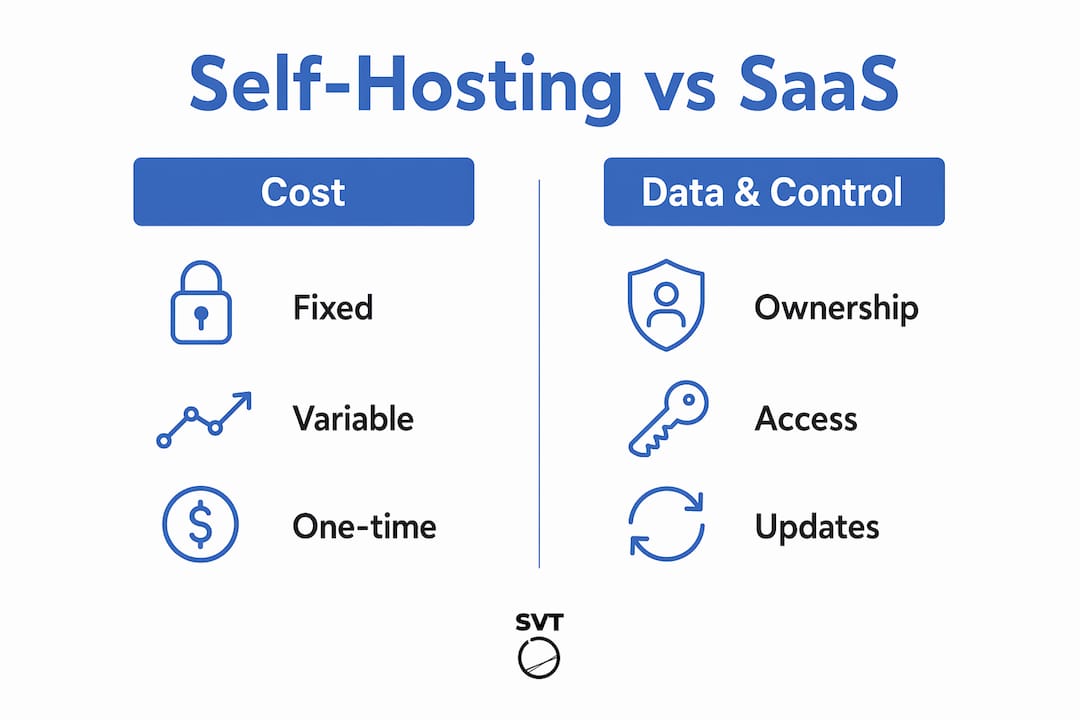
Data ownership is the second major differentiator. SaaS-based tours become inaccessible the moment a subscription lapses. Your tours, your client data, and your branded content are effectively held hostage by the platform's billing cycle. Self-hosting eliminates this risk entirely. You control the files, the server, and the access.
Platforms like 3DVista export tours as static HTML and JavaScript files that any standard web host can serve. This means you are never locked into a proprietary format. If you switch hosting providers, you simply move the files. No re-publishing, no re-linking, no data migration fees.
The trade-off is honest: SaaS platforms handle uptime monitoring, software updates, and security patches automatically. Self-hosting transfers those responsibilities to you or your team. For businesses with a basic technical resource or a developer on retainer, this is a manageable overhead. For solo operators with no technical background, it requires either a learning curve or outsourcing.
Pro Tip: Before committing to self-hosting, calculate your current or projected SaaS spend over 36 months. If the total exceeds $2,000, self-hosting almost certainly delivers a positive return on investment within the first year.
| Criteria | Self-Hosted | Cloud SaaS |
|---|---|---|
| Cost at scale | Fixed, low | Increases per tour |
| Data ownership | Full control | Platform-dependent |
| Price stability | Predictable | Subject to hikes |
| Technical maintenance | Your responsibility | Automated |
| Vendor lock-in risk | None | High |
What tools and technical knowledge do you need for self-hosting?
Setting up a self-hosted virtual tour environment does not require a software engineering degree, but it does require comfort with a few specific tasks. Here is what you need to have in place before you publish your first tour.
- Virtual tour software. 3DVista is the most widely used self-hosted option for professionals. It produces clean, exportable HTML/JS/JSON packages that deploy to any web server. Open-source alternatives exist but require more configuration time.
- A VPS or web hosting account. Providers like DigitalOcean, Vultr, or even shared hosting plans from SiteGround or Bluehost work for most tour portfolios. A VPS gives you more control over performance and security.
- SSL certificate. Let's Encrypt provides free SSL certificates with automated renewal. Most modern hosting control panels, including cPanel and Plesk, support one-click Let's Encrypt installation.
- FTP or SFTP client. Tools like FileZilla let you upload exported tour files to your server without touching the command line. This is the core of the export-upload workflow that makes self-hosting accessible.
- Basic DNS management. You need to point a domain or subdomain to your server. Most domain registrars like Namecheap or GoDaddy provide straightforward DNS dashboards.
Managing VPS hosting and SSL certificates does require moderate technical skills, but the export-upload workflow removes most of the complexity for day-to-day publishing. You create the tour in your software, export it as a folder of static files, and upload it to your server. No database, no CMS, no backend configuration required after initial setup.
Pro Tip: Set a calendar reminder for SSL certificate renewal every 60 days if you are not using automated renewal. An expired SSL certificate takes your tours offline and damages client trust instantly.
How do you create engaging self-hosted tours that hold attention?
Cost savings mean nothing if your tours fail to engage visitors. The good news is that self-hosted tools give you more creative control, not less, compared to many SaaS platforms that restrict branding and interactivity to paid tiers.
The most effective self-hosted tours are built around a clear narrative structure. Storytelling-focused virtual tours maintain engagement without requiring expensive ongoing technical overhead. A real estate tour that guides a viewer from the entrance through the living spaces to the outdoor area in a logical sequence performs better than a tour that drops the viewer in a random room with no orientation.
Custom skins, hotspots, and embedded media are standard features in tools like 3DVista and Simple Virtual Tour. You can add clickable information panels, embedded video clips, floor plan navigation, and audio narration without paying for a premium SaaS add-on. These features are part of the software license you already own.
- Use hotspots strategically. Place them at decision points in the tour, not on every surface. Overloading a tour with hotspots creates visual noise and reduces completion rates.
- Add a floor plan overlay. Visitors who can see where they are in a space stay longer and explore more rooms. This is a proven engagement driver in real estate and hospitality tours.
- Embed a call-to-action panel. Self-hosted tours can include contact forms, booking links, or product pages directly within the tour interface. This turns a passive viewing experience into a conversion opportunity.
- Test load times before publishing. Large equirectangular images slow down tours on mobile devices. Compress panoramas to under 4MB per scene without visible quality loss using tools like Squoosh or TinyPNG.
Immersive storytelling drives lasting value and offsets the technical investment of self-hosting. The businesses that get the most from self-hosted tours are those that treat the tour as a sales and communication tool, not just a photo gallery.
What are common challenges in self-hosted tour cost management?
Self-hosting introduces operational responsibilities that SaaS platforms handle invisibly. Knowing these challenges in advance lets you plan for them rather than react to them.
- Server downtime. A VPS requires occasional reboots for security patches. Schedule maintenance windows during low-traffic periods and notify clients in advance. Most managed VPS providers offer 99.9% uptime SLAs that cover unplanned outages.
- Bandwidth overages. If a tour goes viral or gets embedded on a high-traffic website, bandwidth usage can spike. Monitor monthly usage through your hosting dashboard and set alerts at 80% of your plan's cap.
- SSL certificate expiry. An expired certificate throws a browser security warning that blocks visitors from accessing your tour. Automate renewal with Certbot or use a hosting panel that handles it natively.
- Outdated software versions. Self-hosted tour software does not auto-update. Check for new releases from your software vendor quarterly and apply updates during scheduled maintenance windows.
- Vendor lock-in from proprietary formats. Choosing platforms that export to standard web formats prevents the scenario where a software company discontinues its product and your tours become inaccessible.
"The biggest hidden cost in self-hosting is not the server bill. It is the time spent on maintenance tasks that were never budgeted for. Plan for two to four hours per month of server and software upkeep, and you will not be caught off guard."
Integrating tours into your business website is straightforward. Most self-hosted tours load via an iframe embed or a direct URL. You do not need a plugin or a platform-specific integration. This makes self-hosted tours compatible with WordPress, Squarespace, Webflow, and any other CMS that supports HTML embeds.
Key takeaways
Self-hosted virtual tours deliver the strongest long-term cost savings for businesses managing multiple tours, because fixed server costs remain stable while SaaS fees compound with every new listing or price hike.
| Point | Details |
|---|---|
| Cost structure advantage | One-time software license plus $240 to $600/year in hosting beats $660 to $3,708/year in SaaS fees. |
| Scaling efficiency | Hosting costs stay nearly flat whether you publish 10 or 10,000 tours on your own server. |
| Data ownership | Self-hosting eliminates vendor lock-in and keeps your tours accessible regardless of subscription status. |
| Technical commitment | Plan for two to four hours per month of maintenance including SSL renewals, updates, and bandwidth monitoring. |
| Engagement quality | Custom hotspots, floor plans, and embedded CTAs in self-hosted tools match or exceed SaaS feature sets. |
Why self-hosting is worth the effort, from someone who has seen both sides
I have worked with businesses that spent years paying SaaS subscription fees before running the numbers and realizing they had spent more on platform access than on the actual photography and production of their tours. The math is not subtle once you lay it out.
What surprises most people is that the data ownership argument ends up mattering more than the cost savings over time. A real estate agency that built its entire client presentation workflow around a SaaS platform found itself renegotiating contracts from a position of weakness every renewal cycle. When that platform raised prices by 20%, they had no leverage and no exit plan. Self-hosting removes that vulnerability entirely.
That said, I want to be direct about the effort involved. Self-hosting is not a passive decision. It requires someone on your team who is comfortable with basic server management, or a budget line for a developer who handles it. Businesses that underestimate this end up with tours that go offline at the worst possible moment because an SSL certificate expired or a VPS needed a reboot.
The businesses that succeed with self-hosting treat it as a deliberate infrastructure choice, not a cost-cutting shortcut. They select software that exports to standard formats, they schedule maintenance proactively, and they invest the savings back into better content. That combination produces tours that are both cheaper to operate and more effective at converting visitors. The quality of storytelling in self-guided tours is what separates the tours people remember from the ones they close after ten seconds.
Choose your software based on your team's actual capabilities, not the feature list on a marketing page. A tool you can operate confidently will always outperform a more powerful tool that sits unused because it is too complex to maintain.
— Andrea
How Simple Virtual Tour makes self-hosted tours accessible
If you are ready to act on these cost savings, Simple Virtual Tour is built specifically for this workflow. The platform supports both cloud-hosted and self-hosted deployment, so you can start in the cloud and migrate to your own server when your portfolio justifies the switch.
Simple Virtual Tour gives you unlimited tour creation under a single license, with no per-tour fees and no recurring platform charges eating into your margins. Features like live session capabilities, e-commerce integration, and custom hotspots are included without tier upgrades. Over 1,400 businesses already use it to create and manage tours without the overhead of a SaaS subscription. The intuitive backend means you do not need a developer to publish professional-quality tours. Explore Simple Virtual Tour to see how it fits your cost structure and production workflow.
FAQ
How much can businesses save by self-hosting virtual tours?
Businesses managing 50 or more tours can save thousands of dollars annually by switching from SaaS platforms charging $55 to $309 per month to a self-hosted model with fixed server costs of $240 to $600 per year. The savings grow larger over a five-year period as SaaS fees compound with annual price increases.
What is the biggest risk of self-hosting virtual tours?
The primary risk is operational: server downtime, expired SSL certificates, and outdated software can take tours offline unexpectedly. Planning for two to four hours of monthly maintenance and automating SSL renewal with tools like Certbot eliminates most of these risks.
Does self-hosting reduce tour quality or interactivity?
Self-hosted tools like 3DVista and Simple Virtual Tour include custom hotspots, floor plan overlays, embedded media, and e-commerce integration as standard features. Self-hosting does not reduce quality. It transfers feature control from the platform to you.
What file formats do self-hosted virtual tours use?
Self-hosted virtual tour software exports tours as static HTML, JavaScript, and JSON files that any standard web server can host. This format is universally compatible and prevents vendor lock-in because the files are not tied to any proprietary platform.
Is self-hosting suitable for businesses without a technical team?
Self-hosting is manageable for non-technical users who are comfortable with basic tasks like FTP file uploads and domain DNS settings. Platforms with export-upload workflows, including Simple Virtual Tour, reduce the technical barrier significantly by eliminating the need for database or backend configuration.