
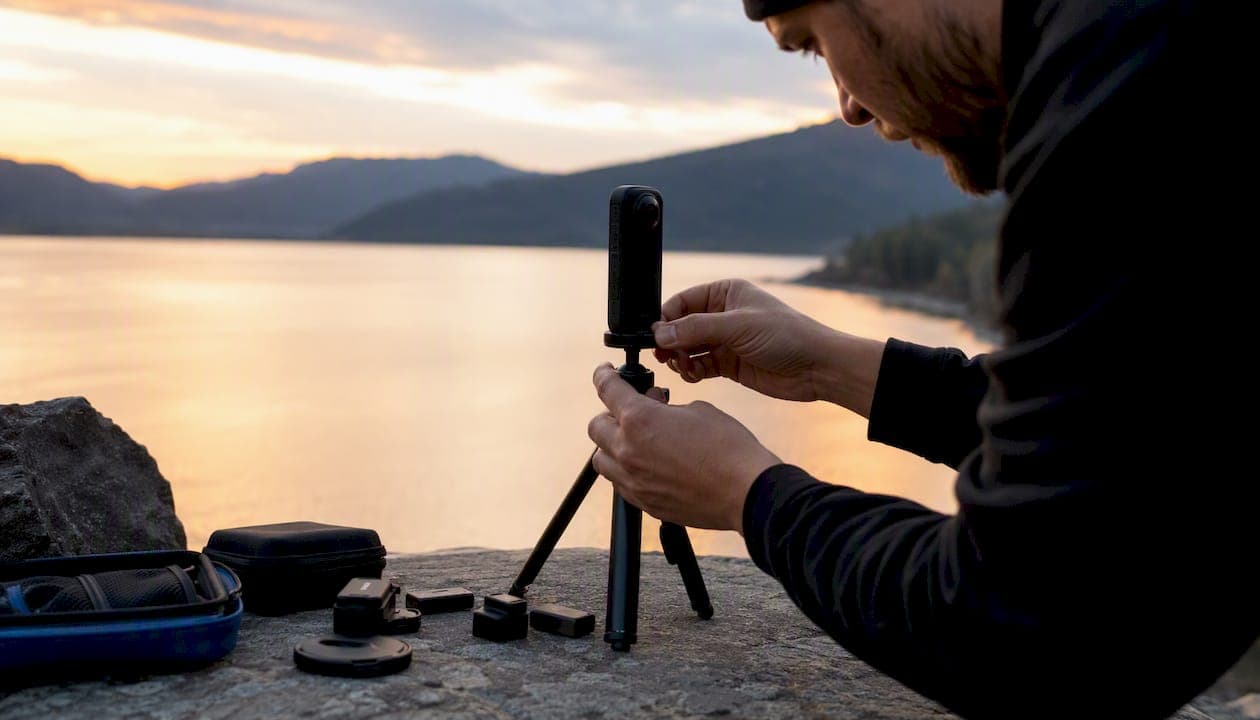
Becoming a trusted Google photographer follows four clear steps: register your interest with Google, capture and publish at least 50 approved 360° photos, earn the Trusted badge once you hit that contribution threshold, then convert the credential into paid virtual-tour work. That path is repeatable, scalable, and open to photographers at nearly every experience level.
Here is the short version of what you need to do:
- Apply: Register through Google's Street View contributor program and confirm you meet the basic operational requirements (camera, Gmail account, business setup).
- Capture and publish: Shoot high-quality 360° panoramas for local businesses and upload them through Street View Studio.
- Earn the badge: Reach 50 approved and published 360° photos to qualify for the Trusted Photographer listing in Google's for-hire index.
- Build a business: Package your credential with higher-value private tours, recurring shoots, and upsell offerings to generate sustainable income.
The sections below cover official requirements, the full capture-to-publish workflow, equipment specs, pricing structures, and how to position the badge credibly with clients.
Key Takeaways
Becoming a trusted Google photographer requires 50 approved 360° photos, independent contractor status, and a clear plan to convert the badge into recurring revenue through both Street View and private hosted tours.
| Point | Details |
|---|---|
| Earn the badge with 50 photos | Publish fifty approved 360° panoramas through Street View Studio to trigger the Trusted listing. |
| Meet all operational prerequisites | You need a compatible camera, Gmail account, business license, and professional web presence before applying. |
| Price with packages, not flat fees | Tiered packages that bundle Street View and private tours produce higher average transaction values. |
| Clarify the badge in every proposal | State explicitly that the Trusted credential is Google's index listing, not a quality guarantee from Google. |
| Simple Virtual Tour extends your offering | Use Simple Virtual Tour to host private interactive tours that complement your Street View work and increase client value. |
Table of Contents
- What does the Google Trusted Photographer badge actually mean?
- What are the official eligibility requirements?
- How do you go from application to published tour?
- What equipment do you actually need?
- How should you price shoots and structure your contracts?
- What does the badge guarantee, and how should you present it to clients?
- What seasoned professionals do differently to win repeat business
- Simple Virtual Tour gives you a higher-value product to sell alongside Street View
- Sources
What does the Google Trusted Photographer badge actually mean?
Google's Street View contributor ecosystem lets independent photographers publish 360° panoramas directly to Google Maps. When a contributor reaches the threshold of 50 approved and published 360° photos, Google lists them in its index of for-hire professionals, which is where the "Trusted Photographer" label comes from.
The badge is contribution-based, not exam-based. There is no proctored certification, no formal course you must pass, and no Google employee who reviews your portfolio before granting access. Consistent, quality uploads through approved workflows are what trigger the designation.
What the badge does NOT do is equally important to understand:
- Google does not employ Trusted Photographers. They are independent contractors who set their own pricing, negotiate their own contracts, and handle their own client relationships.
- Google does not guarantee the quality of a Trusted Photographer's work or mediate payment disputes between photographers and clients.
- The badge does not automatically generate client leads. It places you in a searchable index, but converting that visibility into paid work is your responsibility.
Trusted Photographer vs. Trusted Agency: Individual photographers earn the badge through personal contribution volume. Trusted Agencies are companies that manage multiple photographers under one entity, typically serving larger markets or enterprise clients. Both are listed in the same for-hire index, but agencies often handle higher-volume, multi-location engagements while individual photographers tend to serve local businesses directly.
The relationship with Google gives you publishing access to Maps, permission to use Google's brand assets in your marketing (within their guidelines), and a listing in the index. Beyond that, the business is yours to build.
What are the official eligibility requirements?
Google's Business Photos FAQ and its Become a Trusted Photographer materials outline a straightforward set of prerequisites. None of them are unusual for a working photographer, but each one matters.
Core requirements:
- A Street View-compatible 360° camera (more on tiers in the equipment section)
- An active Gmail account linked to your Google Maps profile
- Reliable internet access for uploading large equirectangular image files
- A professional business presence (website, business license where required by your state)
- The capacity to operate as an independent contractor and issue invoices
The contribution threshold: Google grants the Trusted badge after you publish 50 approved 360° photos. "Approved" means the images passed Google's automated and manual quality checks, not just that you uploaded them. Photos rejected for poor stitching, insufficient resolution, or metadata errors do not count toward the threshold.
Geographic availability: The program is available across the United States, though Google's active promotion of the for-hire listing has historically varied by metro area. Photographers in smaller markets may find fewer inbound leads from the index but can still earn the badge and market themselves independently.
| Requirement | Why it matters | Where Google documents it |
|---|---|---|
| Street View-compatible camera | Required for equirectangular image upload | Street View publishing policy |
| Gmail / Google account | Links contributions to your Maps profile | Business Photos FAQ |
| 50 approved 360° photos | Triggers Trusted badge and index listing | Trusted Pro page |
| Business license / professional capacity | Required for independent contractor status | Business Photos FAQ |
| Website / professional presence | Supports client-facing credibility | Business Photos FAQ |
How do you go from application to published tour?
The workflow from first contact with Google to a live Street View listing has several distinct stages. Working through them in order prevents the most common delays.
-
Register your interest. Visit Google's Street View contributor pages and connect your Google account. There is no formal application form with a waiting period in most cases; you begin contributing immediately after linking your account to Street View Studio.
-
Set up Street View Studio. Google provides dedicated publishing tools for uploading and managing 360° imagery. Download Street View Studio (desktop) or use the Street View mobile app to prepare your uploads. Familiarize yourself with the metadata fields before your first shoot.
-
Schedule the shoot and get written permission. Contact the business owner, confirm the shoot date and time, and obtain written authorization to photograph and publish their property. This is not optional. Google requires that contributors have the legal right to publish imagery of private property.
-
Capture the panoramas. Shoot in a logical sequence through the space, maintaining at least 50% overlap between adjacent shots. Use HDR or bracketing in mixed-light environments (a restaurant with bright windows and dim interiors, for example) to reduce blown highlights. Capture during business hours when the space looks its best, and keep the tripod level at every position.
-
Process and stitch. Import your raw files into your stitching software, review for alignment errors, and export as equirectangular JPEG or PNG files. Check that GPS metadata is embedded or that you can manually place each image on the map in Street View Studio.
-
Upload and submit. Drag your processed files into Street View Studio, arrange them in the correct sequence, connect them with the linking tool, and submit for Google processing. Processing typically takes a few days, though complex submissions can take longer.
-
Monitor and respond to rejections. Google will notify you if images are rejected. Common rejection reasons include poor stitching seams, insufficient resolution, and missing or inaccurate GPS data. Fix the issue and resubmit rather than abandoning the contribution.
Pro Tip: Before your first paid shoot, do a practice run at your own home or a willing friend's business. Publishing two or three panoramas yourself lets you work through stitching errors and metadata issues without a client waiting on the result.
Industry guides from practitioners confirm that shot sequencing, HDR usage, and clean metadata are the three factors that most reliably reduce Google moderation rejections.
What equipment do you actually need?
The camera you choose determines both the quality of your Google submissions and the ceiling on what you can offer private clients. Here's how the tiers break down.
Entry-level (single-shot consumer cameras): Cameras in this category capture a full spherical panorama in one shot, which eliminates stitching errors and speeds up the workflow considerably. Resolution is typically sufficient for Street View publishing but may not satisfy clients who want large-format prints or highly detailed private tours.
Prosumer (dual-lens or multi-lens cameras with higher resolution): These cameras offer better dynamic range, higher megapixel counts, and more control over exposure settings. They are the practical choice for most working Trusted Photographers because they balance speed, quality, and cost.
Professional (multi-camera rigs or high-resolution mirrorless with fisheye lenses): These setups produce the sharpest equirectangular images and support HDR bracketing at a level that entry cameras cannot match. The tradeoff is a longer capture and stitching workflow. For high-end hospitality, luxury real estate, or museum clients, the quality difference is visible and worth the extra time.
For detailed camera-by-camera comparisons, the Simple Virtual Tour guide to 360 cameras for real estate covers the most relevant models and their practical tradeoffs.
| Camera tier | Minimum capability | Why it matters for Google publishing |
|---|---|---|
| Entry-level | Single-shot spherical, high resolution | Fastest workflow, low stitching error risk |
| Prosumer | Dual-lens, 6K+, manual exposure | Better dynamic range, fewer rejection issues |
| Professional | Multi-lens or mirrorless rig, 8K+, HDR | Highest quality, supports premium private tours |
Essential supporting gear:
- A sturdy tripod with a leveling ball head (a tilted camera produces curved horizon lines that Google's system flags)
- A nadir cap or monopod to minimize the tripod footprint in the bottom of the frame
- Sufficient storage and a reliable laptop for field processing
Google requires Street View-compatible cameras and approved upload workflows for all published imagery. Check the Street View camera list before purchasing to confirm compatibility. The Simple Virtual Tour 360° photo guide also covers capture settings and file format recommendations that apply directly to Google submissions.
How should you price shoots and structure your contracts?
Pricing for Street View work in the United States varies by market, venue size, and the scope of deliverables. ZipRecruiter's market data on Google photographer earnings provides useful context for setting rates, though those figures reflect a range of employment and freelance arrangements rather than a guaranteed income floor.
Practical pricing frameworks:
- Flat fee per location: Works well for straightforward retail or office shoots. A single-location Street View shoot for a small business typically runs in the range of a few hundred dollars, depending on your market and the number of panoramas required.
- Tiered packages: Bundle the Street View shoot with a private hosted tour, a second-visit update shoot, or social media-ready still images. Tiered packages give clients a clear upgrade path and give you a higher average transaction value.
- Add-on pricing: Charge separately for advanced editing, HDR processing, rush turnaround, or hosting a private interactive tour on a platform like Simple Virtual Tour.
Service agreement checklist:
- Deliverables: specify the number of panoramas, the publication timeline, and any private tour files the client receives
- Image ownership: the client typically owns the underlying photography; your contract should state this clearly
- Google licensing: by publishing to Street View, you grant Google a license to display the imagery; your contract should inform the client of this and reference Google's terms
- Payment terms: deposit on booking, balance on delivery or publication
- Cancellation and rescheduling: define notice periods and any fees for last-minute cancellations
- Dispute resolution: specify the governing state and preferred resolution method
Pro Tip: When a Street View client asks about "upgrading" their tour, that is your opening to introduce a private hosted tour. A Google Maps listing drives discovery; a private interactive tour on a platform like Simple Virtual Tour drives conversion. Position them as two different tools serving two different goals, and price them separately.
Clear ownership and licensing language in your contracts also reduces disputes when clients later want to use imagery in marketing materials or transfer the listing to a new business owner. Practitioners consistently report that documented ownership and licensing terms speed up upsell conversations because clients feel protected rather than locked in.
For a deeper look at building a full virtual-tour business around this work, the Simple Virtual Tour guide to starting a virtual tour business covers revenue models, client acquisition, and scaling beyond one-off shoots.
What does the badge guarantee, and how should you present it to clients?
The Trusted badge tells a prospective client that you have published at least 50 approved 360° photos and that Google has listed you in its for-hire index. That is a meaningful signal of technical competence and commitment to the program. It is not a Google quality guarantee, and presenting it as one creates liability.
Google states explicitly that Trusted Photographers are independent contractors and that Google does not guarantee their work. Clients who read that language after signing a contract based on a misrepresented badge will feel misled, even if unintentionally.
The most effective approach is to separate what the badge covers from what your service agreement covers. Your proposal should include language like: "My Trusted Photographer status means I am listed in Google's for-hire index and have met Google's contribution requirements. The quality guarantees in this agreement are mine, not Google's."
Common client misperceptions to address proactively:
- "Google will fix any problems with the tour." Google does not mediate service disputes.
- "The badge means Google recommends you above other photographers." The listing is an index, not a ranking or endorsement.
- "The tour will appear immediately." Processing takes time, and Google's timeline is not guaranteed.
Combining a published Street View listing with a private interactive tour hosted on a platform like Simple Virtual Tour creates a stronger commercial outcome than either alone. The Street View listing drives organic discovery on Google Maps; the private tour gives clients a conversion-optimized experience they can embed on their website, share in email campaigns, and update without going through Google's moderation queue. Research on virtual tours and local business discovery supports this two-channel approach, showing that interactive tours increase time-on-site and engagement beyond what a Maps listing alone produces.
Pro Tip: In your client proposals, include a one-paragraph "What the Trusted badge means" section. Clients who understand the credential's actual scope are easier to work with, more likely to refer you, and less likely to dispute deliverables.
What seasoned professionals do differently to win repeat business
The photographers who build durable virtual-tour businesses around the Trusted credential share a few operational habits that set them apart from those who treat each shoot as a one-off transaction.
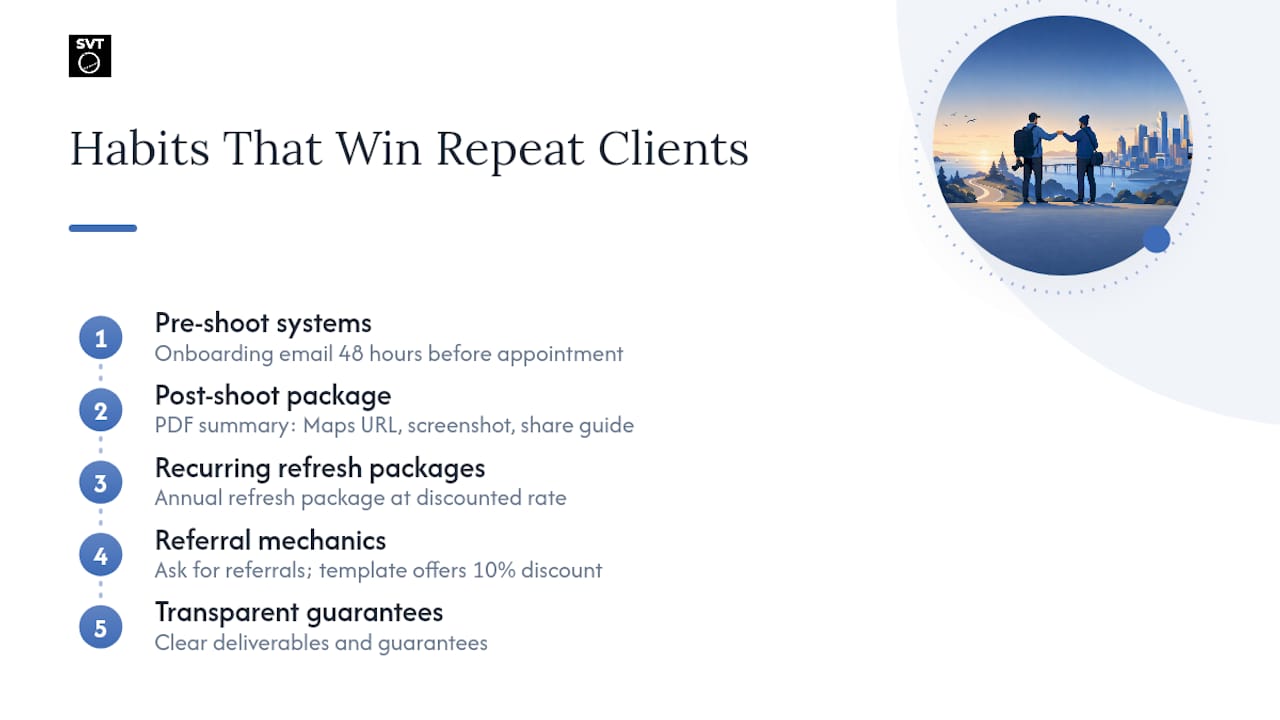
Pre-shoot systems: A standardized client onboarding email that covers shoot-day logistics (clear the space, turn on all lights, remove personal items from counters) reduces the number of reshoots and speeds up the upload timeline. Sending this 48 hours before the appointment signals professionalism and cuts the back-and-forth that eats into margins.
Post-shoot deliverables package: Beyond the Street View publication link, give clients a PDF summary that includes the live Maps URL, a screenshot of the published tour, and a short guide on how to share the link on their Google Business Profile. This small extra step generates referrals because clients have something tangible to show other business owners.
Recurring revenue from multi-location and update shoots: Restaurants, retail chains, and hospitality groups update their spaces seasonally. Pitch an annual refresh package at a discounted rate compared to a new-client shoot. Locking in three or four recurring clients creates a predictable revenue floor that makes the business sustainable even in slow months.
Referral mechanics: Ask for the referral explicitly, and make it easy. A short email template ("If you know another business owner who could benefit from a Google Maps tour, I'd be glad to offer them a 10% discount on their first shoot") gives satisfied clients a reason and a mechanism to refer without feeling awkward.
Building client trust through transparent deliverables and clear guarantees is what separates photographers who earn repeat business from those who constantly chase new leads. The credential opens the door; the systems keep clients coming back.
Simple Virtual Tour gives you a higher-value product to sell alongside Street View
Street View gets your clients onto Google Maps. Simple Virtual Tour gives them something they can own, customize, and use across every marketing channel.

Simple Virtual Tour is built for photographers who want to offer more than a Maps listing. The platform supports unlimited interactive tours with cloud-hosted or self-hosted deployment, so you can give clients full control over their data without locking them into a recurring hosting fee they did not expect. Features like live session hosting, e-commerce integration, multilingual UI, and AI multimedia editing let you package genuinely differentiated services, not just a prettier version of what Google already provides for free.
The practical upsell is straightforward: after completing a Street View shoot, offer the client a private hosted tour built from the same 360° assets. The Street View listing drives discovery; the Simple Virtual Tour experience drives conversion on their own website. Two deliverables, one shoot day, a significantly higher invoice. Start your free trial at Simple Virtual Tour and see how the platform fits your current workflow.
Sources
The rules, workflows, and technical requirements for the program change periodically, so bookmarking the primary sources is worth the 30 seconds it takes.
The official Google pages below are the authoritative references for eligibility, technical specs, and publishing tools. The Simple Virtual Tour resources cover equipment decisions and business-building steps that go beyond what Google's own documentation addresses.
Official Google resources:
- Hire a trusted pro, boost your visibility
- FAQs – Business Photos – Google Maps
- Create and Publish your own Street View images
- Google Photographer Salary: Hourly Rate July 2026 - ZipRecruiter
Simple Virtual Tour resources:
To find the current Trusted Pros listing or contact Google support for a processing issue, start at the Street View business page and use the support link in your Street View Studio dashboard for account-specific issues.