

Cloud-hosted tours are interactive, browser-based virtual experiences hosted entirely on a provider's servers, and they represent the most direct answer to how cloud-hosted tours simplify business website integration. Instead of building custom booking flows or maintaining server infrastructure, your business embeds a widget or links a white-labeled booking page, and the hosted backend handles the rest. Platforms like Simple Virtual Tour, Tour Amigo, and Bokun have made this model the standard for tour operators, real estate firms, and hospitality businesses that want to showcase spaces and capture bookings without hiring a development team.
How do white-label hosted booking pages and widgets simplify website integration?
Two tools sit at the center of cloud-based website integration for tour businesses: white-label hosted booking pages and booking widgets. Understanding how each works helps you choose the right approach for your website.
A white-label hosted booking page is a fully built booking environment hosted by the software provider and branded with your business name, logo, and colors. You do not build it. You do not maintain it. The provider handles uptime, security patches, and payment processing. You simply send customers to a URL that looks and feels like your own site.

A booking widget takes a different approach. Widgets embed a booking flow directly into your existing web page by pasting a short code snippet. The widget connects live to your reservation backend, showing real-time availability, pricing, and payment options without redirecting the customer anywhere. Your site's branding stays intact, and your SEO signals remain on your domain.
| Feature | White-label hosted page | Booking widget |
|---|---|---|
| Hosting responsibility | Provider | Provider (backend only) |
| Customer stays on your domain | No | Yes |
| Setup complexity | Very low | Low to moderate |
| SEO benefit | Limited | Strong |
| Best for | Businesses without a full website | Businesses with existing websites |
| Customization depth | Moderate | High |
The key difference comes down to where the customer lands. White-label pages are faster to deploy and require zero web development. Widgets give you more control over the user experience and keep visitors on your domain, which supports long-term SEO growth. Neither option requires CMS plugins or custom server-side code.
Pro Tip: If you are just starting out and do not yet have a full business website, a white-label hosted booking page gives you a professional, bookable presence online in under an hour.
What are the benefits of cloud-hosted tour integration for businesses?
The practical advantages of integrating cloud tours for businesses go well beyond convenience. They affect your conversion rate, your team's workload, and your ability to grow.
- Improved user experience. Customers complete their booking without leaving your tour page. Keeping users in one place reduces drop-off and increases completed transactions.
- Brand consistency. Embedding booking widgets lets you control your website's layout and visual identity while the hosted backend handles reservation logic. Your brand stays front and center throughout the booking process.
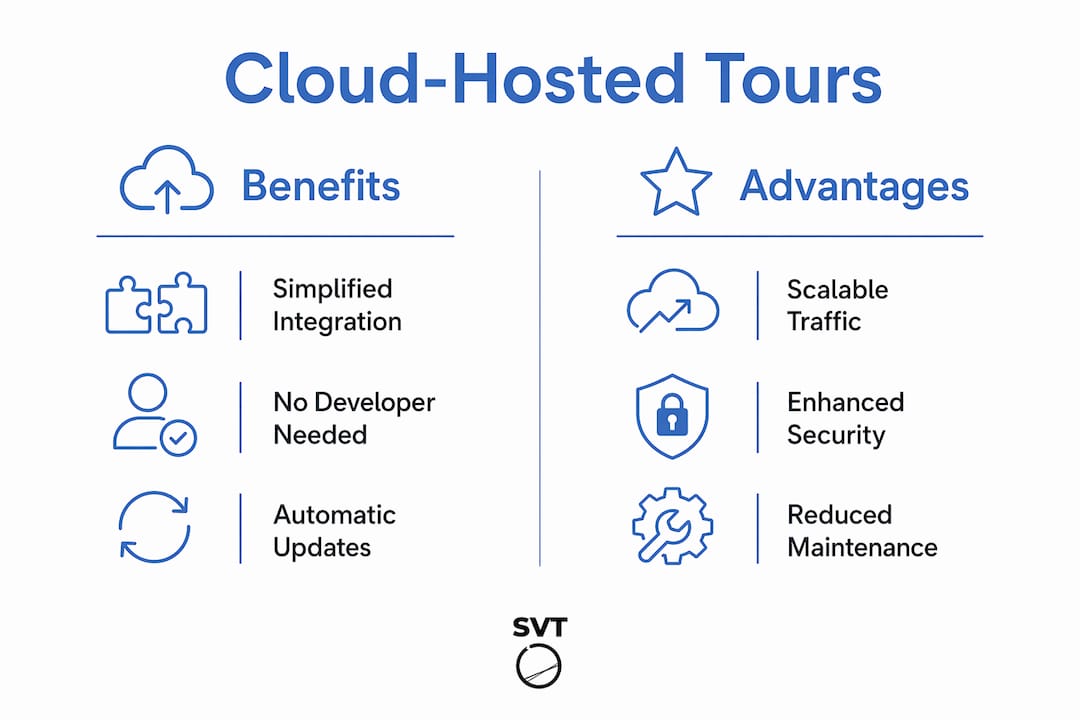
- Reduced technical overhead. Your IT team does not manage server updates, SSL certificates, or booking software patches. The cloud provider handles all of it, freeing your staff for higher-value work.
- Automatic scalability. Cloud infrastructure scales dynamically when traffic spikes, such as during a promotional campaign or a peak travel season. Your site stays fast and available without manual intervention or hardware upgrades.
- Real-time data sync. Cloud-hosted booking tools sync calendars, pricing, and availability through a hosted backend automatically. Double bookings and stale pricing become far less common.
The cumulative effect is significant. Businesses that previously needed a web developer, a server administrator, and a booking software specialist can now manage the entire workflow through a single cloud platform. That reduction in overhead directly improves profit margins, especially for small and mid-sized operators.
Pro Tip: Place your booking widget on the same page as your interactive tour embed. Customers who have just explored your space are at peak interest. Capturing that moment converts far better than sending them to a separate booking page.
How do cloud-hosted tours integrate with existing website technologies?
Efficient online tour integration works across most major website platforms without requiring a rebuild. The methods vary slightly depending on your existing tech stack, but the core process is consistent.
- Copy-paste widget embed. Most cloud-based website tools provide an HTML snippet you paste into any web page editor. This works on WordPress, Squarespace, Wix, Webflow, and custom HTML sites. No plugin required.
- All-in-one platform builders. Platforms like Bokun bundle website building with booking management, auto-populating pages with booking forms and availability calendars. This approach suits businesses that want a single vendor for their entire online presence.
- OTA and marketplace connections. Cloud-hosted tour platforms often connect to online travel agencies and marketplaces through API integrations, syncing your availability and pricing across multiple sales channels from one backend.
- E-commerce integration. Platforms like Simple Virtual Tour support e-commerce within tour environments, letting customers purchase tickets, add-ons, or products directly inside the tour experience.
| Integration method | Technical skill required | Best platform fit |
|---|---|---|
| Widget embed (HTML snippet) | Minimal | WordPress, Wix, Squarespace, custom HTML |
| All-in-one platform builder | None | New websites, small operators |
| API connection to OTAs | Moderate | Established operators with multiple channels |
| E-commerce inside tour | Low to moderate | Retail, hospitality, real estate |
One common challenge is mobile responsiveness. Widgets that look sharp on desktop sometimes break on smaller screens if the embed container is not configured correctly. Test every integration on both iOS and Android before going live. Most cloud providers offer responsive widget templates that handle this automatically.
Cloud-hosted vs. self-hosted tours: which is easier to integrate?
Self-hosted virtual tour platforms give you full control over your data and server environment. That control comes with a real cost. Self-hosted solutions require ongoing technical maintenance, including server updates, uptime monitoring, and manual synchronization of booking data with your website.
For businesses without a dedicated IT team, that maintenance burden is the deciding factor. A self-hosted setup means you own the infrastructure, but you also own every problem that infrastructure creates. A server outage during peak booking season is your problem to solve, not the vendor's.
Cloud-hosted solutions shift that responsibility entirely. The provider manages uptime, security, and software updates. Your team focuses on running tours, not running servers. For most small and mid-sized businesses, that trade-off strongly favors cloud hosting.
The cost picture is more nuanced. Self-hosted platforms often carry a higher upfront licensing fee but lower recurring costs over time. Cloud-hosted platforms typically charge monthly or annual subscription fees. For a detailed breakdown of where each model saves money, the self-hosted cost savings guide from Simple Virtual Tour walks through the numbers by business size.
Simple Virtual Tour is one of the few platforms that offers both deployment models. Businesses that want cloud simplicity today can start there and migrate to a self-hosted venue tour platform later if their needs change. That flexibility is rare in this category.
Pro Tip: If you are evaluating self-hosted options, calculate your true total cost of ownership including developer time, hosting fees, and security audits. Cloud-hosted solutions frequently cost less in practice, even when the subscription fee looks higher on paper.
What are best practices for integrating cloud-hosted tours on your website?
Getting the integration right from the start saves you significant rework later. These practices apply whether you are using a white-label page, a widget, or an all-in-one platform.
- Embed the booking widget next to the tour, not below it. Users who finish exploring a virtual tour are ready to act. A booking widget placed immediately adjacent to the tour captures that intent before it fades.
- Use white-label pages when you lack a full website. A branded hosted page gives you a professional booking presence without building a site from scratch. It is a legitimate long-term solution, not just a stopgap.
- Test on mobile before launch. More than half of web traffic comes from mobile devices. Confirm that your widget renders correctly on small screens and that the booking flow completes without errors on both iOS and Android.
- Let the cloud provider handle security and updates. Do not attempt to self-manage SSL certificates or payment compliance on a cloud-hosted platform. The provider's infrastructure is built for it.
- Run a test booking monthly. Booking flows break silently. A payment gateway update or a calendar sync issue can block customers without triggering any visible error on your end. A monthly test catches problems before they cost you revenue.
Integrating booking flows inline with interactive tours is consistently more effective than directing users off-site. The data is clear: keeping users engaged through the full booking process on your own page converts better than any redirect-based approach.
Pro Tip: Ask your cloud tour provider for a staging environment where you can test widget updates before pushing them live. Not all providers offer this, but those that do save you from breaking your live booking flow during updates.
Key Takeaways
Cloud-hosted tours simplify business website integration by moving booking logic, availability sync, and security to a hosted backend, so your team manages tours instead of servers.
| Point | Details |
|---|---|
| White-label pages vs. widgets | White-label pages suit businesses without websites; widgets keep customers on your domain and support SEO. |
| Real-time sync eliminates errors | Cloud backends automatically sync calendars and pricing, reducing double bookings and stale rates. |
| Self-hosted requires more resources | Self-hosted platforms demand IT maintenance and manual data sync that cloud solutions handle automatically. |
| Embed widgets next to tours | Placing booking widgets alongside tour embeds captures peak customer intent and increases conversions. |
| Test booking flows regularly | Monthly test bookings catch silent failures in payment gateways or calendar syncs before they affect revenue. |
What I have learned from watching businesses get this wrong
Most businesses that struggle with cloud-hosted tour integration make the same mistake: they treat the tour and the booking flow as two separate projects. They build a beautiful interactive tour, then add a booking link at the bottom of the page as an afterthought. That gap costs them bookings every single day.
The businesses that get it right think about the customer's decision moment. When someone finishes a virtual tour of a vacation rental, a wedding venue, or a hotel room, they are at the highest point of interest they will ever reach. A booking widget sitting right there captures that moment. A link that says "click here to book" sends them somewhere else, and a meaningful percentage of them never come back.
I have also seen businesses over-engineer their integration. They spend weeks evaluating API connections and custom CMS plugins when a simple widget embed would have solved the problem in an afternoon. Cloud-based website tools exist precisely to remove that complexity. The businesses that accept that simplicity and move forward consistently outperform the ones that insist on building everything custom.
The white-label versus widget debate is real, but it is not the most important decision you will make. The most important decision is committing to keeping your customer on one page from tour to booking confirmation. Everything else is a detail.
— Andrea
Simple Virtual Tour makes cloud-hosted tour integration accessible
Simple Virtual Tour is built for businesses that want to create unlimited interactive tours and connect them directly to their website without a development team.

The platform supports both cloud-hosted and self-hosted deployments, giving you the flexibility to start fast and scale on your terms. With over 1,400 active users, Simple Virtual Tour includes live session capabilities, e-commerce integration, and an intuitive backend that requires no technical expertise. Whether you are in real estate, hospitality, or tourism, you can get started with Simple Virtual Tour and have a fully integrated, bookable tour experience live on your website quickly. Visit simplevirtualtour.com to see the full feature set and pricing options.
FAQ
What is a cloud-hosted virtual tour?
A cloud-hosted virtual tour is an interactive, browser-based experience stored and served from a provider's remote servers. Businesses embed or link these tours on their websites without managing any hosting infrastructure themselves.
How do booking widgets connect to a cloud-hosted tour?
Booking widgets use a short HTML snippet to embed a live booking flow directly on your web page, connecting to your cloud reservation backend in real time. Customers select dates, pay, and confirm without leaving your site.
Do I need a developer to integrate a cloud-hosted tour on my website?
No. Most cloud-based website tools provide copy-paste widget codes that work on WordPress, Wix, Squarespace, and custom HTML sites without any coding knowledge required.
How does cloud hosting handle traffic spikes during peak booking periods?
Cloud infrastructure distributes content across multiple virtual servers and scales automatically when demand increases. Your site stays fast and available without manual upgrades or hardware investments.
Is a white-label booking page or a booking widget better for SEO?
Booking widgets are better for SEO because they keep customers on your domain throughout the booking process. White-label pages redirect users to a hosted URL, which does not pass SEO value back to your site.