

360-degree video captures a full spherical environment, letting learners look in every direction rather than watching a fixed frame chosen by a director. Unlike standard video, where the camera decides what you see, spherical media puts that control in your hands. You can pan up, down, left, and right through the entire scene. In education, this format is used in three primary ways: modeling processes, exploring environments, and supporting self-reflection. Viewing options range from VR headsets for full immersion to the "magic window" approach on a desktop or mobile device, where you scroll or swipe to navigate the scene. Technically, a 360 camera uses dual fisheye lenses to capture overlapping footage, which software then stitches into an equirectangular image. Interactive hotspots can be layered on top, giving learners clickable access to text, photos, or video at specific points in the scene.
- Spherical panorama: captures every angle simultaneously, creating a sense of presence
- Viewing modes: VR headset, smartphone with a Google Cardboard holder, or magic window on a computer
- Hotspots: clickable icons embedded in the scene that open supplemental content
- Stitching: the automated process of merging dual-lens footage into one seamless equirectangular image
What advantages does 360-degree content give educators?
Educators gain something specific with 360-degree content that a lecture slide or flat video cannot replicate: the ability to transport a class to a place that is otherwise off-limits. A nursing program can walk students through an ICU without patient privacy concerns. An environmental science course can drop learners into a protected wetland. That kind of access used to require a field trip budget and a permission slip.
- Virtual site access: bring students to industrial sites, natural environments, or cultural heritage locations without travel costs or safety risks
- Immersive demonstrations: show complex procedures from the learner's point of view, not a camera operator's
- Self-paced exploration: students can pause, rewind, and revisit scenes on their own schedule
- Multiple learning styles: visual, spatial, and kinesthetic learners all engage differently with 360 content, and the format accommodates each
- Accessible creation tools: platforms like Simple Virtual Tour let educators build interactive virtual tours without coding expertise, adding hotspots, text, and multimedia to guide the learning experience
Pro Tip: Before filming, write out your learning objectives and map each scene to a specific outcome. A well-planned 360 tour is a teaching tool; an unplanned one is just a video.
How does 360-degree content improve outcomes for students?
Students respond to 360-degree content differently than they do to traditional media, and the research backs that up. A systematic literature review of 44 studies on 360-degree video in education found that the format primarily increases learner motivation and interest, supports authentic learning scenarios, and enables multi-perspective observation. Those are not minor gains. Motivation is one of the strongest predictors of knowledge retention, and 360 content delivers it through context rather than novelty alone.
- Authentic context: learners see real environments, not diagrams, which builds genuine understanding of how processes work in practice
- Increased motivation: the sense of presence that spherical media creates keeps students engaged longer than passive viewing
- Multi-perspective observation: students can replay a scene from different angles, catching details they missed the first time
- Device flexibility: content works on a VR headset, a smartphone, or a laptop, so access barriers stay low
- Self-reflection: teacher education programs use 360 video to let pre-service teachers observe their own classroom behavior from a student's perspective
Empirical studies confirm that narrated immersive 360-degree videos increase learner self-efficacy, interest, and knowledge of the subject. That combination of confidence and curiosity is exactly what instructional designers are trying to build.
What does the research say about 360-degree video effectiveness?
The evidence is encouraging, though not without nuance. Learners who use VR headsets report higher spatial presence, enjoyment, and satisfaction than those using a desktop. But here is the part most educators overlook: desktop users performed similarly or better on exams, with less cognitive load. That finding matters for any institution that cannot afford a headset for every student.
The neuroscience side of the picture adds an important caveat. 360-degree video disperses viewer attention more than 2D video does, precisely because learners can look anywhere. That freedom is a feature, but it can also dilute focus on the content that actually matters. Without guiding cues, a student might spend the entire scene looking at the ceiling.
360-degree content viewed without a headset still increases positive emotions and engagement on mobile and desktop devices. The immersive effect does not require expensive hardware. What it does require is intentional design.
Pro Tip: Use on-screen arrows, audio narration, or animated highlights to direct learner attention to the most important part of each scene. Guiding cues are not hand-holding; they are good instructional design.
Understanding immersive learning as a broader pedagogical framework helps clarify why 360 content works when it is designed well and falls flat when it is not. The format creates the conditions for presence and engagement; the instructional design determines whether those conditions translate into learning.
How do you produce and integrate 360-degree content in your curriculum?
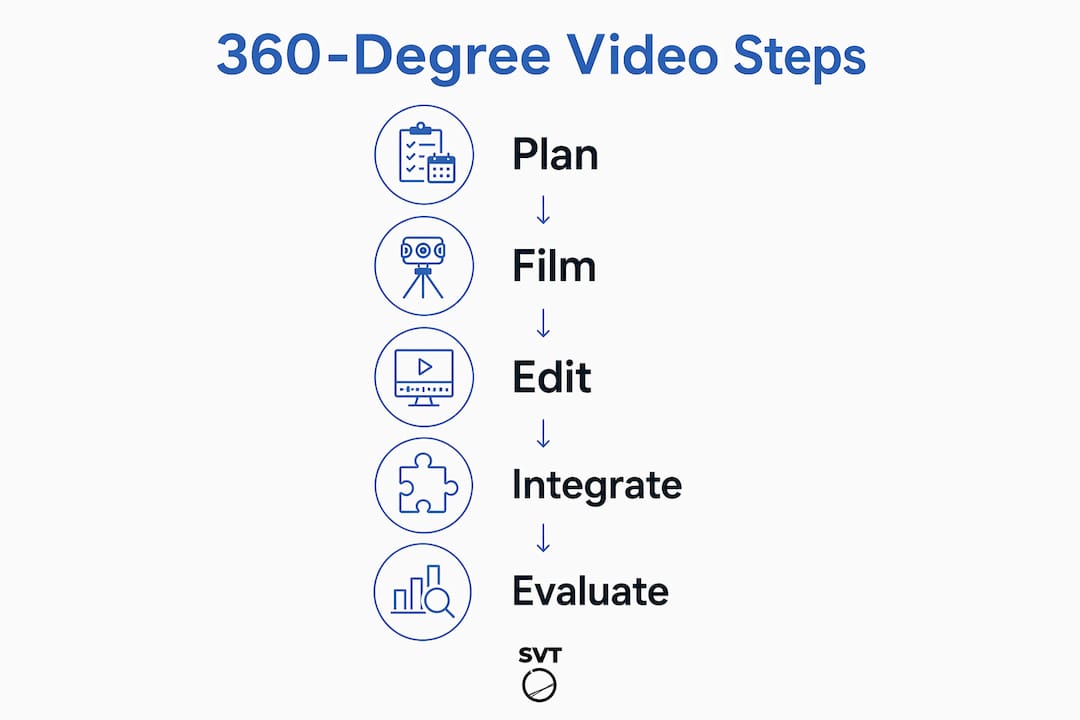
Getting from concept to a finished, LMS-ready 360 tour involves several distinct stages. Each one has decisions that affect the final learning experience.
Planning and pre-production
Define your learning objectives before you pick up a camera. Identify the specific scenes you need, the supplemental information each scene requires, and how students will interact with the content. A spreadsheet listing each clip, its learning goal, and the hotspot content for that clip keeps the production focused.
Equipment and filming
You need a 360 camera with dual fisheye lenses. Common options used in educational settings include the Insta360, Ricoh Theta, and GoPro Max. A narrow, stable camera stand keeps the camera steady without appearing in the shot. For clean audio, a wireless microphone like the RØDE wireless mic eliminates background noise that the camera's built-in mic would otherwise capture.
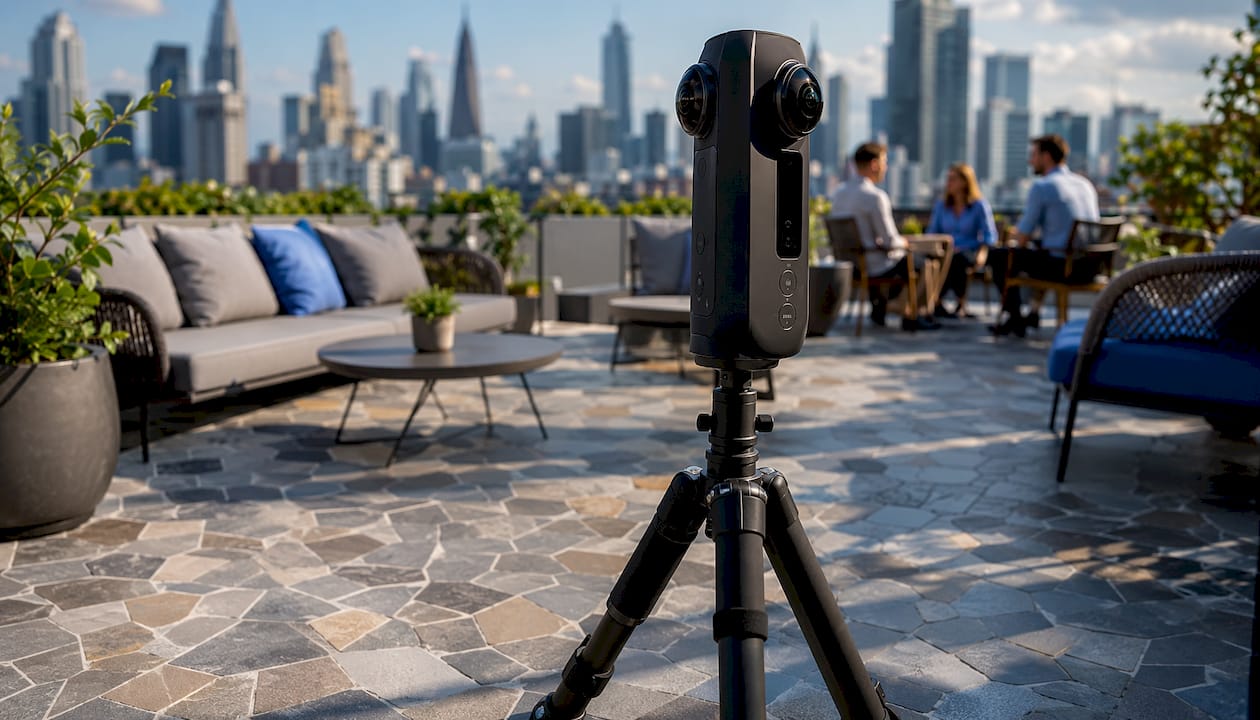
Camera placement at eye level is not optional. Positioning the camera too high or too low disrupts spatial presence and can cause disorientation. Keep the camera still during recording; movement causes motion sickness. To "zoom in" on a detail, overlay a photo in post-production rather than moving the camera.
Editing and hotspot design
The camera's native software handles basic stitching. For graphics, text overlays, and more complex edits, tools like Adobe Premiere Pro or DaVinci Resolve give you the control you need. Once the video is edited, import it into 360 tour software to build the interactive layer.
Interactive hotspots are where the pedagogical work happens. Each hotspot can open a text explanation, a photo, a PDF, or a video clip. Place them on the specific elements you want students to examine, and keep the total number manageable. Cognitive overload is a real risk when every corner of a scene has a clickable icon.
Distribution and LMS integration
Publishing 360 tours to the web gives students unlimited access, though high-resolution video may buffer on slower connections. YouTube supports 360 video and lets you embed a magic window directly into your LMS, satisfying accessibility standards when you add captions and a transcript. For VR headset distribution, consider building a separate, simplified version of the tour, since some interactive effects do not transfer cleanly to headset platforms.
Simple Virtual Tour supports both cloud-hosted and self-hosted deployment, which gives educators control over who accesses the content and how it is delivered. Its intuitive backend lets you add hotspots, multimedia, and navigation without writing a line of code. For educators building 360-degree learning experiences across multiple courses or departments, that flexibility reduces both production time and ongoing costs.
- Motion sickness: keep the camera stationary, aim for high-resolution output, and warn students before any scene with movement
- Bandwidth limits: compress video appropriately for web delivery and test playback on the devices your students actually use
- Accessibility: always provide captions, transcripts, and a non-360 alternative for students who cannot use the immersive format
- Cognitive load: limit hotspots per scene, use audio narration to guide attention, and sequence scenes so complexity builds gradually
Pro Tip: Test your finished tour on every device type your students use before you publish it. A tour that works beautifully on a desktop may behave differently on a smartphone or a VR headset, and finding that out after launch costs more time than testing beforehand.
The E3 method offers a useful framework for structuring 360 learning experiences around engagement, exploration, and evaluation, which maps directly onto how well-designed 360 tours guide students through a scene. Pairing that kind of pedagogical structure with the technical workflow above gives you a production process that is both efficient and educationally sound.
Key Takeaways
360-degree video in education works best when clear learning objectives, intentional hotspot design, and attention-guiding cues are built into the content from the start.
| Point | Details |
|---|---|
| Spherical media creates presence | 360 video lets learners control their viewpoint, producing a sense of being in the environment that flat video cannot replicate. |
| Headsets aren't required | Desktop and mobile magic window viewing still increases engagement and positive emotions, with comparable learning outcomes to headset use. |
| Attention needs guidance | 360 freedom disperses focus; use audio narration, arrows, or animated cues to direct learners to key content. |
| Camera height is critical | Placing the camera at the learner's eye level preserves spatial presence; incorrect height causes disorientation. |
| Hotspots drive learning | Strategic hotspot placement adds multimedia context without overwhelming learners, turning a video into an interactive lesson. |
Ready to build your own 360-degree learning experiences without a development team? Simple Virtual Tour gives educators and instructional designers the tools to create unlimited interactive tours, add hotspots and multimedia, and publish to the web or a VR headset from one intuitive platform.

Start creating today and bring your students into environments they could never visit in person.