
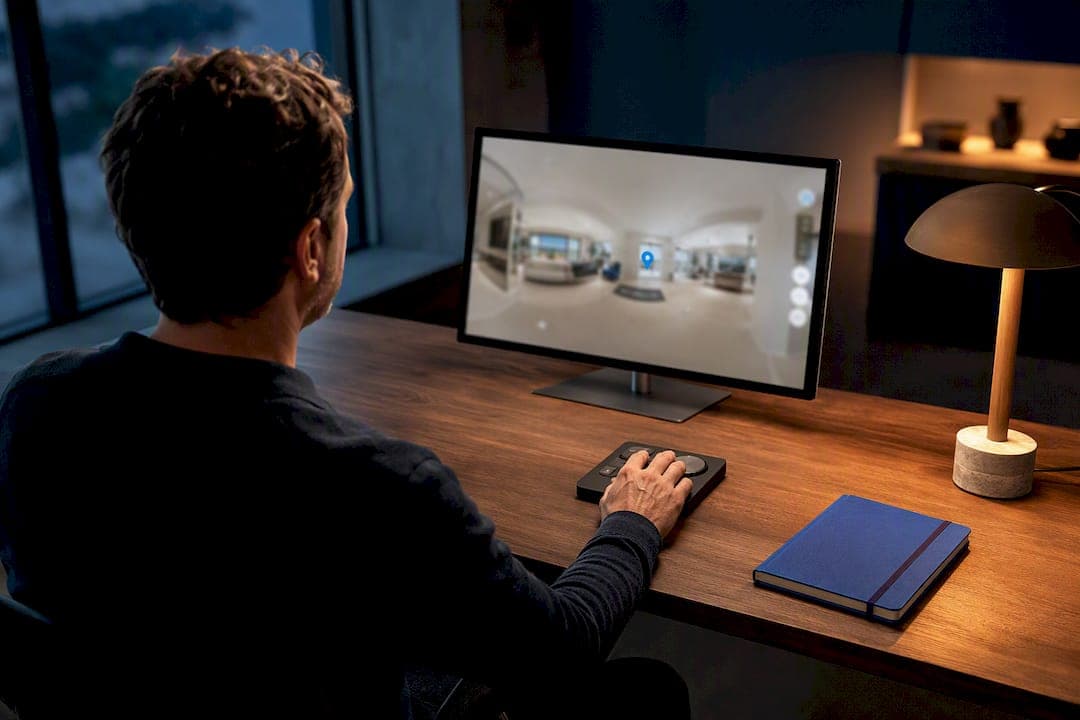
For guided remote presentations, live host-led virtual tours with synchronized remote pointer controls give viewers the clearest, most persuasive walkthrough experience available today. These sessions work across browsers, mobile devices, and VR headsets, and Simple Virtual Tour offers a ready implementation with both cloud and self-hosted deployment.
TL;DR:
- Live pointer-guided virtual tours excel when guiding remote clients in high-stakes situations like real estate, factories, campuses, or venues, where storytelling influences decisions.
- Synchronization methods such as real-time telemetry, peer-to-peer signaling, or cloud rendering are essential for maintaining viewer focus and a smooth experience across devices.
- Preparation includes storyboarding, testing connectivity, providing clear joining instructions, and having backup recordings ready to handle connection drops.
- Device compatibility varies by delivery method, with browser-based tours reaching the widest audience, while VR headsets offer the most immersive but complex experience.
- Choosing between cloud and self-hosted deployments depends on priorities like speed, data control, long-term costs, and organizational infrastructure.
Table of Contents
- How Do Remote Pointer and Controller Features Work?
- When Should You Choose a Remote-Pointer Live Tour?
- How Do You Run a Remote-Pointer Virtual Tour Step by Step?
- Why Choose Simple Virtual Tour for Remote-Pointer Live Sessions?
- What UX Techniques Make a Remote-Pointer Tour More Engaging?
- What Are the Most Common Problems During a Live Pointer Tour?
- What Should You Prioritize First When Adopting This Format?
- Ready to Run Your First Remote-Pointer Tour?
- Sources
How Do Remote Pointer and Controller Features Work?
A remote pointer is the tool that lets a host direct attention inside a shared virtual space, and the mechanics behind it vary more than most buyers expect. Three types dominate the market. Controller-based laser pointers, common in VR headset apps, project a visible line from a handheld controller toward whatever the host wants to highlight. Gaze pointers track where the host is looking and mirror that focus point for viewers. On-screen cursor overlays, the simplest and most widely compatible option, place a visible marker over a 360° image or video that every connected viewer sees in real time.
The bigger technical distinction is between synchronized master/client modes and independent viewer views. In master/client mode, the host controls what everyone sees. The host can teleport participants to key areas, pause on a detail, and hand control back to viewers when it makes sense to let them explore on their own. Independent mode drops that structure entirely. Each viewer navigates freely, which suits self-guided browsing but removes the narrative thread a salesperson or educator often needs.
Platforms achieve this synchronization through a few different methods:
- Real-time telemetry that streams the host's position and viewing angle to every connected client with minimal lag.
- WebRTC signaling for peer-to-peer or server-relayed video and data channels during live sessions.
- Cloud pixel streaming, where a remote GPU renders the scene and viewers only need a browser to join, avoiding app installs entirely.
Device compatibility follows the delivery method. Browser-based tours reach the widest audience with zero setup. Mobile apps add gesture-based navigation for on-the-go viewers. VR headsets, including consumer models that pair controllers with panoramic content, deliver the most immersive pointer experience but demand more from both host and attendee, since controller mapping and field of view differ by headset.
When Should You Choose a Remote-Pointer Live Tour?
Not every virtual tour needs a live human behind the wheel. The format earns its cost when the stakes are high enough that guided attention changes the outcome. Four use cases consistently justify it:
- Real estate sales and leasing. A relocating buyer touring a property from another state benefits from a host who can point out a renovated kitchen or explain a floor plan quirk that photos alone would miss.
- Factory and facility tours. Manufacturers use live pointer sessions to walk prospective clients or auditors through production lines without flying anyone in, highlighting safety systems or equipment specs on demand.
- Campus visits. Universities run admissions tours where a student guide points out dorms, labs, and dining halls in real time, answering questions as they come up.
- Hospitality and venue demos. Event planners evaluating a wedding venue or conference space want someone pointing out sightlines, capacity, and layout options interactively, not just scrolling through a gallery.
The common thread is storytelling and attention control. A host who can direct focus, answer a question mid-tour, and read the room does something a static gallery cannot: build the collaborative back-and-forth that moves a decision forward. It also cuts travel cost for both sides, which matters most when the buyer or evaluator is remote by necessity, not preference.
That said, live guided tours are not always the right call. If you need to reach thousands of viewers at once, or your audience has unreliable bandwidth, a recorded 360° tour or a linear video walkthrough scales better and asks less of the viewer's connection. Panoramic recorded tours still let viewers control their own view; video tours are the same for everyone, which works fine when interactivity isn't the point.
How Do You Run a Remote-Pointer Virtual Tour Step by Step?
Running a live pointer session well comes down to preparation, not improvisation. The strongest tours are built on storytelling and planning, with the technology playing a supporting role rather than the starring one.
Before the tour, work through this checklist:
- Draft a storyboard that sequences the spaces or exhibits you'll cover and the specific points you want to hit.
- Test bandwidth at the shoot location under real conditions, not just at your desk.
- Send attendees clear instructions for joining, including which browser or app they'll need.
- Confirm privacy and recording permissions with anyone who appears on camera or in the space.
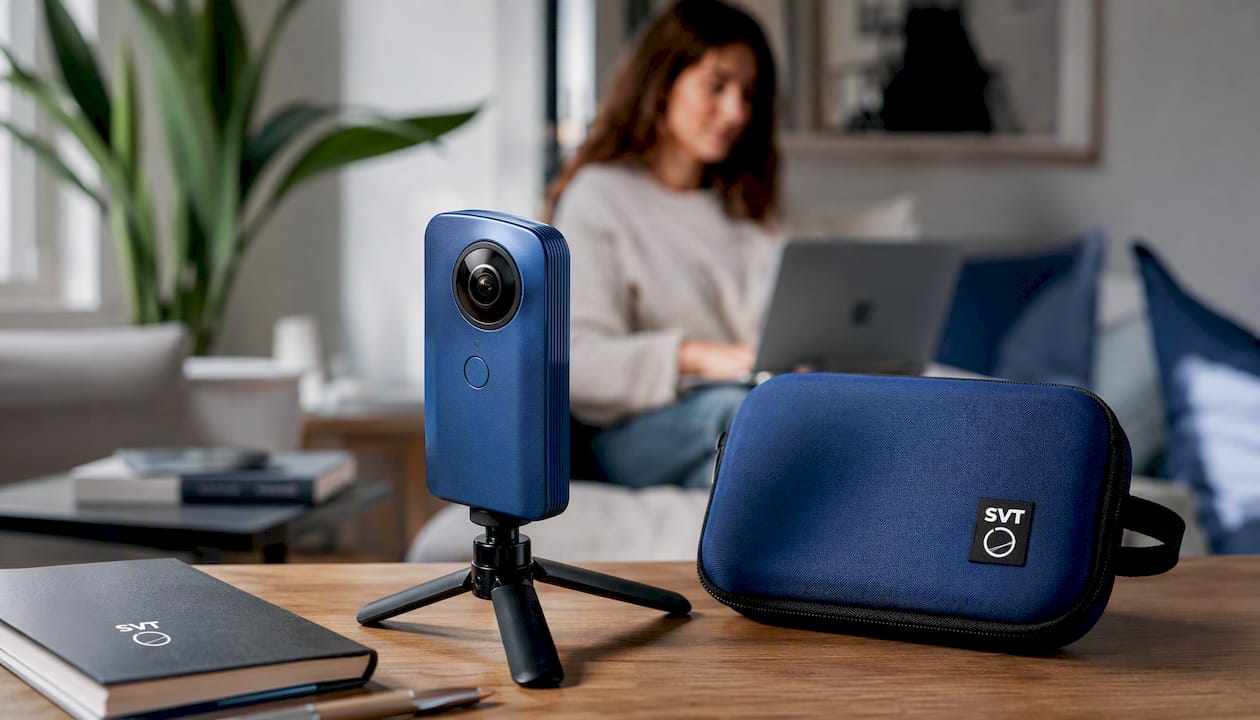
On-site hardware matters more than most first-time hosts expect. You need a stabilized camera, ideally on a gimbal, a reliable host device running your tour software, an optional handheld controller if you're using headset-based pointing, and an external microphone since built-in camera audio rarely holds up over a live connection.
During the session, use master/client mode to keep the group together, then hand control to individual viewers when you want them to linger on a detail. Teleporting between hotspots keeps pacing tight instead of walking through empty hallways in real time. Always record the session; a recording preserves the interactivity for anyone who missed the live event.
Pro Tip: Keep a short pre-recorded clip of your weakest Wi‑Fi zones ready to play if the live connection drops there. It saves the session instead of burning five minutes staring at a frozen frame.
Watch your clock, too. Tours that run long lose attention fast, so build in natural stopping points and stick close to the time you promised attendees.
Why Choose Simple Virtual Tour for Remote-Pointer Live Sessions?
Simple Virtual Tour was built around the reality that businesses need flexibility, not a one-size-fits-all hosting arrangement. Over 1,400 users currently run tours on the platform, spanning real estate, hospitality, education, and retail.
The core advantage is deployment choice:
- Cloud-hosted subscription for teams that want live sessions running fast, with updates and maintenance handled for you.
- Self-hosted purchase for organizations that need full control over where tour data lives and want to cut recurring costs over time.
- Live session capabilities built into both models, so pointer-guided walkthroughs aren't an afterthought bolted onto a static tour tool.
- E-commerce integration for businesses that want viewers to act on what they see mid-tour, from booking a showing to purchasing a ticket.
Cloud hosting suits teams that want to launch quickly without managing servers. Self-hosting suits organizations with strict data control requirements or high tour volume, where a one-time purchase pays for itself over a subscription's lifetime. Either way, the backend stays intuitive enough that non-technical staff can build and run pointer-guided sessions without a developer on call.
What UX Techniques Make a Remote-Pointer Tour More Engaging?
The pointer itself is only half the experience. How it looks and behaves shapes whether a session feels professional or clunky. Customizing pointer color and size for contrast against different scenes keeps it visible whether you're highlighting a dark hallway or a bright showroom floor. Some platforms let hosts switch pointer styles mid-session, useful when moving between a wide establishing shot and a close-up detail.
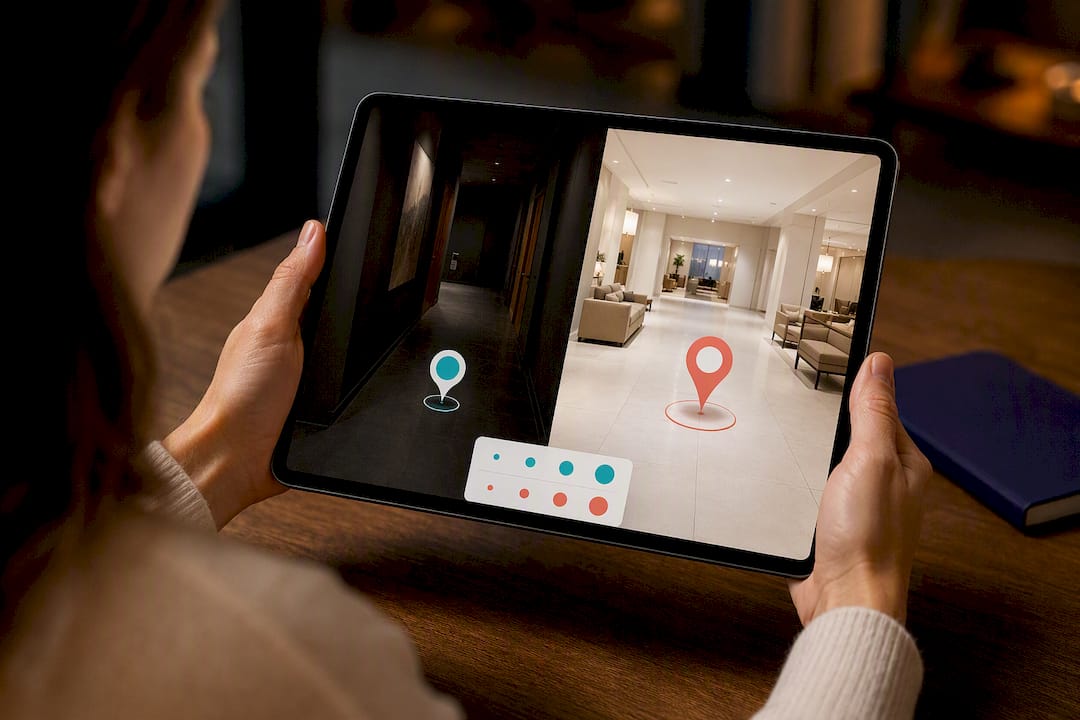
Interactive elements layered on top of the live pointer add depth without requiring a second app. Clickable hotspots that reveal specs, pricing, or floor plans give viewers something to explore after the host moves on. Embedded narration or captions help attendees who join late or have audio trouble catch up without interrupting the group. A simple browser join link also counts as a UX decision. The fewer steps between an invite and a live view, the more people actually show up.
For real estate specifically, well-designed hotspot placement turns a guided walkthrough into something closer to a conversation, where the host points and the viewer digs deeper on their own terms. The goal across all of this is the same: reduce friction, keep attention where it belongs, and never make the viewer work to see what the host is showing them.
What Are the Most Common Problems During a Live Pointer Tour?
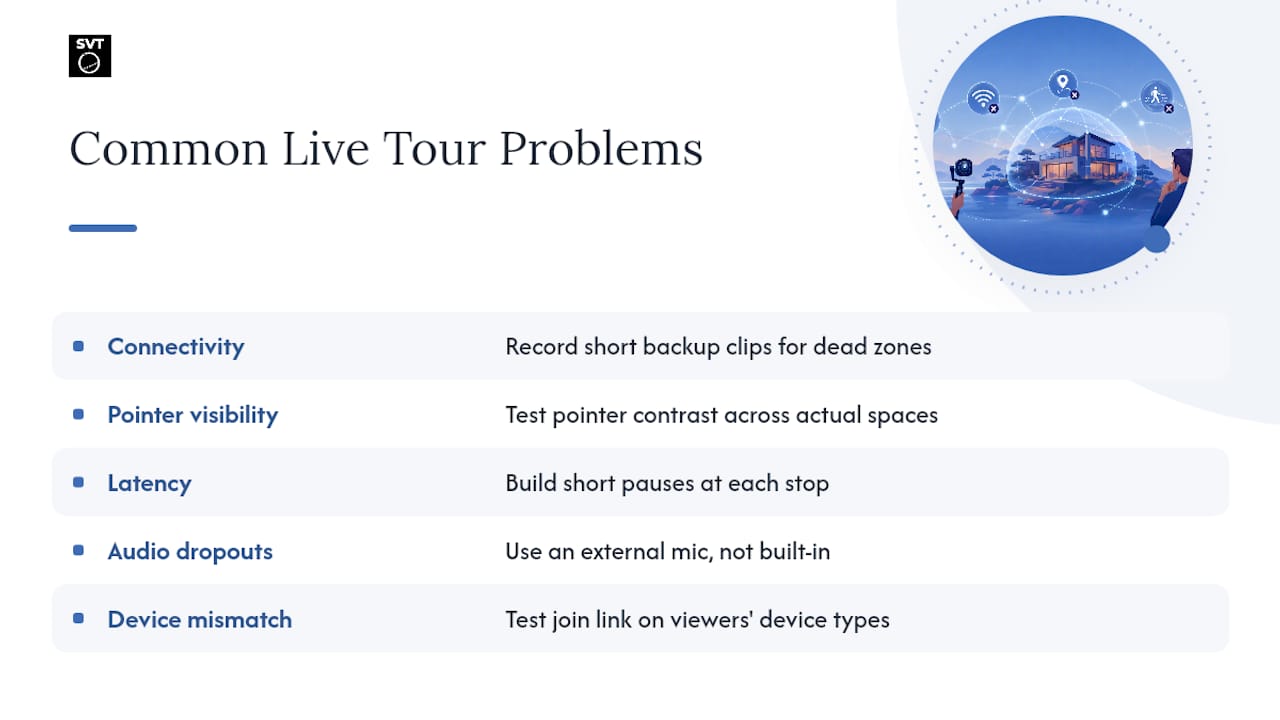
Connectivity is the issue that sinks more tours than any software bug. A host walking through a basement or a warehouse with thick walls can lose signal mid-sentence, and if there's no fallback plan, the session stalls. The fix is preparation, not luck: record short backup clips of your known dead zones ahead of time so you can play one instead of narrating a frozen screen.
Pointer visibility is the second recurring complaint, especially in VR headset sessions. A pointer that reads clearly against a beige wall can vanish against a window or a dark ceiling. Test pointer contrast across the spaces you'll actually tour, not just in a demo room.
Latency mismatches between host and viewers cause a subtler problem: the host moves on before slower-connection viewers catch up, and confusion builds from there. Building in short pauses at each stop gives everyone time to arrive at the same view before you continue. Audio dropouts, usually from relying on a camera's built-in mic instead of an external one, are the easiest fix and the most commonly skipped step. Finally, device mismatches, someone joining on a phone expecting the desktop layout, are best handled by testing your join link across the device types your actual audience will use, not just the one on your desk.
What Should You Prioritize First When Adopting This Format?
Storyboarding and clear audience instructions matter more than any feature checklist. A polished pointer means nothing if attendees can't join the session or the host doesn't know what to highlight next.
Two habits pay off immediately: always keep a short pre-recorded fallback ready, and run a full connectivity rehearsal at the actual location before you go live. Skipping either one is where most first attempts go wrong. If you're weighing whether this format fits your business, try Simple Virtual Tour's demo and see how the workflow feels with your own space.
— Andrea
Ready to Run Your First Remote-Pointer Tour?
Simple Virtual Tour gives you a direct path into live, pointer-guided sessions without locking you into a single hosting model. You get the same tour creation backend and live session tools whether you run cloud-hosted or self-hosted, so the deployment decision comes down to your budget and data preferences, not a feature tradeoff.
If data control and long-term cost matter most, self-hosting gives you a one-time purchase with optional paid plugins and no recurring subscription. If speed and low maintenance matter more, cloud hosting gets you live and running with updates handled automatically. Both paths include the same live session and e-commerce integration features, so neither locks you out of running polished, guided remote presentations.
Head to the Simple Virtual Tour purchase page to compare plans, or explore the full feature set if you want the technical details before committing. Either way, you can have a pointer-guided tour built and tested well before your next remote client meeting.
Sources
- Live Virtual Tour Software | 360 Virtual Tours - Avatour
- Remote interactive sales tool for off-plan property | 10n Tech
- Virtual tour — Wikipedia
- The Right Way and Wrong Way to Conduct LIVE Virtual Tours - Multifamily Blogs