

If you need a VPiX360 replacement that supports self-hosting, live guided sessions, and e-commerce integration, Simple Virtual Tour is the strongest fit. For buyers who want a cloud-only subscription with a fast setup, several other reputable platforms serve that need. Here are the top picks at a glance:
- Best for self-hosting and data control: Simple Virtual Tour — one-time purchase option, full portal control, and unlimited interactive tours for over 1,400 active users
- Best for Google Street View publishing: Simple Virtual Tour — built-in Street View publishing alongside API access and multilingual UI
- Best for fast DIY tours on a budget: Entry-level cloud platforms with freemium tiers, though they typically lack self-hosting and live session support
The vpix360.com alternatives market covers a wide range of buyer needs, from solo real estate photographers to museum teams managing hundreds of 360 assets. The sections below give you a comparison table, mini-reviews, a buyer checklist, and a clear next step.
Table of Contents
- How the top VPiX360 alternatives compare at a glance
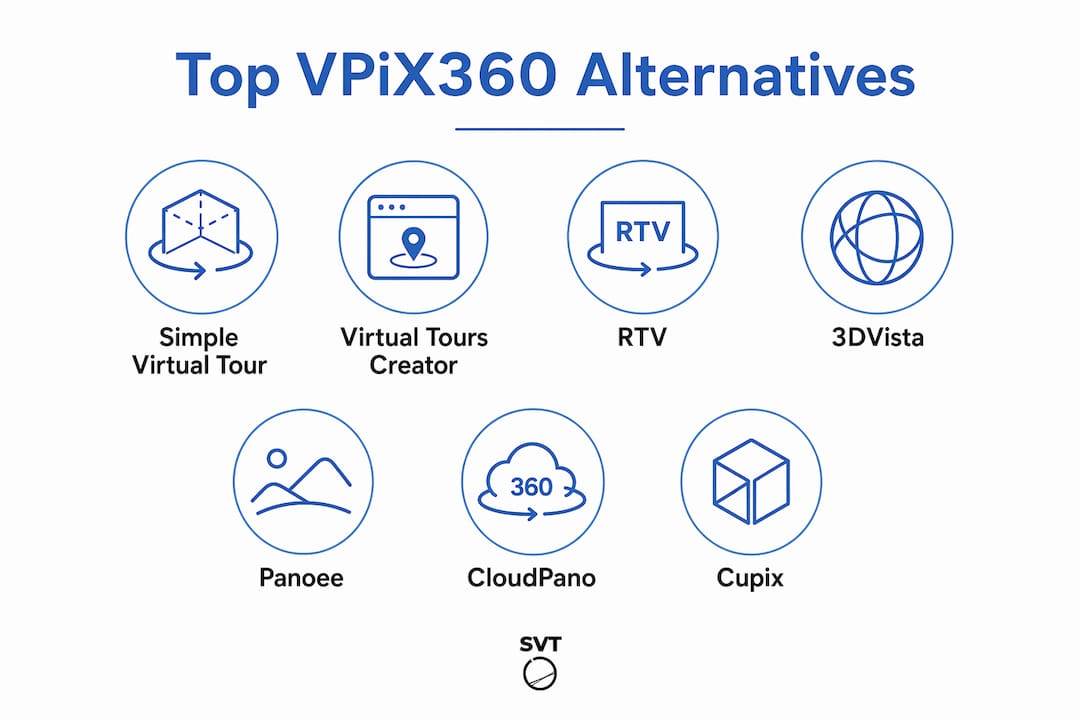
- Mini-reviews: what each alternative does and who it fits
- How to choose the right VPiX360 alternative for your project
- Why Simple Virtual Tour stands out among the alternatives
- Key Takeaways
- The case for being honest about what you actually need
- Simple Virtual Tour: start your free trial today
- Useful sources and further reading
How the top VPiX360 alternatives compare at a glance
| Alternative | Best For | Deployment | Pricing Model | Standout Features | Ease of Use | 360 Media | Free Trial |
|---|---|---|---|---|---|---|---|
| Simple Virtual Tour | Self-hosting, live sessions, e-commerce | Cloud + Self-hosted | Subscription or one-time | Live sessions, e-commerce, Street View, API, multilingual | Low learning curve | Photo, video | Yes |
| Virtual Tours Creator | Mid-market real estate teams | Cloud | Subscription | Hotspots, floor plans, lead capture | Low | Photo | Yes |
| RTV (Real Tour Vision) | US real estate professionals | Cloud | Subscription + metered | MLS integration, branded tours | Low–Medium | Photo, video | Yes |
| 3DVista | Architects and high-end photographers | Cloud + Self-hosted | One-time + subscription | Offline export, VR headset support, custom skins | Medium–High | Photo, video, 3D scan | Yes |
| Panoee | Budget-conscious creators | Cloud | Freemium + subscription | Basic hotspots, embed codes | Low | Photo | Yes |
| CloudPano | Real estate and hospitality | Cloud | Subscription | Street View publishing, lead forms | Low | Photo, video | Yes |
| Cupix | Construction and AEC teams | Cloud | Subscription + metered | BIM overlay, progress tracking, 3D dollhouse | Medium–High | Photo, 3D scan, dollhouse | Yes |
A few clarifications:
- Simple Virtual Tour's self-hosted option covers the full portal, not just a static export. Confirm plugin and API licensing scope before purchase.
- Panoee's freemium tier limits the number of published tours and removes branding controls.
- All platforms listed are available to US-based buyers. RTV has historically focused on the US real estate market specifically.
Mini-reviews: what each alternative does and who it fits
1. Simple Virtual Tour
Simple Virtual Tour is a full-featured virtual tour platform built for buyers who want both cloud convenience and the option to own their deployment. You can run unlimited interactive tours under a monthly or yearly subscription, or purchase the standalone software outright and host it on your own server. That one-time purchase path is rare among vpix360.com competitors and directly reduces long-term costs for agencies or teams with steady volume.
Standout features: live guided sessions, e-commerce integration, Google Street View publishing, API access, multilingual UI, custom branding, and built-in analytics.
- Pros: dual deployment (cloud and self-hosted), no per-tour limits, live session support, active development roadmap
- Cons: self-hosted setup requires basic server familiarity; some advanced plugins are sold separately
Trial: Start a free trial directly on the Simple Virtual Tour site. In your first session, test the embed code output, run one API call, and publish a tour to Street View to validate the full workflow.

2. Virtual Tours Creator
Virtual Tours Creator targets mid-market real estate teams that need a clean, browser-based editor without a steep learning curve. It handles hotspots, floor plan overlays, and lead-capture forms well. The platform is listed among top alternatives on aggregator directories and draws consistent positive notes for its onboarding experience.
- Pros: fast setup, intuitive editor, solid hotspot library
- Cons: cloud-only (no self-hosting), limited API documentation, no live session feature
Trial: Available. Focus your test on floor plan import and lead form embedding.
3. RTV (Real Tour Vision)
RTV has served US real estate professionals for years and integrates with MLS listing workflows. It supports branded tour pages and offers metered pricing for high-volume photographers. The platform's US-first focus means domestic support response times tend to be faster than some international alternatives.
- Pros: MLS-ready, strong US support, branded tour pages
- Cons: pricing can climb quickly at high tour volumes; interface feels dated compared to newer entrants
Trial: Available. Test MLS embed and branded domain setup in the first session.
4. 3DVista
3DVista suits architects, high-end photographers, and production teams that need offline export, VR headset compatibility, and deep custom skinning. Its authoring workflow is desktop-based, which gives you more control over assets but adds a steeper learning curve. The authoring workflow and export options make it a strong pick when deliverable quality is the primary concern.
- Pros: offline export, VR support, 3D scan compatibility, custom branding depth
- Cons: higher learning curve, desktop-first workflow, no built-in live sessions
Trial: Available. Prioritize testing the offline export and VR preview during your evaluation.
5. Panoee
Panoee is a browser-based platform with a freemium entry point, making it accessible for hobbyists and small businesses testing virtual tours for the first time. It covers basic hotspots and embed codes but lacks the depth needed for e-commerce, live sessions, or API-driven workflows.
- Pros: free tier available, fast to publish, no software install
- Cons: branding locked behind paid tiers, no self-hosting, limited integrations
Trial: Free tier available immediately. Useful for a proof-of-concept before committing to a paid platform.
6. CloudPano
CloudPano focuses on real estate and hospitality use cases, with Street View publishing and lead capture forms built in. It runs entirely in the cloud and positions itself as a quick-start option for agents who want tours live within minutes. CloudPano appears among the more trafficked virtual tour platforms in the US market.
- Pros: Street View publishing, fast setup, lead forms, mobile-friendly viewer
- Cons: cloud-only, no live session feature, limited API access
Trial: Available. Test Street View publish and lead form capture in your first session.
7. Cupix
Cupix targets construction, architecture, and engineering teams that need progress tracking, BIM overlay, and 3D dollhouse views from 360 scans. It is a specialized tool, not a general-purpose tour builder, and its pricing reflects that. If your use case is site documentation rather than marketing tours, Cupix is worth evaluating.
- Pros: BIM overlay, 3D dollhouse, construction progress tracking, strong AEC integrations
- Cons: overkill and overpriced for marketing or real estate use cases; steeper setup
Trial: Available via demo request. Focus on BIM import and progress-tracking workflows.
Pro Tip: When evaluating any of these vpix360.com similar sites, test the export and API flows in your first 30 minutes. That single step reveals hidden migration costs and integration effort that pricing pages never mention.
How to choose the right VPiX360 alternative for your project
The right platform depends on your deployment preference, budget shape, and the features your buyers actually see. Work through these criteria before you book a demo.
Decision criteria:
- Deployment and data control: Do you need to own your server environment? Self-hosted options like Simple Virtual Tour give you full portal control and reduce dependence on a vendor's uptime.
- Pricing and total cost of ownership: A low monthly subscription can cost more than a one-time license over 24 months. Calculate both paths for your expected tour volume.
- Export and backups: Confirm you can export full tour assets, not just embed codes. Missing export is a migration trap.
- Street View publishing: Not all platforms support direct Google Street View submission. If you serve hospitality or retail clients, this matters.
- API and CMS/CRM integrations: Check whether the API is documented, versioned, and included in your tier. Teams managing large 360 media libraries benefit from DAM system integration as well.
- Mobile and app support: Verify the viewer works on iOS and Android without a native app install. Test on a real device, not just a browser emulator.
- 360 media types: Confirm support for equirectangular photos, spherical panoramas, and video if your workflow uses them. Some platforms cap resolution or reject fisheye lens outputs without pre-processing.
- Security and SLA: Ask for uptime guarantees and data residency details, especially for enterprise or government clients.
- Customer support: US-based support hours and a documented escalation path matter when a client tour goes down before a deadline.
Questions to ask in a demo or trial:
- Can we self-host and export full tour assets at any time?
- What is the API rate limit, and is it included in our tier?
- Does the live session feature support concurrent viewers, and what is the cap?
- How does the platform handle 360 video, and what is the maximum resolution?
- Is Google Street View publishing included, or is it a paid add-on?
- What happens to our tours if we cancel the subscription?
- Does the self-hosted license cover all plugins, or are some sold separately?
- What is the SLA for support response, and is US-hours coverage available?
Red flags to watch for:
- No documented export path for tour assets
- API documentation behind a sales call (undocumented APIs break integrations)
- Pricing tiers that hide per-tour or per-scene fees in fine print
- Single-region cloud hosting with no failover or data residency options
- No US-based support contact or SLA documentation
Pro Tip: Run a focused 30–60 minute trial checklist: upload one 360-degree photo, add a hotspot, embed the tour in a test page, fire one API call, and check the analytics dashboard. If any step fails or requires a support ticket, factor that friction into your decision.
Why Simple Virtual Tour stands out among the alternatives
Simple Virtual Tour serves over 1,400 users across real estate, tourism, education, retail, and hospitality. That user base reflects consistent demand for a platform that balances feature depth with an approachable backend.
Core differentiators:
- Dual deployment: Cloud subscription or one-time self-hosted purchase. The self-hosted path gives you full data control and eliminates recurring hosting fees after purchase.
- Unlimited tours: No per-tour or per-scene caps, which matters for agencies managing dozens of active listings.
- Live sessions: Host guided virtual tours in real time, a feature absent from most entry-level platforms.
- E-commerce integration: Sell access to tours or products directly within the tour experience.
- Google Street View publishing: Submit tours directly from the platform without third-party tools.
- API access: Connect to CMS, CRM, or DAM systems. Interactive virtual tours improve engagement and organic visibility when embedded with structured data, and the API makes that integration practical.
- Multilingual UI: Serve international audiences without a separate localization workflow.
Use cases by sector:
- Real estate: Agents publish unlimited property tours with lead capture and Street View submission, keeping all assets on their own server if preferred.
- Museums and galleries: Live session hosting lets curators guide remote visitors through exhibitions in real time.
- Retail: E-commerce integration turns a product walkthrough into a direct purchase path.
- Education: Remote lab tours and campus walkthroughs with hotspot-based content layers.
- Event venues: Marketing teams publish venue tours with embedded booking links.
Note for publishers: this section is the appropriate place to add verified case studies, third-party review links (G2, Capterra), and author credentials once available. Do not publish fabricated testimonials or composite client quotes.
Key Takeaways
Simple Virtual Tour is the strongest VPiX360 alternative for buyers who need self-hosting, live sessions, and e-commerce in a single platform with no per-tour limits.
| Point | Details |
|---|---|
| Self-hosting lowers long-term costs | A one-time license eliminates recurring fees and keeps tour assets on your own server. |
| Test export and API first | Running export and API calls in your first trial session reveals hidden migration and integration costs. |
| Live sessions are rare | Most entry-level platforms omit live guided sessions; Simple Virtual Tour includes them at no extra tier. |
| Simple Virtual Tour serves 1,400+ users | Proven adoption across real estate, tourism, education, and retail confirms platform stability. |
| Start with Simple Virtual Tour | Its dual deployment, unlimited tours, and Street View publishing cover the widest range of buyer profiles. |
The case for being honest about what you actually need
Picking a virtual tour platform is less about features and more about the shape of your costs and control over time. Most buyers focus on the monthly price and miss the bigger question: what happens to your tours if you stop paying, or if the vendor changes pricing?
That is where the self-hosted model earns its place. It is not the right fit for every buyer. If you publish five tours a year and never need live sessions or API access, a straightforward cloud subscription is perfectly reasonable. But if you are an agency, a museum, or a real estate team with steady volume, locking your entire asset library into a cloud-only vendor creates real dependency. The one-time purchase path that Simple Virtual Tour offers is one of the few ways to break that dependency without rebuilding your workflow from scratch.
The other thing buyers consistently underestimate is the live session feature. Guided virtual tours convert better than self-navigated ones for high-consideration purchases like real estate and event venues. Most platforms in this category treat live sessions as an enterprise add-on. Simple Virtual Tour includes it as a standard capability, which changes the math for teams that use it regularly.
Run the trial. Test the export. Fire an API call. Those three steps will tell you more than any feature comparison table.
Simple Virtual Tour: start your free trial today
If you have been evaluating vpix360.com replacements and need a platform that covers self-hosting, live sessions, e-commerce, and Google Street View publishing without per-tour limits, Simple Virtual Tour is worth a direct look.

The platform supports both a cloud subscription and a one-time self-hosted purchase, so you can match the pricing model to your actual usage pattern. Over 1,400 users across real estate, tourism, education, and retail rely on it for unlimited interactive tours with an intuitive backend that does not require a developer to operate. During your trial, test the embed output, run one API call, and publish a tour to Street View. Those three steps cover the core workflow in under an hour.
Start your free trial or view pricing and see which deployment option fits your team.
Useful sources and further reading
Use these resources to cross-check alternatives, read verified user reviews, and validate pricing before committing to a platform.
Review aggregators:
- G2 — VPiX360 Reviews: Verified user reviews covering ease of use, support quality, and feature gaps. Filter by industry (real estate, hospitality) to find reviews from buyers with similar use cases.
- Capterra — VPiX360 Alternatives: Side-by-side feature and pricing comparisons with user ratings. Check the "alternatives" tab for platforms Capterra's algorithm surfaces as comparable.
Market and competitive context:
- SaaSHub — VPiX360 Alternatives: Aggregated directory listing over 10 alternatives with community-sourced notes. Useful for discovering platforms outside the major review sites.
- CB Insights — VPiX Alternatives: Market-level competitor mapping by sector and use case. Helpful for understanding where VPiX360 sits relative to the broader virtual tour market.
Simple Virtual Tour resources:
- Simple Virtual Tour product page: Full feature list, deployment options, and trial access.
- Virtual tour software comparisons: Publisher analysis of feature parity across common platforms.
- 360-degree photo capture guide: Best practices for capture hardware and media formats before you start a trial.