
Yes, you can add a virtual tour to your Airbnb listing, and the fastest working method is to build a 360 or 3D tour, host it externally, and link to it since Airbnb does not support embedded interactive tours in its gallery. You have three practical ways to get that tour in front of guests today:
- Shorten your tour URL and drop it into the listing description.
- Upload a QR code as one of your gallery photos so mobile guests can scan it.
- Embed the tour on your own direct-booking site and link out from Airbnb.
Do this right and guests walk through your kitchen, bedrooms, and layout before they ever click "book." That means fewer surprises at check-in, fewer awkward messages about room size, and a booking decision made with real information instead of guesswork.
TL;DR:
- Using external links, QR codes, or embedding tours on your own website are the most effective ways to share a virtual tour since Airbnb does not support embedded tours directly.
- Tour creation should match your listing value; phone captures suit budget units, while 360 cameras or professionals are better for larger or premium properties.
- Maintaining an up-to-date tour after renovations or layout changes is essential, with re-scanning advised whenever furniture, layout, or key features are altered.
- Tours help set accurate guest expectations, reduce pre-booking questions, cancellations, and complaints related to layout or size misunderstandings.
- Hosts should ensure tours are well-structured, labeled, and flow logically from entry to outdoor spaces for maximum conversion and guest trust.
Table of Contents
- Why Add an Airbnb Virtual Tour? Host Benefits and Booking Impact
- How to Create Your Airbnb Virtual Tour, Step by Step
- How to Add and Share a Virtual Tour on Your Airbnb Listing
- What to Include in the Tour to Maximize Bookings
- Simple Virtual Tour: Built for How Airbnb Hosts Actually Work
- Legal and Privacy Considerations for Airbnb Virtual Tours
- Keeping Your Virtual Tour Current as the Property Changes
- Common Technical Issues and How to Fix Them
- Key Takeaways
- Sources
Why Add an Airbnb Virtual Tour? Host Benefits and Booking Impact
A 360 virtual tour changes what guests expect before they arrive, and that shift shows up directly in your inbox. When guests can see the actual flow of a space, from entryway to backyard, they book with accurate expectations instead of hopeful assumptions built from six static photos.
That accuracy pays off in ways you can measure. Industry data shows 360 tours increase guest confidence and can reduce complaints and cancellations because guests already know what they're getting. Listings with tours also tend to hold visitor attention longer, which typically means:
- Fewer pre-booking messages asking about square footage or layout.
- Lower cancellation rates from guests who feel misled by photos.
- Faster, more accurate unit matching if you manage several properties.
Pro Tip: If you manage more than one unit, tour every unit separately. A single generic tour of "a" property creates more confusion than no tour at all, since guests can't tell which unit they actually booked.
A quick photo slideshow or a walkthrough video is often enough for a budget studio or a short-term sublet. A full 360/3D tour earns its cost on larger properties, multi-bedroom homes, or listings competing in a crowded, high-end market where layout clarity is the deciding factor.
How to Create Your Airbnb Virtual Tour, Step by Step
Before you touch a camera or an app, spend twenty minutes prepping the space. Declutter every room, open blinds for consistent light, and walk through the property once to plan a logical shot order (front door, then kitchen, then living space, then bedrooms, then bathrooms, then outdoor areas). Skipping this step is the single biggest reason DIY tours look amateurish.
From there, pick the capture method that matches your budget and the listing's price point.
- Phone-only capture. Use a panorama app to shoot 360 images room by room, then stitch them together in tour-building software. This works fine for smaller units, but expect visible seams, inconsistent exposure between rooms, and a flatter, less immersive feel than dedicated hardware produces.
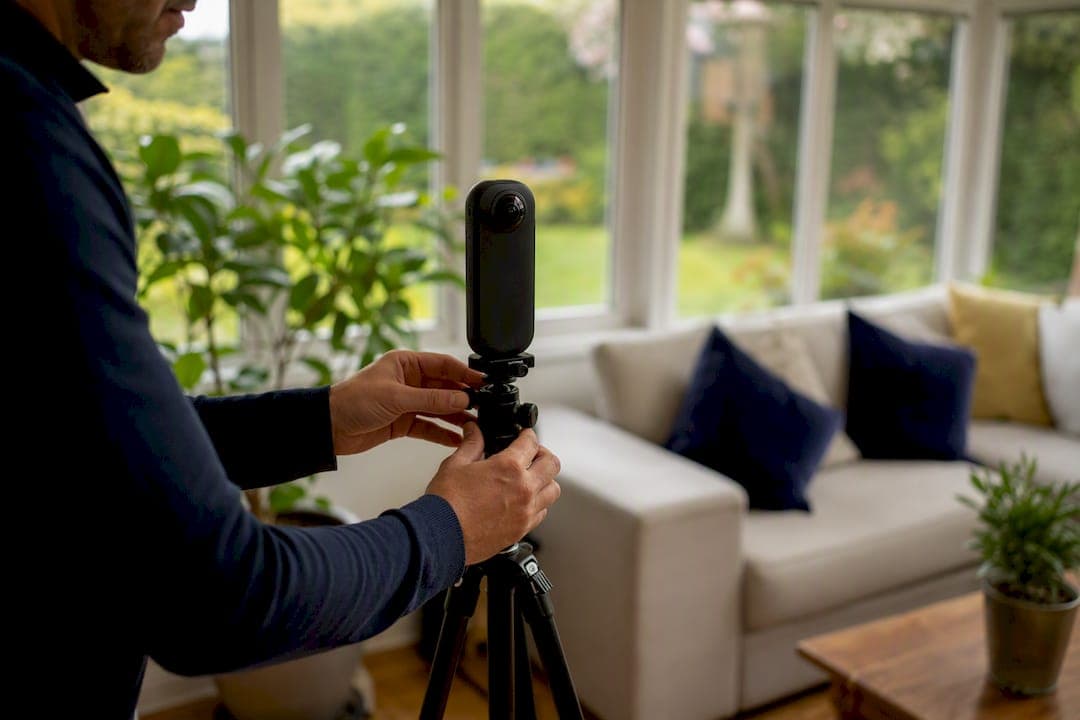
- Consumer 360 camera. A dedicated 360 camera captures a full sphere in one shot, cutting stitching errors and dramatically speeding up capture time. Expect a modest hardware investment and a noticeable jump in image quality over phone-only capture, which supports premium pricing because guests read a polished tour as a signal of a well-run property.
- Hiring a professional. Ask for a hosted viewer link you can share immediately, editable source assets in case you switch platforms later, and a clear answer on how much a future update will cost. This route makes the most sense for premium listings, event spaces, or hosts who don't have the time to learn the software.
Once you have your images, assembling the tour means adding hotspots between rooms, labeling key features, and setting a navigation flow that mirrors how a guest would actually walk the property. Check the finished tour on a phone screen before you publish anything. This is exactly the workflow covered in our interactive hotel room tour creation guide, which applies just as well to short-term rentals.
For hosting, you can use a third-party viewer service or your own site. Embedding the tour on your direct-booking site gives you the smoothest guest experience and a real shot at converting Airbnb browsers into repeat direct bookers.
How to Add and Share a Virtual Tour on Your Airbnb Listing
Since Airbnb won't embed your tour directly, your placement strategy has to work around that limitation instead of fighting it. Three placements consistently perform well for hosts.
- Short link in the description. Use a shortener like Bitly or TinyURL, place it near the top of your description with a short, direct line like "Take a 360 tour of this home," and avoid burying it under paragraphs of amenity lists.
- QR code as a gallery photo. Generate a QR code, pad it with white space, and upload it as one of the final photos in your gallery with a caption like "Scan for a full virtual walkthrough."
- Embed on your own site. If you run a direct-booking page, embed the tour there and link to that page from your Airbnb profile or messaging.
This pattern exists for a reason: mobile guests browsing Airbnb on their phones scan a code far more readily than they retype a long URL, which is exactly why the short link plus QR code combination has become the standard workaround among hosts.
Pro Tip: Test your QR code on your own phone before publishing. Airbnb's gallery crop can slice off the edges of an unpadded QR image, and an untested code that won't scan is worse than no code at all.
Don't stop at the listing. Add the tour link to your pre-arrival messages and your digital welcome book, so returning guests or people rebooking a different unit in your portfolio can revisit the space anytime.
What to Include in the Tour to Maximize Bookings
A tour only converts if it answers the questions guests are actually asking. Walk the entire flow of the property in a logical order and don't skip the boring rooms. Guests remember whichever room you left out.
- Capture the full sequence: front door, kitchen, living area, each bedroom, each bathroom, then outdoor space, parking, and any shared amenities like a pool or laundry room.
- Leave furniture in frame to give guests a sense of scale, since an empty room photographs larger than it actually is and sets the wrong expectation.
- Call out anything tricky in a hotspot label, including steep stairs, narrow doorways, or a bedroom with no direct bathroom access.
- Label functional details guests search for, like where parking is located, whether laundry is on-site, and how pool or hot tub access works.
Look at a well-built example, like the 3D tour of a lake vacation rental, and notice how it prioritizes flow and scale over flashy transitions. That's the standard to aim for. And once you renovate or rearrange furniture, treat the tour like any other listing asset: outdated visuals erode the same trust an accurate tour builds.
Simple Virtual Tour: Built for How Airbnb Hosts Actually Work
Simple Virtual Tour gives hosts a dual deployment model, meaning you can host in the cloud for fast publishing or self-host for full control over your data and long-term costs. With over 1,400 users across real estate, hospitality, and tourism, the platform was built by people who understand that most hosts aren't developers and don't want to become one.
- Cloud hosting gets a new listing tour live in a day, ideal for a host who just wants a shareable link fast.
- Self-hosting suits multi-unit operators who want tours living on their own domain for SEO and branding control.
- Live session capability lets you walk a guest through a property remotely in real time, useful for high-value bookings where someone wants a guided viewing before committing.
- E-commerce integration and an intuitive backend mean you can update a tour after a renovation without calling in help.
A single premium listing benefits from the polish of self-hosting and custom branding. A small property manager running five units benefits more from cloud speed and the ability to spin up a new tour the same week a unit is renovated. An event or venue host benefits most from live sessions, letting a planner tour the space in real time before booking.
Legal and Privacy Considerations for Airbnb Virtual Tours
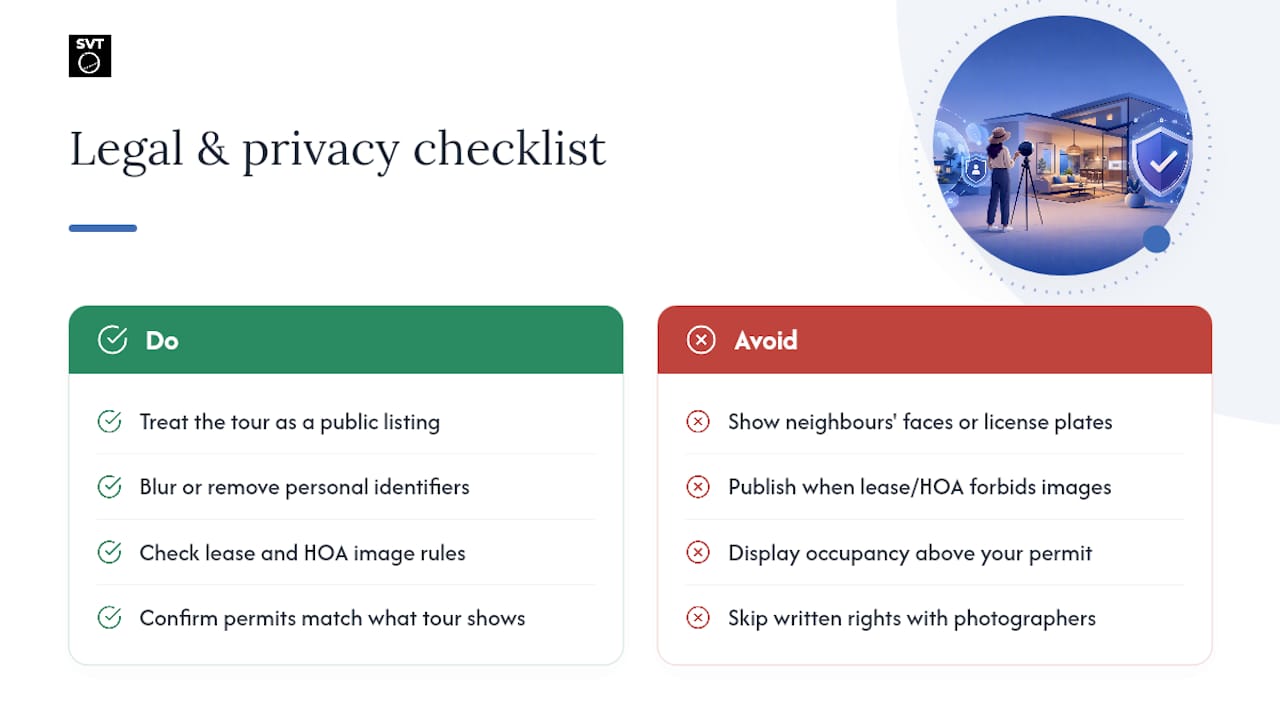
A virtual tour captures more than square footage. It captures personal belongings, mail with addresses on it, family photos, and sometimes neighboring properties visible through windows. Before you publish anything, walk through the tour yourself and treat it like a public listing photo, because that's effectively what it is.
Remove or blur anything that identifies a specific person who isn't part of the booking, including a neighbor visible in a window or a car with a readable license plate in a shared driveway. If your property sits in a shared building or a community with an HOA, check whether your lease or association rules restrict publishing interior or exterior images publicly, since some agreements limit what owners can share online.
If your rental sits within city limits that regulate short-term rentals, confirm your virtual tour doesn't contradict any permit disclosures, such as listed maximum occupancy or advertised bedroom count. A tour that visibly shows six sleeping areas when your permit caps occupancy at four can create a paper trail you don't want.
Finally, if you hire a professional photographer or a tour company, clarify ownership of the final files in writing before the shoot. Some vendors retain rights to the images and license them back to you, which matters if you ever switch platforms or want to repurpose the tour for a direct-booking site.
Keeping Your Virtual Tour Current as the Property Changes
An outdated tour actively hurts you more than no tour at all, because it sets an expectation you can no longer meet. A guest who tours a bedroom with a queen bed and arrives to find a full-size bed installed after a furniture swap is a guest primed to leave a complaint.
Set a simple trigger system instead of relying on memory. Any time you repaint, replace major furniture, renovate a bathroom, or change the layout of a room, that's your cue to re-scan. You don't need to redo the entire tour for a minor change since modern tour platforms support incremental room updates, so you can swap out a single room's images without rebuilding the whole walkthrough.
Build a light maintenance habit around it: check your tour every time you do a seasonal deep clean, and treat a full re-scan as mandatory after any renovation that changes a room's function, like converting a den into a third bedroom. Multi-unit hosts should keep a simple spreadsheet tracking the last update date per unit, since it's easy to lose track of which of your five properties has a two-year-old tour and which was scanned last month.
Common Technical Issues and How to Fix Them
Most virtual tour problems come down to a handful of repeat offenders, and nearly all of them are fixable in minutes once you know what to check.
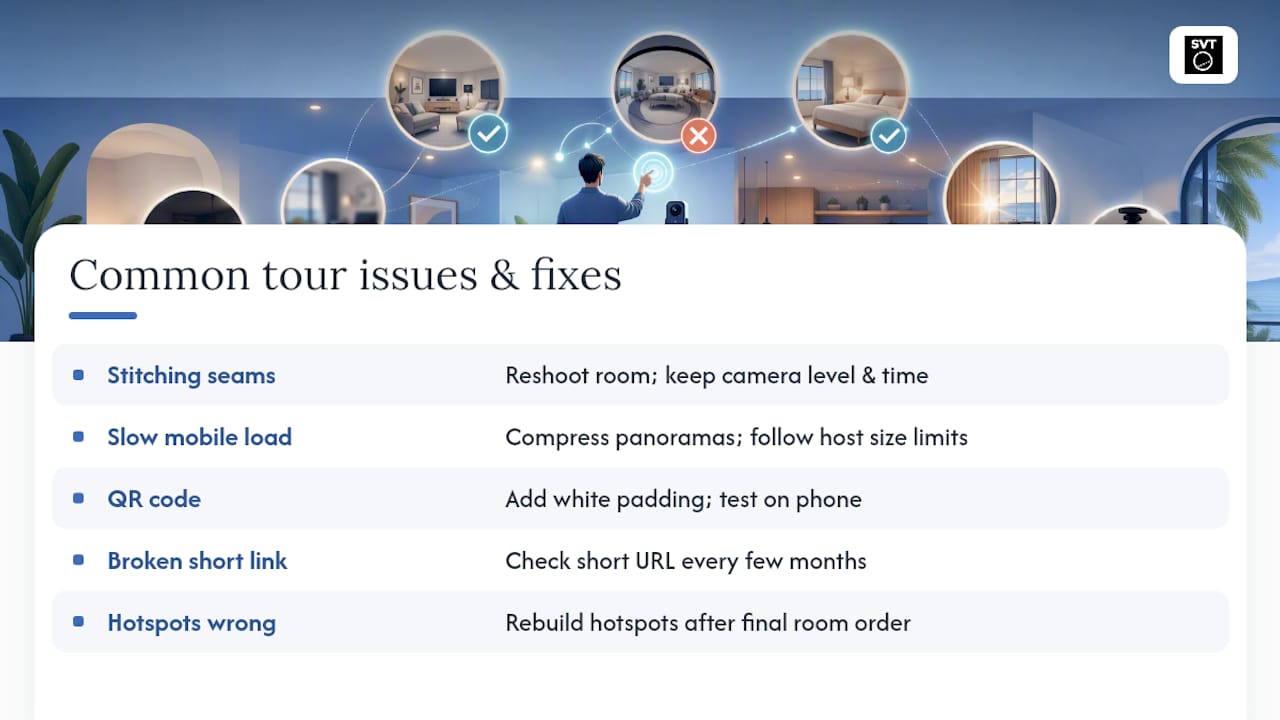
Stitching seams and visible lines. This usually means your capture points weren't level, or lighting shifted mid-shoot. Reshoot the affected room at a consistent time of day and keep the camera height steady between shots.
Slow loading on mobile. Large, uncompressed panoramas are the usual culprit. Compress images before uploading and check file sizes against your hosting platform's recommended limits.
QR code won't scan. This is almost always a cropping issue from uploading an unpadded code directly to Airbnb's gallery. Add white space padding around the code and test it on your own phone before publishing.
Broken short link. Link shorteners occasionally expire or get flagged if unused for a long stretch. Check your shortened URL every few months, especially before a busy booking season.
Hotspots pointing to the wrong room. This happens when you reorder rooms in the shot sequence after already placing navigation hotspots. Rebuild hotspot connections last, only after your final room order is locked.
If a guest reports any of these issues during their stay, treat it the same as a broken amenity: fix it fast, since a nonfunctional tour reflects on your listing's overall reliability.
One Workflow Change That Actually Moved the Needle
The habit that saved me the most time wasn't fancier equipment, it was capturing every room in the same fixed order every single time. That consistency made stitching faster and updates painless later. The mistake I see most often: hosts publish a tour once and never touch it again. A property that changes but a tour that doesn't is worse than skipping the tour entirely.
— Andrea
Get Started With Simple Virtual Tour
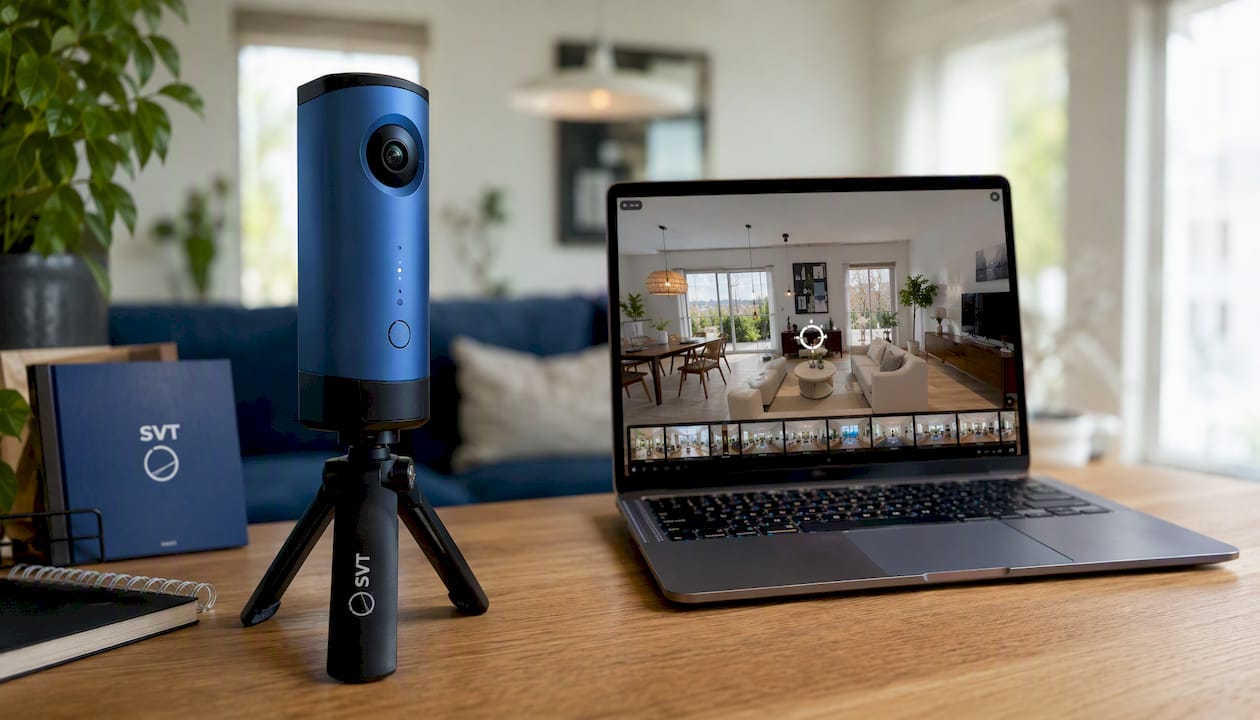
Simple Virtual Tour gives you a direct path to a working, shareable tour without hiring a developer or learning new software from scratch. Unlimited tours, cloud or self-hosted deployment, and live session capability mean you're not locked into one workflow as your rental business grows from one unit to five.
If you're not sure which deployment fits your setup, start with a trial run on a single listing before rolling it out across your portfolio. You'll know within one listing cycle whether guests are engaging with the tour and whether your booking questions drop off. When you're ready to commit, you can buy Simple Virtual Tour directly and pick either the subscription or the one-time self-hosted purchase, depending on how much control you want over your own data.
Key Takeaways
A working Airbnb virtual tour requires external hosting, a short link or QR code for sharing, and a room-by-room capture that accurately represents scale and flow.
| Point | Details |
|---|---|
| Airbnb won't embed tours | Share your tour with a shortened link in the description and a QR code as a gallery photo instead. |
| Match capture to listing value | Phones work for budget units; a 360 camera or a pro shoot fits premium and multi-bedroom listings. |
| Tours reduce disputes | Accurate walkthroughs set guest expectations and cut down on layout-related complaints and cancellations. |
| Update after every renovation | Re-scan any room with major furniture, layout, or paint changes to keep the tour trustworthy. |
| Simple Virtual Tour fits growing hosts | Its cloud and self-hosted options, live sessions, and unlimited tours scale from one listing to a full portfolio. |
Sources
- More Bookings With Airbnb Virtual Tours: How to Add a 360 Virtual Tour to an Airbnb Listing — See3D
- Get More Bookings With Airbnb Virtual Tours — AirDNA
- Tutorial: How to add Kuula Virtual Tours to your Airbnb listings — Kuula blog
- 3D Tour of Our Ossipee Lake Vacation Rental — Sandy Point