
Custom navigation virtual tours replace generic arrow-and-dot controls with purpose-built menus, floorplans, and hotspots designed around how a specific audience actually moves through a space. They deliver faster orientation, higher lead capture, and consistent branding at every scene. Choose bespoke navigation over a standard 360 viewer when your venue is large, your audience needs guided routes, or your brand identity has to show up in every click.
TL;DR:
- Custom navigation is essential for large, complex venues, multiunit property portfolios, and brand-critical experiences that require guided routes and consistent branding.
- Navigation components such as maps, menus, hotspots, and guided routes should be combined to improve orientation, interactivity, and user engagement, especially in multi-scene environments.
- Designing accessible custom navigation involves high-contrast visuals, keyboard hotkeys, semantic structures, and multilingual labels to meet WCAG standards and improve discoverability.
- Deployment options include responsive iframe embeds, WebXR support, native apps, cloud hosting, or self-hosting, with control over data privacy, integration, and uptime depending on your choice.
- Cost and timeline vary based on scope, with small projects launching within weeks and large, integrated builds potentially taking several months, all scalable with clear project briefs.
Table of Contents
- What Custom Navigation Means and When You Need It
- Navigation Patterns: Maps, Menus, Hotspots, and Guided Routes
- How Do You Design Navigation That's Actually Accessible?
- Embedding, Compatibility, and Hosting: What Are Your Options?
- What's the Real Timeline and Cost for a Custom Build?
- How Do You Choose the Right Vendor or Platform?
- How Simple Virtual Tour Supports Custom Navigation Projects
- Integration of VR Controllers and Gesture-Based Navigation
- Security and Privacy Considerations in Custom Navigation Implementations
- Why Navigation Deserves Product-Level Attention
- Ready to Build Your Own Custom Navigation Tour?
- Sources
- FAQ
What Custom Navigation Means and When You Need It
Standard virtual tour players give you the same arrow icons and floating dots every competitor uses. Custom navigation swaps that generic shell for something built around your actual floorplan, your brand colors, and the way your visitors want to explore. The difference shows up fastest in complex environments.
A single studio apartment doesn't need a map overlay. A 40,000 square foot museum, a multiunit apartment portfolio, or a university campus does. Bespoke virtual tours for large, complex sites typically use structured routes and branded UI specifically to reduce visitor confusion, and that orientation benefit compounds as scene count grows.
Custom navigation earns its cost in three situations:
- Large or multiroom venues where visitors get lost in an undifferentiated scene list
- Multiunit property portfolios that need consistent navigation across dozens of listings
- Brand-critical experiences where a generic interface undercuts the polish of the space itself
- Conversion-focused tours where every extra click between interest and inquiry costs you a lead
Navigation Patterns: Maps, Menus, Hotspots, and Guided Routes
Every custom navigation project draws from a handful of proven components, and most builds combine several rather than picking just one.

Map overlays and floorplans anchor the visitor with a top-down view showing their current position, marked points of interest, and sometimes a drawn path connecting scenes in logical order. This works especially well for real estate and campus tours, where spatial context matters more than sequence.
Quick-access menus and thumbnail rails let returning visitors or impatient buyers skip straight to the kitchen, the lobby, or the exhibit hall without walking through six intermediate scenes. Scene lists serve the same purpose in a simpler, text-based format.
Hotspots and pop-ups carry the content payload: embedded video, spec sheets, pricing tables, or a direct call-to-action button. Structuring hotspots well turns a passive walkthrough into an interactive sales tool.
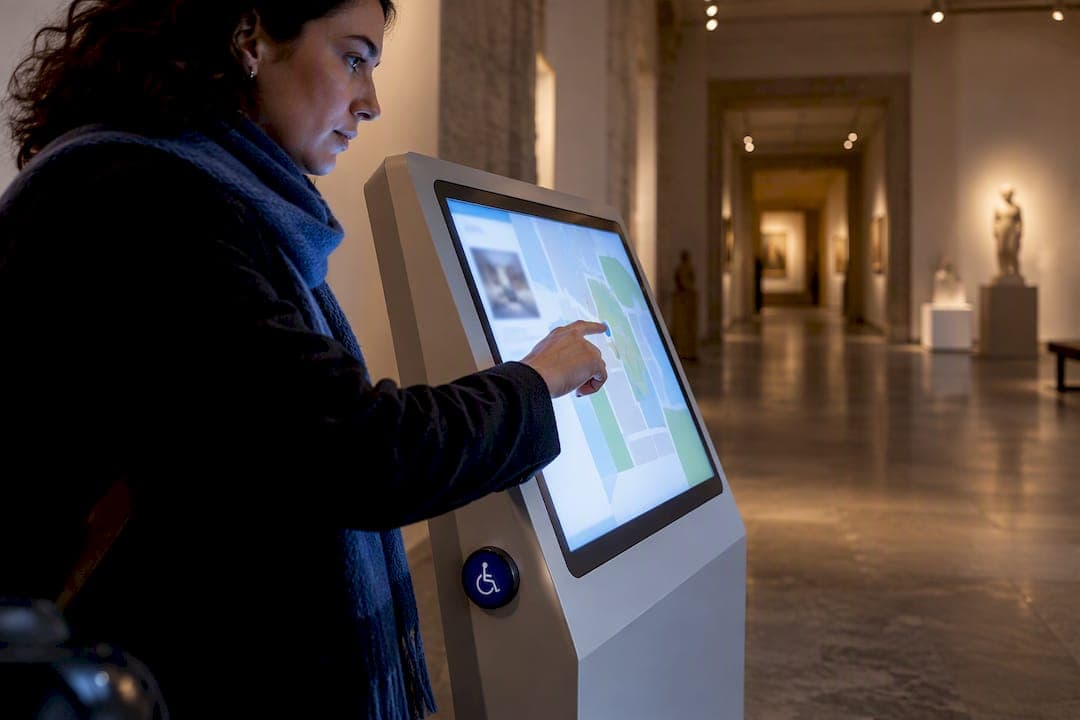
Assisted or guided navigation modes constrain movement along a predefined path, which matters more than it sounds. A study on virtual architectural walkthroughs found that pairing assisted navigation with natural user interfaces reduced collisions and improved task completion compared with free-roam controls alone. AR routing extends this same idea on-site, guiding physical visitors through a kiosk station toward a destination in real space.
Pro Tip: Decide early whether your build uses teleport jumps (click a dot, instantly arrive) or continuous walk (smooth simulated movement). Teleport loads faster and suits sales-driven tours; continuous walk feels more immersive but demands more bandwidth and design work.
How Do You Design Navigation That's Actually Accessible?
Good navigation design starts with restraint. Every menu label, POI icon, and button color should match your brand system, but the interface itself needs to stay predictable across scenes so visitors never have to relearn how to move.

Progressive disclosure keeps first-time visitors from freezing up. Show the primary path first, then reveal secondary options (floorplan toggle, information layers, language switcher) only when requested. That single design choice cuts perceived complexity dramatically.
Accessibility is where custom navigation earns its keep over generic players. Research on multimodal feedback in virtual reality environments found that WCAG-aligned overlays, meaning high-contrast buttons, keyboard hotkeys, and semantic POI menus, improve usability compared with the default controls most standard tour players ship with. A patented accessible virtual tour method describes exactly this approach: embed the tour in an iframe, disable native controls, and layer a WCAG-compliant overlay on top with full keyboard support.
Practical accessibility checklist:
- High-contrast mode for buttons, menus, and text labels
- Keyboard hotkeys for scene jumps and hotspot activation
- ARIA-labeled, semantic menu structures screen readers can parse
- Alt text on every embedded image and video
- Multilingual labels for menus and POI descriptions
Mobile visitors need larger tap targets and collapsed menus by default. If you're building this yourself, setting up accessible controls is far easier when you start with a template built for it rather than retrofitting one later. Accessible design also tends to pay off in discoverability. Web accessibility improvements correlate with better SEO performance, since many of the same fixes (semantic structure, alt text, keyboard navigation) that help disabled visitors also help search engines index your content.
Embedding, Compatibility, and Hosting: What Are Your Options?
Most custom navigation tours live inside a responsive iframe embed on your existing website, which keeps the tour inside your branded page shell rather than sending visitors to a separate domain. That approach also makes it straightforward to layer accessibility overlays on top, since the embedding page controls what visitors see first.
Beyond the standard embed, three deployment paths matter:
- WebXR support lets compatible headsets render the tour in stereoscopic 3D without a dedicated app download
- Native apps suit museums or campuses that want a branded, offline-capable kiosk experience
- Cloud-hosted platforms hand you managed uptime and updates in exchange for a recurring subscription
- Self-hosted deployment gives you full control over data, uptime, and cost, with no ongoing platform fee once the software is purchased
The cloud versus self-hosted decision usually comes down to how much control your organization needs over data and long-term cost. Integrations matter just as much as hosting: analytics hooks tell you which scenes visitors actually linger in, CRM connections turn a hotspot click into a captured lead, and e-commerce or booking links close the loop between browsing and buying.
What's the Real Timeline and Cost for a Custom Build?
Custom navigation projects move through a predictable sequence, and knowing the stages helps you scope your own brief before requesting quotes.
- Brief and discovery — define the venue, audience, and required navigation modes
- UI and UX design — map layouts, branded menu styles, hotspot content plan
- Capture — 360 photography or video of every scene
- Build — navigation logic, overlays, integrations, and accessibility layers
- QA and testing — cross-device checks, keyboard navigation tests, load speed
- Launch and handoff — embed codes, admin training, analytics setup
Small single-location tours can launch in one to two weeks. Multiscene branded builds with custom overlays typically run four to eight weeks, and multisite portfolios with integrations can stretch several months.
Bespoke navigation pricing scales with scope: a compact branded site costs far less than a multi-location project with custom accessibility overlays and CRM integration. Scene count, bespoke UI complexity, and how many systems you're connecting all drive the final number, so write your brief with exact numbers wherever possible rather than vague descriptions.
How Do You Choose the Right Vendor or Platform?
Evaluate any provider or software against five criteria: demonstrated accessibility experience, real customization flexibility (not just color swaps), hosting options that match your data policy, integration depth, and a portfolio that shows work similar to your venue type.
Before signing anything, run through this checklist:
- Can you export your scenes and data if you switch platforms later?
- Does the vendor have a concrete WCAG compliance plan, not just a verbal promise?
- Is keyboard-only navigation demonstrated, not just claimed?
- Are analytics hooks available for lead tracking and scene engagement?
- What's the maintenance response time if something breaks post-launch?
Red flags show up early in a proposal. Watch for vague accessibility language ("fully accessible" with no specifics), no mention of data ownership, or pricing that excludes integration work until after signing. A provider that can't answer the keyboard navigation question directly usually hasn't built one.
How Simple Virtual Tour Supports Custom Navigation Projects
Simple Virtual Tour builds custom navigation into both its cloud-hosted and self-hosted deployment models, so you decide whether your data lives on managed servers or your own infrastructure with full source code ownership. The platform supports unlimited tours, live guided sessions for real-time walkthroughs, e-commerce integration for direct booking or purchase links, and API access for connecting your CRM or analytics stack.
Those capabilities map directly onto the technical and accessibility needs covered above: self-hosted or cloud deployment gives you the control layer, while an intuitive non-technical backend means your team can build branded menus and POI overlays without a developer on staff for every update. With over 1,400 current users across real estate, tourism, and hospitality, the platform's scene naming and navigation tools exist specifically to make custom menu structures manageable for non-technical teams.
Integration of VR Controllers and Gesture-Based Navigation
Handheld VR controllers and hand-tracking gesture systems are moving custom navigation past the click-and-teleport model that dominates browser-based tours. On compatible headsets, a controller trigger can replace the mouse click for scene jumps, while thumbstick input drives continuous walk movement through a space instead of instant teleportation.
Gesture-based systems go a step further by tracking hand position directly, letting a visitor point at a doorway to move toward it or make a pinch gesture to open a hotspot's media panel. This matters most for high-end showcase tours (architecture firms, luxury real estate, museum exhibits) where the physical feel of movement adds real value over a flat click interface.
The practical challenge is that controller and gesture support only works on WebXR-compatible builds viewed through a headset, which is a smaller audience than the desktop and mobile visitors who make up most tour traffic. Well-designed bespoke navigation systems handle this by treating VR controllers as an enhancement layer stacked on top of standard click and keyboard navigation, not a replacement for it. The same menu structure and hotspot logic should work whether someone is holding a headset controller, tapping a phone screen, or pressing arrow keys.
Multimodal input matters beyond gaming-style immersion, too. Research into multimodal architecture for accessible navigation in immersive environments points to auditory and haptic feedback as a way to help visitors of varying technical comfort engage with a space more easily, which is worth considering if your tour serves a broad public audience rather than a specialized one.
Security and Privacy Considerations in Custom Navigation Implementations
Every custom navigation layer that captures lead data, tracks scene engagement, or integrates with a CRM introduces a data handling question your legal team will eventually ask about. Analytics hooks that log which hotspots a visitor clicked, how long they lingered on a floorplan, or what contact form they submitted are personal data under most privacy frameworks, and that data needs a documented retention and access policy regardless of how small the tour project feels.
Self-hosted deployment gives you the most direct control here, since visitor data never leaves infrastructure you manage. Cloud-hosted platforms shift that responsibility to the vendor, which is fine as long as the vendor states clearly where data lives and how long it's retained. Ask any provider directly whether visitor analytics data is stored on servers you control or on theirs, and what happens to that data if you cancel the subscription.
Embedding also carries a specific security wrinkle: an iframe-based tour inherits some of the security posture of the page it's embedded on, so mismatched permissions or outdated embed code can create gaps. Native apps and WebXR builds sidestep some iframe-specific risks but introduce their own update and patching responsibilities. Whichever deployment model you choose, confirm who patches security issues, how quickly, and whether that's included in your ongoing cost or billed separately.
Why Navigation Deserves Product-Level Attention
Most teams treat navigation as an afterthought bolted onto finished 360 content. That's backwards. Navigation is the interface between your visitor's intent and your content's structure, and a confusing one loses leads before the visitor ever sees your best material.
The single highest-leverage move is prioritizing accessibility and conversion together rather than treating them as separate budget lines. A keyboard-navigable, high-contrast overlay doesn't just serve visitors with disabilities. It clarifies your interface for everyone, including the mobile visitor squinting at a small screen. Build for both from the start, not as a retrofit.
— Andrea
Ready to Build Your Own Custom Navigation Tour?
Simple Virtual Tour gives you what most agency-built custom navigation projects charge a premium for: full control over deployment without locking you into an ongoing agency retainer. Choose self-hosted with complete source code ownership and no recurring platform fee, or go cloud-hosted for managed convenience. Either way, you get unlimited tours, live guided sessions, e-commerce integration, and API access for the CRM and analytics connections your navigation strategy actually needs.

Plans start with a Free Forever tier to test the backend yourself, with paid cloud tiers ranging from entry-level to enterprise options, depending on how much scale and support you need. Prefer a one-time purchase? There are packages available for single payments including base and add-on options for advanced features. Compare the full plan lineup or head straight to purchase your plan and start building branded, accessible navigation into your next tour today.
Sources
- Exploring multimodal feedback mechanisms for improving user interaction in virtual reality environments
- Accessible virtual tour system and method (patent summary)
- Assisted navigation and natural user interfaces in virtual architectural environments
FAQ
Can I Create My Own Virtual Tour With Custom Navigation?
Yes. Platforms with an intuitive non-technical backend, like Simple Virtual Tour, let you build branded menus, floorplans, and hotspots without coding experience. Larger or highly accessible builds may still benefit from a design specialist, but the software itself doesn't require one.
What Is the Best Software for Creating Virtual Tours?
The right choice depends on whether you need cloud convenience or self-hosted data control. Simple Virtual Tour offers both deployment models along with unlimited tours, live sessions, and API access, which covers most custom navigation needs without forcing you into one hosting approach.
Which Online Virtual Tours Use the Best Navigation?
The strongest examples combine map overlays or floorplans with quick-access menus and clearly labeled hotspots, rather than relying on generic arrow controls alone. Look for consistent branding across every scene and visible accessibility features like keyboard hotkeys as a sign of a well-built navigation system.
How Much Does a 360 Virtual Tour Cost?
Cost depends heavily on scope. Small branded builds cost far less than multi-location projects with custom overlays and integrations, and software-based options range from a Free Forever tier up to enterprise cloud plans or a one-time CORE package purchase, with exact current pricing listed on the Simple Virtual Tour site.