
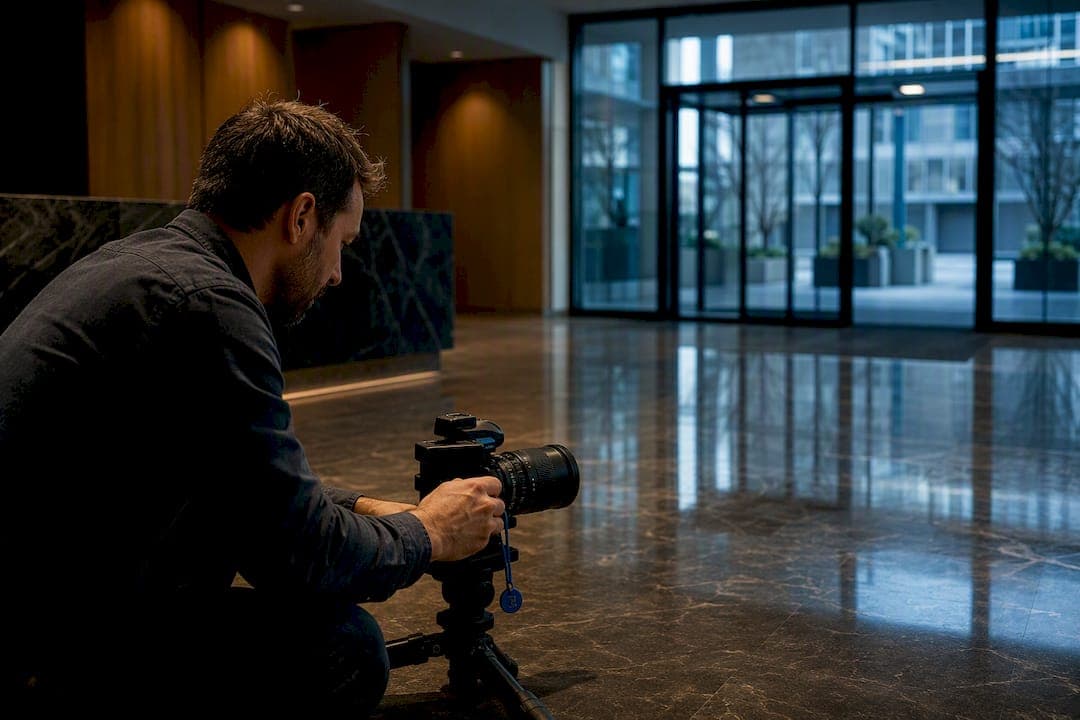
Yes: imagery captured for virtual tours can be personal data under GDPR the moment a face, license plate, or identifying detail is visible. If your team creates 360° tours or indoor maps, three actions matter immediately: avoid capturing people whenever you can, anonymize any identifiable imagery before publication, and run a Data Protection Impact Assessment for large or systematic capture projects. Privacy-by-design and auditability aren't optional add-ons; they're the trust signals clients now expect.
TL;DR:
- Anonymizing imagery with depth-aware blur is effective but should be manually reviewed on reflective surfaces, mirrors, and screens to avoid missed detections.
- Conducting a Data Protection Impact Assessment is mandatory for large or sensitive projects, and pairing it with a clear retention policy helps maintain compliance.
- Using legitimate interest as a legal basis is common for public spaces, but consent is preferable for small, controlled shoots like private homes.
- Incorporating privacy-by-design into the workflow involves strict file handling, access controls, and quality checks without disrupting production speed.
- Choosing between on-premise and cloud processing depends on project sensitivity, with on-premise options supporting higher compliance needs.
Table of Contents
- What Should Your GDPR Virtual Tours Checklist Cover?
- What Anonymization Techniques Actually Work for 360° Imagery?
- Do You Need Consent or a DPIA for Virtual Tour Photography?
- How Do You Build Privacy Into the Capture and Publishing Workflow?
- What Technical Security Measures Does GDPR Article 32 Actually Require?
- How Should You Control Access to a Published Virtual Tour?
- How Do You Handle Data Subject Requests and Takedowns?
- How Does Simple Virtual Tour Support Compliance Work?
- What Actually Matters When You Operationalize This
- Try Simple Virtual Tour for Privacy-Ready Virtual Tours
- Sources
What Should Your GDPR Virtual Tours Checklist Cover?
Building a pre-shoot standard operating procedure turns GDPR compliance for virtual tours from a legal headache into a repeatable process. Here's the sequence that works across real estate, museums, and facilities photography:
- Before the shoot: Decide which rooms or areas you'll capture, schedule sessions during low-traffic hours to reduce bystanders, and post visible notices when you're shooting in shared or public-facing spaces.
- During capture: Direct crews to avoid people in frame where possible, limit unnecessary metadata collection, and shoot fallback images of empty rooms in case a primary image needs replacing.
- During processing: Anonymize any identifiable imagery, validate a sample of processed frames against the raw source, and keep raw files in an access-restricted folder or server.
- At publishing: Use password protection or time-limited links for sensitive tours, and maintain separate internal and public versions.
- For your records: Document every DPIA decision and set a retention schedule for both raw and derived files.
What Anonymization Techniques Actually Work for 360° Imagery?
Depth-aware adaptive blur is quickly becoming the practical standard for anonymizing virtual tours, because it scales blur intensity based on how close a subject sits to the camera. That preserves spatial fidelity in the background while still masking faces up close, unlike fixed pixelation, which blurs everything uniformly and can wreck the sense of depth a 360° panorama depends on.
Automated detection isn't foolproof. Reflections in glass doors, mirrors, and even glossy countertops can carry a face that face-detection models miss entirely. Screens showing personal content, and license plates visible through windows, present the same blind spot.
- Depth-aware blur adapts intensity by distance, preserving usability for near-field navigation.
- Fixed pixelation is simpler to apply but degrades visual quality across the whole frame.
- Irreversible anonymization removes identifying detail permanently; pseudonymization (swapping identifiers but keeping a re-identification key) is only acceptable when you have a documented, narrow business reason to keep that key.
- Automated tools should flag low-confidence detections for manual review rather than auto-approving borderline cases.
Pro Tip: Run a manual audit pass specifically on reflective surfaces and mirrors before you sign off on any batch. Automated blur models are trained on direct faces, not mirrored ones, and this is where most missed detections happen.
Do You Need Consent or a DPIA for Virtual Tour Photography?
Getting written consent from every passerby in a public lobby or storefront is rarely practical, which is why legitimate interest is often the defensible legal basis for virtual tour photography, provided you document the balancing test and can show the business need outweighs the privacy impact. Consent still works for smaller, controlled shoots, like a single client's home, where you can realistically ask everyone present.
A DPIA becomes mandatory rather than optional once your project involves systematic, large-scale capture, or touches sensitive locations, such as healthcare facilities, schools, or areas where vulnerable people are regularly present.
A workable DPIA for a virtual tour project should include:
- The scope of capture: which locations, how often, and who is likely to appear.
- The specific privacy risks identified, from bystander capture to reflection leaks.
- The mitigation steps applied, such as anonymization method and access controls.
- The residual risk remaining after mitigation, stated plainly.
- A dated decision record showing who approved the project and why.
Pair every DPIA with a written retention policy, stating exactly how long raw and processed files stay on record before deletion.
How Do You Build Privacy Into the Capture and Publishing Workflow?
Privacy-by-design means the checks happen inside your normal production steps, not as a separate compliance stage bolted on afterward. Here's a workflow that integrates privacy checks without slowing production down:
- Pre-shoot: Confirm room selection, post required signage, and give the crew a written checklist covering timing and any areas to skip entirely.
- File handling: Segregate raw captures from processed exports immediately, transfer files over SFTP or VPN rather than consumer file-sharing tools, and restrict access to a named list.
- Metadata policy: Strip or limit GPS coordinates and EXIF data before any file leaves the secure environment for editing or export.
- Quality control: Sample-check a percentage of processed images against your confidence threshold, and require a named reviewer's sign-off before publication.
If you're capturing spaces for product photography or 360° tours, this same sequence applies whether you're shooting a retail floor or a gallery.
Pro Tip: Assign one person as the sign-off reviewer for every batch, even on small projects. Diffused responsibility is how a stray reflection or an unblurred face slips through to a live tour.
What Technical Security Measures Does GDPR Article 32 Actually Require?
Article 32 doesn't hand you a checklist; it asks you to apply security measures appropriate to the risk. For virtual tour production, that translates into a handful of concrete choices.
On-premise processing keeps raw files inside your own infrastructure and never lets them touch a third-party server, which makes sense for high-security clients, sensitive facilities, or projects involving proprietary layouts. Cloud processing works fine for lower-risk projects as long as the provider offers a proper data processing agreement.
- Encrypt files at rest and in transit, and manage encryption keys separately from the storage environment itself.
- Apply role-based access so only people who need raw footage can reach it.
- Keep audit logs that record who touched a file, what transformation was applied, and when.
- Export only anonymized, validated assets to the public-facing tour; raw files never leave the secure environment.
Detection accuracy and processing parameters should be logged for every anonymization run so you can demonstrate exactly what happened if a regulator or a client ever asks.
How Should You Control Access to a Published Virtual Tour?
Publication is where privacy work either pays off or unravels. A tour that's technically anonymized but published with no access controls still creates unnecessary exposure. Separating internal and public versions of the same tour is standard practice for any location with mixed sensitivity, like a facility with both public lobbies and restricted back offices.
- Password-protect sensitive tours, and use time-limited links for anything shared outside a core team.
- Provision access per user rather than sharing one link broadly, especially for internal-only versions.
- Limit or remove third-party trackers and analytics scripts on any page hosting a tour, since embedded tracking tools can quietly collect visitor data you never intended to process.
- Log who accessed a link, when, and for how long, so you have a record if a takedown or access dispute arises.
How Do You Handle Data Subject Requests and Takedowns?
A data subject access request or takedown demand isn't rare once a tour is public, especially in retail or hospitality settings with regular foot traffic. Your process needs to move fast and leave a paper trail.
- Log everything up front. Every processed image needs a record of who captured it, what transformation was applied, when, and by whom.
- Acknowledge the request promptly, confirm what imagery is in question, and locate the specific frame or tour scene.
- Apply the fix, whether that's additional blurring, full removal, or takedown of the entire tour, and document the outcome and date.
- Delete on schedule. Raw files past their retention window get deleted, not archived indefinitely "just in case."
- Re-validate periodically. Anonymization that passed review a year ago should be spot-checked again, since detection tools and risk profiles both shift over time.
How Does Simple Virtual Tour Support Compliance Work?
Simple Virtual Tour was built with the dual-deployment question in mind: some teams need cloud convenience, others need raw files to never leave their own servers. Both options exist side by side, so a museum handling donor records or a facilities team mapping a secure building can choose self-hosted processing without giving up the platform's core features.
- Self-hosted and cloud-hosted deployment, so sensitive projects can stay entirely on-premise.
- Metadata controls and anonymized export options built into the standard publishing workflow.
- Live-session controls for teams that need to manage who views a tour and when.
- Secure hosting with an intuitive backend, used by over 1,400 current users across real estate, tourism, and events.
If your team is evaluating tools, ask directly about data-processing terms and DPIA support before you commit.
What Actually Matters When You Operationalize This
Most GDPR guidance for virtual tours reads like it was written for a legal department, not the crew standing in a lobby at 7 a.m. trying to get a shoot done before the building opens. That gap is the real problem. A DPIA template means nothing if the photographer on-site doesn't have a rule for what to do when someone walks into frame at minute forty.
The conventional advice tends to overweight the legal paperwork and underweight the workflow. Documenting a lawful basis matters, but the decision that actually prevents a data breach is whether your crew has a pre-shoot checklist and whether your processing pipeline defaults to anonymization instead of treating it as an optional cleanup step. On-premise processing versus cloud is a real choice too, not a formality. For a museum with donor records visible in a back office, or a facility with restricted-access floors, keeping raw files off third-party servers is the difference between manageable risk and a real exposure.
If you take one thing from this: build the checklist before your next shoot, not after your first complaint.
— Andrea
Try Simple Virtual Tour for Privacy-Ready Virtual Tours
Simple Virtual Tour gives you something most cloud-only platforms can't: the choice to keep raw captures entirely on your own infrastructure. If your compliance team has flagged data residency or on-premise processing as a requirement, that's not a workaround here; it's a supported deployment option, alongside metadata controls and anonymized export settings built into the normal publishing flow.

For teams comparing platforms, check the full feature breakdown to see how self-hosted and cloud deployment stack up against your compliance requirements. When you request a trial, ask specifically about data-processing terms, metadata stripping options, and whether the self-hosted package fits your DPIA documentation. You can start exploring Simple Virtual Tour today and get a direct answer on how it fits your project.