
For real estate agents, tourism professionals, venue owners, museums, and educators who need to present spaces interactively, Simple Virtual Tour is the recommended solution. It supports unlimited tours, live guided sessions, self-hosted and cloud deployment, Google Street View publishing, and built-in analytics. Start a free trial or schedule a demo to see it working on your own space within a day.
Table of Contents
- Who uses virtual-tour software and what results can you expect?
- What features must your virtual-tour software support?
- How do you build and publish a tour from scratch?
- What hardware and file specs do you actually need?
- How do you track SEO, accessibility, and tour performance?
- Cloud subscription or self-hosted: which model fits your budget?
- What questions should you ask vendors before buying?
- Simple Virtual Tour in practice: what the platform delivers
- Three steps to get started right now
- Key Takeaways
- What most buyers get wrong about virtual-tour software
- Simple Virtual Tour covers every item on your checklist
- Further reading and sources
Who uses virtual-tour software and what results can you expect?
The use cases cluster around one shared need: letting people explore a space before committing time or money to visit it in person.
- Real estate listings where buyers filter properties remotely before scheduling a showing
- Hotel and short-term rental previews that reduce booking hesitation
- Venue and event walkthroughs that help planners confirm a space fits their brief
- Museum and gallery exhibits that extend access to remote and mobility-restricted audiences
- Campus and destination tourism marketing where the tour itself is the pitch
The commercial outcomes are well-documented. Interactive tours increase dwell time and convert more qualified leads, with venues reporting reductions in repetitive site visits and more productive enquiries after publishing a tour. For museums and galleries, the benefits extend further: interactive 360° tours expand audience reach, preserve curatorial legacy, and improve accessibility for visitors who cannot attend in person. Businesses that embed tours with click-to-buy hotspots and booking integrations turn the tour itself into a conversion tool, not just a marketing asset.
Tours also function as permanent digital assets. A museum tour published today still serves grant applications, press kits, and international audiences five years from now. For real estate agents, a tour shortens the customer decision cycle by letting serious buyers self-qualify before the first call.
What features must your virtual-tour software support?
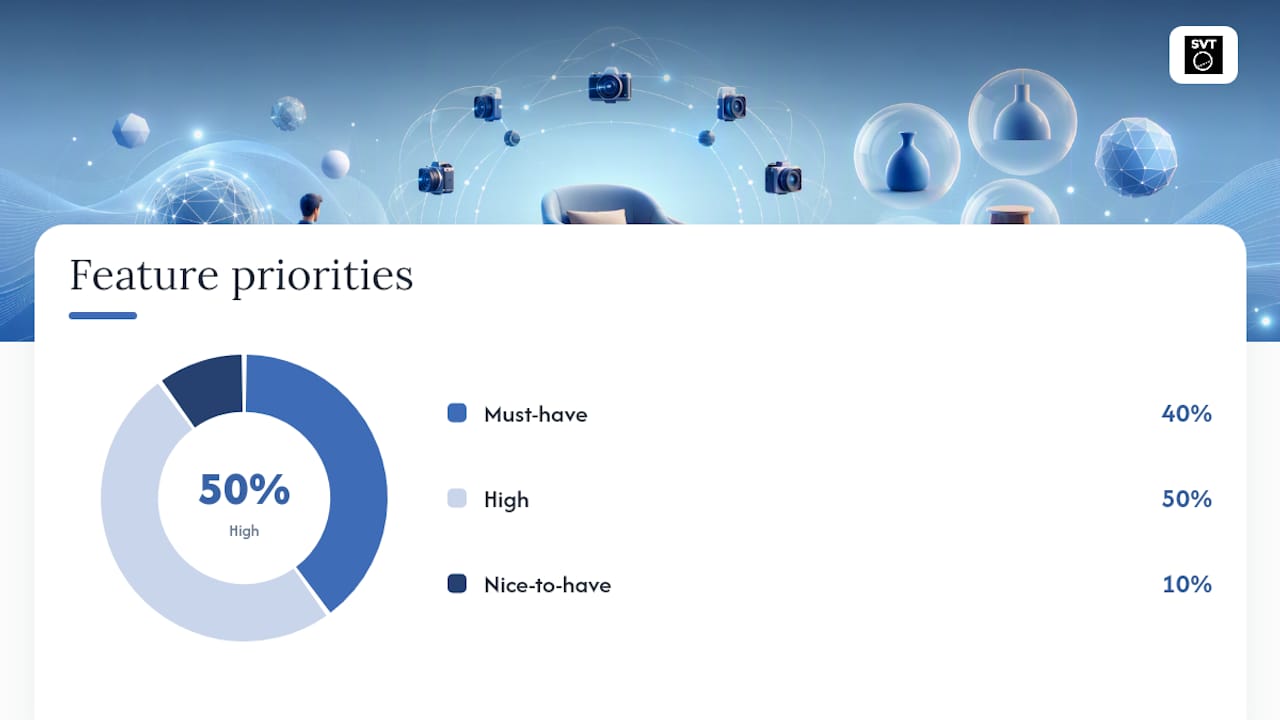
| Feature | Business value | Priority |
|---|---|---|
| 360° photo and video support | Covers all capture methods from consumer cameras to LiDAR scanners | Mission-critical |
| Hotspots (text, image, video, links) | Adds product details, pricing, or context without leaving the tour | Mission-critical |
| Floor plan navigation | Lets viewers orient themselves and jump between rooms | Mission-critical |
| Live guided sessions | Enables real-time sales demos and guided walkthroughs with remote clients | Mission-critical |
| E-commerce / booking integrations | Converts tour engagement directly into reservations or purchases | High priority |
| Multilingual UI | Serves international audiences without a separate build | High priority |
| Analytics and heatmaps | Shows which spaces viewers spend time in and which hotspots they click | High priority |
| Google Street View publishing | Extends discoverability through Google Maps and Business Profile | High priority |
| Self-hosted and cloud options | Gives control over data and reduces long-term hosting costs | High priority |
| API and custom branding | Allows white-label delivery and integration with existing CMS or CRM | Nice-to-have |
Live sessions deserve special attention for venue sales teams. The ability to walk a remote client through a space in real time, answer questions, and highlight specific features replaces the open house for buyers who cannot travel.
How do you build and publish a tour from scratch?
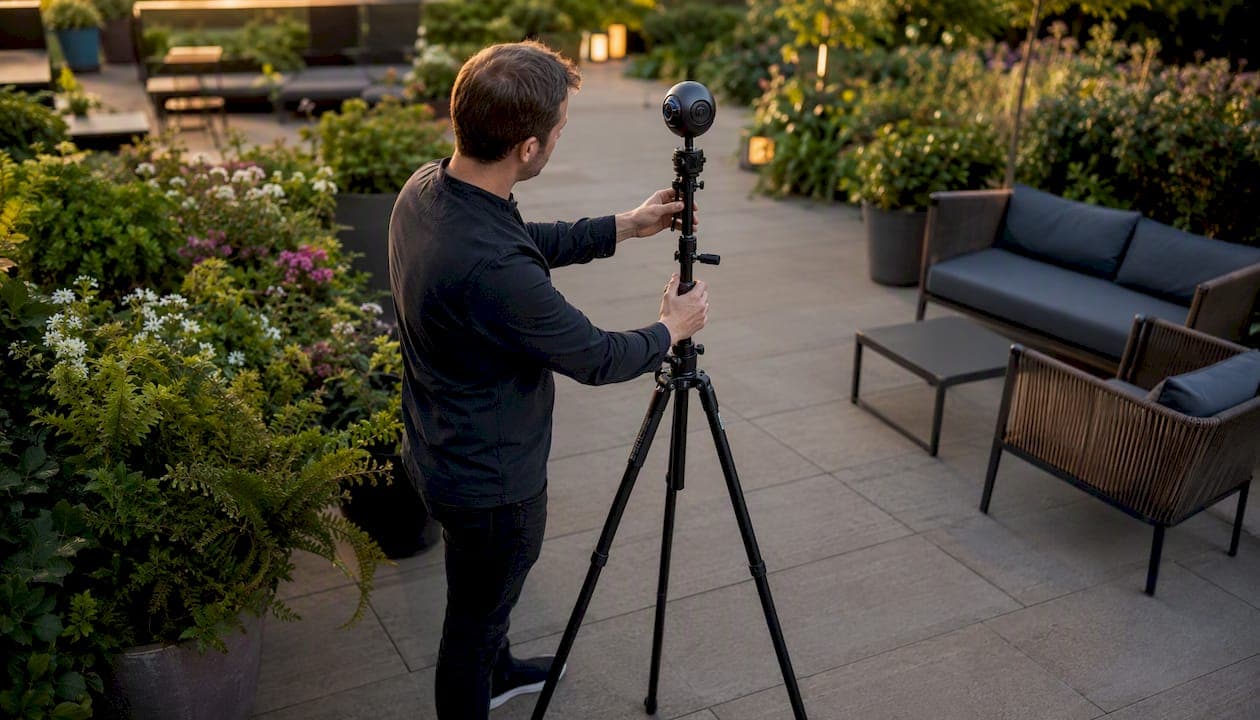
- Capture. Shoot each position with your 360 camera or scanner. For videogrammetry, a continuous walkthrough of a typical interior takes 5–15 minutes on foot before cloud processing produces a navigable 3D model.
- Host, embed, and publish. Deploy to cloud or self-hosted server, embed via iframe on your website, and add the tour link to your Google Business Profile for search visibility.
A single-property residential tour typically moves from capture to published within a few days for a confident DIY user. A multi-building commercial estate with professional capture and production takes several business days.
Pro Tip: Do a 15-minute walkthrough with the facilities or operations manager the day before capture. Confirm which doors will be unlocked, where furniture will be positioned, and whether any areas are off-limits. This single step prevents the majority of return-visit reshoot requests.
What hardware and file specs do you actually need?
| Camera type | Best for | Resolution / output | Trade-off |
|---|---|---|---|
| Consumer 360 camera (e.g., Insta360, Ricoh Theta) | DIY residential, small venues | Typically high-resolution equirectangular JPEG | Fast and affordable; limited zoom detail |
| DSLR panorama rig with fisheye lens | High-detail interiors, architecture | Up to full-frame RAW, stitched to JPEG/PNG | Slower capture; requires stitching software |
| Professional LiDAR scanner | Commercial, museum, measurement-critical | High-megapixel panoramas with spatial data | Highest detail and accuracy; higher cost |
| Drone (outdoor / aerial) | Tourism, estates, large campuses | MP4 / equirectangular video | Requires relevant commercial drone operation certification |
For output formats, your software should accept JPEG and PNG for still panoramas, MP4 for video-based tours, and GLB or LAZ for 3D/LiDAR models. Cloud-hosted platforms handle processing server-side; self-hosted deployments need sufficient bandwidth for streaming high-resolution panoramas to mobile viewers. For architectural visualization and CGI integration, GLB export compatibility is worth confirming with your vendor before purchase.
How do you track SEO, accessibility, and tour performance?
KPIs to monitor inside the tour:
- Tour opens and unique visitors
- Dwell time per session and per room
- Hotspot click-through rate
- CTA conversions (booking form submissions, contact requests)
- Referral sources (direct link, embedded iframe, Google Maps)
- Mobile vs. desktop engagement split
Accessibility checklist before publishing:
- Keyboard navigation enabled for all tour controls
- Alt text written for every hotspot
- Captions added to any audio guide or video hotspot
- High-contrast UI option available for low-vision viewers
For publishing, embed the tour via iframe on your main listing or venue page, add the direct tour URL to your Google Business Profile, and test the experience on both iOS and Android before going live. A 360° video export can extend reach through YouTube. Interactive tours increase dwell time, which can strengthen local SEO signals when the tour is embedded and promoted correctly.
Cloud subscription or self-hosted: which model fits your budget?
The choice comes down to control versus convenience.
Cloud subscription gets you live faster. Updates, backups, and server maintenance are handled by the vendor. You pay a recurring monthly or annual fee, which keeps upfront costs low but accumulates over time.
Self-hosted (one-time purchase) gives you full data control and no recurring hosting fees beyond your own server costs. The upfront investment is higher, but for agencies or venues publishing dozens of tours per year, the long-term cost per tour drops significantly.
Typical cost buckets to budget for: capture equipment or hire, production time (editing, hotspot setup), hosting or subscription fees, optional plugins (e-commerce, API, white-label branding), and any custom development for CMS integration. A weekend DIY tour for a single property can cost very little beyond the camera. A professionally captured multi-venue estate with custom integrations is a different budget conversation.
What questions should you ask vendors before buying?
Evaluation checklist:
- Does the platform support both cloud and self-hosted deployment?
- Can you publish unlimited tours on your plan, or is there a per-tour cap?
- Is there a public API for CMS or CRM integration?
- What analytics does the platform expose, and can you export the data?
- Does the platform support live guided sessions natively?
- What accessibility features are built in?
- Can you export tours in a portable format if you switch vendors?
Red flags to watch for:
- No export format: if you cannot take your tour data with you, you are locked in permanently
- Vague uptime or backup policy with no SLA documentation
- No accessibility support at all (keyboard nav, alt text, captions)
- Analytics locked behind a higher tier with no upgrade path
- Support limited to a ticketing system with multi-day response times
For a broader comparison of what to look for across platforms, the virtual tour software alternatives guide covers the key differentiators worth evaluating.
Simple Virtual Tour in practice: what the platform delivers

Simple Virtual Tour is used by 1,400+ users across real estate, tourism, hospitality, and education. The platform covers every item on the must-have features checklist above: unlimited tours, live guided sessions, e-commerce integration, multilingual UI, Google Street View publishing, analytics, and both cloud and self-hosted deployment.
Key proof points:
- Unlimited tours — on a single account, which matters for agencies managing multiple listings or venues
Venues using interactive tours consistently report fewer repetitive pre-visit questions from prospects and higher-quality enquiries from people who have already explored the space. Tours published through Simple Virtual Tour also serve as permanent digital assets, useful for marketing archives, grant applications, and press materials long after the initial campaign ends.
Three steps to get started right now
- Start a free trial or schedule a demo. Go to Simple Virtual Tour and either activate a trial account or book a live walkthrough with the team. You can publish a test tour the same day.
For deeper guidance on the role of live virtual guided tours in sales workflows, the Simple Virtual Tour blog covers the topic in detail.
Key Takeaways
Interactive 360° virtual-tour software is the correct category of "product photography software" for space owners, and Simple Virtual Tour covers every must-have feature on the buyer checklist with both cloud and self-hosted deployment options.
| Point | Details |
|---|---|
| Define the right category | "Product photography software" here means interactive 360° virtual-tour platforms, not retail photo editors. |
| Prioritize live sessions and analytics | These two features separate conversion-ready platforms from basic tour builders. |
| Self-hosted saves long-term costs | A one-time purchase model reduces per-tour costs significantly for high-volume publishers. |
| Capture prep prevents reshoot costs | A 15-minute pre-scan walkthrough with facilities staff eliminates most return-visit failures. |
| Simple Virtual Tour fits the checklist | With 1,400+ users, unlimited tours, live sessions, and dual deployment, it matches every priority feature above. |
What most buyers get wrong about virtual-tour software
The biggest mistake is treating a virtual tour as a one-time marketing asset rather than a living tool. Buyers spend time evaluating camera specs and pricing tiers, then publish a tour and never look at the analytics again. The data inside a tour, which rooms viewers linger in, which hotspots they click, where they exit, is exactly what tells you whether your space is communicating its value or losing people at the wrong moment.
The second trap is underestimating the value of live sessions. Most platforms offer static tours. The ability to join a client inside a tour in real time, highlight a feature, answer a question, and guide them toward a decision is closer to a sales call than a brochure. For venue sales teams and real estate agents working with remote buyers, that capability alone justifies the platform choice.
Choose software that gives you both the data and the live interaction layer. Everything else is secondary.
Simple Virtual Tour covers every item on your checklist
Real estate agents, venue managers, and museum directors who have worked through the checklist above will find that Simple Virtual Tour maps directly to every priority feature: unlimited tours, live guided sessions, e-commerce and booking integrations, multilingual UI, Google Street View publishing, and the choice between cloud subscription and a one-time self-hosted purchase.

The self-hosted model is a genuine differentiator for agencies and institutions that publish tours at volume. No per-tour fees, full data control, and a lower cost per tour over time. During your trial, run three quick tests: export a sample tour to confirm portability, launch a live session with a colleague, and embed the tour on a page to verify mobile performance. Those three checks will tell you everything you need to know.
Start your free trial or buy now and have your first tour live within a day.
Further reading and sources
External research:
- How to Make a 360 Virtual Tour: Step-by-Step Guide & Virtual Tour Best Practices | See3D
- Virtual Tour ROI: Real UK Numbers & Returns | See3D
- How to Make a 360 Virtual Tour (Step-by-Step) | SkyeBrowse
- How Interactive 360 Virtual Tours Are Transforming Galleries & Exhibits | Invision Studio
- Why Your Business Needs a 360° Virtual Tour in 2026 | 360eyeview
- Simple Virtual Tour Software: Easy to Create Unlimited Tours
Simple Virtual Tour resources:
- Simple Virtual Tour: Features, Deployment, and Trial — full platform overview and trial sign-up
- Simple Virtual Tour Blog: 360° Photography & Business Guides — how-to articles, workflow guides, and use-case deep dives