

Integrate a virtual tour by embedding the provider's SDK or widget in your app and minting short-lived, per-user bearer tokens on your server. This gets you an embeddable viewer with secure, per-account isolation instead of a leaked global API key. The artifacts you'll work with are an embed snippet, a tour JSON payload (often called work.json), and event hooks for interactivity. Run the quick-start snippet below first, then layer in auth and customization.
TL;DR:
- Use server-side minted short-lived tokens for each user to ensure security and prevent API key exposure in client JavaScript code.
- Fetch and cache the tour's work.json file once per session to optimize performance and reduce unnecessary network requests.
- Choose a full SDK over a widget embed if your app requires advanced interactivity, event handling, and control over rendering lifecycle.
- Implement quick local rendering to validate container sizing, token flow, and network requests before integrating into production code.
- Optimize mobile experience by lazy-loading tiles, shrinking textures, and disposing of WebGL resources on route changes to maintain smooth performance.
Table of Contents
- How Do You Set Up Virtual Tour API Integration Quickly?
- Authentication and Token Best Practices for Tour APIs
- What Does a Tour Payload Actually Contain?
- Widget vs. Full SDK: Which Integration Fits Your App?
- How Do Event Hooks Power Guided Tours?
- Multi-Tenant Patterns: Isolation, Usage, and Permissions
- What Actually Makes a Tour Feel Fast on Mobile?
- CDN, Presigned URLs, and Hosting Costs
- How Simple Virtual Tour Implements These Patterns
- What I'd Tell Any Team Before They Ship This
- Ready to Integrate? What Simple Virtual Tour Offers Developers
- Where to Go Deeper on Virtual Tour APIs
- Sources
How Do You Set Up Virtual Tour API Integration Quickly?
Before touching production code, get a tour rendering on a local page. This confirms your container element, script loading, and token flow all work before you add real business logic.
A minimal embed looks like this:
<div id="tour-container" style="width:100%;height:480px;"></div>
<script src="https://cdn.example-sdk.com/viewer.js"></script>
<script>
  fetch('/api/tour-token?tourId=abc123')
    .then(res => res.json())
    .then(({ token, workUrl }) => {
      const viewer = new SDKInstance({ token });
      viewer.appendTo(document.getElementById('tour-container'));
      viewer.load(workUrl);
    });
</script>
The /api/tour-token call hits your own backend, not the vendor directly. That endpoint mints a short-lived bearer token using your stored API secret and returns it along with the work URL.
Before you move on, verify:
- The container element has explicit width and height, or the viewer renders at zero height.
- Your API key or secret never appears in browser-visible JavaScript.
- The network tab shows a token request followed by a work.json fetch, not a raw key in the query string.
- CORS is configured for
localhostduring development, with a separate short-lived dev token so you're not testing against production credentials.
Authentication and Token Best Practices for Tour APIs
The single biggest integration mistake is hardcoding a global API key into client-side JavaScript. Anyone with browser dev tools can lift it. The correct pattern mints a bearer token server-side and hands it to the client for a limited window.
A typical exchange sequence looks like this: your frontend requests a token from your backend, your backend authenticates the request (session cookie, JWT, whatever you already use), then calls the provider's token endpoint with your server-held secret and returns a scoped, short-lived token to the browser.
For multi-user portals, don't just reuse one token for every visitor. Integration guidance from the virtual tours web API project recommends passing a user identifier or a hashed per-user key, generated with SHA-256, during SDK initialization. This isolates each account's assets and keeps usage stats accurate per user rather than lumped together.
A few practical rules:
- Set token expiry short, typically minutes rather than hours, and refresh silently before it lapses.
- Never log full tokens in application logs, only truncated fragments for debugging.
- Send credentials in the
Authorization: Bearer <token>header, not as a URL parameter. - Rotate your server-side signing secret on a schedule, not just after an incident.
Pro Tip: Store your hashed per-user key alongside the tour record in your own database, not just in the vendor's system. That way you can audit which user generated which token without an extra API round trip.
What Does a Tour Payload Actually Contain?
Most virtual tour APIs return a structured JSON document, often called a work.json, describing the entire scene. Realsee's OpenAPI is a useful reference point: it exposes a GET /open/work/show.json endpoint that returns panoramas, scene geometry, and camera poses, while mutating actions like POST /open/v1/work/detail.json require a reviewed capability and a bearer token.
Expect a payload with a panoramas array (image tile references and IDs), camera pose data for each scene, hotspot or annotation coordinates, and sometimes floor plan geometry. Read endpoints are usually open once authenticated; anything that edits or deletes a tour typically sits behind a separate, more tightly scoped permission.
On the client, fetch the work.json once per session rather than on every scene change, and cache it in memory. A typical SDK pattern loads it directly:
- Fetch the work.json from your token-protected endpoint.
- Pass the parsed object into
viewer.load(work). - Prefetch the next likely scene's tiles while the user lingers on the current one, rather than waiting for a click.
Widget vs. Full SDK: Which Integration Fits Your App?
Picking between a drop-in widget and a full SDK comes down to how much control your product needs versus how fast you need to ship.
- Widget embed. Fastest to integrate, often a single script tag or iframe. The trade-off is limited event hooks and constrained branding, fine for a marketing page but frustrating for a product that needs custom overlays.
- Full SDK. Gives you complete control over rendering, event subscriptions, and measurement. Realsee's Five SDK documents a clear lifecycle: instantiate,
appendTo(container),load(work),refresh(), thendispose(). It lists a peer dependency on Three.js, so plan for that in your bundle. - Mobile. A WebView wrapping your web SDK is quick to ship but carries memory and battery overhead; native iOS and Android SDKs perform better but mean maintaining two additional codebases.
- SPA lifecycle. Mount the container, load the work, render, then dispose on route change. Skipping the dispose step is the most common cause of memory bloat in single-page apps.
If your product also needs map-grade 3D visualization rather than panorama tours, Google's 3D Maps offers a Maps JavaScript API and mobile SDKs built for that exact use case.
How Do Event Hooks Power Guided Tours?
Interactivity comes from subscribing to SDK events, not polling state. Five SDK exposes hooks like mode.change, camera.update, and gesture.tap, letting your app react when a user switches views, moves the camera, or taps a hotspot.
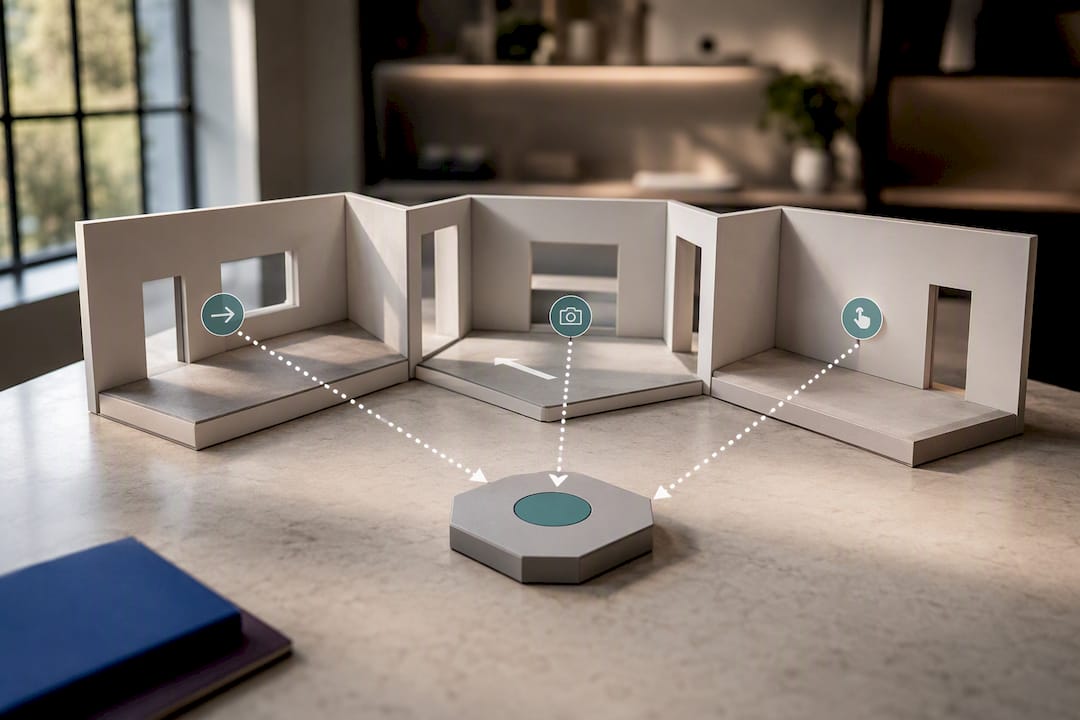
Hotspots typically carry metadata: a target scene ID, a label, and sometimes a custom icon or media attachment. Keep that metadata in your own database keyed to the tour ID, so you can update labels without touching the vendor payload.
For guided tours, sequence camera poses with defined pause points rather than a single continuous animation:
- Store an ordered array of scene IDs with per-step dwell time.
- Expose pause and resume controls tied to
camera.updateevents. - Provide keyboard or button-based navigation as a fallback for users who can't use touch or mouse gestures.
Pro Tip: Debounce camera.update listeners if you're driving UI elements off them. Camera events fire rapidly during a drag, and an unthrottled listener can visibly stutter your overlay.
Multi-Tenant Patterns: Isolation, Usage, and Permissions
Portals serving multiple accounts need scoping baked in from the first API call, not bolted on later. Initialize the SDK with a per-user token or hashed key rather than one shared credential, which keeps each account's tours and analytics genuinely separate.
Treating every published tour as an asset owned by a specific user ID makes both security and billing simpler down the line.
- Emit usage events (session start, session end, scene views) tied to the user ID for accurate analytics and metered billing.
- Split view and edit permissions into separate token scopes, with mutating actions routed through a reviewed capability layer.
- For live co-browsing sessions, generate a shared session ID and sync camera state between participants at a fixed interval rather than on every frame.
- Log token issuance per tenant so you can trace which account generated unusual traffic.
What Actually Makes a Tour Feel Fast on Mobile?
Perceived speed matters more than raw load time. Tile-based loading, where a low-resolution panorama appears immediately and swaps to high-resolution tiles once they arrive, is the standard pattern for keeping users engaged during load.
- Lazy-load panoramas the user hasn't reached yet; don't fetch the whole tour upfront.
- Cap simultaneous WebGL contexts, since most mobile browsers throttle or crash past a handful.
- Call
dispose()on route change to free GPU buffers rather than letting the browser garbage-collect them eventually. - Shrink texture sizes for mobile viewports rather than serving desktop-resolution tiles everywhere.
This progressive approach, giving an early interactive view while higher-quality tiles load quietly behind it, is the same trade-off Google's 3D Maps team documents for large-scale 3D rendering. Watch frame rate and memory footprint in your testing; a tour that drops noticeably below 30fps on a mid-range phone needs texture or tile-size adjustments before launch.
CDN, Presigned URLs, and Hosting Costs
Panorama tiles are large and numerous, so hosting strategy affects both latency and your bill. Public tiles belong behind a CDN with long cache-control TTLs, since the same tile rarely changes once published. Private or client-specific assets should sit behind presigned, short-lived URLs rather than a public bucket, so access expires automatically instead of relying on obscurity.
- Configure your CDN's cache-control headers explicitly rather than trusting defaults.
- Handle CORS preflight requests correctly, since SDK calls often include custom headers that trigger an OPTIONS request first.
- Budget for egress and bandwidth separately from storage. Storage is usually the smaller cost.
- Use tiered storage (hot for active tours, cold for archived ones) if your catalog grows past a few thousand tours.
How Simple Virtual Tour Implements These Patterns
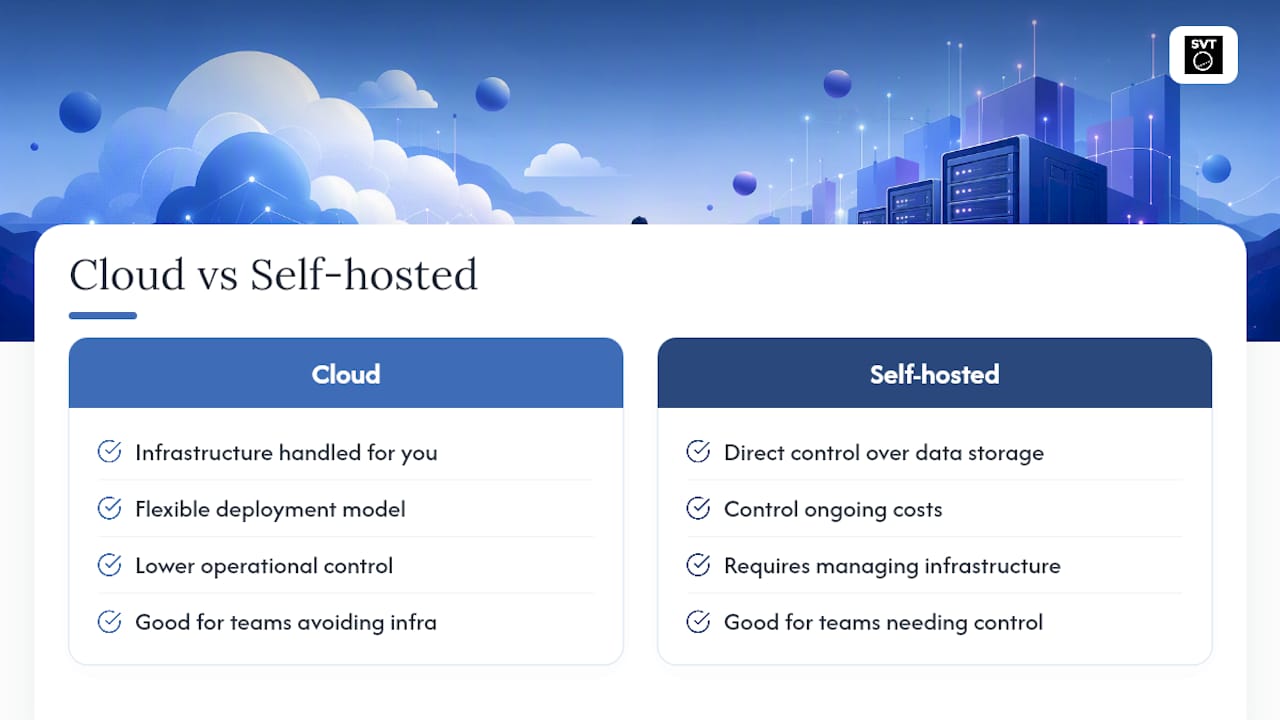
Simple Virtual Tour supports both cloud-hosted and self-hosted deployment, so you can choose managed convenience or full control over where your tour data lives. Both models expose API access alongside the platform's live session hosting and e-commerce integration features.
For teams building on top of it, the practical implementation notes are:
- API access lets you fetch tour data and embed viewers into your own web or mobile application rather than relying solely on the hosted viewer.
- Live session support extends naturally into co-browsing and guided-tour use cases described above.
- E-commerce integration means tour hotspots can carry commerce metadata directly, useful for retail and hospitality clients.
- Self-hosting gives teams with strict data residency requirements a path that doesn't depend on third-party cloud storage.
Developers evaluating deployment options can review implementation examples in this guide to embedding property tours or compare rendering approaches in the Vista 3D technology breakdown.
What I'd Tell Any Team Before They Ship This
Every failed integration I've seen traces back to one of three mistakes: an API key sitting in client-side JavaScript, a renderer that never gets disposed on route change, or mobile performance nobody tested on an actual mid-range phone until launch week.
Before shipping, verify token minting happens server-side, disposal is wired into your teardown hooks, and you've tested on a real device, not just Chrome DevTools' mobile emulator. Staging catches the auth bugs; only a physical phone catches the frame-rate ones.
— Andrea
Ready to Integrate? What Simple Virtual Tour Offers Developers
If you'd rather skip building a viewer from scratch, this product provides API access, live session hosting, and e-commerce integration in one package, without forcing you into a single deployment model. Choose cloud-hosted if you want the infrastructure handled for you, or self-hosted if your team needs direct control over data storage and ongoing costs.

That flexibility matters for teams weighing build-versus-buy. Rather than assembling token minting, rendering, and asset hosting separately, you get an intuitive backend that non-technical team members can manage while developers still get API access for custom embeds. If your integration touches an existing storefront, a partner like 121 Group can help wire a tour into a Shopify or WooCommerce site.
Start by reviewing the Simple Virtual Tour product page to compare cloud and self-hosted options, or check the mobile optimization guide if performance on handheld devices is your immediate concern.
Where to Go Deeper on Virtual Tour APIs
A handful of resources are worth bookmarking once your integration is running:
- The Realsee OpenAPI docs for a concrete example of work.json structure and capability-gated endpoints.
- The Five SDK documentation for lifecycle methods and event hook names.
- Google's 3D Maps platform page if your project needs map-grade 3D rather than panorama tours.
- GitHub's engineering blog for tracking SDK release notes before you upgrade a dependency in production.