

An embedded property tour website is defined as a real estate listing page that displays an interactive virtual tour directly within the page, so visitors explore the property without clicking away to an external link. This approach, formally called inline virtual tour integration, keeps buyers immersed in your listing. Embedding virtual tours on property listing pages can increase user engagement by 40–60% and may double session traffic when placed strategically. That number tells you something direct: buyers who can explore a home without leaving the page stay longer and act faster. Simple Virtual Tour is built specifically to make this kind of integration accessible to real estate professionals and business owners without requiring a developer.
What is an embedded property tour website?
An embedded property tour website integrates a fully interactive virtual tour into a listing page using a short block of HTML code, typically an iframe snippet. The visitor sees the tour inside the page itself, not as a pop-up or a redirect. This distinction matters because every redirect costs you attention. The standard technical method is the HTML iframe element, which is compatible with popular content management systems including WordPress, Wix, and Webflow.
The iframe acts as a window inside your webpage. Your tour platform generates the embed code, and you paste it into your page's HTML or visual editor. No extra plugins are required for most platforms. Responsive aspect ratios are essential for mobile optimization, so the tour resizes correctly on smartphones and tablets without breaking the layout.

The term "embedded virtual tour website" is sometimes used interchangeably with "inline tour integration" or "on-page virtual tour." All three phrases describe the same core concept. The key differentiator from an external tour link is that the experience lives inside your listing, not somewhere else on the internet.
How does embedding a virtual tour actually work?
The technical process follows three clear steps, and none of them require coding expertise.
- Get your embed code. Your tour platform generates an HTML iframe snippet after you publish your tour. Copy that code from the platform's share or embed menu.
- Open your website's page editor. In WordPress, switch to the HTML or "Custom HTML" block. In Wix, use the "Embed HTML" widget. In Webflow, drop in an "Embed" element.
- Paste and publish. Insert the snippet, set your width to 100% for full responsiveness, and publish the page. The tour appears live inside your listing.
Standard iframe dimensions for property tours run at a 16:9 aspect ratio, which mirrors widescreen video and feels natural to buyers on any device. Lazy loading the tour so it renders only when a visitor scrolls to it preserves page load speed and protects your SEO ranking. This single technical choice prevents the tour from slowing down the rest of your listing page.
Pro Tip: Set your iframe to load="lazy" in the HTML attribute. This one addition keeps your page fast for visitors who never scroll to the tour, while still delivering the full experience to those who do.
When iframe embedding is blocked by a portal's security policy, the fallback is straightforward. Provide a direct tour URL as a clearly labeled button or text link. Buyers still access the full tour; they just open it in a new tab instead of viewing it inline.
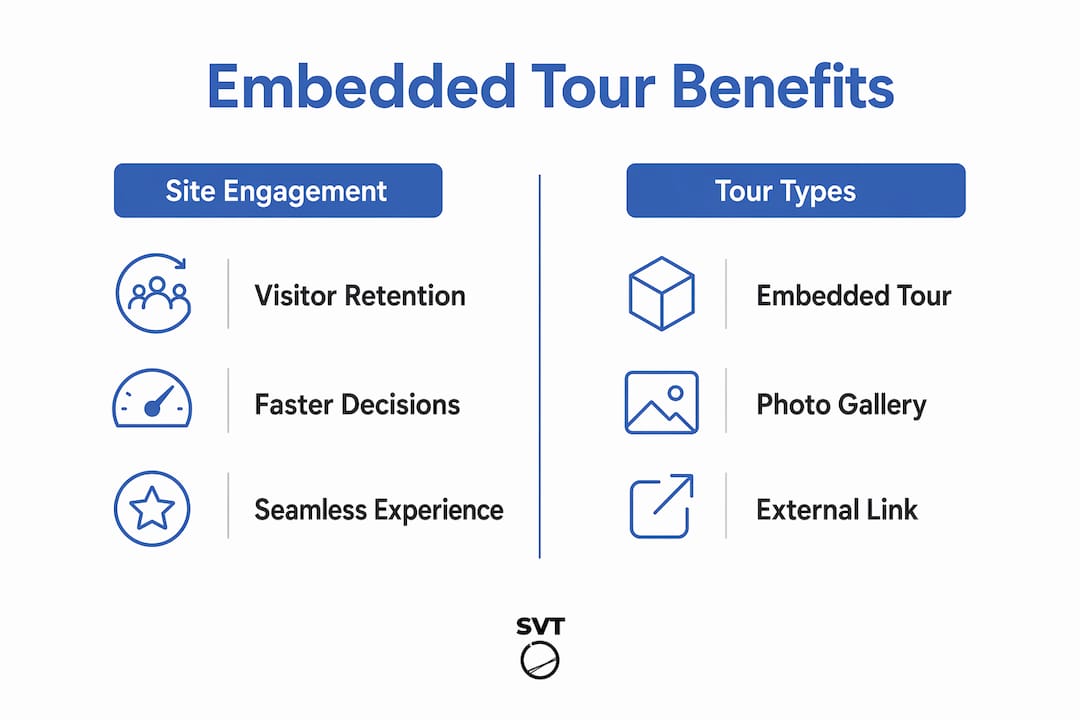
Key features and benefits of embedded property tour websites
Embedded tours outperform static photo galleries and external tour links on every engagement metric that matters to real estate professionals. Agents who embed tours prominently on listing pages see 40–60% longer engagement times compared to photo-only listings. Longer time on page signals genuine buyer interest and gives you more opportunity to convert that interest into an inquiry.
The features that drive this engagement include:
- Dollhouse views and 3D walkthroughs that let buyers understand spatial relationships between rooms
- Interactive floorplans that orient buyers within the property layout
- Touch navigation optimized for mobile users who browse listings on smartphones
- Guided navigation paths that direct attention to key selling features
- Hotspots and info tags that surface property details without cluttering the visual experience
These features explain why interactive tours outperform photo galleries in 2026. A gallery shows what a room looks like. A tour shows how it feels to move through it.
| Feature | Embedded tour | Photo gallery | External tour link |
|---|---|---|---|
| Keeps visitor on your page | Yes | Yes | No |
| Immersive spatial experience | Yes | No | Yes |
| Mobile touch navigation | Yes | Partial | Yes |
| Interactive floorplans | Yes | No | Varies |
| Conversion-focused placement | Yes | Limited | No |
Pro Tip: Place your embedded tour above the fold on the listing page, before the photo gallery or description text. Buyers who interact with the tour first spend more time reading the supporting details below it.
Practical advice for creating and optimizing embedded tours
Professional property media packages that include embedded 3D tours typically cost $150–$500 with turnaround times of 24–48 hours. That speed means you can have a live, embedded tour on a new listing within two days of shooting. For high-volume agents, that timeline is a real operational advantage.
Follow these practices to get the most from every tour you embed:
- Test on at least three browsers (Chrome, Safari, Firefox) and two device types (desktop and mobile) before publishing. Browser rendering differences can break iframe layouts in ways that are invisible on your own machine.
- Set width to 100% and height to a fixed pixel value (typically 500–600 pixels for desktop). This combination gives you full responsiveness without the tour collapsing on smaller screens.
- Use AI-driven website development tools to speed up page builds when embedding tours into custom landing pages for individual listings.
- Add a call to action inside or directly below the tour. Calls to action like "Book a Viewing" placed near embedded tours increase user inquiries by moving buyers from exploration to contact without friction.
- Monitor session duration in your analytics platform after embedding. A measurable increase in average time on page confirms the tour is working. If duration stays flat, reposition the tour higher on the page.
Virtual tours shorten customer decision cycles because buyers arrive at showings already familiar with the space. That familiarity reduces the number of visits needed before an offer, which saves time for both the agent and the buyer.
Pro Tip: Record your baseline session duration before embedding a tour. Compare it to the 30-day average after embedding. That before-and-after comparison is the clearest proof of ROI you can show a seller client.
Challenges and nuances of embedded property tour websites
Embedding is not always frictionless. Real estate professionals encounter several recurring obstacles, and knowing them in advance saves time.
- iframe blocking by portals. Major listing portals often restrict iframe embeds for security reasons. Your own website has no such restriction, which is why owning a dedicated listing page matters more than relying on third-party portals alone.
- Page load impact. A tour loaded without lazy loading adds significant weight to your page. This slows the initial load time and can hurt your Google search ranking. The lazy-load attribute solves this directly.
- Technology format differences. Not all virtual tours rely on 3D scanning. Photographic panoramas and AI-powered digital twins are cost-effective alternatives that suit different property types and budgets. Matching the tour format to your audience's expectations produces better results than defaulting to the most expensive option.
- Brand customization limits. Entry-level embedding solutions often display the tour platform's own branding inside the iframe. This dilutes your agency's identity. Platforms that offer white-label options or self-hosted deployment give you full control over how the tour appears to buyers.
- Custom hosting for data control. Custom navigation and self-hosted solutions improve data control and long-term stability beyond standard off-the-shelf embedding. For agencies managing large listing volumes, self-hosting also reduces ongoing subscription costs.
Mobile users favor responsive tours with touch navigation. Testing on actual devices, not just browser emulators, catches layout problems that emulators miss. A tour that breaks on an iPhone costs you a buyer.
Key Takeaways
An embedded property tour website is the most direct way to increase buyer engagement on a listing page without sending visitors elsewhere.
| Point | Details |
|---|---|
| Core definition | An embedded tour displays inside the listing page via an HTML iframe, keeping buyers on your site. |
| Engagement impact | Embedded tours produce 40–60% longer session times compared to photo-only listings. |
| Technical setup | Paste an iframe snippet into your CMS, set width to 100%, and add lazy loading for speed. |
| Fallback strategy | When iframe embedding is blocked, link the direct tour URL as a clearly labeled button. |
| Conversion placement | Position the tour above the fold and pair it with a "Book a Viewing" call to action. |
Why I think most agents underuse the tools they already have
Real estate professionals often ask me which tour format produces the best results. My honest answer is that the format matters far less than the placement. I have seen agents invest in high-quality 3D walkthroughs and then bury them below three paragraphs of listing description. The tour gets ignored because buyers never scroll that far.
The agents who see the clearest results treat the embedded tour as the lead element on the page, not a supporting feature. They put it first, above the photos, above the price breakdown, above everything. That single decision changes how buyers experience the listing.
The other pattern I notice is that agents skip analytics entirely after embedding. They assume the tour is working because it looks good. Checking session duration before and after embedding takes ten minutes and gives you data you can actually use. The live session capabilities now available in 2026 add another layer, letting you walk buyers through a tour in real time, which closes the gap between a virtual visit and an in-person showing.
The technology is not the barrier. Placement, testing, and follow-through are where most agents leave results on the table.
— Andrea
Simple Virtual Tour for embedded real estate tours
Simple Virtual Tour gives real estate professionals and business owners a direct path to creating and embedding interactive tours without technical expertise.

The platform supports both cloud-hosted and self-hosted deployment, so you control your data and avoid ongoing platform fees. Over 1,400 users currently create unlimited tours with features including live session capabilities, e-commerce integration, and full white-label customization. You can get started with Simple Virtual Tour and have an embeddable tour ready for your next listing within hours. The intuitive backend means you spend time on your listings, not on learning software.
FAQ
What is an embedded property tour website?
An embedded property tour website is a real estate listing page that displays an interactive virtual tour directly within the page using an HTML iframe, so buyers explore the property without leaving the site.
How do I embed a virtual tour on my listing page?
Copy the iframe embed code from your tour platform, paste it into your website's HTML or visual editor, set the width to 100%, and add the lazy-load attribute for speed.
What features do embedded real estate tours typically include?
Embedded real estate tours commonly include 3D walkthroughs, dollhouse views, interactive floorplans, touch navigation for mobile users, and hotspots with property information.
What should I do if iframe embedding is blocked on a portal?
Provide a direct tour URL as a clearly labeled button or text link. Buyers access the full tour in a new tab, maintaining the experience even when inline embedding is restricted.
How do embedded tours affect page load speed?
An embedded tour loaded without lazy loading adds page weight and can slow load times. Adding the load="lazy" attribute to the iframe prevents the tour from loading until the visitor scrolls to it, protecting both speed and SEO performance.