
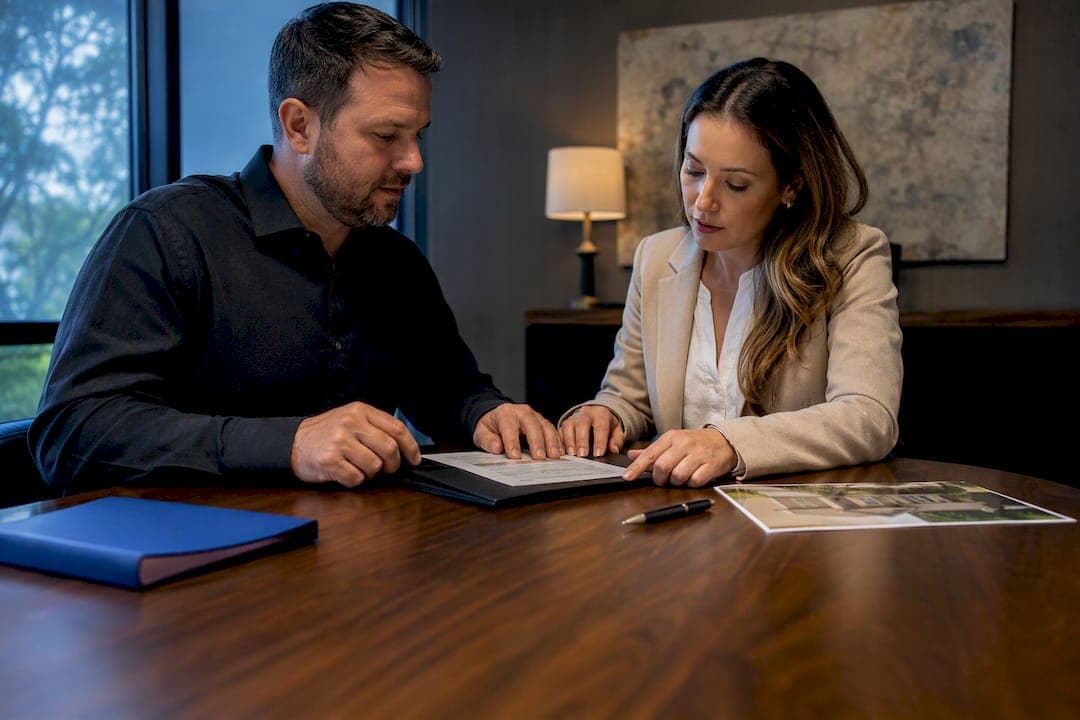
Virtual tour licensing determines who can legally display, reuse, and modify a 360-degree tour, and by default that right belongs to the photographer or videographer who created it, not the business that hired them. Before you publish anything, confirm your contract's assignment or license language and check it against your MLS or hosting platform's rules. A tool like Simple Virtual Tour's content publishing platform helps here by giving you self-hosting and admin controls that enforce your own branding and link restrictions instead of a vendor's.
TL;DR:
- The default ownership of virtual tours belongs to the creator, making it essential to secure a written assignment or license to avoid licensing disputes.
- Licensing models vary from work-for-hire, assignment, to exclusive or non-exclusive licenses, which determine your control over editing, resale, and sublicensing rights.
- Most MLS platforms enforce compliance through rules on branding, links, and tour count, which may conflict with vendor hosting terms, requiring thorough pre-publication checks.
- Including accessibility standards like WCAG 2.1 AA in licensing agreements ensures ongoing compliance, testing, and remediation for driven inclusive experiences.
- The most effective way to avoid disputes is to negotiate and document ownership and licensing terms before the production begins rather than relying on vendor contracts or post-delivery fixes.
Table of Contents
- Understanding Virtual Tour Licensing and Compliance
- Who Owns Your Virtual Tour and What Your Contract Must Say
- How MLS and Platform Rules Function as a License
- Building Accessibility Standards Into Your License
- A Step-by-Step Checklist for Negotiating a Virtual Tour License
- How Simple Virtual Tour Reduces Licensing Friction
- Residential vs. Commercial Virtual Tour Licensing
- Common Licensing Disputes and How to Avoid Them
- Why Contracts Matter More Than Vendors in This Industry
- Start a Compliant Virtual Tour With Simple Virtual Tour
- Sources
- FAQ
Understanding Virtual Tour Licensing and Compliance
Virtual tour licensing is the set of legal permissions that governs who can copy, display, modify, or sublicense a 360-degree tour once it's created. It sits at the intersection of copyright law, contract terms, and platform rules, and most disputes trace back to one of those three areas being ignored during production rather than after.
Four licensing arrangements cover almost every situation you'll encounter:
- Work-for-hire: The hiring business owns the copyright outright, but only when the creator is a legal employee or the work fits one of the narrow statutory categories for independent contractors (this rarely applies to freelance photographers by default).
- Assignment: The creator transfers full ownership to you in writing. Once signed, you hold the copyright as if you'd shot it yourself.
- Exclusive license: The creator keeps copyright but promises not to license the same work to anyone else. You get strong control without full ownership.
- Non-exclusive license: The creator can resell or relicense the same tour to other buyers, including competitors. This is the default many vendors quietly build into their standard contracts.
Each model changes what you can actually do with the finished tour. A non-exclusive license might let you display it on your website but not sublicense it to a partner brokerage. An assignment lets you archive, edit, or resell it freely. AI-assisted editing complicates this further: U.S. Copyright Office guidance holds that purely AI-generated output typically isn't copyrightable, so the human-authored parts of your tour, the shot selection, staging, and editorial choices, are what actually qualify for protection.
Who Owns Your Virtual Tour and What Your Contract Must Say
Copyright in a photograph or video vests with the person who created it the moment it's fixed, not the business that paid for the shoot. U.S. copyright law treats this as automatic. If your contractor photographer never signs a written assignment, you likely hold only an implied, narrow license to use the images for their originally intended purpose, and nothing more.
That gap causes more trouble than any other licensing issue. A brokerage that commissions a freelancer without paperwork often discovers, months later, that the same tour has appeared on a competitor's site or that the photographer has demanded a licensing fee to keep it live.
Before you sign anything, work through this checklist of clauses:
- Ownership language. Does the contract state "assignment" or "work-for-hire," or does it stay silent on ownership entirely?
- Scope of use. Which platforms, channels, and purposes are explicitly permitted?
- Duration. Is the license perpetual, or tied to a listing period or calendar year?
- Territory. Is use restricted to one property, one market, or unlimited geography?
- Sublicensing rights. Can you share the tour with a partner brokerage, franchise network, or marketing agency?
- Attribution and copyright management information (CMI). Must the creator's name stay embedded in metadata or on-screen credit?
- Indemnity. Who's liable if the tour includes a trademarked sign, a recognizable face, or a copyrighted piece of art?
Pro Tip: Ask every vendor for their standard terms and conditions before the shoot, not after delivery. Vendor boilerplate often grants only a one-year limited license tied to the listing period, and extending it later can mean an unplanned second invoice.
How MLS and Platform Rules Function as a License
Your Multiple Listing Service acts as an unofficial licensing gatekeeper, even though it never touches the copyright itself. NorthstarMLS issued more than 800 correction notices for noncompliant virtual tours in 2024, almost entirely for the same handful of violations.
The most common triggers are:
- External hyperlinks embedded in the tour that route viewers off the MLS-approved page
- Branding or logos sized beyond the platform's limits
- More tours attached to a single listing than the MLS allows
- Narration or captions that include promotional language rather than factual property description
The trouble is that your license can technically permit all of these things while your MLS agreement still prohibits them. A production vendor's hosting terms and your MLS compliance obligations are two separate documents, and they don't always agree. CRMLS documents the same pattern: broken links, embedded share buttons, and branding issues are the leading causes of rejected submissions.
Before you go live, run a preflight check: click every link the tour generates, remove or disable social sharing icons, measure your logo against the platform's size cap, and confirm the hosting URL doesn't redirect through a third-party domain. Vendors sometimes change hosting configurations after delivery, which is exactly why NorthstarMLS recommends a final compliance test right before publication, not just at handoff.
Building Accessibility Standards Into Your License
WCAG 2.1 AA is the practical benchmark most organizations use for virtual tour accessibility, and it's worth writing directly into your license rather than treating it as an afterthought. The standard expects captions or transcripts for narrated content, full keyboard navigation, and sufficient color contrast across interactive elements.
For live or augmented-reality tours, ITU Recommendation F.740.8 sets technical architecture requirements covering panoramic video streaming, and referencing it in a contract gives you a concrete standard to hold a vendor to on latency and interoperability.
Your license should require:
- Acceptance testing against specific WCAG 2.1 AA checkpoints before final payment
- A defined remediation window for accessibility bugs found after launch
- Ongoing maintenance obligations as new tour content gets added
- Documentation showing keyboard navigation and captioning were tested, not just claimed
Skipping this step doesn't just risk an accessibility complaint. It shifts every future fix onto your internal team instead of the vendor who built the tour.
A Step-by-Step Checklist for Negotiating a Virtual Tour License
Getting licensing right before a contract is signed saves you from renegotiating after a tour is already live. Work through these steps in order.
- Verify the creator's status. Are they an employee (work-for-hire may apply automatically) or an independent contractor (you need a written assignment or license)?
- Request and test demo links. Click through a live sample tour exactly as your MLS or platform will see it, checking for external links and branding size.
- Choose assignment or a narrow exclusive license, depending on whether you need full resale rights or just secure display rights.
- Require removal of sharing icons and third-party redirects as a condition of delivery, not an optional add-on.
- Define a bug-fix and update service level agreement. Fifteen business days for critical accessibility fixes is a reasonable benchmark to request.
- Set accessibility acceptance criteria tied to specific WCAG 2.1 AA checkpoints.
- Confirm backup and export rights. You should be able to pull a complete copy of the tour files on request, independent of the vendor's own hosting.
Pro Tip: If a contract offers you a "perpetual, unrestricted sublicense" for a flat one-time fee, read it twice. That language sounds generous, but it often means the vendor keeps the right to resell the same tour to your competitor while you keep paying nothing extra for exclusivity.
Watch for three red flags specifically: perpetual sublicenses with no exclusivity carve-out, vague AI-authorship language that doesn't say who owns the AI-assisted edits, and a total absence of CMI or metadata retention requirements, which makes it nearly impossible to prove ownership later if a dispute arises.
How Simple Virtual Tour Reduces Licensing Friction
Every constraint covered so far, branding limits, external link bans, accessibility upkeep, comes down to one practical question: do you control the hosting environment, or does your vendor? Simple Virtual Tour supports both cloud-hosted and self-hosted deployment, which means you decide where your tours live and who can touch the underlying files.
That control matters for compliance specifically. The admin backend lets you disable sharing icons, adjust branding size, and remove embedded links, the exact triggers behind most MLS correction notices, without waiting on a vendor's support queue. With live session capability, e-commerce integration, and a user base spanning real estate and tourism, Simple Virtual Tour is built for teams that need to enforce their own rules rather than inherit someone else's.
Residential vs. Commercial Virtual Tour Licensing
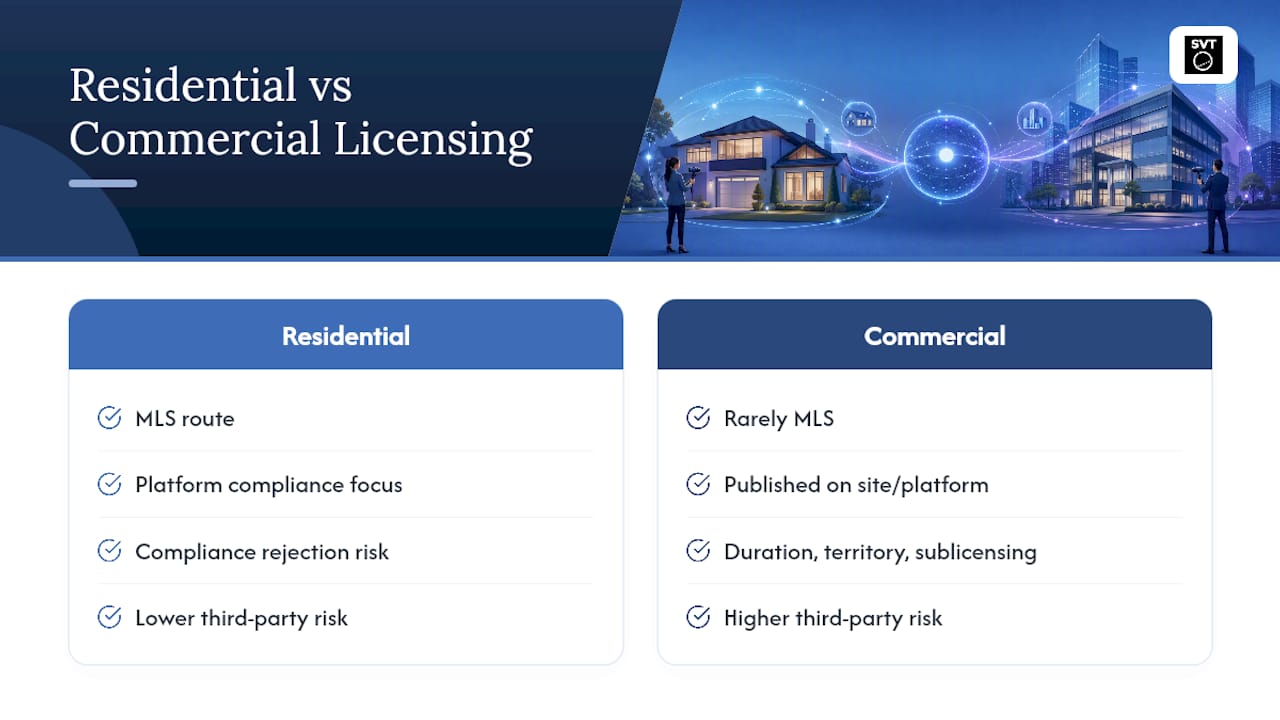
Residential and commercial virtual tours face different licensing pressure points, mainly because they answer to different gatekeepers. Residential tours almost always route through an MLS, which means your license has to satisfy both your contract with the photographer and a separate set of platform rules on branding, links, and tour count. That dual layer is why residential disputes so often start with a compliance rejection rather than a copyright fight.
Commercial tours, by contrast, rarely touch an MLS at all. A hotel, museum, or retail space publishes its tour directly on its own site or through a booking platform, so the licensing conversation shifts almost entirely toward duration, territory, and sublicensing rights. A hospitality brand with multiple locations, for instance, needs a license broad enough to display the same tour across every regional site and franchise partner, which a standard one-property residential license simply wasn't written to cover.
Commercial tours also carry more third-party liability exposure. A retail space might have visible branded merchandise, artwork, or signage belonging to other companies, all of which raise indemnity questions that a typical single-family home tour never encounters. Event venues and galleries face similar issues when a tour captures a temporary installation or exhibit still under another party's copyright.
The practical takeaway: don't reuse a residential license template for a commercial deal. Commercial buyers need broader territorial and sublicensing language up front, while residential buyers need tighter platform-compliance language, because the MLS, not the buyer, sets the outer boundary on what's allowed.
Common Licensing Disputes and How to Avoid Them
Most virtual tour disputes trace back to the same handful of preventable gaps, and nearly all of them show up before the tour ever goes live.
The most frequent one: a business assumes it owns a tour because it paid for the shoot, when in fact no written assignment was ever signed. The photographer retains copyright and can license the same images elsewhere, sometimes to a direct competitor, leaving the original buyer with only an implied right to the specific use they first discussed.
A second recurring problem is the vendor time bomb: a delivered tour carries a one-year or listing-period license buried in standard terms, and the buyer doesn't discover the expiration until the tour disappears or a renewal invoice arrives unexpectedly. Reading vendor terms and conditions before signing, not after delivery, prevents this entirely.
A third source of conflict is AI-assisted content with no ownership language. When editing tools generate or enhance panoramic imagery, a contract silent on AI authorship leaves both parties guessing about who owns the final output, an ambiguity that gets expensive fast if the tour becomes commercially valuable.
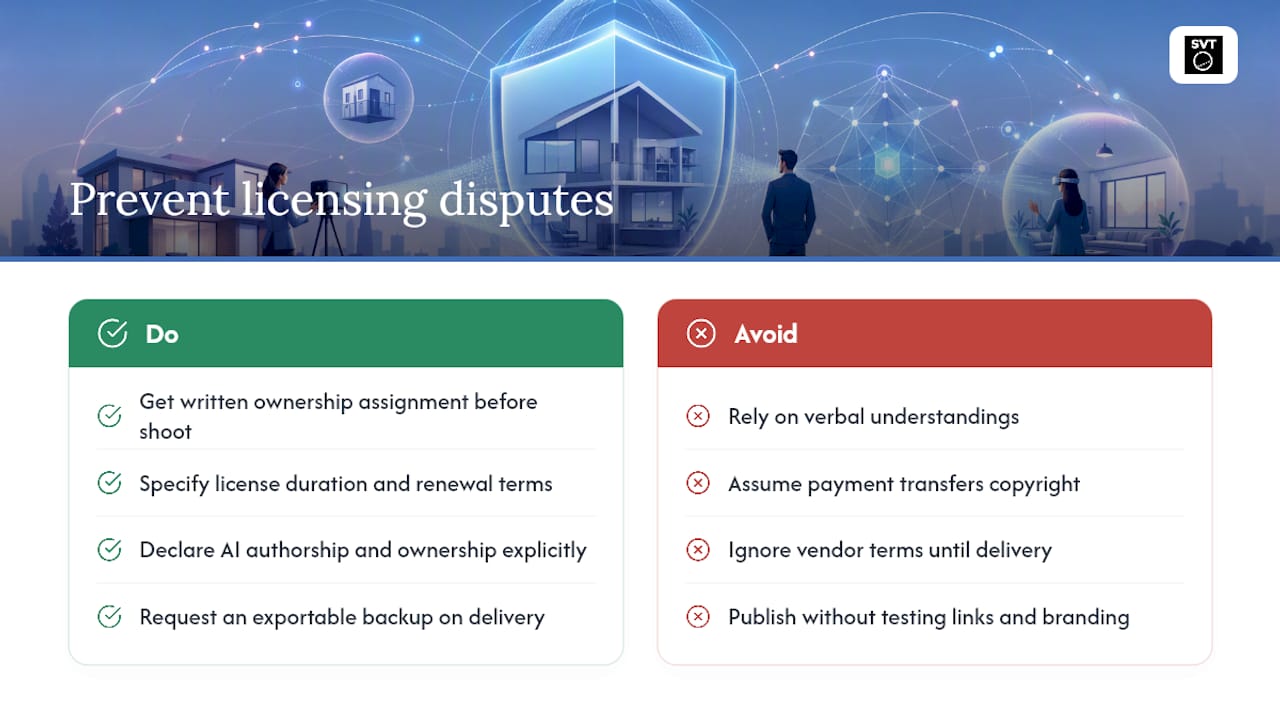
The fix in each case is the same: put ownership, duration, and AI-authorship terms in writing before the shoot, request an exportable backup copy on delivery, and test every link and branding element against your platform's rules before the tour goes public. Verbal understandings and vendor defaults consistently favor the party that wrote the contract, and that's rarely the buyer.
Why Contracts Matter More Than Vendors in This Industry
Most advice on virtual tour licensing focuses on picking the right vendor or platform. That's backwards. The vendor you choose matters far less than the contract you sign with them, because even a mediocre production company produces a perfectly usable tour under a well-written assignment, while a talented photographer working under vague terms can leave you without the rights you assumed you had.
The industry's conventional wisdom treats MLS compliance and copyright ownership as separate problems handled by different people, marketing versus legal. That separation is exactly why correction notices and ownership disputes keep recurring. They're the same problem: a failure to write down, in advance, who controls the tour and what platform rules that tour has to satisfy.
If you take one thing from this guide, prioritize the written assignment over everything else. Branding limits and accessibility checkpoints are fixable after the fact. A missing ownership clause usually isn't, not without a renegotiation from a position of weakness. Get the paperwork right before the camera comes out, and the compliance details become a checklist instead of a crisis.
— Andrea
Start a Compliant Virtual Tour With Simple Virtual Tour
Once you've sorted out your licensing terms, the next decision is where your tours actually live, and that choice shapes how much compliance control you keep. Simple Virtual Tour gives you both cloud-hosted and self-hosted deployment, so branding size, sharing icons, and external links stay under your control instead of a vendor's default settings.
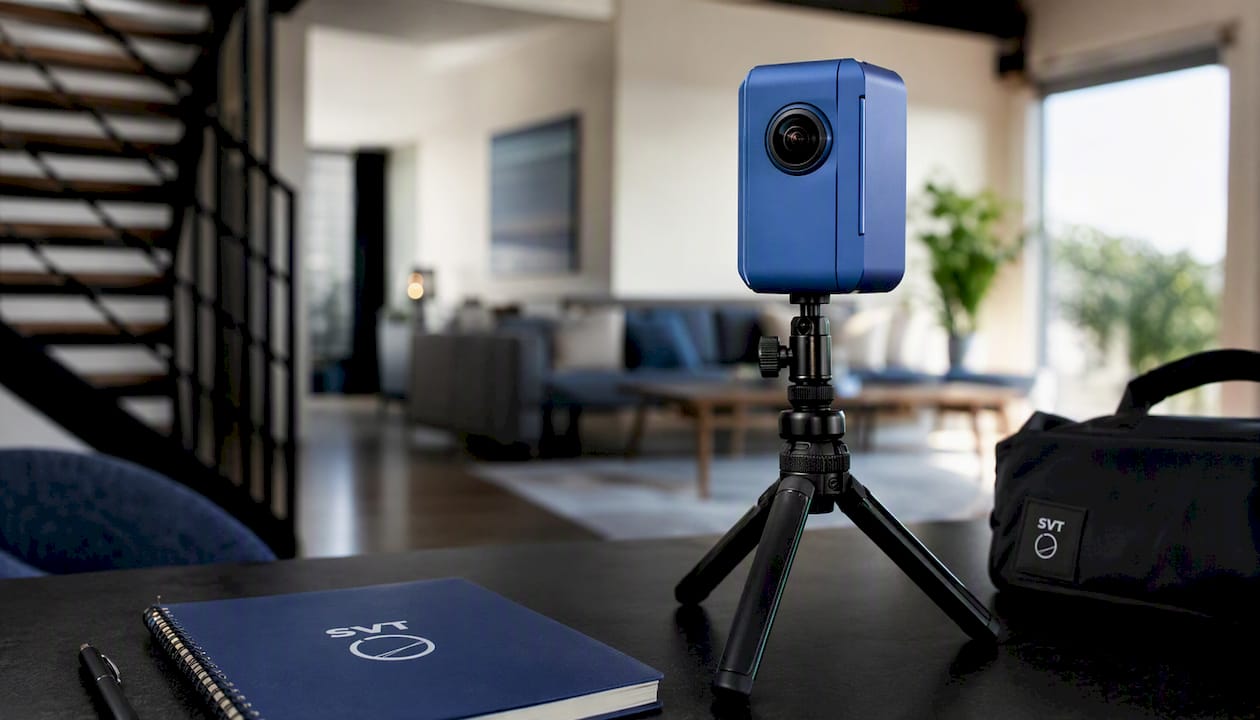
That flexibility matters most for teams juggling MLS rules across multiple listings or managing a growing tourism and hospitality portfolio. The platform supports unlimited interactive tours, live session hosting, and e-commerce integration, all from one backend designed for ease of use. If you're evaluating deployment models before committing to a contract, the plan overview explains the available free and paid options, so you can start with no cost and upgrade once your compliance requirements are clear. Review the plans and start building your first tour today.
Sources
- Virtual Tours: Follow These 6 Tips for Compliant Listings - NorthstarMLS
- F.740.8 : Requirements and architecture for live virtual tour systems using panoramic video and augmented reality
- Virtual Tour Content: Intellectual Property Ownership and Licensing
- Virtual Tour FAQs - CRMLS Knowledgebase
FAQ
Who owns a virtual tour by default?
The photographer or videographer who created it owns the copyright automatically, unless a written assignment or a qualifying work-for-hire agreement transfers that ownership to the buyer.
What's the difference between an exclusive and non-exclusive virtual tour license?
An exclusive license means the creator won't license the same tour to anyone else, while a non-exclusive license lets the creator resell or relicense the identical content to other buyers, including competitors.
Do virtual tours need to meet accessibility standards?
Most organizations hold virtual tours to WCAG 2.1 AA, which requires captions or transcripts, full keyboard navigation, and adequate color contrast across the tour's interface.
Can I get in trouble for using a virtual tour without proper licensing?
Yes. Using a tour beyond the scope your license permits, or without any written agreement at all, exposes you to copyright claims and potential removal demands from the original creator.
Does Simple Virtual Tour help with MLS compliance?
Yes. Its admin backend lets you disable sharing icons, adjust branding size, and control embedded links directly, the same issues that generate most MLS correction notices, without depending on a third-party vendor's hosting terms.