
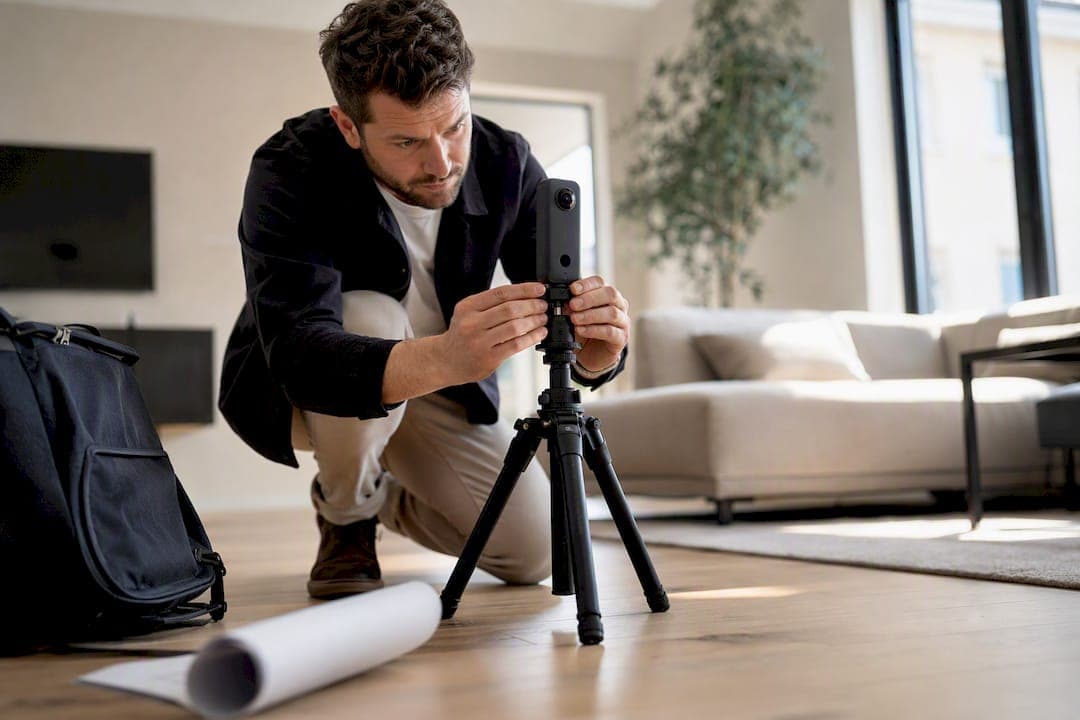
For most residential listings, add an interactive 360° virtual tour before the sign goes in the yard. Reserve three to five capture points per room, publish the tour to your MLS listing and website, and offer a live agent-led session for out-of-town or high-interest buyers. Upgrade to a 3D digital twin only when the property's price point or square footage justifies the extra cost and turnaround time.
Here's why this works: a 2025 UT Dallas study found homes with a VR tour sold in an average of 19 days versus 34 days without one, a 44% drop in time on market. Simple Virtual Tour customers already use this exact workflow across more than 1,400 active accounts.
Your first three moves this week:
- Book or self-capture a 360° scan within 48 hours of getting the listing signed.
- Publish the tour link to your MLS remarks field, listing site, and Zillow the same day photos go live.
- Add a "Schedule a live walkthrough" call-to-action inside the tour for buyers who can't visit in person.
Key Takeaways
Virtual tours reduce time on market and generate stronger buyer engagement when the format matches the listing's price tier and the capture follows a disciplined, checklist-driven process.
| Point | Details |
|---|---|
| Match format to price tier | Use 360° photo tours under $400,000 and add 3D digital twins for higher tiers or relocation buyers. |
| Tours cut time on market | A UT Dallas study found VR tours reduced average time on market from 34 to 19 days. |
| Post-production makes or breaks quality | Color correction and stitch checks separate professional-looking tours from amateur ones. |
| Publish everywhere buyers look | Embed on the listing page, sync to MLS and Zillow, and share via QR codes and tracked links. |
| Simple Virtual Tour supports the full workflow | Live sessions, embed codes, self-hosting, and hotspot tools align directly with the practices in this guide. |
Table of Contents
- What Are the Main Types of Real Estate Virtual Tours?
- Does a Virtual Tour Actually Sell Homes Faster?
- How Do You Create a Virtual Tour Step by Step?
- What Gear and Software Do You Actually Need?
- Which Design Choices Turn Viewers Into Leads?
- Where Should You Publish and Share a Virtual Tour?
- How Do You Measure Whether a Tour Is Working?
- How Does Simple Virtual Tour Support This Workflow?
- What Agents Get Wrong About Scaling Virtual Tours
- Ready to Put This Guide Into Practice?
- Sources
What Are the Main Types of Real Estate Virtual Tours?
Choosing the wrong tour format wastes money on features a buyer never uses, or worse, undersells a listing that needed more than photos. Four formats dominate the market right now, and each one solves a different problem.
360° photo tours stitch panoramic images into a clickable walkthrough. They're the workhorse format: fast to shoot, inexpensive to produce, and good enough for the vast majority of listings under $750,000.
3D digital twins (sometimes called dollhouse views) use structured scanning to generate a measured, navigable model of the property, often with an automatic floor plan. Zillow's 3D Home app supports this workflow directly from a phone or a compatible 360 camera, syncing the tour straight to the listing.
AI-driven walkthroughs layer automated narration, object recognition, or virtual staging onto a base capture. They're newer, useful for vacant homes that need furniture visualization, but they add cost and aren't yet standard practice.
Live agent-led tours put a real person on camera, narrating in real time and answering questions as they come up. This format compresses the sales cycle for relocation buyers, investors, and anyone who can't get to the property in person.
Use this rubric when deciding:
- Under $400,000, standard layout: a 360° photo tour is sufficient.
- $400,000 to $1 million, or buyer pool includes out-of-town relocations: add a 3D digital twin for the floor plan and measurements.
- Luxury, unique architecture, or investor-heavy pool: pair a digital twin with scheduled live sessions.
- Vacant or under-furnished: consider AI staging only if the budget allows; a well-lit 360 tour with clear room dimensions often performs almost as well.
Production time runs from under an hour (phone-based 360 capture) to a half-day (professional scanning with a LiDAR-equipped camera). Cost and interactivity scale together, but so does buyer confidence in the accuracy of square footage claims.
Does a Virtual Tour Actually Sell Homes Faster?
The evidence says yes, and the size of the effect is large enough to change how you pitch new listings.
A separate Harvard Business School analysis of 75,000 home sales adds nuance: the payoff isn't uniform across every listing. Virtual tours tend to matter most for properties that are harder to picture from photos alone, higher-priced homes, unusual layouts, and listings drawing interest from buyers relocating from another market.
Where the ROI case is strongest:
- Mid-to-upper price tiers where buyers are comparing several serious options before ever scheduling an in-person showing.
- Properties with distinctive layouts, additions, or renovations that photos alone struggle to convey.
- Listings likely to attract remote or relocating buyers who need to shortlist properties before booking travel.
Track these metrics to prove value: days on market, showing requests per week, and the ratio of showings that convert to offers. When you propose a tour to a seller, the math is simple to state out loud: "Homes with a professional virtual tour sold in about half the time in a recent university study. If your home sits on the market three fewer weeks, that's three fewer mortgage payments and three fewer weeks of showings disrupting your routine." That single sentence does more persuasive work than a feature list.
How Do You Create a Virtual Tour Step by Step?
A tour looks professional or amateur almost entirely based on what happens before and after the camera clicks, not the camera itself. Follow this sequence whether you're shooting it yourself or briefing a photographer.
- Prep the space. Declutter every room, turn on all interior lights, open blinds for natural light, and confirm with occupants exactly when you'll need access and how long the shoot will take.
- Plan your capture path. Walk the property first and mark a logical route, room to room, that avoids dead ends. Include transition shots in hallways so viewers never lose their sense of direction.
- Set tripod height consistently. Industry guides recommend keeping the camera around 1.4 to 1.6 meters throughout the shoot; changing height between rooms creates a jarring, amateur feel.
- Space your shots. Place capture points every 8 to 10 feet in open rooms, and one per smaller room, so panoramas overlap enough to stitch cleanly without redundant coverage.
- Watch for reflections and closed doors. Mirrors and glass catch the camera and tripod if you're not careful, and closed doors that should be open (or vice versa) create inconsistency across the tour. The See3D capture guide flags this as one of the most common amateur mistakes.
- Link two-way navigation. Every hallway connection needs a forward and backward link, not just one direction, or viewers get stuck.
- Correct color and exposure in post. Mismatched white balance between rooms is the fastest way to make an otherwise solid capture look unprofessional.
- Check your stitches. Look for seams at doorways and ceiling corners before publishing, since stitching errors are far more visible on a large screen than on a phone preview.
- Place hotspots and export. Add navigation markers, then export at the resolution your hosting platform recommends for smooth mobile playback.
Pro Tip: Shoot a quick test panorama in your worst-lit room first. If it looks acceptable there, the rest of the property will look better, and you'll catch lighting problems before you've walked the whole house.
Hire a professional when the listing needs certified measurements, when the seller expects a polished digital twin, or when your schedule genuinely can't absorb a half-day shoot on top of everything else on your plate. For a straightforward 360° tour on a standard listing, doing it yourself with the right gear is often the faster, cheaper call. If you want a deeper look at where DIY shoots go wrong, common virtual tour mistakes agents make covers the failure points that repeat most often.
What Gear and Software Do You Actually Need?
Budget dictates quality ceiling more than skill does, at least at the entry level. Here's what each tier realistically gets you.
- Entry-level ($0 to $300): a smartphone with a 360 capture app, or a consumer 360 camera in the $200 to $300 range, plus a basic tripod. Expect solid results for standard listings, but no built-in measurements and limited low-light performance.
- Mid-tier ($300 to $1,500): higher-resolution 360 cameras and simple structured scanners that add floor plans and rough measurements, similar to what powers Zillow's 3D Home workflow.
- Professional ($1,500+): LiDAR-equipped scanners for certified measurements, ideal for luxury or commercial listings where buyers expect precision.
Whatever camera you choose, the hosting software matters just as much. Require browser playback with no forced account creation, since friction-free access measurably increases view rates. Also confirm mobile optimization, hotspot support, embeddable code for your listing site, live session hosting, and, ideally, a self-hosting option if you want control over your data and lower recurring costs. A detailed feature breakdown is available in this virtual tour software guide for real estate.
On pricing models: cloud subscriptions run monthly or annually and scale with tour volume, while one-time software purchases avoid recurring fees but may carry paid plugins for extras like e-commerce integration or multi-user management. Know which model fits your listing volume before you commit.

Which Design Choices Turn Viewers Into Leads?
A tour that's technically flawless but poorly designed still loses buyers at the moment they'd otherwise reach out. Design decisions inside the tour matter as much as the capture quality behind it.
Navigation needs to feel intuitive without instructions. Two-way links between every room, a logical walking path, and a mini-map or floor plan overlay keep viewers oriented. The Mount Vernon virtual tour is a useful public example of clickable points of interest paired with multi-device access, worth studying even outside real estate.
Hotspots earn their place when they add information a photo can't. Use them for:
- Room measurements and square footage callouts.
- Recent upgrades (new roof, renovated kitchen, updated HVAC).
- Direct contact or "schedule a showing" links placed at natural stopping points, like the kitchen or primary suite.
Two UX rules matter more than any design flourish: never force sign-in before playback, and optimize for fast load on mobile, since most buyers will open your tour link from a phone before they ever touch a desktop. Detailed hotspot placement guidance lives in this pro guide to hotspot creation, and broader conversion-focused design patterns are covered in this breakdown of interactive website features.
Pro Tip: Put your strongest call-to-action inside the kitchen or primary bedroom scene, not the entryway. Buyers commit emotionally deeper into the walkthrough, not at the front door.
Where Should You Publish and Share a Virtual Tour?
A tour nobody sees generates zero leads, no matter how well it's built. Distribution deserves the same attention as capture.
- Embed it on the listing page using a responsive iframe or a hosted share link, then test playback on an actual phone before publishing, not just a desktop browser.
- Add it to MLS and portal fields designed for external links or 3D content. If you're using Zillow's 3D Home capture workflow, it syncs directly to the listing without a separate upload step.
- Link the tour to your Google Business Profile when the property or your brokerage benefits from Street View style discovery.
- Share it everywhere buyers already look: text and email the direct link, print a QR code for the yard sign and open house flyer, and post it to social media with UTM tracking on the link so you know exactly which channel drove clicks.
For the technical side of embedding, this guide to building an embedded property tour website walks through the setup in more detail.
How Do You Measure Whether a Tour Is Working?
Track five numbers: total views, average view duration, hotspot engagement rate, click-to-contact conversions, and showing requests per hundred views. These tell you whether people are actually exploring the space or bouncing after the first scene.
Cross-reference tour metrics against your core listing numbers, days on market and the ratio of showings that convert to offers, before and after the tour goes live. The UT Dallas time-on-market data gives you a benchmark to compare your own results against.
- Run a simple A/B test: identical listings, one with a tour and one without, if your brokerage has enough volume to compare fairly.
- Move your call-to-action placement between listings and track whether click-to-contact rates shift.
- Watch hotspot engagement specifically. Low engagement on upgrade callouts might mean the hotspot copy needs work, not the tour itself.
How Does Simple Virtual Tour Support This Workflow?
Every recommendation in this guide maps directly onto features built into Simple Virtual Tour. Live session hosting lets you run the agent-led walkthroughs covered above without a separate video platform. Embed codes handle the distribution step cleanly on any listing site, and the self-hosted deployment option gives brokerages that want full control over their data a path that also reduces long-term subscription costs.
Over 1,400 active users currently run their tour catalogs on Simple Virtual Tour, choosing between cloud-hosted and self-hosted deployment depending on how much control they want over their own data.
The feature set that matters for agents specifically:
- Hotspot creation with e-commerce integration for listings tied to furnished or staged units.
- An intuitive backend that doesn't require technical staff to publish or update a tour.
- Multilingual support for markets serving international buyers.
- API access for brokerages that want to pipe tour data into their own CRM or reporting dashboard.
What Agents Get Wrong About Scaling Virtual Tours
Price tours as a line item inside your listing package, not a freebie you absorb, or you'll quietly resent doing them by your tenth listing. The most common operational pitfall is skipping post-production entirely, which is exactly why some DIY tours look worse than the camera hardware should allow.
Pick one listing this month, add a live session option to it, and track your showing requests against a comparable listing without one.
— Andrea
Ready to Put This Guide Into Practice?
Everything in this guide, live sessions, hotspot design, self-hosted control, works best when it lives in one platform instead of three stitched-together tools. Simple Virtual Tour is built specifically for agents who want unlimited tours, live agent-led sessions, and the choice between cloud hosting or self-hosting, without paying for features you'll never touch.

If you're tired of juggling separate apps for capture, hosting, and live walkthroughs, Simple Virtual Tour consolidates all three into one backend that doesn't require a developer to run. The self-hosted option matters most for brokerages that want to keep listing data under their own control while still cutting long-term subscription costs, and the live session feature means you can run the agent-led walkthroughs this guide recommends without buying a separate video tool. Start with a listing you already have ready to shoot: try Simple Virtual Tour and publish your first interactive tour before the week is out.
Sources
- Virtual reality tours reduce time on market (UT Dallas news)
- Are virtual tours still worth it in real estate? Evidence from 75,000 home sales (HBS Library)
- The power of real estate virtual tours (AHS Home Matters)
- How to prepare for a virtual tour scan (See3D)