

A live virtual session in a business context is a synchronous, host-led online event where a presenter guides participants through an interactive asset in real time, using video, live Q&A, and direct controls, while participants respond, ask questions, and influence the direction of the session. Unlike a recorded tour or a static gallery, it requires everyone to be connected at the same time. The core elements are:
- A host presenting via live video
- An interactive asset (a 360° virtual tour, floorplan, or demo)
- Live audience interaction through chat, polls, or verbal Q&A
- Real-time navigation that adapts to participant questions
That combination of live responsiveness and guided exploration is what makes the format so effective for high-value decisions in real estate and tourism. When a prospect can ask "can you show me the kitchen again?" and get an immediate answer, trust builds faster than any brochure or pre-recorded walkthrough can achieve.
Table of Contents
- What is a live virtual session, and how does it differ from a webinar or recorded tour?
- Why real estate and tourism businesses rely on live virtual sessions
- What platform features do you need to run a live virtual session?
- How to run a live virtual tour session: a step-by-step runbook
- Technical checklist: devices, network, and hosting options
- How to keep attendees engaged during a live session
- How to measure session success and estimate ROI
- Common problems and quick fixes during live sessions
- Simple Virtual Tour makes live session hosting practical
- Key Takeaways
- Why live sessions close deals that static tours leave open
- Useful sources and further reading
What is a live virtual session, and how does it differ from a webinar or recorded tour?
A live virtual session is synchronous by definition: host and participants share the same moment online, and the interaction is spontaneous. That distinguishes it from three formats people often confuse it with:
- Pre-recorded tour: Asynchronous, self-paced, no host present. Useful for top-of-funnel prospecting, but it cannot handle objections or adapt to a viewer's priorities.
- Standard video call: Synchronous but lacks an interactive tour asset. You get face-to-face communication without the guided spatial experience.
- Webinar: Synchronous and often host-led, but typically broadcast-style with limited two-way interaction. Live webinars work best for product launches and training, not for personalized property walkthroughs.
A live virtual session sits at the intersection of all three: it has the real-time presence of a video call, the structured delivery of a webinar, and the spatial richness of an interactive tour.
When is a live session unnecessary? If a prospect is early in their research, a well-built on-demand tour does the job with less scheduling overhead. Save live sessions for discovery calls, shortlisted properties, and closing conversations.
Pro Tip: Treat the tour as a conversation, not a slide show. Pause at each room or landmark and ask the attendee what they want to see next. That one habit shifts the session from a presentation into a dialogue.
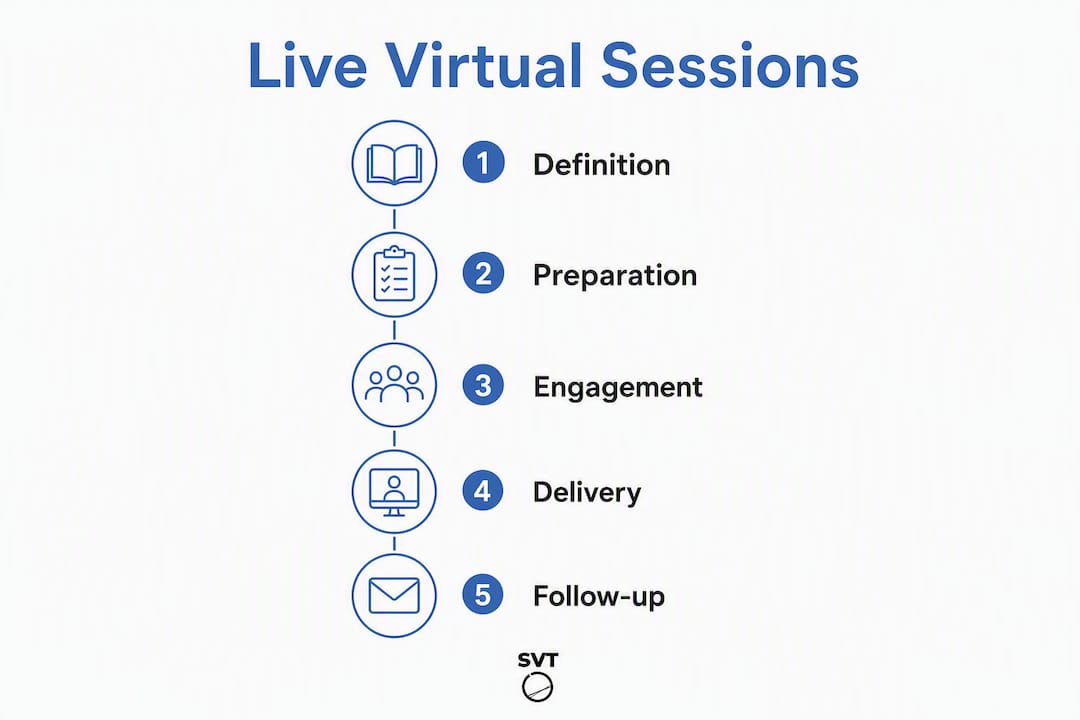
Why real estate and tourism businesses rely on live virtual sessions

The primary business value is real-time trust. Answering spontaneous questions in the moment proves expertise and removes the hesitation that delays high-value decisions. A buyer who asks about ceiling height and gets an immediate close-up view is far closer to committing than one who submits a contact form and waits.
Beyond trust, the logistics case is strong. Virtual sessions eliminate travel, venue booking, and setup costs that accumulate quickly across repeated in-person showings. For a real estate agent covering multiple listings or a tourism operator previewing venues for international event planners, those savings compound fast.
Key stat: Businesses report that virtual meetings produce shorter, more agenda-driven interactions and can save tens of thousands of dollars annually compared with repeated in-person visits.
Core use cases for real estate and tourism hosts:
- Guided property showings for out-of-state or international buyers
- Venue previews for event planners who cannot travel to inspect a site
- Remote discovery calls that qualify leads before committing to an in-person visit
- Group showcases where multiple decision-makers join a single session
Live interactions create a human connection that static 360° panoramas alone cannot replicate, and they can accelerate decision cycles in ways that asynchronous content simply cannot match.
What platform features do you need to run a live virtual session?
Choosing the right tool means checking for five capability areas:
- Low-latency live video with host mute/unmute controls and screen-sharing fallback
- Synchronized interactive tour assets: 360° panoramas, hotspots, and floorplans that the host navigates while participants follow in real time
- Audience interaction tools: moderated chat, live polls, raise-hand features, and optional control handoff so a participant can navigate independently
- Session management: registration pages, automated reminders, session recording, post-session analytics, and e-commerce or booking integrations
- Security and access controls: private session links, password gating, and clear consent mechanisms for recording (required under data-protection frameworks like GDPR and state-level U.S. privacy laws)
Choosing the right format depends on your objectives, audience size, and the level of interaction you need. A one-on-one property showing needs different controls than a 50-person venue preview webinar.
How to run a live virtual tour session: a step-by-step runbook
Before the session
- Define your objective: qualifying a lead, closing a shortlisted buyer, or previewing a venue for a group.
- Build and test your interactive tour asset, including all hotspots and linked information panels.
- Set up a registration page, send calendar invites, and schedule two reminder emails (24 hours and 1 hour before).
- Assign roles: host (presenter), co-host (tech support), and chat moderator if the group is larger than five.
Technical check (30 minutes before)
- Run a bandwidth test and confirm upload speed meets your platform's minimum.
- Test camera, microphone, and lighting. Use a wired connection if possible.
- Open the tour asset in a separate browser tab and confirm all hotspots load correctly.
- Brief your co-host on fallback steps if the connection drops.
Sample session flow
- Welcome (2–3 min): Introduce yourself, confirm everyone can see and hear, and outline the session agenda.
- Guided tour (15–20 min): Navigate the interactive asset, pausing at key stops to ask questions and address priorities.
- Live Q&A (10–15 min): Open the floor; use chat and polls to surface questions from quieter attendees.
- Close and next step (2–3 min): Summarize what was covered, state the clear next action (booking, follow-up call, proposal), and share a direct link.
Post-session follow-up
- Send the session recording and a tailored resource (floorplan PDF, pricing sheet, itinerary) within two hours.
- Export lead data and interaction logs from your platform's analytics dashboard.
- Log qualified appointments in your CRM and tag leads by interest level based on Q&A responses.
For deeper guidance on structuring venue previews, the live virtual venue tour hosting guide covers session flow and client interaction in detail.
Technical checklist: devices, network, and hosting options
Devices and hardware
- Host camera: a modern smartphone, webcam, or DSLR with clean HDMI output all work; a 360° camera adds immersion for property walkthroughs
- Microphone: a USB condenser or lapel mic is a significant upgrade over built-in laptop audio
- Lighting: a simple ring light or a window with natural light eliminates the "dark basement" look that undermines credibility
Network requirements
- Minimum recommended upload speed: 3–5 Mbps for standard HD video; 10+ Mbps for simultaneous screen-sharing and interactive tour streaming
- Wired ethernet is preferable to Wi-Fi for the host; participants on Wi-Fi are generally fine
- Keep a mobile hotspot as a backup in case your primary connection drops
Hosting options
- Cloud-hosted SaaS: fastest to deploy, automatic updates, no server management. Ideal for agents and operators who want to start immediately.
- Self-hosted deployment: you control the server, the data, and the costs. Better for organizations with strict data-privacy requirements or high session volumes where per-seat pricing becomes expensive.
Videoconferencing adds visual cues that audio-only calls cannot provide, making camera quality and stable video a genuine business priority, not a nice-to-have.
Pro Tip: Assign a dedicated co-host to manage the chat, mute disruptive audio, and handle any technical issues. This keeps you focused on the tour and the conversation instead of troubleshooting mid-session.
How to keep attendees engaged during a live session
Engagement drops when a session feels like a broadcast. The fix is to use the tour as an anchor for conversation rather than a linear presentation.
- Let attendees pick stops. Ask "would you like to see the terrace or the master suite next?" at each transition. This small move keeps viewers invested.
- Use polls at decision points. A quick two-option poll ("Are you more interested in the layout or the outdoor space?") surfaces buyer priorities and gives you data.
- Follow a talk-to-listen ratio. Aim for short demo bursts of 3–4 minutes followed by a question or interaction moment. Sustained monologue loses remote viewers quickly.
- Show context with floorplans. When answering a spatial question, switch to the floorplan view to orient the attendee before zooming into the detail.
Well-designed, immersive virtual sessions can produce a flow state in participants, improving focus and retention. That outcome depends on keeping the session dynamic and minimizing dead air.
Pro Tip: Schedule brief "where we are" orientation moments every 5–7 minutes. Pull up the floorplan overview, point to the current location, and then continue. Remote viewers lose spatial context faster than in-person visitors, and a 10-second re-orientation prevents confusion from building.
For more audience engagement strategies that apply directly to live interactive sessions, the tactics around micro-interactions and real-time feedback are particularly relevant.
How to measure session success and estimate ROI
Track these metrics after every session:
- Attendance rate: registrants who actually joined versus total invites
- Average watch time: how long participants stayed, and where drop-off occurred
- Interaction rate: number of chat messages, poll responses, and Q&A questions per session
- Leads captured: contact details collected via registration or in-session forms
- Qualified appointments set: follow-up meetings or site visits booked directly from the session
- Deals attributed: closed transactions where a live session was part of the decision path
For cost savings, compare the total time and expense of equivalent in-person showings (travel, preparation, venue access) against the cost of running the same number of live sessions. For most real estate agents, the break-even point arrives within the first few sessions.
Key stat: Businesses report that virtual meetings can save significant amounts of money annually versus repeated in-person visits, with shorter, more focused interactions as a consistent side benefit.
Recordings also function as on-demand assets. A well-run 30-minute session can be edited into a highlight clip for your listing page, extending its value well beyond the live event. See how interactive tours shorten decision cycles for conversion data that supports this approach.
Common problems and quick fixes during live sessions
- Connectivity drop: Switch immediately to audio-only to maintain the conversation, then send participants a private link to the recorded session within minutes. Never go silent for more than 30 seconds without a verbal update.
- Audience disengagement: Launch a poll, call on a specific attendee by name, or switch to a striking close-up view. A direct question ("What's most important to you about this space?") re-engages faster than any technical trick.
- Audio/video sync issues: Ask participants to refresh their browser tab first. If the problem persists, stop sharing your screen, close the tour tab, and reopen it. Most sync issues resolve within one restart cycle.
- Moderator overload: If chat volume spikes and you cannot manage it while presenting, pause the tour, acknowledge the questions, and work through them before continuing.
- Recording consent: Open every session with a clear verbal statement: "This session is being recorded for quality and follow-up purposes. If you prefer not to be recorded, please let me know now and we can make arrangements." Log the verbal consent in your session notes.
Simple Virtual Tour makes live session hosting practical

Simple Virtual Tour gives real estate agents, tourism operators, and venue hosts a single platform to build interactive 360° tours and host live sessions without needing a separate video conferencing tool or a technical team. The platform supports live session hosting with synchronized tour navigation, e-commerce and booking integrations, session recording, and built-in analytics. Over 1,400 users across real estate and tourism rely on it for exactly this workflow.
What separates it from generic video tools is the deployment flexibility. You can run it as a cloud-hosted subscription for immediate access, or purchase the self-hosted version for full data control and lower long-term costs. Both options support unlimited tour creation, custom branding, and API access for teams that need deeper integration.
Start your free trial or explore the full feature set at Simple Virtual Tour to see how the platform fits your workflow.
Key Takeaways
A live virtual session is the most effective format for closing high-value remote deals because it combines real-time trust, interactive spatial navigation, and immediate objection handling in a single event.
| Point | Details |
|---|---|
| Definition | A live virtual session is synchronous, host-led, and interactive, requiring all participants to connect at the same time. |
| Core business value | Real-time responsiveness builds trust faster than any static asset and accelerates decisions in real estate and tourism. |
| Technical minimum | Confirm 3–5 Mbps upload speed, test your tour asset 30 minutes before, and assign a co-host for technical moderation. |
| Measure what matters | Track attendance rate, interaction rate, qualified appointments set, and deals attributed to sessions. |
| Simple Virtual Tour | Supports live session hosting, 360° interactive tours, e-commerce, and analytics in one platform with cloud or self-hosted deployment. |
Why live sessions close deals that static tours leave open
The conventional wisdom says virtual tours are a top-of-funnel tool, good for generating interest but not for closing. That framing undersells what a live session actually does. When a host navigates a property in real time, answers a question about natural light by rotating the view to the east-facing window, and then pulls up the floorplan to show room dimensions, that sequence does something a brochure cannot: it removes doubt in the moment it forms.
The hosts who see the strongest results treat the live session as a discovery call with a spatial anchor, not a presentation with a Q&A tacked on at the end. The tour is the tool; the conversation is the product. That shift in framing changes everything about how you prepare, how you pace the session, and how you follow up.
Useful sources and further reading
- Business meetings in a post-pandemic world (PMC)
- How to run a great virtual meeting (Harvard Business Review)
- What is virtual training? (Zoom blog)
- The benefits of virtual meetings for business (Forbes Business Council)
- What is a live webinar? (WorkTechJournal)
- Getting into flow during virtual meetings (ScienceDirect)
- Live virtual venue tour hosting: a pro guide for 2026
- The role of live session real estate tours in 2026
- Simple Virtual Tour software