
A multilingual virtual tour is an interactive 360° or 3D experience whose interface, hotspot text, and audio narration adapt to a visitor's chosen language. If your audience crosses borders, whether tourists, prospective students, or property buyers, building one is worth the effort. The sections below walk through benefits, translation tradeoffs, audio standards, and a launch checklist, including how a platform like Simple Virtual Tour fits the work.
TL;DR:
- Multilingual virtual tours reduce cognitive effort and boost engagement for international audiences, especially in sectors like tourism, education, and real estate.
- Planning for translation should occur early, including content structure, asset scheduling, and hosting options, to prevent costly retrofits.
- A hybrid translation approach, combining machine translation for volume and human review for key content, balances speed, cost, and quality.
- Native voice recordings are ideal for flagship languages, while neural TTS offers a cost-effective alternative for secondary languages, with captions supporting accessibility.
- Using centralized localization files and built-in multilingual UI features minimizes layout breakage and simplifies long-term management.
Table of Contents
- Why Multilingual Virtual Tours Pay Off
- How Do You Plan and Launch a Multilingual Tour?
- Machine, Human, or Hybrid Translation: Which Wins?
- What Makes Multilingual Audio Actually Work?
- Content Management Patterns That Prevent Breakage
- Where Multilingual Tours Deliver the Most Value
- How Simple Virtual Tour Supports Multilingual Builds
- What Should You Prioritize First?
- Ready to Pilot a Multilingual Tour?
- Sources
- FAQ
Why Multilingual Virtual Tours Pay Off
A visitor who reads a hotspot in their own language spends less mental effort decoding it and more time actually looking around. That reduced cognitive load translates into longer sessions, and longer sessions correlate with higher conversion for tourism bookings and property inquiries alike. Brand perception shifts too: a museum or university that greets an international audience in its own language signals genuine hospitality, not just a check-the-box gesture.
Multilingual support is not universally mandatory, though. A local coffee shop showcasing one storefront doesn't need five language tracks. But it becomes essential once you cross a threshold: international tourism sites, university admissions tours, or real estate listings marketed to overseas buyers.
- Reduces friction for non-native speakers, increasing time spent per session
- Expands addressable market without duplicating the entire tour build
- Builds trust with diverse audiences who notice when they're an afterthought
- Progressive enhancement works for niche or hyperlocal audiences; full localization suits global reach
How Do You Plan and Launch a Multilingual Tour?
Building a multilingual tour is less about translation and more about sequencing. Skip a step and you'll be retrofitting language support after launch, which costs more than doing it right the first time.
- Select languages and scope. Decide whether you're translating UI labels only, full hotspot content, or narrated audio too. Each layer adds cost.
- Structure content for translation. Store every string in a central file or CMS with localization keys rather than hardcoding text into scenes.
- Plan assets early. Line up transcripts, captions, and audio files per language before production starts, not after.
- Choose your hosting model. Cloud hosting simplifies updates across languages; self-hosted setups give you control over file naming, CDN configuration, and long-term costs.
- Run linguistic and UI QA. Test for text overflow, broken containers, and screen reader behavior in every language variant, not just the default one.
Retrofitting layout for longer translated strings later costs far more than designing for expansion upfront.*
Machine, Human, or Hybrid Translation: Which Wins?
Machine translation wins on speed and cost. You can translate an entire tour's hotspot library in minutes, which makes it the default for high-volume, low-risk content like generic descriptions. The risk shows up with context-specific terms: architectural names, idioms, or brand phrases that a machine renders literally instead of naturally.
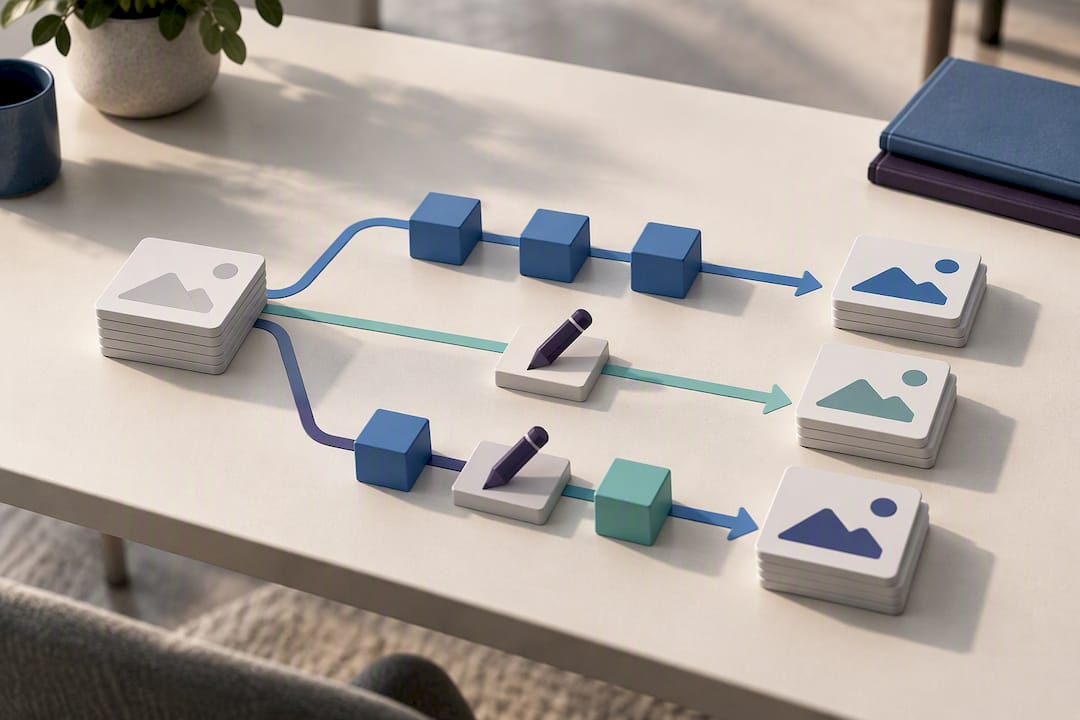
Human translation costs more and takes longer, but it catches tone, nuance, and brand voice that automated tools miss. For a museum exhibit description or a luxury property listing, that nuance is the whole point.
The pragmatic standard for most teams is a hybrid workflow: machine translation for the first pass, then human review focused on the copy that matters most.
- Machine-first for volume: FAQs, generic hotspot labels, filler descriptions
- Human review required for: UI navigation text, brand taglines, safety instructions, pricing and legal copy
- Hybrid catches errors machine translation alone would ship silently
This mirrors how modern platforms handle audio too. Vendor documentation on multilingual audioguides shows speech synthesizers generating narration without recording native voice talent for every single language, which is a hybrid cost saver worth considering before you commit to full studio recording.
What Makes Multilingual Audio Actually Work?
Voice quality carries more weight than most teams expect. A robotic-sounding text-to-speech track undercuts the same trust a well-localized tour is trying to build. Native voice recording remains the gold standard for flagship languages your business depends on most, while modern neural TTS is a legitimate substitute for secondary languages where a full studio budget isn't realistic.
The bilingual Qatar National Library tour built by Doha Pano demonstrates this balance well: Arabic and English versions both include text-to-speech alongside keyboard navigation and accessibility-focused controls, showing that TTS and accessibility aren't mutually exclusive.
- Prioritize native speakers for your top one or two markets by traffic volume
- Use high-quality neural TTS for lower-priority languages rather than skipping them
- Always pair audio with captions and transcripts for screen reader compatibility
- Export audio at consistent bitrates across languages so playback quality doesn't vary between tracks
Pro Tip: Time-code your transcripts and match them to hotspot IDs. That way, when you update one language's audio, you're not re-authoring the entire tour to keep everything synchronized.
Content Management Patterns That Prevent Breakage
The engineering side of multilingual tours lives or dies on how you store text. A centralized localization file, JSON or YAML keyed by language code, keeps every string in one place instead of scattered across individual scene files. When a container is sized for English text and a German translation runs 30% longer, that fixed-width box breaks, which is why responsive, dynamically resizing containers matter more here than in most web projects.
- Keep one source of truth for copy; propagate edits to all language variants through automation, not manual copy-paste
- Design containers to expand rather than truncate or overflow
- Version your language files so rollouts don't silently overwrite work in progress
- Connect to a translation management system via API when you're managing more than three or four languages
Where Multilingual Tours Deliver the Most Value
Certain sectors get outsized returns from language support because their audiences are inherently international.
- Tourism and museums use localized hotspots and multilingual maps to narrate exhibits the way a live guide would. The United Nations' virtual tour program notes that briefings in languages other than English are available on request, a sign that even institutional tours treat multilingual access as standard practice.
- Higher education leans on campus tours translated for international recruitment, letting prospective students explore a campus before ever booking a flight.
- Real estate benefits from guided walkthroughs paired with downloadable specs in the buyer's language, which matters enormously for remote relocation buyers making decisions from another country.
- Events run synchronized group sessions with separate language lanes, letting attendees follow the same live tour in their own language simultaneously.
The Cité internationale universitaire de Paris tour is worth studying directly. Its live language switcher covers Portuguese, Persian, and Spanish alongside several others, with hotspot text translated throughout rather than just the menu chrome.
How Simple Virtual Tour Supports Multilingual Builds
Some virtual tour backends include multilingual UI support built into the same interface non-technical teams use to place hotspots and manage media. That matters because the implementation problems described above, text expansion breaking layouts, keeping audio synchronized across languages, rolling out updates without redoing everything, are exactly what a purpose-built CMS should absorb rather than leave to a developer.
- Multilingual UI controls alongside standard hotspot and navigation tools
- Choice of deployment models, potentially allowing teams to keep source files and control long-term costs
- Live session hosting for guided, real-time multilingual walkthroughs may be supported
- Audio and narration support integrated into the tour editor, rather than a bolt-on tool
Teams evaluating Simple Virtual Tour for the first time typically start with a single pilot tour before deciding whether to scale to a full multilingual catalog.
What Should You Prioritize First?
Pick your first two or three languages using real traffic data, not guesswork. Rank them by audience size, business impact, and how straightforward the content is to translate. Pilot with your highest-traffic hotspots and a single audio lane before committing to a full rollout. Track completion rate, session length, and lead generation by language segment. If one language underperforms after a fair trial, that's your signal to reallocate the localization budget rather than translate everything evenly.
— Andrea
Ready to Pilot a Multilingual Tour?
If the checklist above felt like a lot to coordinate manually, that's the exact gap Simple Virtual Tour is built to close. Rather than assembling a separate CMS, translation manager, and hosting stack, you manage languages, hotspots, and audio inside one editor, and you choose whether that lives in the cloud or on your own servers with full source code ownership.
That deployment choice matters for teams thinking beyond a single pilot: cloud hosting gets you live faster, while self-hosting eliminates ongoing costs once you've paid for the software outright. Multilingual content also travels well beyond the tour itself. Pairing your localized hotspots with multilingual SEO content helps each language version actually get discovered, not just viewed once someone lands on it.
Start with the Free Forever plan to test the multilingual UI on a small tour, or go straight to buying a plan if you already know you're ready to launch. Either way, run your first pilot on the pages that matter most before scaling to a full language catalog.
Sources
- United Nations — virtual tours
- Cité internationale universitaire de Paris 360° tour
- VirtualTour-360 — multilingual audioguides
- Doha Pano — Qatar National Library immersive virtual tour
FAQ
Which Virtual Tour Companies Are the Best for Multilingual Support?
The strongest options combine a built-in multilingual UI with flexible hosting, since language rollouts get expensive when you're stuck on one deployment model. Simple Virtual Tour offers both cloud and self-hosted options with multilingual UI support built into the same editor, and plans range from a Free Forever tier to paid options starting at €2.99 per month for the XS Starter plan.
What Are the Downsides of Virtual Travel?
Virtual tours can't fully replace the sensory experience of being physically present, and connectivity issues or low-quality media can undercut the experience fast. For multilingual tours specifically, poorly reviewed machine translation or robotic-sounding TTS narration can actively damage trust rather than build it.
Are There Free Virtual Tours Available for Seniors or General Audiences?
Yes. Institutions like the United Nations offer free virtual tour programs with multilingual briefings available on request, and many museums and universities publish free public tours as well. These tend to prioritize simple navigation and readable text, which also benefits seniors or anyone less comfortable with complex interfaces.
What Are the Most Popular Types of Multilingual Virtual Tours?
Tourism, museum, and higher education tours lead in adoption because their audiences are inherently international. Real estate walkthroughs for remote buyers are close behind, particularly for listings marketed across borders where buyers need specs and narration in their own language.
How Do You Create a Virtual Tour in Multiple Languages Without Rebuilding It From Scratch?
Store all hotspot and UI text in a centralized localization file rather than hardcoding it into individual scenes, then translate that file per language. Platforms with built-in multilingual UI support, like Simple Virtual Tour, let you manage this within the same backend used to build the tour, avoiding a separate translation pipeline entirely.