
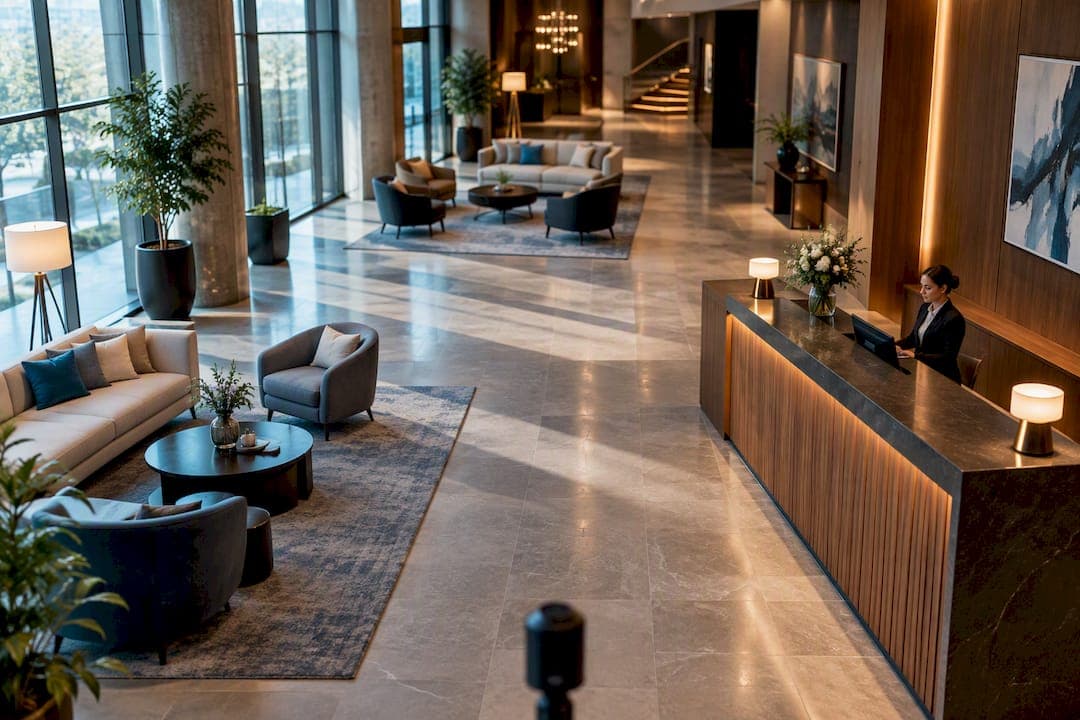
Yes, virtual tours boost your local visibility, mostly by driving the engagement signals Google Business Profile rewards, not by acting as a direct ranking factor. Businesses with photos and a 360° tour are twice as likely to generate calls, direction requests, and website clicks, according to Google-cited data compiled by local SEO researchers. Add virtual tour software to the mix to get a practical way to build, host, and track that tour without hiring a developer.
TL;DR:
- Virtual tours primarily boost engagement signals like calls and direction requests, which influence local search prominence, rather than directly impacting rankings.
- Embedding tours on your website with proper SEO structures, like UTM tagging and schema markup, can produce a 200 to 400 percent increase in search traffic within a year.
- Simplifying tour design by limiting hotspots, using descriptive scene names, and placing calls-to-action after initial engagement improves user interaction and conversion.
- Publishing directly to Google Street View provides maximum Maps visibility, while hosting and embedding tours on your site enhances control and SEO benefits.
- Technical SEO for tours requires fast load times through CDN and image compression, a solid HTML fallback for indexing, and regular performance monitoring using tools like Google's PageSpeed Insights.
Table of Contents
- Why Virtual Tours Improve Local Search Visibility
- How to Publish a Virtual Tour on Google Business Profile
- Technical SEO Checklist for Crawlable, Fast Virtual Tours
- Tour Design Rules That Keep Visitors Engaged
- Measuring Impact: What to Track and When to Expect Results
- Why Simple Virtual Tour Fits This Checklist
- What I'd Prioritize First
- Get Your Tour Live With Simple Virtual Tour
- Sources
- FAQ
Why Virtual Tours Improve Local Search Visibility
Google doesn't have a line item in its algorithm labeled "virtual tour bonus." What it does have is a well-documented pattern: listings that hold attention and prompt action tend to outrank listings that don't. A 360° tour is one of the few Google Business Profile assets that does both at once. It keeps a visitor looking at your business for longer, and it gives them something concrete to click.
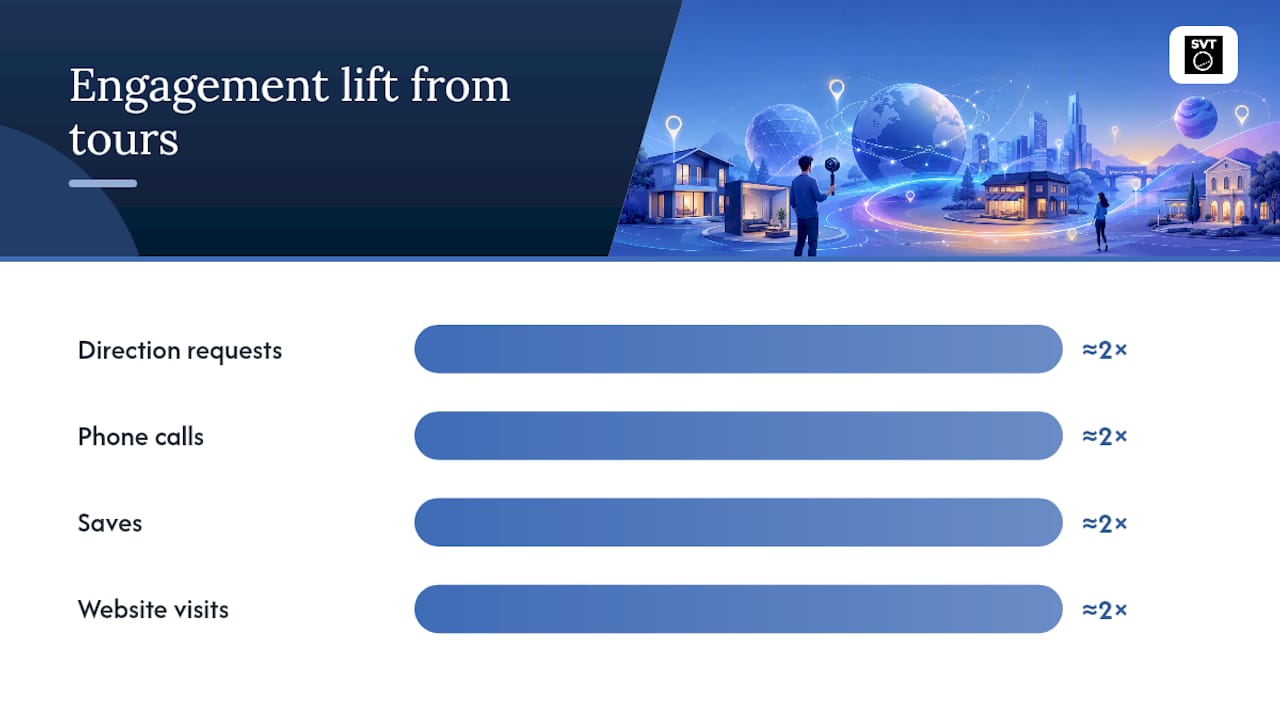
Google itself has said businesses with photos and virtual tours are roughly twice as likely to produce direction requests, calls, saves, and website visits than listings without them, based on analysis from a UK-focused GBP ranking guide. That matters because Google's local algorithm leans heavily on relevance, distance, and prominence, and prominence gets built from exactly these signals: how often people interact with your listing and how they behave once they do.
The engagement outcomes that actually move the needle are narrow and specific:
- Click-through rate to your website from the Business Profile, which tells Google your listing is worth exploring further.
- Phone calls and direction requests, the two clearest high-intent actions a local search engine can measure.
- Dwell time on the tour itself, since a visitor who spends two minutes inside a 360° space is behaving very differently than one who bounces in three seconds.
- Photo and tour views, which Google Business Profile Insights reports separately from ordinary photo views.
Not every business benefits equally. Real estate listings, restaurants, hotels, event venues, and any business where "what does this place actually look like" is a real buyer question see the sharpest gains. A tax preparation office or a plumbing company will see smaller lifts, simply because fewer searchers are trying to visualize the space before they act. If your business sells an experience, a room, or a feeling, a tour earns its place. If it sells a service performed elsewhere, it helps less.
How to Publish a Virtual Tour on Google Business Profile
You have three real options for getting a tour in front of local searchers, and they aren't mutually exclusive. Most businesses end up using two of the three.
- Publish directly to Google Street View. This gets your tour embedded natively inside Google Maps and Search results, which is the highest-visibility placement available. The tradeoff is less control: you're working inside Google's viewer, with Google's navigation and Google's branding conventions, and updates can take longer to reflect.
- Link a hosted tour in your GBP posts, website field, or "virtual tour" URL slot. This keeps you in full control of design, hotspots, and branding, and it's the fastest to update. The downside is that it lives one click away from the profile instead of embedded in it.
- Embed the tour on your own website and link to it from GBP. This is the strongest option for SEO because it gives you a real, crawlable page instead of a black box, and it lets you build supporting content around the tour. Pairing this with a dedicated property tour page tends to outperform a bare embed.
Most operators do all three: Street View for maximum Maps visibility, a hosted link for control, and a website embed for SEO value.
Once the tour exists, the optimization work on GBP itself follows a short checklist. Choose a genuinely strong cover 360 image, one that represents the space accurately rather than the most flattering angle. Align your GBP categories with what the tour actually shows, since a mismatch confuses both users and Google's relevance matching. Label your tour scenes with plain, descriptive names instead of "Scene 1" or "IMG_4021," and build navigation that nudges visitors toward two or three key stops rather than dumping them into a maze. Guidance from a GBP-focused optimization walkthrough covers all four of these as baseline requirements, and one addition matters just as much: UTM tagging every tour link.
Statistic to know: properly optimized virtual tours typically produce 200 to 400 percent increases in organic search traffic within six to twelve months, compared to tours published with no SEO structure behind them.
Tag every tour link with UTM parameters like ?utm_source=gbp&utm_medium=profile&utm_campaign=virtual_tour so Google Analytics can separate tour-driven visitors from ordinary organic traffic. Watch for indexing within one to two weeks for a website-embedded tour, and check by searching site:yourdomain.com plus a unique phrase from the tour page. GBP-hosted assets like Street View publish faster but offer far less analytics visibility, so the website embed remains your best source of hard numbers.
Technical SEO Checklist for Crawlable, Fast Virtual Tours
A gorgeous tour that Google can't crawl is invisible to search, full stop. Most 360° viewers run on JavaScript, and JavaScript-rendered content is exactly what search crawlers historically struggle with. That's the first problem to solve, not the last.
Build an HTML fallback page for every tour, one with real text, real headings, and a real URL, and add that page to your XML sitemap. This gives Google something solid to index even if it never fully renders the interactive viewer, a fix confirmed by technical SEO guidance for immersive tour content. Skip this step and you're relying entirely on Google's JavaScript rendering queue, which is slower and less reliable than standard HTML crawling.
Performance is the next hurdle, because 360° panoramas are heavy files by nature.
- Serve tour media through a CDN so load times don't depend on your origin server's location.
- Lazy load scenes and hotspots so the browser only pulls what's visible.
- Compress imagery aggressively; a 360° panorama rarely needs to exceed 2 to 3 MB per scene to look sharp.
- Hit Core Web Vitals targets: Largest Contentful Paint under roughly 2.5 seconds, First Input Delay under 100 milliseconds, and minimal Cumulative Layout Shift, per Core Web Vitals benchmarks applied to 360° content.
Pro Tip: Run your tour's HTML fallback page through Google's PageSpeed Insights, not just the interactive viewer. The fallback page is what's actually getting crawled and scored, so that's the version that needs to pass.
Structured data closes the loop. Add LocalBusiness schema to the tour's fallback page, and where it applies, layer in TouristDestination or similar markup that tells Google exactly what kind of place the tour represents. Pair that with genuinely descriptive meta titles and descriptions, since "Virtual Tour" as a page title tells search engines nothing useful.
Round out the technical work with image SEO basics: descriptive alt text on every panorama and thumbnail, compressed and properly sized thumbnail previews for social and search snippets, canonical tags if the tour is accessible through more than one URL, and a hard rule against session-parameter URLs that create duplicate, unindexable versions of the same tour. A mobile optimization guide built specifically for immersive tours walks through the mobile side of this in more depth, and a broader look at technical SEO for interactive content covers the JavaScript rendering issue for other formats too.
Tour Design Rules That Keep Visitors Engaged
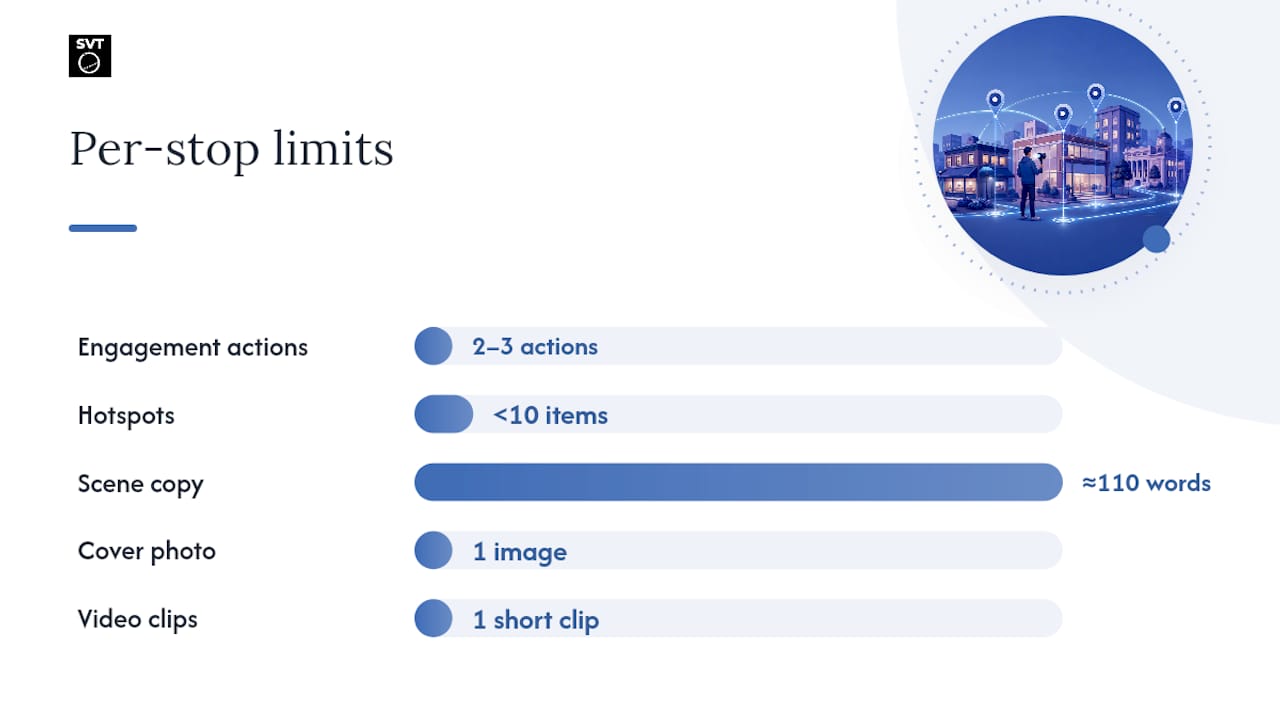
The first two or three interactions inside a tour decide almost everything that happens after. Visitors who take at least two actions inside a tour are substantially more likely to keep exploring, while drop-off accelerates fast after that early window, according to best-practices research on 360° tour engagement. That means your most compelling stop, not your lobby or your parking lot, needs to be one of the first two scenes.
A few content rules follow directly from that finding:
- Keep hotspots and clickable items under 10 per stop. More than that and mobile visitors start abandoning rather than exploring.
- Write scene descriptions under about 110 words. Long blocks of text inside a 360° viewer get skipped, especially on a phone screen.
- Use one honest, accurate cover photo. A cover image that oversells the space creates a bounce the moment the real tour loads.
- Label scenes with real names ("Main Dining Room," "Rooftop Patio") instead of generic numbering.
- Limit video to one short clip per stop, and only where it adds something a still panorama can't show.
Statistic to know: designs built around genuine user interaction, storytelling, and multisensory detail measurably outperform tours built around raw technical polish. Controlled testing on virtual tour design found that a Parmigiano Reggiano tour built with narrative structure and interactive elements increased both product knowledge and purchase intent among test users, a result that held because the design prioritized user experience over technology for its own sake.
That last point has a direct practical takeaway: don't put your booking form or contact CTA on the first stop. Place it at the third stop instead, once a visitor has already taken two actions and demonstrated real interest. Testing different CTA placements, cover images, and scene orders on a rolling basis tends to beat a single big redesign, since small changes are faster to measure and far less risky to ship.
Measuring Impact: What to Track and When to Expect Results
Six numbers tell you whether a tour is pulling its weight: profile views, clicks to your website, average time spent inside the tour, direction requests, phone calls, and the conversion rate of visitors who came through the tour specifically. Watching all six together, rather than any one in isolation, is what separates a useful measurement setup from a vanity metric.
- Tag every tour link with UTM parameters (
utm_source=gbp,utm_medium=profile,utm_campaign=tour) so Google Analytics can isolate tour traffic from general organic visits. - Cross-reference GBP Insights with Analytics weekly for the first month, since GBP Insights shows profile-level actions while Analytics shows what happens after the click.
- Set a realistic timeline. Profile-level engagement (calls, direction requests) often shifts within a few weeks of publishing. Organic traffic gains take longer, typically six to twelve months for the full 200 to 400 percent lift that well-optimized tours tend to produce.
- A/B test one variable at a time. Swap the cover image, reorder two stops, or move the CTA, then hold everything else steady for at least two to three weeks before judging the result.
Tracking UTM data over time also reveals which neighborhoods or referral channels convert best, information that's genuinely useful for deciding where to spend on local promotion next, a pattern confirmed by GBP optimization research.
Why Simple Virtual Tour Fits This Checklist
Every task above, hosted or self-hosted deployment, Google Street View publishing, and analytics hooks for UTM tracking, maps directly onto features built into this platform. The platform supports unlimited tours, so testing multiple cover images or scene orders across locations doesn't typically require additional per-tour fees. Its backend is built to be user-friendly, which helps because much of this checklist (labeling scenes, setting navigation, tagging links) is operational rather than developer work.
For a business trying to execute the technical and measurement steps covered here without hiring outside help, that combination of unlimited tours, Street View publishing, and built in tracking closes most of the gap between knowing what to do and actually doing it.
What I'd Prioritize First
If you're starting from zero, skip the redesign fantasy. Fix your GBP cover photo, pick two or three stops that actually sell the space, and tag every link with UTM parameters before you touch anything else. DIY works fine for a single location with basic needs; bring in help or lean on a self-hosted tool once you're managing multiple properties or need real customization. Whatever you change, measure the week before and the weeks after, or you'll never know what actually worked.
— Andrea
Get Your Tour Live With Simple Virtual Tour
The software is built exactly for the checklist above: SEO-friendly hosting, mobile-optimized viewers, UTM-ready links, and direct Google Street View publishing, without needing a developer on standby. Because it offers both cloud-hosted and self-hosted deployment, users can retain control over their data and potentially reduce recurring costs compared to some other tour platforms.
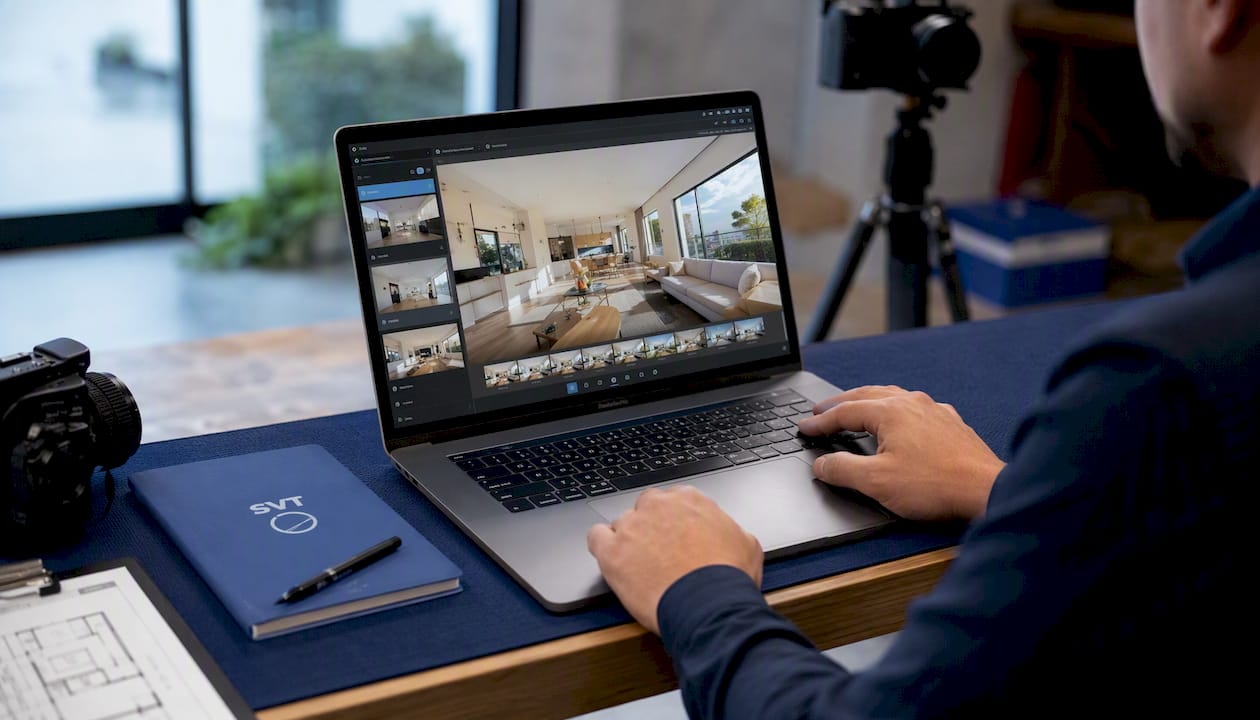
If you're managing a single location, a free plan often lets you publish a working tour and start tagging links without requiring a credit card. Businesses ready to manage several properties, add e-commerce features, or unlock live session hosting can compare the full plan lineup, from XS (Starter) through XL (Enterprise), on the Simple Virtual Tour plans page. When you're ready to move past the free tier, you can start your subscription here and have a tour live on your Business Profile within days.
Sources
- Virtual Tour SEO: Optimize 360 Content for Google Rankings
- 360 Tour Best Practices & FAQ – Concept3D Help
- Design guidelines for virtual tours that engage users and support marketing goals
FAQ
Does adding a virtual tour directly boost Google rankings?
Not directly. Virtual tours boost the engagement signals, clicks, calls, direction requests, and dwell time, that feed into Google's local prominence factor, and businesses with tours are twice as likely to generate those actions than businesses without one.
How long does it take to see SEO results from a virtual tour?
Profile-level engagement often shifts within a few weeks of publishing. Organic traffic gains take longer, with well-optimized tours typically producing a 200 to 400 percent traffic increase over six to twelve months.
Should I use Google Street View or a hosted tour link?
Use both where you can. Street View gets you native placement inside Google Maps, while a hosted or embedded tour, like one built with Simple Virtual Tour, gives you full control over branding, navigation, and analytics tracking.
How many hotspots should each tour stop have?
Keep it under 10 hotspots per stop, and keep any text descriptions under roughly 110 words. That limit exists specifically to preserve mobile readability and engagement.
What does Simple Virtual Tour cost?
The Free Forever plan has no published price, and paid cloud plans start at affordable monthly rates, with full pricing details available on the provider's website. Full pricing and plan comparisons are available on the Simple Virtual Tour site.