

An interactive learning space is a physical, virtual, or hybrid educational environment designed to shift students from passive reception to active, student-centered participation through the deliberate integration of pedagogy, technology, and spatial design. If you are evaluating whether this concept applies to your context, check three things quickly:
- Does the space support student-to-student or student-to-content interaction, not just teacher-to-student delivery?
- Does it enable real-time feedback, whether through polling, peer discussion, or formative checks?
- Is the physical or digital layout designed to support collaboration and movement, not just rows facing a screen?
If you answered yes to all three, you are working with an interactive learning environment. Concrete examples span every level: a K–12 makerspace where students build and test prototypes together, a higher-ed lecture hall reconfigured for peer instruction, and a virtual guided lab tour students explore asynchronously before a live discussion session.
Table of Contents
- What does "interactive learning space" actually mean?
- The three core dimensions that define every interactive learning space
- Why interactive learning spaces produce better outcomes
- What interactive learning spaces look like in practice
- A practical checklist for designing your interactive learning space
- Which technology categories actually support interactivity?
- How to implement an interactive learning space step by step
- Common pitfalls and how to avoid them
- Research frameworks that inform interactive space design
- Near-term trends shaping interactive learning spaces
- Key Takeaways
- What experienced educators actually prioritize when designing these spaces
- Simple Virtual Tour supports interactive learning without replacing pedagogy
- Useful sources for deeper reading and proposals
What does "interactive learning space" actually mean?
The term covers three distinct physical manifestations, and conflating them leads to poor design decisions.
Purely physical spaces are classrooms, labs, or makerspaces redesigned with flexible furniture, multiple writable surfaces, and instructor placement that supports facilitation rather than lecturing. The defining feature is that the room itself signals participation: chairs move, walls accept markers, and sightlines allow peer-to-peer exchange. Ball State University's Interactive Learning Space Initiative demonstrates this well, combining portable whiteboards, multiple projection points, and instructor mobility to support engaged learning.
Fully virtual environments include synchronous online classrooms, 360° virtual lab tours, and simulation platforms. The interactivity comes from structured tasks: a student navigating a virtual chemistry lab, annotating observations, and then posting questions before a live debrief is doing something fundamentally different from watching a recorded lecture. The space is digital, but the pedagogical aim is identical.
Hybrid or blended spaces combine both. A student completes a virtual field trip as pre-class work, then arrives in a physical classroom where small groups analyze what they observed. The interaction spans both environments, and the design must account for both. This is where most modern implementations land, and it is also where the most planning is required.
What stays constant across all three forms is the pedagogical aim: student agency, timely feedback, and genuine collaboration. A room full of expensive screens with students still listening passively is not an interactive learning space. The definition of interactive learning space centers on the shift from passive reception to active participation, and that shift is driven by instructional design, not hardware.
The three core dimensions that define every interactive learning space
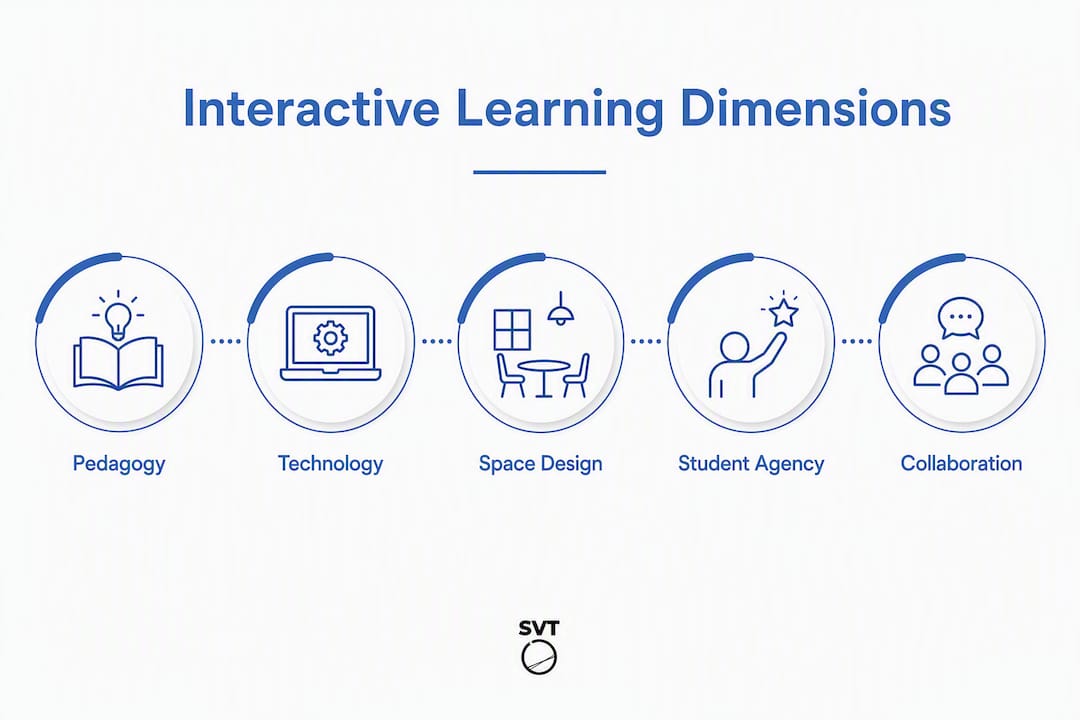
Auditing or planning a space becomes much cleaner when you work across three dimensions: pedagogy, technology, and spatial design. Each one is necessary; none is sufficient alone.
| Dimension | What to look for | Observable features |
|---|---|---|
| Pedagogy | Student-centered methods, peer instruction, inquiry-based tasks | Think-pair-share prompts, conceptual questions posted before class, project briefs with student choice |
| Technology | Real-time feedback tools, interactive displays, virtual content | Polling software, interactive whiteboards, 360° tour content, shared digital workspaces |
| Space design | Flexible layout, visibility, functional zones | Movable tables and chairs, writable wall surfaces, distinct collaboration and focus zones |
Pedagogy is the foundation. Peer instruction, inquiry-based learning, and problem-based tasks all require students to generate, test, and revise ideas rather than receive them. Without this layer, technology becomes decoration.
Technology serves as the feedback and content layer. Real-time polling surfaces misconceptions before peer discussion begins. Interactive displays let groups annotate shared work. Virtual tours and 360° content extend the space beyond four walls, giving students access to environments that would otherwise be inaccessible. The role of technology in learning spaces is to accelerate the feedback loop, not to replace the instructor.

Space design is the enabler. Portable furniture allows rapid reconfiguration from whole-class to small-group work. Multiple writable surfaces mean every group can work simultaneously without waiting for a single shared screen. Instructor placement away from the front of the room signals that the teacher is a facilitator, not a broadcaster.
Pro Tip: Audit one dimension at a time. Spend 15 minutes observing only furniture movement during a single class session before evaluating technology. Single-dimension audits surface specific, fixable problems faster than broad assessments.
Why interactive learning spaces produce better outcomes
The benefits of interactive learning are well-documented, and they cluster around four outcomes:
- Retention: Students who construct knowledge through discussion and application retain it longer than those who receive it passively.
- Critical thinking: Collaborative tasks that require students to evaluate competing ideas build analytical skills that lecture-only formats rarely develop.
- Collaboration and communication: Structured peer interaction develops the interpersonal skills that employers and graduate programs consistently rank as priorities.
- Self-efficacy: When students experience success through their own reasoning rather than memorization, their confidence in tackling new problems increases.
One concrete example: in peer-instruction sessions where students discuss conceptual questions before re-voting, concept mastery improves significantly compared to passive lecture delivery. Another: students in project-based modules show higher persistence through difficulty, likely because the task structure gives them agency over their approach.
A critical caveat: these benefits depend on the quality of the pedagogy, not the presence of technology. Comparative academic reviews confirm that interactive approaches increase motivation, engagement, and knowledge retention compared to lecture-dominant instruction, but they also flag cognitive overload and access barriers as real risks when implementation is careless. The activity design matters more than the gadget budget.
What interactive learning spaces look like in practice
Four use cases show the range of what is possible.
K–12 collaborative STEM lab. Groups of four students rotate through stations: one builds a circuit, one records observations on a shared digital board, one researches a related concept on a tablet, and one prepares a two-minute explanation for the class. The room has movable tables, a central display for whole-group debrief, and a writable wall for each station. Typical session length allows sufficient time for collaboration among a typical class size supportive of group work. The main constraint is transition time; without clear protocols, rotations eat 10–15 minutes of productive work.
Higher-ed active-learning lecture converted to peer instruction. A lecture is restructured to include segments of content delivery followed by conceptual questions to engage students actively. Students commit to an individual answer, discuss with a neighbor, and re-vote. The instructor sees the distribution shift in real time and adjusts the follow-up explanation. This approach draws directly on Eric Mazur's peer instruction research at Harvard, which shows that better questions and peer discussion can substantially increase learning gains over passive lecturing. Group size: 30–200 students. Constraint: question quality is everything; weak questions produce shallow discussion.

Corporate microlearning with live virtual sessions. A team of 12 completes a 10-minute asynchronous module, then joins a 30-minute live virtual session where a facilitator poses scenarios and small breakout groups propose solutions. The interaction happens across both the async content and the synchronous debrief. Constraint: without a skilled facilitator, breakout groups drift off-task quickly.
Virtual lab or field trip using an interactive tour. Students explore a 360° virtual environment before class, using embedded hotspots to answer guiding questions. They arrive at the in-person session having already formed hypotheses, which the instructor uses as the starting point for discussion. Virtual lab tour strategies show how this pre-class orientation model works across science, history, and architecture courses. Constraint: students need a device and a reliable connection; low-bandwidth alternatives should be available.
A practical checklist for designing your interactive learning space
Use this list when redesigning or evaluating a space. Items are ordered from must-have to nice-to-have.
Must-haves (minimum viable interactive space):
- Movable furniture. Tables and chairs that reconfigure in under three minutes. Fixed rows are the single biggest physical barrier to peer collaboration.
- Multiple writable surfaces. At least one writable surface per group of four students. Whiteboards, glass walls, or large sticky-note pads all work.
- Reliable, low-latency display. At least one screen or projector that responds without lag. Latency above two seconds breaks the feedback loop during polling.
- Simple student-device pairing. Students should be able to connect to a shared platform in under 60 seconds. Complex login flows kill momentum.
- A formative-assessment loop. A mechanism for the instructor to check understanding mid-session: polling software, exit tickets, or a visible group-work artifact.
Nice-to-haves (add when budget allows):
- Multiple display points so every group can project simultaneously.
- Acoustic treatment to reduce cross-group noise during collaboration.
- Dedicated maker or fabrication tools for hands-on STEM work.
Accessibility callouts:
- Provide live captioning or transcripts for any audio or video content.
- Offer alternative input methods (keyboard navigation, voice input) for digital tools.
- Confirm physical access: aisle widths, table heights, and door clearances for wheelchair users.
- Maintain a low-bandwidth option for every digital activity so students with limited connectivity are not excluded.
Which technology categories actually support interactivity?
The goal is to match the tool to the pedagogical need, not to collect hardware. Six categories cover most classroom scenarios.
Interactive display hardware (smartboards, large-format touchscreens) supports whole-group annotation and shared visual work. Use it to display student-generated content during debrief, not just instructor slides. Selection criteria: touch latency under 20 milliseconds, compatibility with your existing devices.
Audience response and polling tools surface misconceptions in real time. The integration tip here is specific: run the poll before peer discussion, not after. Seeing that 40% of the class chose the wrong answer motivates students to actually talk to each other.
Collaboration platforms (shared digital whiteboards, document co-editing) allow simultaneous group work without physical proximity. Prioritize tools that work on student-owned devices and do not require account creation.
Virtual tours and 360° content extend the learning space beyond the building. A geology class can explore a rock formation; a nursing program can walk through a clinical environment before a simulation. Student engagement strategies using virtual tours show how embedded questions and hotspots turn passive viewing into structured inquiry. Vendor-agnostic criteria: ease of hotspot creation, mobile compatibility, and the ability to host live guided sessions.
Simulation software gives students a consequence-free environment to test decisions. Most effective when paired with a structured debrief that connects simulation outcomes to real-world principles.
Assessment and analytics tools close the feedback loop at scale. Look for tools that surface class-wide patterns, not just individual scores, so you can adjust instruction in real time.
How to implement an interactive learning space step by step
A realistic pilot runs 6–12 weeks. A semester-scale rollout adds a refinement phase before wider adoption.
-
Define learning goals first. Identify two or three specific outcomes you want to improve: concept retention, peer collaboration, or formative feedback frequency. Goals drive every subsequent decision about space and technology.
-
Design space and technology specifications. Map the physical layout against your goals. If peer discussion is the priority, movable furniture and multiple writable surfaces come before any screen purchase. Select technology that runs on devices students already own when possible.
-
Pilot with one course or cohort. Scope the pilot tightly: one instructor, one course, one term. This limits the cost of failure and generates clean data. Collect simple metrics from week one: participation rates, formative assessment scores, and a brief student survey.
-
Collect feedback and refine. At the midpoint of the pilot, run a 10-minute structured debrief with students and a separate conversation with the instructor. Adjust one variable at a time: a different polling question format, a new furniture configuration, or a revised task brief.
-
Scale and measure. Before expanding, confirm that the pilot's learning outcomes improved and that the instructor feels confident facilitating the new format. Budget guidance: a low-cost pilot can run on existing devices plus a free polling tool and rearranged furniture. A medium-investment rollout adds interactive displays and a collaboration platform license. A high-investment space adds dedicated maker tools, acoustic treatment, and custom virtual content.
Pro Tip: Re-use furniture from underutilized spaces before purchasing new pieces. A set of lightweight folding tables from a conference room can transform a fixed classroom layout at zero cost.
Common pitfalls and how to avoid them
Even well-designed spaces fail when implementation overlooks a few recurring problems.
Cognitive overload. Too many simultaneous tools or tasks fragment student attention. Mitigation: design each session around one primary interaction mode. If students are doing peer discussion, the screen should show only the question, not a dashboard of live data.
Technology as distraction. Devices open for "research" become devices open for social media. Mitigation: give students a specific, time-bounded digital task with a visible output. Open-ended "look it up" instructions are the most common cause of off-task device use.
Insufficient teacher facilitation. The shift from content deliverer to facilitator is the hardest part of the transition. Instructors who have taught lecture-style for years need structured professional development on questioning techniques and small-group management, not just a technology tutorial.
Unequal device access. A collaborative activity that requires a personal device excludes students who do not have one. Mitigation: maintain a device loan program, design activities that work on shared devices, and always have a paper-based fallback.
Measurement gaps. Pilots that collect no data cannot justify continuation or expansion. Mitigation: agree on three simple metrics before the pilot begins: a participation proxy (e.g., number of poll responses per session), a learning outcome measure (pre/post quiz score), and a satisfaction indicator (one-question student survey).
Red flags that signal a pause or redesign:
- Formative assessment scores decline over three consecutive sessions despite instructor adjustment.
- More than 20% of students consistently cannot access the digital components of a session.
- Instructor reports feeling less confident facilitating than before the pilot began.
Research frameworks that inform interactive space design
Two frameworks give educators a principled basis for design decisions.
The ICAP framework (Interactive, Constructive, Active, Passive) ranks learning activities by cognitive engagement. Interactive tasks, where students co-construct knowledge through dialogue and debate, produce the strongest outcomes. Constructive tasks, where students generate new representations like diagrams or explanations, come next. Active tasks, such as highlighting or re-reading, are better than passive reception but weaker than the top two tiers. A 2024 study in Scientific Reports supports this hierarchy, finding higher cognitive and motivational effects for interactive and constructive activities. The practical implication: when you design a session, ask whether the task requires students to produce something new or to respond to a peer's idea. If the answer is no, the task is probably active or passive, and you can redesign it.
Eric Mazur's peer instruction model offers a concrete classroom procedure: pose a conceptual question, have students commit to an individual answer, facilitate peer discussion, then re-vote. The shift in the answer distribution tells the instructor whether the concept landed. Mazur's research, documented through the Harvard Graduate School of Education, shows that this approach can substantially increase learning gains compared to passive lecturing, and the key variable is question quality, not technology.
| Framework | Core principle | Practical implication |
|---|---|---|
| ICAP | Interactive > Constructive > Active > Passive | Design tasks that require student-to-student dialogue or knowledge generation |
| Peer Instruction (Mazur) | Conceptual questions + peer discussion drive gains | Restructure lectures: question → individual commit → peer discuss → re-vote |
Near-term trends shaping interactive learning spaces
Three directions are worth budgeting for in the next two to three years.
- Hybrid immersive experiences. The line between physical and virtual is blurring. Schools and universities are combining in-room collaboration with live virtual environments, so a student in the classroom and a remote student can interact with the same 360° content simultaneously.
- Learning analytics for formative feedback. Platforms are moving toward session-level dashboards that show participation patterns, response distributions, and time-on-task in real time, giving instructors data they can act on during the class, not just after it.
- Low-cost, accessible interaction tools. The most durable trend is the move toward software-first interactivity that runs on student-owned devices, reducing the dependency on expensive dedicated hardware.
Future-proof your space by prioritizing interoperable, standards-based technology and pedagogy-first investments; the specific tools will change, but the instructional design principles will not.
Key Takeaways
An interactive learning space works when pedagogy, technology, and spatial design reinforce each other — not when any single dimension is treated as sufficient on its own.
| Point | Details |
|---|---|
| Definition | An interactive learning space shifts students from passive reception to active participation through pedagogy, technology, and spatial design. |
| Core dimensions | Audit pedagogy, technology, and space design separately; all three must align for the space to function as intended. |
| Evidence base | The ICAP framework and Mazur's peer instruction research both confirm that interactive and constructive tasks produce stronger learning outcomes than passive or low-engagement activities. |
| Implementation | Start with a tightly scoped pilot of one course or cohort; collect three simple metrics before the pilot begins to justify continuation. |
| Simple Virtual Tour | Virtual tours built with Simple Virtual Tour can serve as pre-class orientation or asynchronous exploration activities within a broader interactive learning sequence. |
What experienced educators actually prioritize when designing these spaces
Most pilots I have seen succeed or fail on a single variable: the quality of the questions the instructor asks, not the sophistication of the technology in the room. A teacher with a well-crafted conceptual question and a set of movable chairs will outperform a fully equipped smartroom where the instructor still delivers 70 minutes of uninterrupted content.
The practical shift is from slide-perfect preparation to question-rich preparation. Before a session, ask yourself: what is the hardest idea in this material, and what question would force a student to reason through it rather than recall it? That question is the session's anchor. Everything else, the furniture arrangement, the polling tool, the collaborative task, should serve that question.
Where I see educators go wrong most often is in the opposite direction: they add stimulation when they should be removing it. A session with five different digital tools, three group configurations, and two videos is not more interactive than a session with one good question and 20 minutes of structured peer discussion. Dial back the technology when the cognitive load is already high. The goal is deep engagement with one idea, not surface contact with many.
Pro Tip: Plan your session around two or three high-quality questions rather than a full slide deck. If you can answer every question by recall, the questions are not hard enough to drive real discussion.
Simple Virtual Tour supports interactive learning without replacing pedagogy
If your interactive learning strategy includes virtual environments, pre-class exploration, or asynchronous content, Simple Virtual Tour gives you a practical way to build that layer without a steep technical learning curve. The platform supports live guided sessions, so you can lead a group through a 360° environment in real time, pause at hotspots, and prompt discussion the same way you would in a physical space.

Three ways educators typically use it within a broader interactive design: as a pre-class orientation that gives students a shared reference point before an in-person discussion; as a virtual lab or field visit for courses where physical access is limited; and as an asynchronous exploration activity paired with a structured reflection prompt. Virtual tours work best as part of a learning sequence, not as a standalone experience, and Simple Virtual Tour's live session capability makes it straightforward to connect the async exploration to a synchronous debrief.
The platform runs on a cloud-hosted subscription or a one-time self-hosted purchase, so you can choose the model that fits your institution's data and budget requirements. Start building your first interactive tour and see how it fits into your existing course design.
Useful sources for deeper reading and proposals
Use these sources when building an internal proposal, a professional development session, or a literature review.
- ERIC EJ1195242 — Classroom Interaction Redefined: A peer-reviewed study examining the impact of an active learning space across four disciplines; useful for citing statistically significant engagement differences in proposals.
- Harvard Graduate School of Education — The Benefit of Interactive Learning — Summarizes Mazur's peer instruction findings; the clearest practitioner-facing explanation of why question quality drives learning gains.
- Ball State University Interactive Learning Space Initiative — Concrete design examples for physical spaces, including furniture, projection, and instructor placement; useful for facilities planning.
- Discovery Education — Interactive Learning: Benefits, Tools & Implementation — Practitioner-oriented overview of tools and outcomes; good for PD sessions aimed at teachers new to interactive methods.
- arXiv — A Comparative Study on the Impact of Traditional and Interactive Learning — Synthesizes multiple studies on motivation, engagement, and retention; useful for balanced proposals that acknowledge both benefits and risks.