

Cultural site virtual tours are immersive, interactive online experiences that bring art, history, and heritage directly to audiences via web and VR platforms. The industry term for these experiences is "immersive digital heritage presentation," and the best examples, including the Mount Vernon virtual tour, the Louvre's online exhibitions, and Google Arts & Culture, prove that well-designed tours do far more than display photos. They replicate the emotional and educational depth of a physical visit. This article covers the most effective cultural site virtual tour ideas, the technologies behind them, and practical strategies educators and cultural enthusiasts can use right now.
What makes a successful cultural site virtual tour?
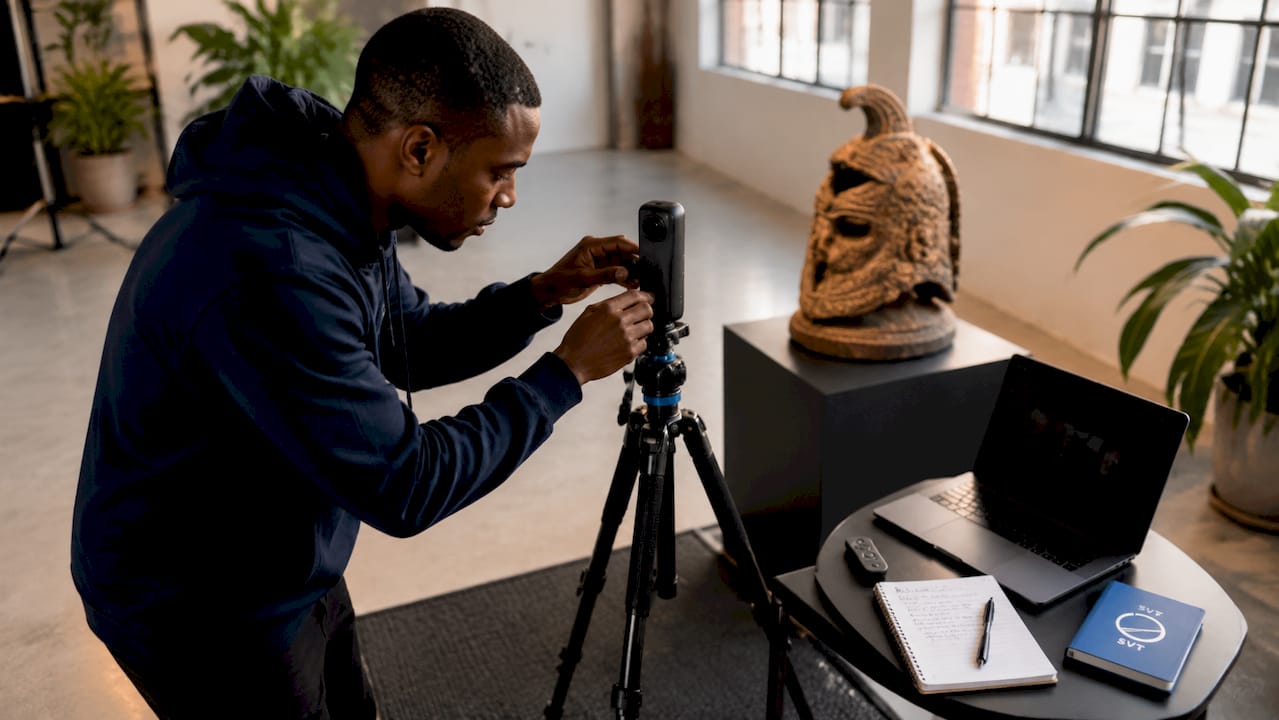
The foundation of any effective virtual tour is high-quality 360-degree HDR photography. HDR imaging captures a full range of light and shadow, making spaces feel real rather than flat. When combined with digital twin technology, which uses LIDAR scanning and photogrammetry to build accurate 3D models of physical spaces, the result is a visit that feels present and spatially honest.
Interactive navigation features are the second pillar. 87% of users consider clickable hotspots and floor plan jumps essential for virtual museum tours. That figure reflects a clear demand: passive 360-degree walkthroughs are not enough. Educators and visitors expect to click, explore, and choose their own path.
Multimedia integration completes the picture. Audio guides, embedded videos, primary source documents, and curator notes all add layers of context that a photograph alone cannot provide. Cross-platform accessibility, meaning the tour works equally well on desktop, mobile, and VR headsets, determines how many people can actually reach that content.
- 360-degree HDR photography for realistic spatial representation
- Clickable hotspots linking to audio, video, and documents
- Interactive floor plans for intuitive navigation
- Multi-language support for global and classroom audiences
- VR compatibility for immersive educational use
Pro Tip: Optimize your navigation before launch. Research shows user presence scores improved from 38% to 79% after interactive navigation was refined in the Mount Vernon virtual tour project.
9 innovative virtual tour ideas for cultural sites
1. Curated storytelling paths with layered hotspots
A curated storytelling path guides visitors through a logical sequence of spaces, mimicking the flow of a real museum visit. Each room or zone connects to the next with a clear narrative thread. Storytelling hotspots linking to primary documents, audio guides, and videos significantly improve dwell time and visitor satisfaction. The Mount Vernon virtual tour uses this approach to walk visitors through George Washington's estate with historical context at every turn.
2. Gamified learning experiences
Gamification adds quizzes, scavenger hunts, and interactive tasks directly inside the tour. A student visiting a virtual Egyptian antiquities gallery might answer questions about artifacts before unlocking the next room. This format keeps younger audiences engaged and gives educators a built-in assessment tool. The key is keeping the game layer light enough that it supports the content rather than distracting from it.
3. Digital twin models for conservation-sensitive sites
Some heritage sites are too fragile for high visitor traffic. LIDAR and photogrammetry build accurate digital twins that reduce physical pressure on these locations while enabling global access. A crumbling Roman villa or a restricted archive can be explored in full detail online without a single footstep on the original floor. This approach is both a preservation tool and an educational one.
4. Multi-language and accessibility options
A virtual tour that only works in English excludes the majority of the world's population. Adding language toggles, subtitles, and screen reader compatibility turns a single tour into a global classroom resource. The Mount Vernon tour includes language toggling and teacher lesson plans that are widely used in school curricula. Accessibility features like audio descriptions for visually impaired visitors extend that reach even further.
Pro Tip: Build your educator resources directly into the tour as a downloadable hotspot. Teachers are far more likely to use a virtual tour that comes with a ready-made lesson plan attached.
5. VR porting for classroom immersion
Porting a web-based virtual tour to VR headsets transforms a screen experience into a fully immersive one. Low-cost headsets like Google Cardboard and Oculus devices have made this accessible to schools with limited budgets. A class can stand inside the Sistine Chapel or walk the halls of the Palace of Versailles without leaving their classroom. The VR layer does not require a separate build if the original tour is designed with cross-platform deployment in mind.
6. Live guided virtual tours with real-time interaction
A live guided tour pairs a human expert with a virtual environment. The guide controls the tour in real time while participants ask questions via chat or audio. This format works especially well for university courses, museum member events, and school field trips. Platforms that support live session capabilities make this format straightforward to run without specialized broadcasting equipment.
7. Online art gallery tours with artist commentary
Art galleries benefit from audio commentary delivered in the artist's own voice or by a curator who knew the work personally. Embedding these recordings as hotspots next to each piece creates a richer experience than a wall label ever could. The Vatican Museums and the Louvre both offer free 360 virtual tours that demonstrate how audio commentary transforms a static image gallery into a guided conversation about meaning and technique.
8. 3D model integration for artifact exploration
Combining 360-degree panoramas with interactive 3D models of individual artifacts gives visitors a level of access that physical museums rarely allow. A visitor can rotate a Greek amphora, zoom into the brushwork on a Renaissance painting, or examine the underside of a carved stone tablet. 3D and 360-degree integration significantly enhances user learning and satisfaction in virtual museum environments. Platforms like Sketchfab host embeddable 3D models that can be dropped directly into a virtual tour.
9. Educator resource hubs embedded in the tour
The most classroom-ready virtual tours include a dedicated educator zone. This section holds downloadable lesson plans, discussion questions, primary source packets, and curriculum alignment notes. Embedding these resources inside the tour rather than linking to a separate website keeps everything in one place. Educators report higher adoption rates when the tour and its teaching materials arrive as a single package.
Comparing platforms for cultural heritage virtual tours
Choosing the right platform shapes everything from image quality to classroom usability. The table below compares the main options educators and cultural institutions use.
| Platform | 360° photo hosting | Interactive hotspots | VR support | Ease of use | Best for |
|---|---|---|---|---|---|
| Simple Virtual Tour | Yes | Yes | Yes | High | Institutions, educators |
| Google Arts & Culture | Yes | Limited | No | High | Public browsing |
| Sketchfab | 3D models | Limited | Yes | Medium | Artifact display |
| Self-hosted tools | Yes | Yes | Varies | Low | Technical teams |
Simple Virtual Tour supports over 1,400 users and offers both cloud-hosted and self-hosted deployment. That dual model gives institutions control over their data and reduces long-term costs. Google Arts & Culture provides free access to the Louvre, the British Museum, and hundreds of other sites, but its hotspot and customization options are limited. Sketchfab excels at 3D artifact display but is not designed as a full tour platform.
For educators building their own cultural heritage online experiences, a web-based platform with hotspot support, mobile optimization, and live session capability covers the widest range of use cases without requiring technical expertise.
How to design virtual tours for maximum engagement
Engagement in a virtual tour is not accidental. It results from deliberate design decisions made before a single photograph is taken.
Start with a visitor journey map. Decide the sequence of spaces, the emotional arc of the experience, and the key moments where multimedia content will appear. A logical room sequence prevents disorientation and keeps visitors moving forward rather than clicking randomly.
Use educational hotspots to add depth at every decision point. A hotspot on a painting might open a short video about the artist's technique. A hotspot on a building facade might link to a primary source document from the period. Dwell time increases when visitors have reasons to pause and explore rather than simply pan through a space.
- Map the visitor journey before capturing any photography
- Place hotspots at high-interest points to reward curiosity
- Use floor plans as navigation anchors so visitors always know where they are
- Add subtitles to all embedded videos for accessibility
- Track average dwell time as your primary engagement metric
Measure results after launch. Average dwell times of around 18 minutes indicate strong engagement in successful heritage virtual tours. If your tour averages significantly less, the navigation or content density likely needs adjustment.
Pro Tip: Record a short guided walkthrough of your tour and embed it as an optional intro video. First-time visitors who watch a 90-second orientation spend more time exploring the full experience.
Key takeaways
The most effective cultural site virtual tours combine immersive 360-degree photography, layered multimedia hotspots, and cross-platform accessibility to replicate the depth of a physical visit online.
| Point | Details |
|---|---|
| Storytelling paths drive engagement | Curated narrative sequences with hotspots increase dwell time and visitor satisfaction. |
| Digital twins protect fragile sites | LIDAR and photogrammetry enable access to conservation-sensitive heritage sites without physical damage. |
| Multi-language support expands reach | Language toggles and educator resources make tours usable in classrooms worldwide. |
| Platform choice shapes outcomes | Tools like Simple Virtual Tour offer hotspots, VR support, and live sessions in one platform. |
| Dwell time is the key metric | Successful heritage tours average around 18 minutes, a benchmark worth measuring against. |
What I've learned from watching virtual tours succeed and fail
The single biggest mistake I see educators and institutions make is treating a virtual tour like a digital brochure. They upload a set of 360-degree photos, add a title, and call it done. The result is a tour that visitors leave after 90 seconds because there is nothing to do inside it.
The tours that hold attention for 15 or 20 minutes share one quality: they give visitors a reason to stay curious. That means hotspots that reward clicking, audio that adds something the image cannot show, and a sequence that feels like it was designed for a human being rather than assembled for a search engine.
I also think the conservation angle is underused. Virtual tours are one of the most practical tools we have for protecting fragile sites while keeping them accessible. A digital twin of a deteriorating fresco or a restricted archive does not just serve education. It creates a permanent record that outlasts the physical object. Institutions that frame their virtual tours this way tend to attract more serious funding and academic partnerships.
For educators specifically: do not wait for your institution to build a tour for you. Platforms like Simple Virtual Tour make it possible to create a mobile-optimized virtual tour without a technical team. A single educator with a 360-degree camera and a clear lesson plan can build something genuinely useful in a weekend. The technology barrier is lower than most people assume.
— Andrea
Build your own cultural virtual tour with Simple Virtual Tour
Creating an interactive cultural site tour no longer requires a development team or a large budget. Simple Virtual Tour gives educators and institutions the tools to build unlimited interactive tours with multimedia hotspots, floor plan navigation, live session support, and cross-platform compatibility, all from an intuitive backend that requires no coding knowledge.
Simple Virtual Tour supports both cloud-hosted and self-hosted deployment, giving you full control over your content and data. With over 1,400 users already creating tours across real estate, tourism, and education, the platform is built for people who need results without technical complexity. Start building your tour and see how straightforward it is to turn a cultural site into an engaging online destination.
FAQ
What are the best cultural site virtual tour ideas for educators?
The most effective ideas for educators include curated storytelling paths with multimedia hotspots, gamified learning layers with embedded quizzes, and VR-ported experiences using low-cost headsets like Google Cardboard. Adding downloadable lesson plans directly inside the tour significantly increases classroom adoption.
How do I create a virtual tour for a heritage site?
Capture 360-degree HDR photographs of the site, upload them to a platform like Simple Virtual Tour, and add interactive hotspots linking to audio, video, and documents. Plan your visitor journey sequence before shooting to create a logical narrative flow.
How long do visitors spend in a well-designed cultural virtual tour?
Successful heritage virtual tours achieve average dwell times of around 18 minutes. Tours with interactive navigation and layered multimedia consistently outperform passive 360-degree walkthroughs on this metric.
Can virtual tours replace physical visits to cultural sites?
Virtual tours do not replace physical visits, but they serve audiences who cannot travel, protect fragile conservation-sensitive sites from overuse, and extend the educational reach of institutions to global classrooms. They work best as a complement to, not a substitute for, in-person experiences.
What platforms support virtual museum tour ideas with VR compatibility?
Simple Virtual Tour, Sketchfab, and several self-hosted tools support VR compatibility alongside 360-degree photo hosting. Google Arts & Culture offers broad access to major institutions but has limited customization and no native VR support.