
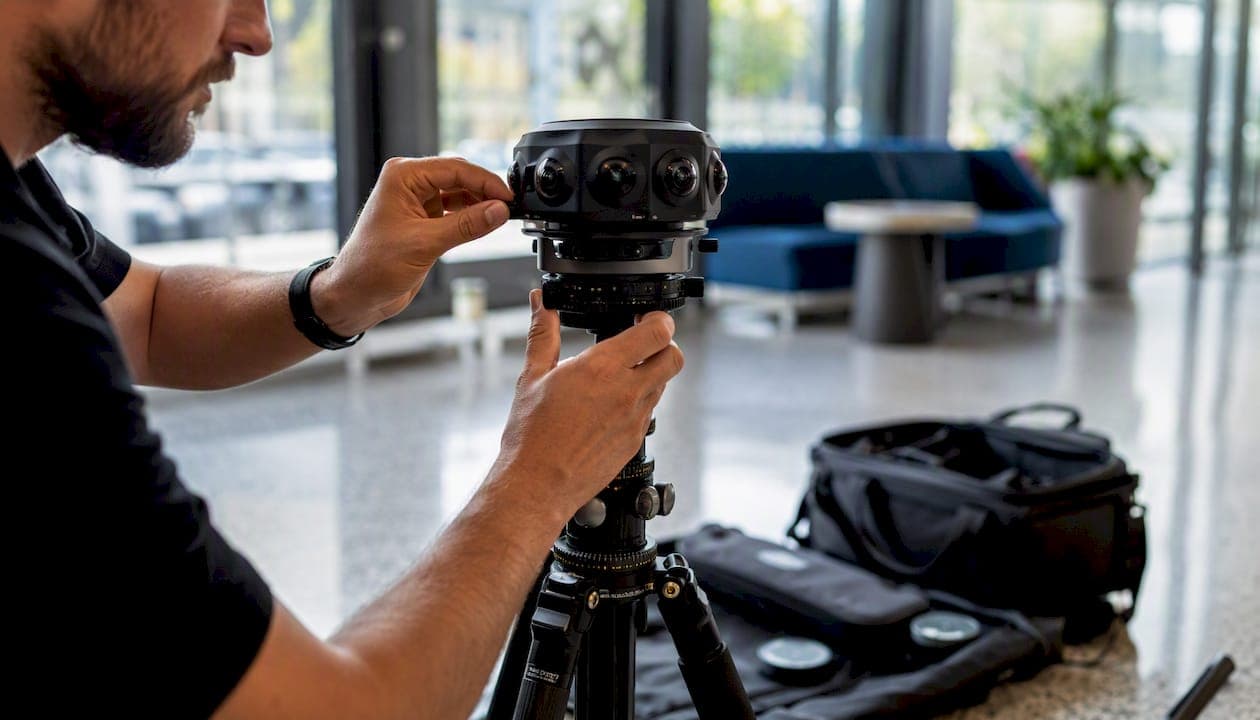
A strong virtual-tour portfolio for a service business includes nine core content types: 360° panoramas, high-resolution still photos, embedded video, floorplans, photorealistic 3D models, interactive hotspots, guided/live sessions, maps, and e-commerce or booking links. Before you publish anything, confirm you hold model releases, property releases, and copyright clearance for every asset.
Quick vertical combos to start with:
- Real estate: 360° panoramas + floorplans + still photos + booking CTA
- Museums/galleries: 360° + audio hotspots + guided live sessions
- Event venues: exterior drone shots + 360° interiors + e-commerce add-on links
- Tourism: 360° video + interactive map + ticket purchase link
- Architects/photographers: high-res stills + 3D model + downloadable spec sheet
Key Takeaways
A virtual-tour portfolio that converts leads requires the right content types, published early and measured consistently.
| Point | Details |
|---|---|
| Start with the core four | 360° panoramas, high-res stills, hotspots, and a booking CTA are must-haves before anything else. |
| Match content to vertical | Real estate needs floorplans; museums need audio guides; venues need availability links. |
| Publish minimal, then upgrade | A tour with 360° + 5 stills + one CTA outperforms a perfect tour that ships six months late. |
| Track the right events | Hotspot clicks and CTA taps are the conversion signals that tell you what to improve. |
| Simple Virtual Tour | Supports unlimited tours, live sessions, e-commerce, and analytics in one cloud or self-hosted platform. |
Table of Contents
- What content types belong in a service business portfolio?
- How to combine content types by industry
- What technical specs and hosting options do you actually need?
- Design and UX best practices that actually convert visitors
- How to measure tour performance and distribute tours effectively
- Step-by-step build workflow for small teams
- How Simple Virtual Tour supports every content type in this guide
- An editorial perspective on where most portfolios go wrong
- Simple Virtual Tour gives you the tools to build and publish today
- Useful resources for building your virtual-tour portfolio
- Sources
What content types belong in a service business portfolio?
Each content type in a virtual-tour portfolio serves a specific business goal. Choosing the right mix determines whether a visitor books, inquires, or leaves.
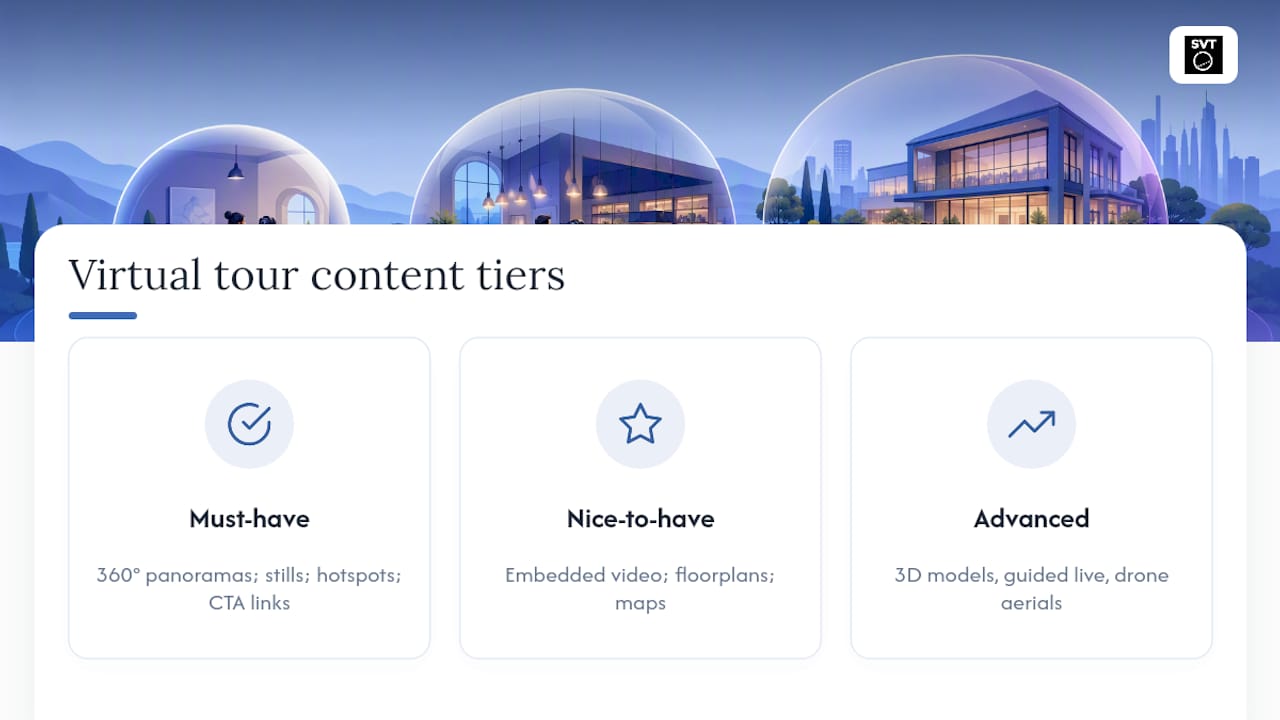
Must-have: 360° panoramas, high-res stills, hotspots, booking/CTA links. Nice-to-have: embedded video, floorplans, maps. Advanced: 3D models/digital twins, guided live sessions, drone aerials.
Navigation hotspots, info popups, audio guides, and lead-capture CTAs are the features that turn a passive viewer into an active prospect. Panoramas create emotional orientation; floorplans give spatial clarity that photos alone cannot. Embedding tours directly in listings and marketing assets shortens decision cycles and speeds up lead qualification, which is why the CTA link belongs in every tour from day one.
How to combine content types by industry
Different verticals need different bundles. The same 360° panorama engine powers all of them, but the supporting elements shift based on what converts each audience.
-
Real estate: Open with a bright entry-scene panorama, follow with multiple still photos of key rooms, attach a floorplan hotspot mid-tour, and close with a scheduling CTA. Analytics events to track: scene changes, floorplan clicks, and booking-button taps. 3D walkthroughs reduce in-person visits and speed transactions for agents who want to pre-qualify buyers before showing day.
-
Tourism and attractions: Lead with an immersive 360° video of the signature space, layer in an interactive map so visitors understand the full site, add audio tooltips at points of interest, and place a ticket-purchase link in a persistent overlay. Social-share buttons on the final scene extend organic reach.
-
Event planners and venues: Start with an exterior drone shot for context, move into 360° interiors of each configurable room, and embed an availability calendar or booking widget as a hotspot. Product links for catering packages or A/V upgrades work well as add-on e-commerce items. For a deeper look at structuring these tours, the event planner portfolio guide covers CTA placement and packaging in detail.
-
Museums and galleries: The storytelling bundle works best here. Open in the main hall, use info hotspots to surface artist bios and object labels per artwork, add an audio guide track for each room, and offer a live guided session for school groups or members. Educator resource downloads (PDFs, lesson plans) make strong hotspot attachments.
-
Architects and photographers: Photorealistic 3D renderings and 360° tours help present ideas that static images cannot, speeding client understanding and buy-in. Pair high-res stills with a glTF 3D model, attach a downloadable spec sheet or floorplan, and include licensing or usage-rights information as a hotspot note.
Pro Tip: For museums and galleries, place a hotspot on the first artwork a visitor sees — not the last. That first interaction sets the expectation that every piece has a story, which keeps dwell time high throughout the tour.
What technical specs and hosting options do you actually need?
Getting the export settings right prevents the two most common problems: slow load times and broken embeds on mobile.
| Asset | Recommended Resolution | Compression Target | Mobile Priority |
|---|---|---|---|
| 360° panorama | several thousand pixels wide | high-quality JPG | Tiled, progressive load |
| Still photo | a few thousand pixels wide | WebP or JPG 75–80% | Lazy-loaded |
| Promo video | HD resolution with 4K optional | H.264 codec with a moderate bitrate | Poster frame first |
| Floorplan | Vector (SVG preferred) | PDF fallback | Pinch-zoom enabled |
| 3D model | LOD-optimized glTF | Draco compression | WebGL with fallback |
Cloud-hosted vs. self-hosted: Cloud hosting is faster to deploy and handles CDN delivery automatically. Self-hosted gives you full data control and eliminates recurring bandwidth costs, which matters for organizations with strict data-governance requirements. Both options support iframe and direct HTML5 embeds.
VR compatibility: WebXR-ready HTML5 tours work in most modern headsets without a separate app. Test on at least one mobile browser (Chrome for Android, Safari for iOS) before publishing.
Virtual tour providers worth evaluating should offer custom branding, hotspot design, embedded video, analytics, and multiple delivery formats as standard features.
Pro Tip: Set your initial view to the most visually compelling angle of the entry scene, not the default north-facing position. That first frame is your hero shot — it determines whether a visitor keeps exploring or closes the tab.
Design and UX best practices that actually convert visitors
Good tour design is not about adding more elements. It is about removing friction at every decision point.
- Open every tour with a clear entry scene, a visible scene gallery or minimap, and one obvious primary CTA (book, inquire, or view availability).
- Keep hotspot copy under 40 words. Use progressive disclosure: a short label opens a popup; the popup links to a full detail page rather than dumping a wall of text inside the tour.
- Accessibility checklist: alt text for all still images, captions for audio and video content, full keyboard navigation support, minimum 4.5:1 contrast ratio for overlay text, and font sizes no smaller than 16px in popups.
- Match CTA placement to conversion intent: an overlay CTA works for high-intent visitors who arrived from a listing; a hotspot CTA works mid-tour for explorers who need a nudge; an end-of-tour modal captures visitors who watched everything and are ready to decide.
Pro Tip: Use microcopy in hotspots to pre-qualify visitors before they contact you. A hotspot that reads "Seats 120 for a seated dinner — available weekdays" filters out mismatched inquiries and saves your team hours of back-and-forth.
How to measure tour performance and distribute tours effectively
Tracking the right events tells you which content types are earning their place and which to cut.
| Analytics Event | Why It Matters | Sample Trigger |
|---|---|---|
| Tour start | Measures top-of-funnel reach | First panorama loads |
| Scene change | Shows navigation depth | User moves to new room |
| Hotspot click | Measures content engagement | Info popup opened |
| Time in tour | Indicates interest level | Session duration |
| CTA click | Direct conversion signal | Booking/contact button tapped |
| Guided session join | High-intent engagement | Live session entered |
| E-commerce add-to-cart | Revenue attribution | Product link clicked |
| Share event | Organic amplification | Social share triggered |
KPIs to watch: conversion rate (tour visitor to lead or booking), average time in tour, hotspot engagement rate, and bounce rate from embedded pages.
For distribution, a portfolio-first approach recommends building several sample tours before marketing, embedding them on your website, and promoting ROI through content marketing. Pair each published tour with a crawlable landing page that includes descriptive schema markup, a unique meta description, and a transcript of any audio content. For interactive content SEO, crawlable landing pages with schema are the primary driver of organic discoverability for virtual tours.
Step-by-step build workflow for small teams
A single person can build a sales-ready tour in under a day if the assets are ready.
- Plan 5–10 showcase tours — choose your strongest spaces first.
- Capture core assets — 360° panoramas of each key scene, 8–12 still photos, and one floorplan per property or venue.
- Assemble a minimal usable tour — link scenes, add three to five hotspots, attach the floorplan.
- Add one primary CTA and one analytics tag — booking link and tour-start event minimum.
- QA on desktop and mobile — check load time, hotspot tap targets, and embed rendering.
- Publish and promote — embed on your listing or venue page, share a highlight clip on social, and send a direct tour link in your next email campaign.
Timeline for one property or venue: capture (2–4 hours), processing (4–12 hours if 3D is included), build and QA (2–6 hours), publish and share (1–2 hours).
Budget priorities: On a tight budget, 360° panoramas plus five key stills plus a basic CTA deliver the highest return. Upgrade to 3D models, drone aerials, and guided sessions once the core portfolio is generating leads.
Legal note: Obtain signed property releases and model releases before publishing. Confirm you own or have licensed every audio track, music clip, and third-party image used in hotspots.
Pro Tip: Build your first tour in your own office or a space you control. You can iterate on hotspot placement, CTA copy, and scene order without coordinating with a client — and you end up with a live demo to show prospects.
How Simple Virtual Tour supports every content type in this guide
Simple Virtual Tour maps directly to the full content catalog described above. The platform supports unlimited interactive tours, live-session hosting, e-commerce integration, 360° panorama and video uploads, multilingual UI, and both cloud-hosted and self-hosted deployment — giving you data control without sacrificing delivery speed.

With 1,400+ active users, the platform handles two common workflows well. A real estate agent uploads equirectangular panoramas, attaches a floorplan hotspot, and embeds the finished tour in an MLS listing page in under an hour. A museum team builds a room-by-room exhibit tour with audio hotspots, schedules a live guided session for members, and tracks hotspot engagement through the built-in analytics dashboard.
Embedding is straightforward: copy the iframe snippet, paste it into your CMS, and the tour renders in any modern browser without plugins. Booking links and e-commerce widgets attach as hotspot overlays, so the CTA lives inside the tour rather than below it.
Pro Tip: Use Simple Virtual Tour's self-hosted option if your organization has data-residency requirements or wants to eliminate per-tour bandwidth fees at scale. The one-time purchase model pays for itself quickly for teams publishing more than 20 tours per year.
An editorial perspective on where most portfolios go wrong
Most service-business portfolios fail not because they lack content, but because they publish too late. Teams wait until they have a perfect 3D model, professional drone footage, and a fully branded tour before showing anything to a prospect. By then, a competitor with a simpler but published tour has already captured the lead.
The practical answer is a minimal viable tour: one strong 360° panorama, six well-lit stills, a floorplan, and a booking CTA. Publish that first. Add the 3D model and audio guide in the next sprint. Analytics will tell you which hotspots get clicked and which scenes visitors skip, so every upgrade is data-informed rather than a guess.
The other underestimated factor is the entry scene. Most creators default to the front door or the lobby. The better choice is the room that answers the visitor's biggest question — for a wedding venue, that is the ceremony space; for a gallery, it is the signature installation. Lead with the answer, not the approach.
Simple Virtual Tour gives you the tools to build and publish today
Building a portfolio that sells spaces requires a platform that handles the full workflow without a steep learning curve. Simple Virtual Tour covers every content type in this guide: unlimited 360° tours, embedded video, interactive hotspots, live sessions, e-commerce links, and built-in analytics — all from one dashboard.

Cloud hosting and self-hosted deployment are both available, so you choose the model that fits your budget and data requirements. The free trial lets you build and preview a complete tour before committing. When you are ready to publish, get started with Simple Virtual Tour and have your first tour live within a day.
Useful resources for building your virtual-tour portfolio
- Simple Virtual Tour platform overview — features, deployment options, and pricing
- How Virtual Tours Shorten Customer Decision Cycles — conversion data and embedding examples
- Event Planner Portfolio: Build and Convert — venue-specific CTA and packaging guide
- Types of Venue Walkthroughs for Event Planners — walkthrough formats by event type
- Tourist Attraction Online Presentation Tools — digital channels for attractions and ticketing
- Interactive Content SEO Guide — schema, lazy loading, and crawlable landing pages for tours
- What Is a Virtual Tour? The Ultimate Guide — feature definitions and storytelling use cases
Pro Tip: Bookmark the Simple Virtual Tour blog hub for vertical-specific guides, technical how-tos, and case studies updated regularly for real estate, tourism, and events professionals.