
Chrome, Firefox, Safari, and Chromium-based Edge all support virtual tours today, provided you're running a current release. Standard 360° panorama viewing depends on WebGL, a graphics standard nearly every modern browser handles well. Immersive headset viewing depends on a separate, narrower standard called WebXR, which only works over a secure HTTPS connection and isn't available in every browser. If your tour loads fine on a laptop but a headset button is missing, that's the split at work, not a broken tour.
TL;DR:
- Browsers with outdated WebGL support or GPU drivers are likely to display black panoramas or fail to load large images, even if they support WebGL in principle.
- Headset button visibility depends on WebXR support, which requires HTTPS and is not universally implemented, especially in browsers like Firefox.
- Mobile testing should verify gyroscope, touch gestures, and load performance over cellular networks, as mobile behavior differs significantly from desktop environments.
- Cross-origin iframe embedding can cause support failures in Safari, necessitating matching origin setup or proper CORS configuration during testing.
- Vendor support pages should focus on capability-based support tiers and real device testing rather than fixed version lists or unsupported legacy browsers.
Table of Contents
- Understanding Virtual Tour Browser Support Tiers
- Desktop Browsers: Versions, GPU Limits, and Safari Settings
- Mobile Browsers: iOS Safari, Android Chrome, and Sensor Behavior
- Headset and WebXR Support: A Separate Compatibility Target
- Troubleshooting Black Screens, Autoplay Failures, and Missing Headset Buttons
- How Embedding and Hosting Setups Cause False Compatibility Failures
- How Simple Virtual Tour Handles Browser Compatibility
- What Vendor Support Statements Get Wrong
- Get a Tour Built for Fewer Compatibility Headaches
- Primary Documentation to Bookmark
- Sources
- FAQ
Understanding Virtual Tour Browser Support Tiers
Virtual tour browser support isn't a single yes-or-no question. It breaks into three separate capability tiers, and a browser can pass one while failing another. Treating them as one bucket is where most support documentation goes wrong.
The three tiers work like this:
- Standard panorama viewing — requires WebGL, supported by essentially every current desktop and mobile browser.
- Embedded video playback — requires correct codec support and, on some browsers, a user tap to start.
- Immersive headset mode (WebXR) — requires a secure context (HTTPS) and a browser build that implements the WebXR Device API, which is far less universal than WebGL.
Rather than pinning support to fixed version numbers that go stale within months, a rolling policy works better: support the current release plus one previous major version for each browser family. Concept3D's support guidance follows this same approach and explicitly excludes Internet Explorer and legacy EdgeHTML, both of which lack the WebGL and WebXR foundations tours now depend on. If you're still fielding questions about a tour that "used to work" in one of those retired engines, the honest answer is that it was never built to run there reliably.
Desktop Browsers: Versions, GPU Limits, and Safari Settings
On desktop, "latest plus one major version" isn't just a tidy rule, it's a security and performance necessity. Browser vendors patch WebGL implementations and GPU driver interactions constantly, and an outdated build is far more likely to render a black panorama or choke on a large equirectangular image.
Two things quietly break more tours than any code issue:
- GPU or driver limitations. A machine with an older integrated GPU or outdated driver may report WebGL as unavailable even in a fully current browser. Checking a WebGL status page and updating graphics drivers resolves this more often than reinstalling the browser does.
- Safari's per-site permissions. Safari maintains separate, site-specific preferences for WebGL and Auto-Play. A visitor who previously blocked one or the other on your domain will see a broken or silent tour with no visible error, and Apple's own Safari support documentation confirms these settings apply per website, not globally.
Quick check: if a tour fails only in Safari and works everywhere else, check Safari's Website settings before touching a single line of code.
Mobile Browsers: iOS Safari, Android Chrome, and Sensor Behavior
Mobile introduces variables desktop testing simply doesn't surface, starting with autoplay rules. iOS Safari treats video and WebGL permissions on a per-site basis, similar to desktop Safari, so a visitor arriving from a link with autoplay blocked will see a static frame instead of a moving panorama. Chrome for Android generally handles WebGL and autoplay more permissively, but device-specific GPU quirks still show up, especially on budget hardware with older graphics chips.
Test these three things on an actual phone, not a simulator:
- Gyroscope and tilt response, since drag-to-pan and device-tilt navigation behave differently across OS versions.
- Touch gesture handling for pinch-zoom and swipe inside the panorama viewer.
- First-load behavior over cellular data versus Wi-Fi, since mobile networks sometimes throttle large panorama assets.
Our mobile optimization guide covers device-specific tuning in more depth, and our iPhone capture guide walks through iOS-specific publishing steps if you're shooting and hosting from an iPhone end to end.
Headset and WebXR Support: A Separate Compatibility Target
Immersive headset viewing runs on WebXR, and WebXR is not the same requirement as WebGL. MDN's WebXR documentation is clear that WebXR manages device sessions and immersive viewpoints, while WebGL still handles the actual rendering underneath it. A browser can render your panorama perfectly and still have no WebXR path at all, which is why the "Enter VR" button sometimes just doesn't appear.
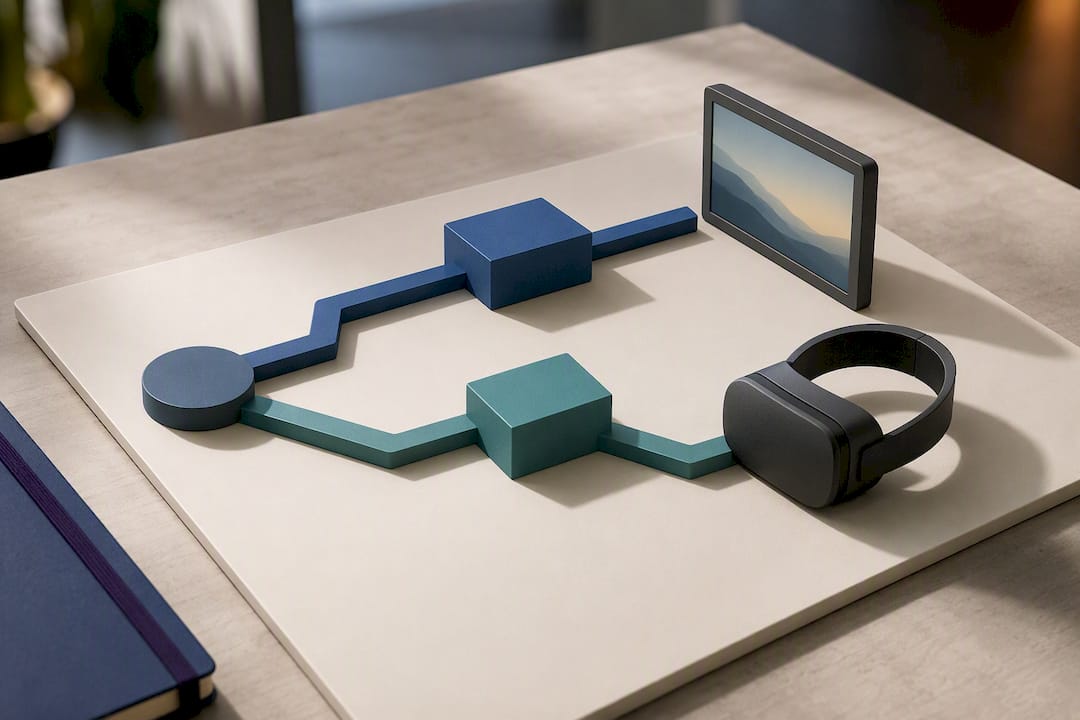
WebXR also requires a secure context, meaning your tour must be served over HTTPS. There's no workaround for this on plain HTTP.
For testing, focus on specific combinations rather than assuming headset browsers behave uniformly:
- Meta Quest Browser, the primary browser on Quest devices.
- Wolvic or VIVE Browser variants on HTC hardware.
- Firefox, which frequently lacks a working WebXR path on desktop and Android in practice, even though it renders WebGL content fine.
Pro Tip: Never assume "it works in one headset" means it works in all of them. Test the exact headset, browser, and runtime version together, because each combination can behave differently even on paper-identical WebXR support.
Troubleshooting Black Screens, Autoplay Failures, and Missing Headset Buttons
Start by identifying which of four symptoms you're actually dealing with, since each one points to a different fix:
- Page won't load at all. Check the network first, not the browser. Corporate firewalls, VPNs, and privacy features like iCloud Private Relay can block sites relying on IP filtering, which mimics a browser problem but isn't one.
- Panorama loads but shows black. This is almost always a WebGL failure. Verify WebGL is enabled, update the browser, and update GPU drivers.
- Video won't play. Check autoplay permissions first. On Safari specifically, site-level Auto-Play settings commonly block playback until a visitor manually starts the video.
- Headset button is missing. This is a WebXR availability issue, not a bug. Confirm the page is served over HTTPS and confirm the browser actually implements WebXR.
A clean-profile test in a private window resolves a surprising share of these cases by ruling out extensions and stored site permissions. If that fixes it, take a screenshot and check console logs before touching the tour's code, since you'll want that evidence if the issue reappears on a different network.
Pro Tip: Keep a disabled-extensions test in your troubleshooting checklist. Ad blockers and privacy extensions are among the most common, and most overlooked, causes of a tour that "just won't load."
How Embedding and Hosting Setups Cause False Compatibility Failures
A tour that fails only when embedded often has nothing to do with browser support at all. Cross-origin iframe setups, where the embedding page and the tour's media live on different domains, are a documented cause of orientation errors and outright video playback failures in iOS Safari, according to Google's VR View developer notes.
A few practical fixes handle most of these cases:
- Reproduce your actual production hosting setup during testing, not a simplified local version, since the iframe and origin structure is often the real culprit.
- Self-host viewer code and media on the same origin where possible, or make sure CORS headers are configured correctly if you can't.
- Check media dimensions. Older viewer implementations have historically failed on non-power-of-two or non-square images in Chrome and older iOS Safari builds, and that legacy bug pattern still shows up in mismatched or improperly exported panorama files.
Our embedded tour guide walks through common embedding setups if you're publishing tours on a third-party site or CMS.
How Simple Virtual Tour Handles Browser Compatibility
Simple Virtual Tour documents support by capability rather than by rigid version number: standard viewing, video playback, and WebXR are treated as distinct tiers, with WebXR labeled separately since headset support varies by device. The platform's self-hosted deployment option gives you HTTPS-ready control over your own server environment, and live session testing lets you verify a tour's behavior on real devices before publishing it widely, rather than guessing from a spec sheet.
What Vendor Support Statements Get Wrong
Most vendor support pages read like legal disclaimers instead of useful documentation. My honest take: a support statement should function as a troubleshooting tool, not a liability shield. That means capability tiers over vague version minimums, a rolling "current plus one" window instead of a stale hardcoded list, and a published checklist covering WebGL, private-profile tests, and network switches. Pair that with a small, named test matrix of real devices and headsets, and a support page actually earns the trust it claims.
— Andrea
Get a Tour Built for Fewer Compatibility Headaches
Most of the browser failures covered above trace back to hosting decisions made before a single visitor ever loads the tour. Simple Virtual Tour gives you a self-hosted deployment option with full source code ownership, so you control the server environment, the HTTPS setup, and the media hosting instead of depending on a third-party embed that might introduce cross-origin issues down the line. Live session testing lets you check a tour's behavior on real devices before it goes live, and the intuitive backend is designed to be user-friendly.
If you're ready to see how a self-hosted or cloud deployment fits your workflow, explore the Simple Virtual Tour plans or head straight to the purchase page to compare the Free Forever tier against paid options starting at a low monthly price for the XS Starter plan.
Primary Documentation to Bookmark
- WebXR Device API fundamentals — MDN
- WebXR Device API compatibility — MDN
- Safari Website settings for WebGL and Auto-Play — Apple Support
- VR View embedding notes — Google
- Security plugin practices for embedded sites — relevant when hardening HTTPS setups for embedded tours
Sources
FAQ
Which browsers support virtual tours today?
Chrome, Firefox, Safari, and Chromium-based Edge all support standard virtual tour viewing when running a current release, since all four implement WebGL. Immersive WebXR headset mode has narrower support and should be checked separately.
Why does my tour show a black screen instead of the panorama?
A black panorama almost always points to a WebGL failure, usually from an outdated browser or an outdated GPU driver. Updating both, or checking your WebGL status directly, resolves most cases.
Why is the headset button missing from my tour?
The headset button depends on WebXR, a separate capability from WebGL that requires HTTPS and isn't implemented in every browser. Firefox in particular often lacks a working WebXR path even though it renders WebGL panoramas normally.
Does Simple Virtual Tour work across all major browsers?
Simple Virtual Tour follows a capability-based support approach, covering standard viewing and video playback across current Chrome, Firefox, Safari, and Edge releases, with WebXR support labeled separately by device.
How much does Simple Virtual Tour cost?
Simple Virtual Tour offers a Free Forever plan, with paid tiers starting at a low monthly price for the XS Starter plan and scaling up to 49.99 € per month for the XL Enterprise plan; current pricing is listed on the Simple Virtual Tour site.
Why does my embedded tour fail only in Safari on iPhone?
Cross-origin iframe embedding, where the tour's code and media live on different domains, is a documented cause of orientation and playback failures specifically in iOS Safari. Reproducing your production hosting setup during testing usually surfaces the issue.