

Most venues lose bookings not because their space is wrong for the client, but because their marketing fails at the moment of decision. The most common venue marketing mistakes fall into eight categories: a weak website with no clear booking journey, generic messaging that attracts the wrong leads, outdated visuals with no virtual tour, opaque pricing, slow or untargeted follow-up, inconsistent social content, ignored local SEO, and zero measurement of what actually drives bookings.
Your four highest-priority fixes, in order:
- Add a virtual tour and a visible scheduling link to your homepage above the fold.
- Rewrite your headline to name your ideal client and one specific benefit.
- Set up a 24-hour automated response sequence for every new inquiry.
- Connect Google Analytics 4 goals to your contact form so you know which page produced each lead.
Three things you can do in the next 48 hours:
- Audit your homepage on a mobile phone. If the CTA is not visible without scrolling, move it.
- Send a test inquiry to yourself and measure how long a real response takes.
- Pull your last 10 bookings and ask: which marketing channel sent each one? If you cannot answer, your measurement is broken.
Table of Contents
- What are the most common venue marketing mistakes to fix first?
- Is your website killing your inquiries before they start?
- Why does generic messaging drive away your best clients?
- Why do static photos alone no longer close venue bookings?
- How do you pick and integrate a virtual tour tool for your venue?
- Does pricing opacity cost you bookings?
- How fast should you follow up with venue inquiries?
- What SEO mistakes are hiding your venue from local searches?
- Why does inconsistent social posting slow your bookings?
- Which metrics actually tell you if your venue marketing is working?
- Key Takeaways
- The mistake most venue owners make last (but should fix first)
- Simple Virtual Tour reduces visualization friction for venue owners
- Selected sources and further reading for venue owners
What are the most common venue marketing mistakes to fix first?
Use this numbered checklist to self-audit your marketing stack. Each item includes a one-line fix and a priority tag.
- Neglected local SEO — (Medium) — Complete your Google Business Profile and add location-specific keywords to your title tags.
Is your website killing your inquiries before they start?
Venue websites fail in predictable ways. Authoritative venue-marketing guides consistently list four culprits: outdated layouts, missing video or tour content, unclear navigation, and no online scheduling. Any one of these creates friction. All four together mean a prospective client leaves your site without contacting you.
The most damaging problem is an unclear booking journey. If a visitor cannot see, within five seconds, what your venue offers and how to take the next step, they will not scroll to find out. Your homepage needs a hero statement (one sentence naming your venue, your location, and your primary event type), a visible CTA button linked to a scheduling tool, and a 30-second virtual tour or video embed placed above the fold on desktop and within the first scroll on mobile.
Essential landing-page elements:
- Hero statement: "[Venue name] — [City]'s [event type] venue for [ideal client]"
- 30-second tour or video embed (not a link to a separate page)
- Pricing snippet or a "packages from $X" line with a link to full details
- Calendar or scheduling CTA (Calendly, Acuity, or your CRM's booking link)
- Three social-proof items: a star rating, a short testimonial, and a recent event photo
Performance targets to track:
- Page load under 3 seconds on mobile (test with Google PageSpeed Insights)
- Mobile layout with no horizontal scroll and tap targets at least 44px
- Contact form conversion rate above 2% (industry baseline for venue sites)
Pro Tip: Place your scheduling link in your site header, footer, and every pricing page. Tag each placement with a UTM parameter so you can see which location drives the most clicks in Google Analytics 4.
Why does generic messaging drive away your best clients?
Generic messaging is expensive. Broad campaigns drive volume but not necessarily qualified bookings, and unqualified leads waste your sales team's time while inflating your cost per booking. When your homepage says "perfect for weddings, corporate events, birthdays, and more," you are signaling to every ideal client that you were not built for them specifically.
The fix is a positioning statement you can write in four lines:
- Audience: "For couples planning an intimate wedding of 50–120 guests in the Dallas area…"
- What you enable: "…we provide a fully licensed, all-inclusive venue with on-site catering…"
- Primary practical benefit: "…so you can skip the vendor coordination and focus on the day itself."
- Proof point: "…[Venue name] has hosted 200+ weddings since 2018."
Three copy swaps that qualify leads immediately:
- Before: "Perfect for any event." After: "Designed for corporate retreats of 20–80 attendees."
- Before: "Beautiful spaces for your special day." After: "All-inclusive wedding packages for 50–150 guests, starting at $8,500."
- Before: "Contact us to learn more." After: "Check availability for your date — response within 24 hours."
To test which version works, run a simple A/B test on your paid or social campaigns. Treat paid campaigns as a test bed: organize ad data by segment, creative, and channel, then iterate on the winning headline every 2–3 days during a launch window. A headline change alone can shift your inquiry quality noticeably within two weeks.

Why do static photos alone no longer close venue bookings?
A prospective client browsing venue listings spends roughly 8–12 seconds on each option before deciding to dig deeper or move on. Static photos answer "does it look nice?" but not "will my 80-person event actually fit here?" or "what does the flow from ceremony to reception feel like?" That gap is where bookings leak.
Common visual mistakes venues make:
- Outdated photos that show old furniture, dated décor, or a previous renovation
- Inconsistent styling across shots (mixed color temperatures, varying aspect ratios)
- Too many filler lifestyle shots (stock-looking couple images) and too few room-detail shots
- Low-resolution images that compress poorly on mobile
Photo-shoot checklist:
- Shoot during the venue's best natural light window (usually mid-morning or late afternoon)
- Stage each room as it would appear for your primary event type
- Shot list: entrance, main hall (empty and set), catering area, restrooms, parking, outdoor spaces
- Caption every photo with a detail that answers a buyer question ("Main hall set for 100 guests, banquet style")
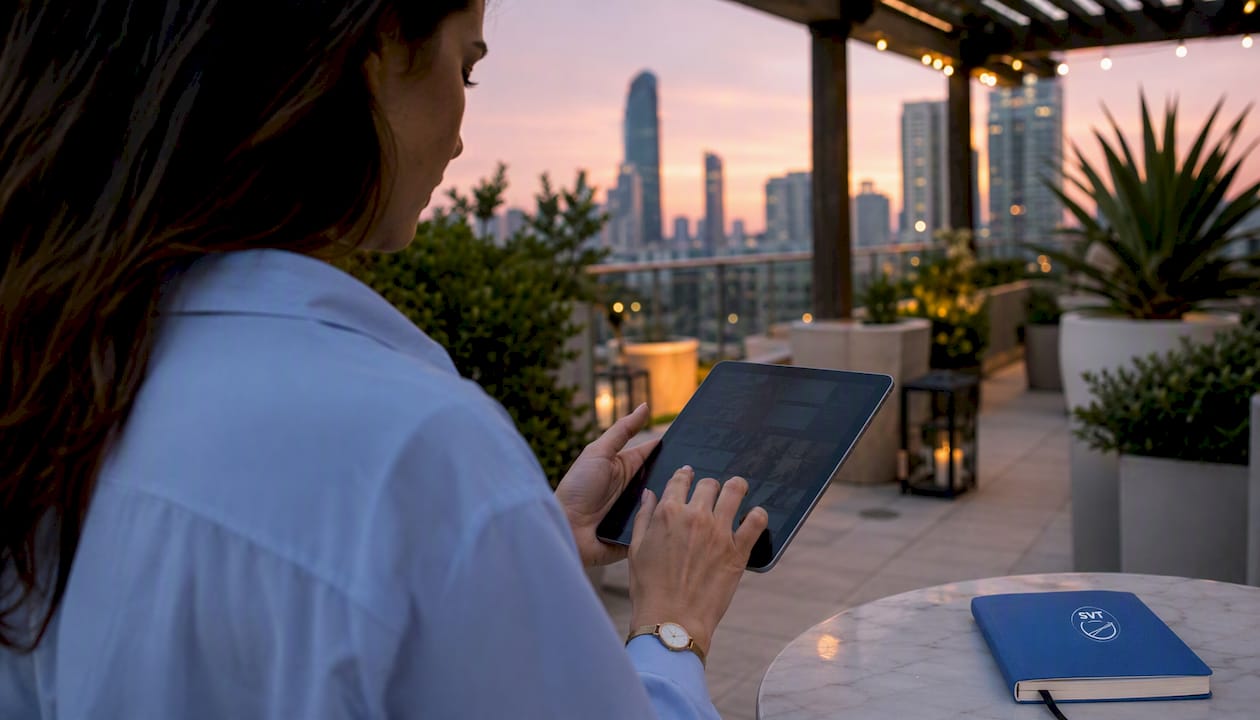
Once you have strong photos, a virtual tour communicates venue ambiance in a way no gallery can. Place tour links in your Google Business Profile, your venue listing pages, your booking confirmation emails, and your social media bio. A tour embedded on your homepage converts that 8–12 second glance into a self-guided walkthrough that pre-qualifies the client before they ever contact you.
Pro Tip: Add your virtual tour link to your email signature and your inquiry auto-reply. Clients who explore a tour before a site visit arrive with specific questions rather than general uncertainty, which shortens the decision cycle significantly.
How do you pick and integrate a virtual tour tool for your venue?
Choosing a virtual tour solution is a practical decision, not a technical one. The feature checklist below covers what actually matters for venue marketing:
- Live session hosting: Can you guide a remote client through the space in real time? This is particularly useful for destination weddings and out-of-state corporate clients.
- Analytics: Does the platform show you which tour scenes get the most attention and how long visitors stay? Without this, you cannot attribute bookings to tour interactions.
- Embed options: Can you place the tour on your website, your Google Business Profile, and third-party listing sites without requiring the visitor to leave your page?
- Mobile performance: Does the tour load and navigate smoothly on a smartphone? Most venue research starts on mobile.
- E-commerce or booking links: Can you add a "Check availability" button or a direct booking link inside the tour itself?
Implementation plan for publishing your first tour:
- Capture 360° photos of your primary event spaces using a compatible camera (Ricoh Theta or Insta360 are widely used entry points).
- Upload panoramas to your tour platform and arrange them into a logical walkthrough sequence.
- Add hotspots that answer common buyer questions: capacity, catering setup, AV options.
- Embed the published tour on your homepage, your venue listing page, and your Google Business Profile.
- Add a "Book a viewing" CTA button inside the tour.
- Tag the tour embed with a UTM parameter and set up a Google Analytics 4 event to track tour engagement.
Simple Virtual Tour supports all of these steps. The platform handles live session hosting, in-tour e-commerce links, and built-in analytics, and it runs on both cloud-hosted and self-hosted deployments. For venues that want control over their data without ongoing per-seat fees, the self-hosted option is a practical choice. Over 1,400 users currently use the platform, and its no-code backend means you do not need a developer to publish or update a tour.
Tour ROI metrics to track:
| Metric | Why it matters | Simple target |
|---|---|---|
| Tour views | Shows discovery and reach | Growing month over month |
| Tour-to-inquiry rate | Measures tour conversion quality | Above 5% |
| Inquiry-to-site-visit rate | Shows lead qualification | >2% |
| Site-visit-to-booking rate | Measures sales close rate | Above 50% |
Interactive tours consistently outperform static photo galleries on the metrics that matter most: time on page, return visits, and inquiry quality.
Does pricing opacity cost you bookings?
Yes, consistently. When a prospective client cannot find any pricing information on your site, they face a choice: submit an inquiry and wait, or move on to a competitor who shows at least a starting range. Many choose the latter, especially corporate planners working to a budget and couples who have already been burned by surprise costs elsewhere.
You do not need to publish a full price list. A "packages from $X" line on your homepage, paired with a dedicated pricing page that outlines what each tier includes, removes the friction without locking you into a fixed quote.
Package card template:
- Package name: (e.g., "Weekday Corporate Package")
- Who it's for: Small to mid-size corporate meetings, 20–60 attendees
- What's included: Venue hire, AV setup, on-site coordinator, parking
- Starting price: From $1,200 for a half-day
- CTA: "Get a custom quote for your date"
Pricing FAQ snippets you can borrow:
- "Do you offer all-inclusive packages?" — Yes. Our [package name] covers catering, AV, and staffing from $X per person.
- "Is there a minimum spend?" — Weekday events have a minimum of $X; weekend events start at $X.
- "Can we bring our own vendors?" — We work with a preferred vendor list; outside vendors are welcome with prior approval.
Pro Tip: If you are concerned about competitors undercutting you on price, publish a "starting from" figure rather than a full menu. This filters out budget-mismatched leads while keeping qualified clients in the funnel.
How fast should you follow up with venue inquiries?
Speed is the single most controllable variable in your inquiry-to-booking conversion rate. Email marketing experts recommend sending value-driven messages with single CTAs and keeping lists segmented by client type. The first step is simply responding faster than your competitors.
A reasonable benchmark: respond to every new inquiry within one hour during business hours, and within four hours outside of them. An automated first response sent immediately after form submission, confirming receipt and setting expectations, keeps the lead warm while your team prepares a personalized reply.
Segmentation rules:
- Wedding couples: Nurture sequence focused on ambiance, testimonials, and a tour invitation; cadence of 3–4 emails over 14 days.
- Corporate planners: Lead with capacity, AV specs, catering options, and pricing; faster cadence of 2–3 emails over 7 days.
- Event promoters: Focus on capacity, licensing, load-in logistics, and revenue share options; one targeted email within 24 hours.
Three email templates:
-
Site-visit confirmation Subject: "Your visit to [Venue] on [Date] — what to expect" Opening: "We're looking forward to showing you [Venue] on [Date]. Here's a quick overview of what we'll cover and how to find us."
-
Tour follow-up Subject: "Your virtual tour of [Venue] — questions answered" Opening: "Thanks for exploring [Venue] online. Here are answers to the questions most clients ask after the tour, plus a link to check your date's availability."
-
Pricing + next step Subject: "[Venue] pricing for your [event type] — [Date]" Opening: "Based on your event details, here's a summary of the package that fits best, along with the next step to hold your date."
Automation flow:
- Inquiry received → immediate auto-reply (receipt + tour link)
- Hour 1 → personalized reply from your team
- Day 3 → follow-up email with testimonial or case study
- Day 7 → pricing summary + availability check CTA
- Day 14 → final follow-up with a limited-availability note
Personalized campaigns outperform generic blasts; segmenting by audience type improves both engagement and conversion. A marketing automation checklist can help you map each step of this flow before you build it in your CRM.
Pro Tip: Use your CRM's lead source field to tag every inquiry by channel (Google, Instagram, referral, listing site). After 90 days, you will have enough data to cut the channels that produce inquiries but never bookings.
What SEO mistakes are hiding your venue from local searches?
Most venue SEO problems are not technical. They are basic omissions: missing location signals, unclaimed or incomplete Google Business Profiles, and title tags that say "Welcome to [Venue Name]" instead of "[Venue Name] — Event Venue in [City], [State]."
On-page checklist:
- Title tag: "[Venue Name] — [Event Type] Venue in [City, State]" (under 60 characters)
- Meta description: one sentence naming your venue, city, primary event type, and a CTA
- H1: matches or closely mirrors your title tag
- Body copy: includes your city, neighborhood, and nearby landmarks at least twice each
- Image alt text: describes the room and its capacity, not just "photo1.jpg"
Google Business Profile priorities:
- Select the most specific category available (Event Venue, Wedding Venue, Banquet Hall)
- Add your full address, phone, website, and hours
- Upload at least 20 photos, including your virtual tour link in the "Virtual Tour" field
- Collect and respond to every Google review within 48 hours
- Post a Google Business Profile update at least twice per month
Schema markup that moves the needle:
Eventschema on any page promoting a specific upcoming eventLocalBusinessschema with@type: EventVenueon your homepageFAQPageschema on your pricing and FAQ pages
Targeted messaging and placements improve lead quality for niche venue searches. If your venue is BYOF (bring your own food), all-inclusive, or outdoor-only, those terms belong in your title tags and meta descriptions, not buried in body copy.
Pro Tip: Check your NAP (name, address, phone) consistency across Yelp, The Knot, WeddingWire, and your Google Business Profile. A single inconsistency can suppress your local ranking. Use a tool like BrightLocal or Moz Local to audit citations across directories.
Why does inconsistent social posting slow your bookings?
Sporadic posting does more than reduce reach. It signals to prospective clients who check your profile that your venue may not be actively managed, which raises doubt about responsiveness. A profile with three posts from eight months ago and then a sudden burst of activity looks unreliable, even if your venue is excellent.
Mini content calendar (four posts per week):
- Monday: Tour clip or 360° photo with a capacity or setup detail
- Wednesday: Client testimonial or review quote (with permission)
- Friday: Behind-the-scenes or event-day highlight
- Sunday: Availability reminder or seasonal promotion
Repurposing workflow:
- Film one 60-second walkthrough video per month. Cut it into four 15-second clips for Instagram Reels and TikTok.
- Export three still frames from the walkthrough for your Monday tour posts.
- Pull one client quote from your post-event survey for Wednesday.
- Use your Friday event highlight as the hero image for your next email newsletter.
Branding checklist:
- One consistent color palette across all platforms (match your website)
- One font family for text overlays on images
- A logo watermark on every photo and video
- A consistent handle and bio across Instagram, Facebook, Pinterest, and Google Business Profile
Virtual tour clips and embeds on social media drive qualified traffic because they pre-screen viewers. Someone who watches a 30-second tour clip and then clicks through to your site already knows what your space looks like, which means they are further along in the decision process than a visitor who arrived from a generic ad.
Which metrics actually tell you if your venue marketing is working?
Many venues track vanity metrics — follower counts, email opens, page views — but cannot answer the one question that matters: which asset produced the booked event? Followers do not pay invoices. Qualified inquiries do.
| Metric | Why it matters | Simple benchmark |
|---|---|---|
| Qualified inquiries per month | Measures marketing reach and targeting quality | Set a baseline, then grow 10% per quarter |
| Site-to-inquiry conversion rate | Shows whether your website converts visitors | Above 2% for venue sites |
| Inquiry-to-site-visit rate | Measures lead qualification and follow-up speed | >2% |
| Booking rate (visits to bookings) | Measures sales effectiveness | Above 50% |
| Cost per qualified lead | Connects ad spend to real pipeline | Depends on package value; track trend |
Reporting rhythm:
- Daily: Check new inquiries and confirm all received an automated response.
- Weekly: Review campaign performance (ad spend, clicks, form submissions) and pause underperforming ads.
- Monthly (30/60/90 cadence): Compare qualified inquiries and booking rate against the prior period. Adjust one variable at a time.
To connect tour interactions to downstream conversions, tag your tour embed with a Google Analytics 4 custom event (e.g., tour_engagement). Set a conversion goal that fires when a visitor completes the tour and then submits a contact form within the same session. This gives you a direct attribution path from tour view to inquiry.
Destination venue sales cycles shorten measurably when clients can explore the space remotely before committing to a site visit, which makes tour engagement a leading indicator of booking intent worth tracking closely.
Key Takeaways
The single most impactful change a venue can make is fixing its website and follow-up system before spending more on advertising, because more traffic into a broken funnel produces more wasted spend, not more bookings.
| Point | Details |
|---|---|
| Fix the funnel before scaling ads | A slow website, missing CTA, and no follow-up automation waste every dollar you spend on paid traffic. |
| Specific messaging qualifies leads | Naming your ideal client type in your headline reduces unqualified inquiries and improves booking rate. |
| Virtual tours shorten decision cycles | Embedding an interactive tour on your homepage and listing pages pre-qualifies clients before they contact you. |
| Measure bookings, not vanity metrics | Track qualified inquiries, inquiry-to-visit rate, and booking rate — not followers or page views. |
| Simple Virtual Tour covers the visualization gap | The platform's embeddable tours, live session hosting, and built-in analytics connect tour views to booking attribution. |
The mistake most venue owners make last (but should fix first)
Most venue marketing advice starts with content and ends with measurement. That order is backwards. If you do not know which asset produced your last ten bookings, you are making every subsequent decision on instinct rather than evidence.
Three rules that hold up across venue types and market sizes:
Measure first. Before you redesign your website, run a new ad campaign, or hire a photographer, spend one hour pulling your last 20 inquiries and tagging each one by source. The pattern you find will tell you where to invest next.
Qualify early. Generic messaging is not just a branding problem. It is a time problem. Every unqualified lead you respond to is time taken away from a qualified one. A headline that names your ideal client and a starting price on your homepage does more qualification work than any follow-up sequence.
Visualize the space. Clients who cannot picture their event in your venue will not book it. A professional photo set helps. An interactive virtual tour does more, because it answers the spatial questions that photos cannot: flow, scale, and atmosphere. Building trust through virtual tours is not a luxury for high-end venues. It is a practical tool for reducing no-shows and shortening the time between first inquiry and signed contract.
The venues that fix their measurement, sharpen their messaging, and add a tour to their booking flow tend to see the same result: fewer total inquiries, but a much higher percentage that convert.
Simple Virtual Tour reduces visualization friction for venue owners
Fixing the visualization gap is one of the highest-return moves a venue can make, and it does not require a large production budget. Simple Virtual Tour gives you embeddable interactive tours, live session hosting for remote clients, and built-in analytics that connect tour engagement to your inquiry pipeline. The self-hosted option means you own your data and avoid recurring per-seat fees as your team grows.

For venues comparing tour options, the practical checklist is short: Does the platform support live guided sessions? Can you embed the tour directly on your website and Google Business Profile? Does it show you which scenes clients spend the most time on? Simple Virtual Tour covers all three, with a no-code backend that lets you publish and update tours without a developer.
Over 1,400 users currently rely on the platform across real estate, hospitality, and event venues. If you are ready to close the visualization gap and give prospective clients a reason to stay on your page, start with Simple Virtual Tour and see the features and pricing options available today.
Selected sources and further reading for venue owners
Research sources used in this article:
- 5 email marketing mistakes for venues to avoid — Covers segmentation, list maintenance, and email cadence for venue lead nurture.
- Event venue marketing: what actually drives high-value leads (Eventbrite) — Covers paid-campaign testing, email ROI, and iterative ad methodology.
Simple Virtual Tour guides for practical implementation:
- How virtual tours communicate venue ambiance effectively
- Showcase event space online tour: a venue manager's guide
- Live virtual venue tour hosting: a pro guide for 2026
Partner resources for automation and digital marketing:
- Marketing automation checklist: step-by-step guide for SMBs — A practical workflow for setting up CRM sequences and lead-routing rules.
- 5 marketing mistakes that small businesses make — Cross-industry perspective on common pitfalls and testing frameworks useful for venue owners.